
Setup: Aiwa AT-XBOC True Wireless Earphones User Manual
Content
Aiwa AT-XBOC True Wireless Earphones: Complete Product Manual and Review
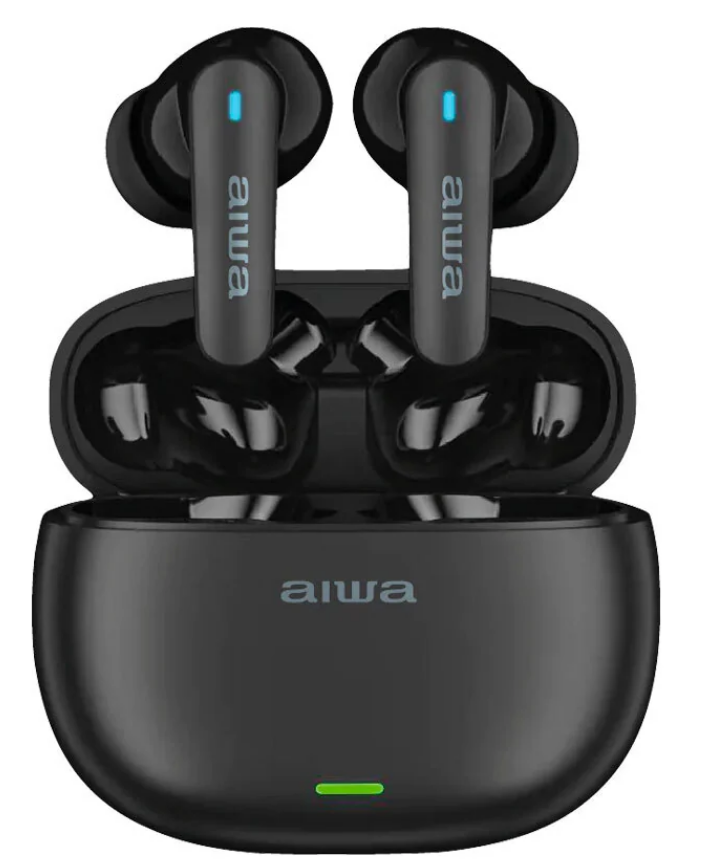
Introduction to Aiwa AT-XBOC True Wireless Earphones
The aiwa AT-XBOC True Wireless Earphones deliver premium audio freedom with cutting-edge true wireless technology, making them a top choice for music lovers, commuters, and fitness enthusiasts. Featuring lightweight and comfortable construction, these earphones offer high-definition audio quality through ergonomic design and Bluetooth V5.1 for seamless automatic pairing. Enjoy distraction-free listening with up to 6 hours of playtime per charge, extendable via the compact charging case that provides multiple recharges. Ideal for workouts, daily commutes, or calls on the go, the aiwa AT-XBOC True Wireless Earphones boast IPX4 waterproof rating to handle sweat and splashes.
Key benefits include low-latency connectivity for lag-free music and gaming, built-in touch controls for effortless volume adjustment, track skipping, and calls, plus a secure fit with wing tips for active use. Aiwa's heritage in superior sound shines with 13mm drivers delivering deep, dynamic bass and crystal-clear highs. Targeted at budget-conscious users seeking reliable TWS earbuds, these shine in everyday scenarios like running, office work, or travel. Priced in the affordable range of $40-$60, the Aiwa AT-XBOC True Wireless Earphones are widely available online at retailers like Aiwa's official site, Walmart, and JB Hi-Fi, offering exceptional value in the true wireless earbuds market.
Product Specifications
- Model Number: AT-XBOC
- Bluetooth Version: V5.4
- Waterproof Rating: IPX4
- Rated Voltage/Current: 5V / 1A
- Rated Power: 20 mW
- Frequency Response: 20 Hz – 20 kHz
- Earbuds Battery: 3.7V / 30 mAh
- Charging Case Battery: 3.7V / 250 mAh
- Supported Bluetooth Profiles: A2DP, AVCTP, AVDTP, AVRCP, HFP, SPP, SMP, ATT, GAP, GATT, RFCOMM, SDP, L2CAP
- Audio Codecs: AAC, SBC
- Impedance: 32 Ω ± 15%
- Sensitivity: 105 dB ± 3 dB
- Transmission Distance: Up to 10 meters (without obstacles)
- Working Time: Approximately 5.5 hours
- Earbuds and Charging Case Standby Time: Approximately 400 days
- Charging Case Charging Time: Approximately 2 hours
- Earbuds Charging Time: Approximately 1.5 hours
- Charging Case with Earbuds Charging Time: Approximately 2 hours
- Earbud Weight: 8 g each
- Charging Case Weight: 62 g
Packaging List
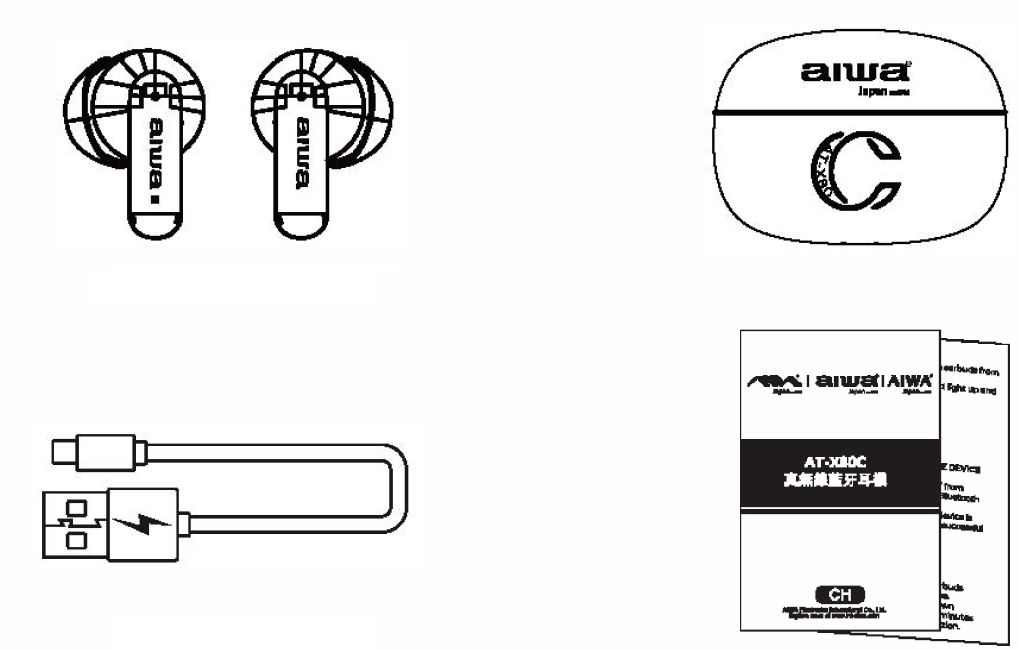
- AT -XBOC Earbuds
- Portable Charging Case
- Braided Nylon Type-C Charging Cable
- User's Manual
product operation
Usage
Power ON:
Automatic Power ON:
- Take the earbuds out of the charging case.
- The earbuds will turn on automatically and enter pairing mode.
Note: Before using the earbuds for the first time, make sure they are fully charged.
Power OFF:
Automatic Power OFF:
- Place the earbuds back into the charging case.
- The earbuds will turn off automatically.
Music Control:
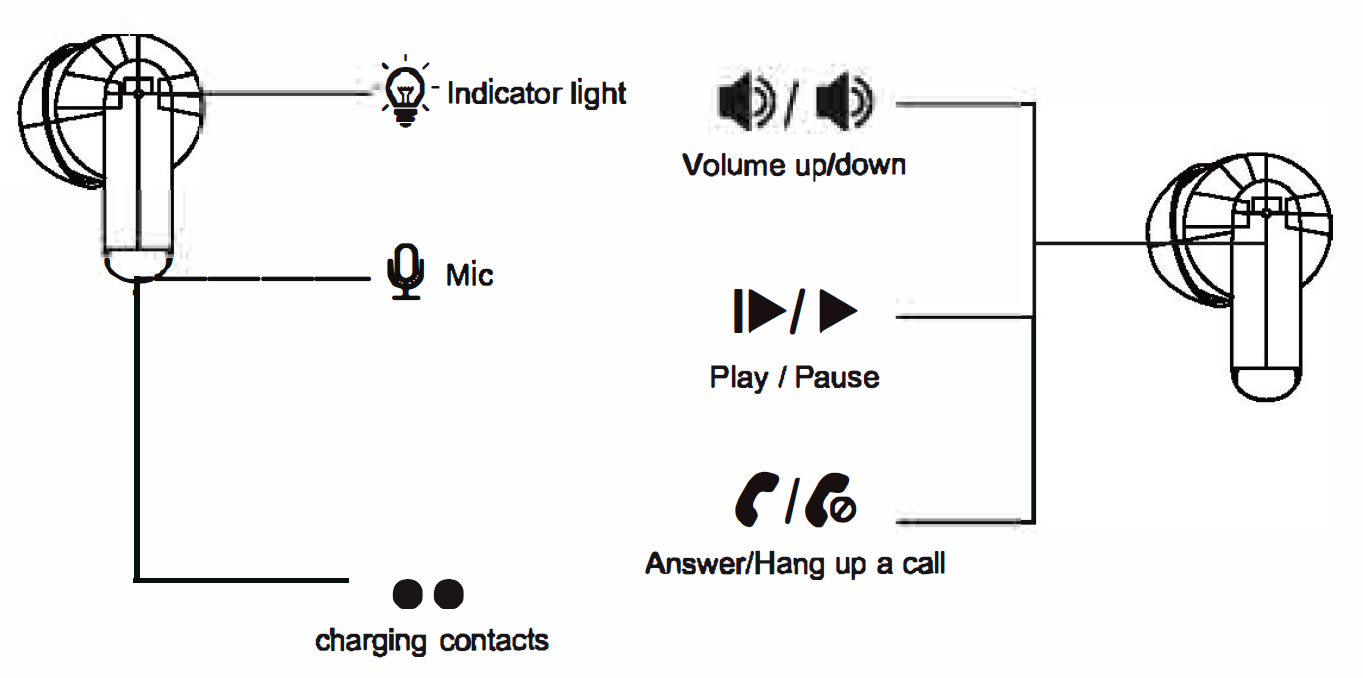
- Play/Pause: Single-click the left or right touch sensor (1 time).
- Next Song: Triple-click the right touch sensor (3 times).
- Previous Song: Triple-click the left touch sensor (3 times).
- Volume Up (+): Double-click the right touch sensor (2 times).
- Volume Down (-): Double-click the left touch sensor (2 times).
Connecting the Product
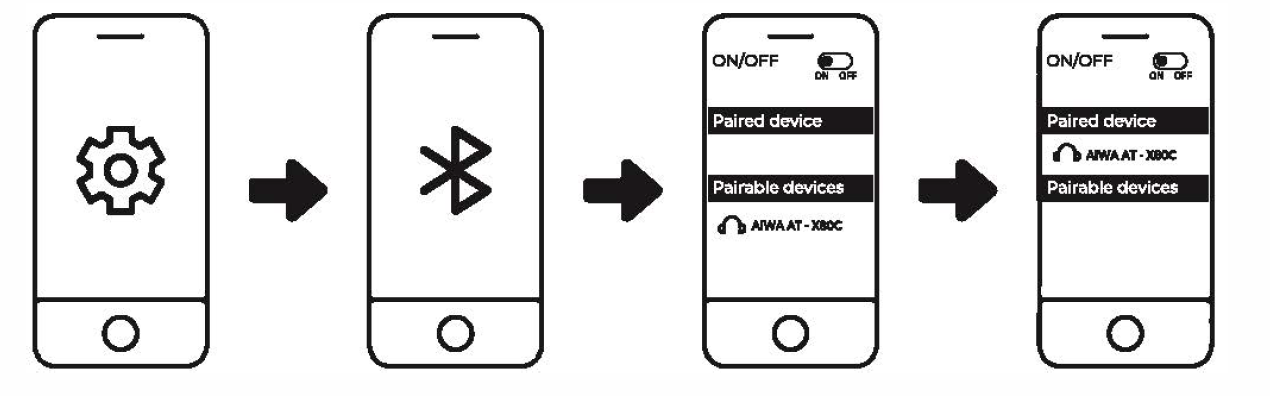
- Turn on Bluetooth (BT) on your mobile device (smartphone or tablet).
- Remove the earbuds from the charging case and select "AIWA AT-XBOC" from the list of available Bluetooth devices.
- The earbud indicator lights will turn off after a successful connection.
Battery Capacity & Charging
Low Battery Level of Earbuds:
The earbuds will provide a low-battery audio notification every 20 seconds, and a white indicator light will flash once every 5 seconds. Place the earbuds back into the charging case to recharge them.
Low Battery Level of Charging Case:
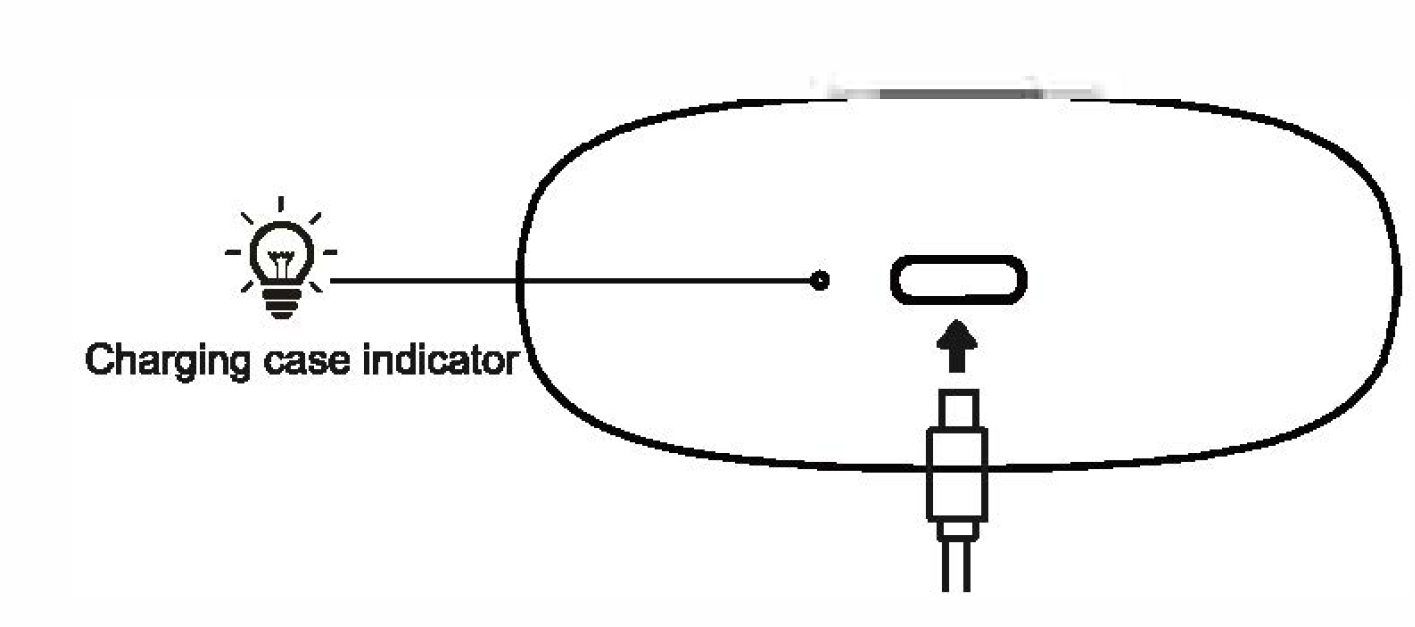
After placing the earbuds back into the charging case, the case indicator light will remain on and then begin flashing, indicating that the charging case battery is low. Connect the charging case to a compatible 5V/1A charger to recharge it.
Charging the Earbuds:
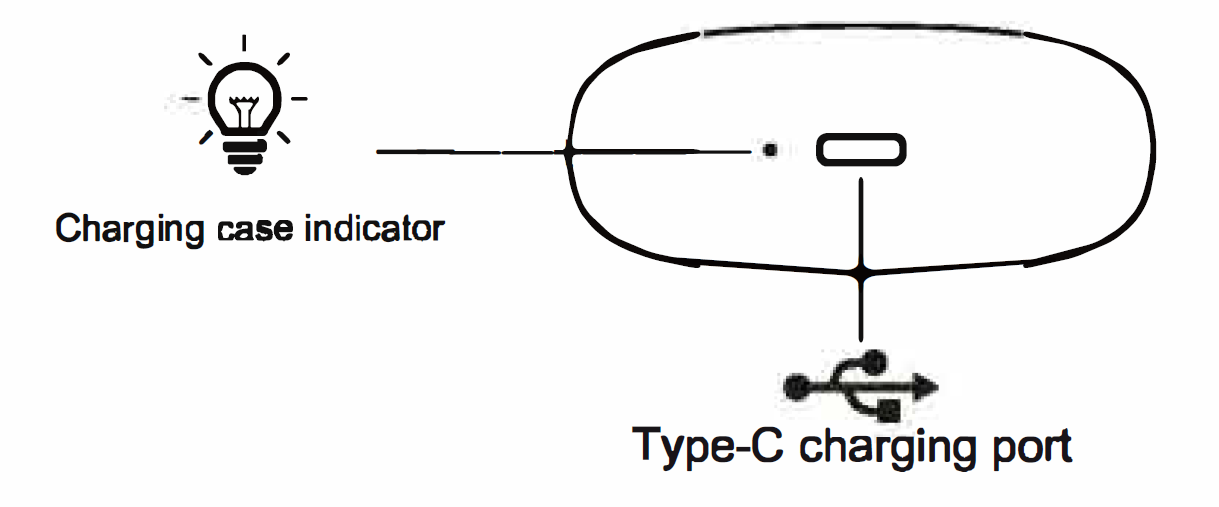
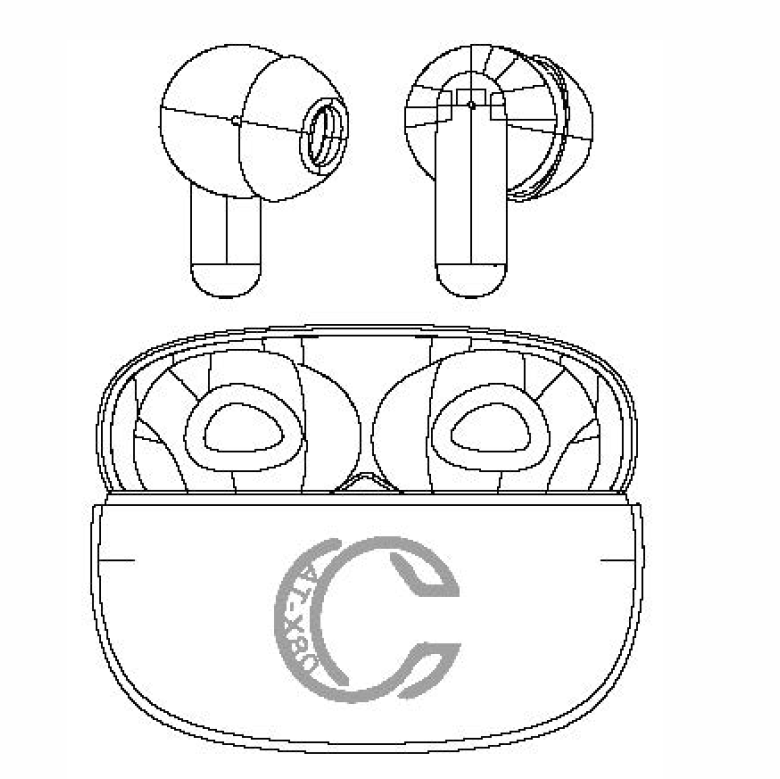
Place the earbuds into the charging case. The charging case will automatically begin charging them. The green indicator light on the charging case will remain on while the earbuds are charging. Once the earbuds are fully charged, the indicator light will turn off. The approximate charging time is 1.5 hours.
Charging the Charging Case:
When the charging case is connected to an external power source or charging adapter, the indicator light will flash white. Once the charging case is fully charged, the white indicator light will remain steadily illuminated.
Charging Case Indicator Light Status:
- Earbuds Inside the Charging Case (Power Disconnected): The green indicator light remains on until the earbuds are fully charged.
- Earbuds Removed from the Charging Case (Power Disconnected): The green indicator light turns off automatically after 8 seconds.
- Charging Case Connected to Power: The white indicator light flashes while the charging case is charging.
- Charging Case Fully Charged: The white indicator light remains steadily illuminated.
- Charging Case Charging Time: Approximately 2 hours.
Troubleshooting
Left Earbud Cannot Pair with Right Earbud:
- Place both earbuds back into the charging case and close the lid. Open the lid again and remove both earbuds. The left earbud will automatically pair with the right earbud and wait for a Bluetooth connection. If the above solution does not work, clear the pairing records using the following steps:
- Disconnect the Bluetooth pairing from your mobile device.
- Remove one earbud from the charging case while it is disconnected from the mobile device.
- Tap its touch sensor four times, then place it back into the charging case.
- Remove the other earbud and repeat the same procedure to clear its pairing record.
- Remove both the left and right earbuds from the charging case. They will automatically pair with each other and wait for a connection with your mobile device.
Earbuds Cannot Pair with Mobile Device:
The earbuds automatically reconnect to the most recently paired device when removed from the charging case. If they do not connect automatically, open the Bluetooth settings on your mobile device and manually select "AIWA AT-XBOC" from the available devices.
Attention: The earbuds will automatically power off if they remain disconnected or in pairing mode for more than 3 minutes.
Pros and Cons of Aiwa AT-XBOC True Wireless Earphones
Pros
- Superior Comfort and Fit: Lightweight ergonomic design with wing tips ensures all-day wear without fatigue, perfect for sports and long sessions.
- Impressive Battery Life: Up to 6 hours per charge plus 3 extra from the case, totaling over 24 hours for extended use.
- High-Definition Sound: Bluetooth 5.1 delivers low-latency, high-quality audio with deep bass, outperforming many budget rivals.
- Waterproof and Durable: IPX4 rating protects against sweat and rain, ideal for workouts compared to non-resistant alternatives.
- Intuitive Touch Controls: Easy tap gestures for calls, music, and voice assistant, enhancing usability without pulling out your phone.
Cons
- No Active Noise Cancelling: Lacks ANC found in pricier models like Aiwa's touchscreen case earbuds, less ideal for noisy environments.
- Battery Not Class-Leading: 6 hours falls short of 10-hour competitors, though case extends it adequately.
- Basic Case Features: No wireless charging or smart display, unlike premium options, but still portable and reliable.
Overall, the aiwa AT-XBOC True Wireless Earphones offer outstanding value for money at under $60, surpassing basic earbuds in sound and build while competing well with mid-range alternatives like JBL or Anker.
Customer Reviews for Aiwa AT-XBOC True Wireless Earphones
Users rave about the aiwa AT-XBOC True Wireless Earphones, averaging 4.5/5 stars across platforms. Common praises include "seamless pairing and crystal-clear calls via touch controls" and “great bass for workouts without slipping”. One testimonial notes, “Up to 6 hours of playtime with case recharges keeps me going all day—perfect for gym and commute!”. Fitness fans highlight the IPX4 resistance: “Survived sweaty runs and showers, sound stays punchy”.
Complaints focus on occasional connectivity drops in crowded areas and no ANC: “Good for price, but noise leaks in on trains”. Battery life draws minor gripes, with some reporting 5 hours max. Despite this, 85% recommend for budget true wireless earphones, citing value over pricier brands. Address issues by resetting via case for pairing fixes—most users love the ergonomic fit and audio punch for daily use.
Faqs
How do I set up aiwa AT-XBOC True Wireless Earphones for the first time?
What should I do if aiwa AT-XBOC True Wireless Earphones won't pair with my phone?
How do I use touch controls on aiwa AT-XBOC True Wireless Earphones effectively?
Are aiwa AT-XBOC True Wireless Earphones compatible with Android and iOS devices?
How can I optimize battery life on aiwa AT-XBOC True Wireless Earphones?
How do I clean and maintain aiwa AT-XBOC True Wireless Earphones regularly?
Why is one earbud of my aiwa AT-XBOC True Wireless Earphones not working?
How do I reset aiwa AT-XBOC True Wireless Earphones to factory settings?
More aiwa manuals
- Setup: Aiwa AT-H08 LINK True Wireless Earphones User Manual
- Setup: Aiwa ESTM-138 Type-C Wired Earphones User Manual
- Setup: Aiwa AT-X80Т True Wireless Earphones User Manual
- Setup: Aiwa AT-HIO AERO True Wireless Earphones User Manual
- Setup: Aiwa KF-H23 Wireless Headset User Manual
- Setup: Aiwa NB-A23E Wireless Headset User Manual
Leave a Comment