
Setup: Aiwa AT-X80K True Wireless Earphones User Manual
Content
AIWA AT-X80K True Wireless Earphones: Complete Product Manual & Guide
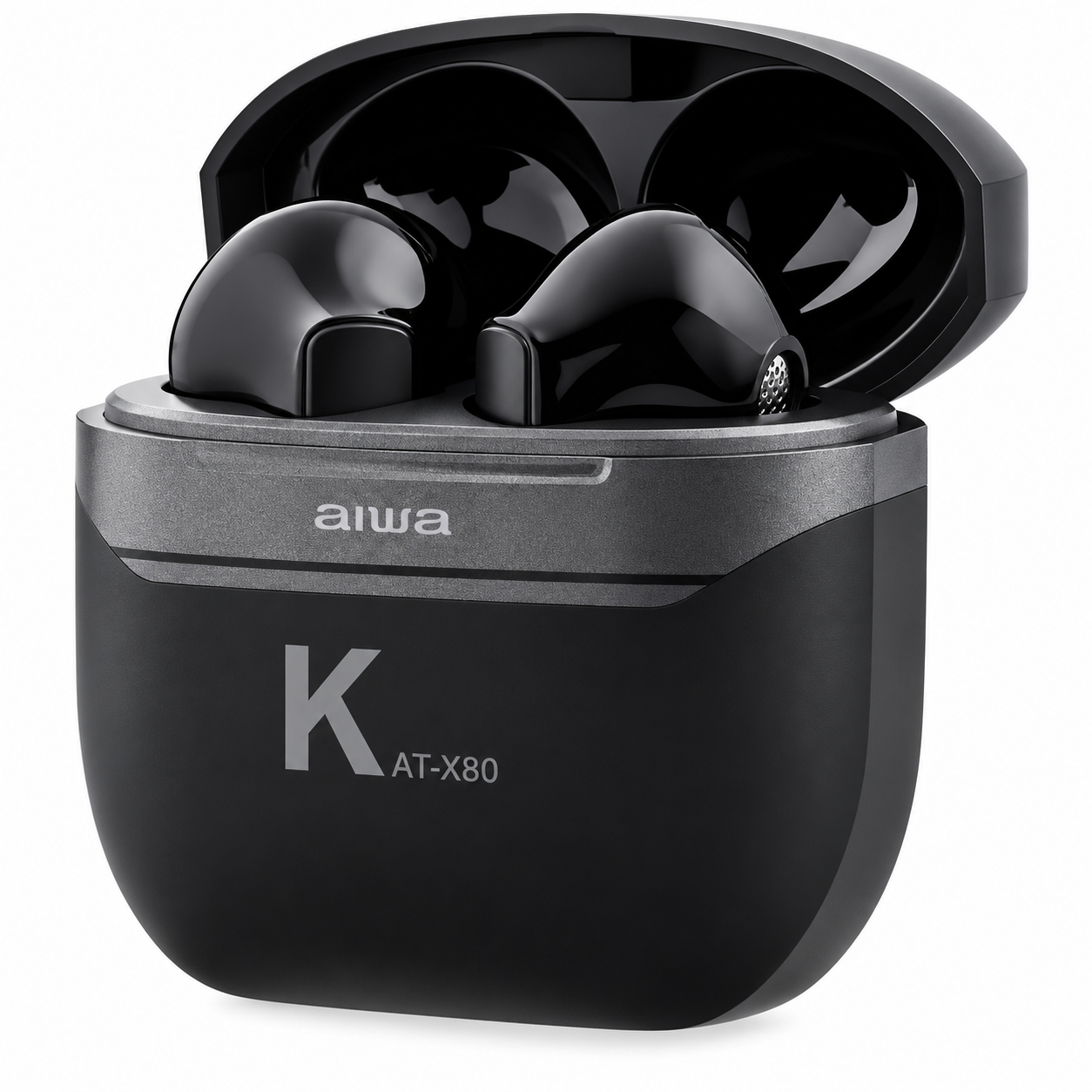
Product Introduction & Overview
The AIWA AT-X80K True Wireless Earphones represent a remarkable comeback for the legendary Japanese audio brand. These compact, feature-rich earbuds deliver immersive audio quality with modern wireless convenience, making them an excellent choice for music enthusiasts, commuters, and fitness enthusiasts alike. The AIWA AT-X80K combines affordability with solid performance, offering users a reliable audio solution without breaking the bank.
Designed with portability in mind, the AIWA AT-X80K True Wireless Earphones feature Bluetooth 5.1 connectivity for stable, low-latency connections to smartphones, tablets, and other compatible devices. The earbuds are engineered with an IPX4 water resistance rating, making them suitable for daily use in various weather conditions and light workouts. Each earbud weighs just 3.2 grams, ensuring comfortable all-day wear for extended listening sessions.
The AIWA AT-X80K comes packaged with a portable charging case that holds approximately three full charges, extending total playback time significantly. The braided nylon Type-C charging cable included ensures convenient and durable charging. Priced competitively in the budget-friendly segment, typically ranging from €39.95 to €50 depending on region and retailer, the AIWA AT-X80K True Wireless Earphones offer exceptional value for money. These earbuds are available through major online retailers, electronics stores, and the official AIWA website globally.
Key Features & Technical Specifications
Understanding the technical specifications of the AIWA AT-X80K True Wireless Earphones helps you make an informed purchasing decision. Here are the core specifications:
| Specification | Details |
|---|---|
| Model Number | AT-X80K |
| Bluetooth Version | V5.1 |
| Water Resistance Rating | IPX4 |
| Frequency Response | 20Hz-20KHz |
| Earbud Battery | 3.7V / 25mAh |
| Charging Case Battery | 3.7V / 250mAh |
| Working Time (Per Charge) | 5 Hours (Approx) |
| Standby Time | 260 Days (Approx) |
| Charging Time (Case with Earbuds) | 2 Hours (Approx) |
| Impedance | 32Ω ±15% |
| Sensitivity | 105dB ±3dB |
| Audio Decoding | AAC, mSBC |
| Transmission Distance | 10 Meters (No Obstacles) |
| Earbud Weight | 3.2g Each |
| Charging Case Weight | 19.5g |
| Earbud Dimensions | 32 x 17.5 x 14.3mm |
| Charging Case Dimensions | 45.8 x 47.2 x 22mm |
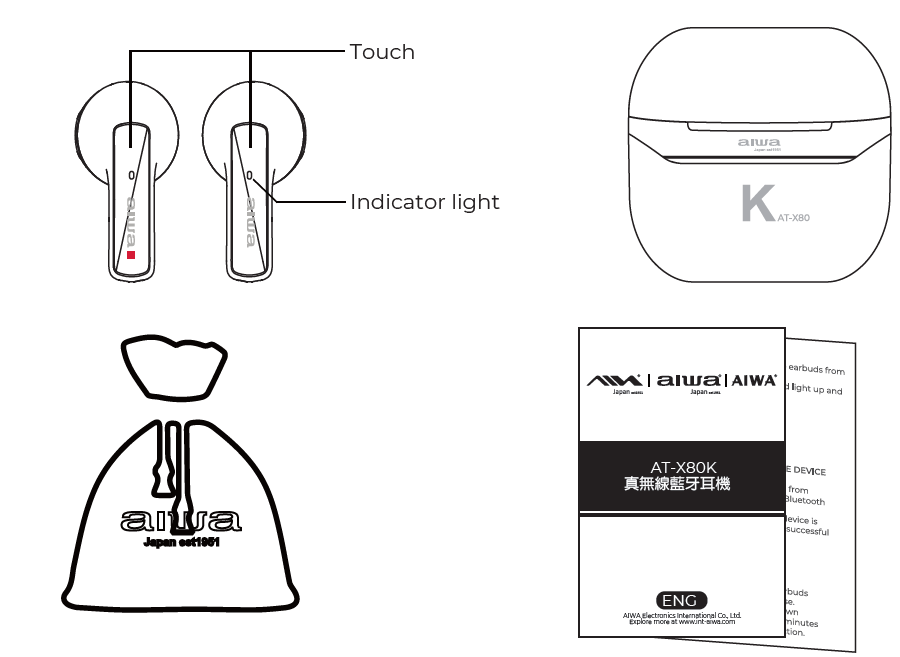
Packaging List
- AT-X80K Earbuds
- Portable Charging Case
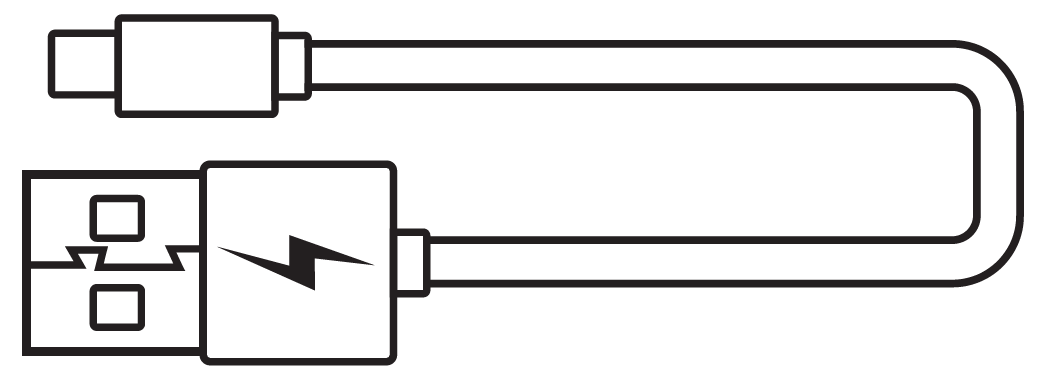
- Braided Nylon Type-C Charging Cable
- User's Manual
- Cotton-Linen Blend Fabric Pouch
product operation
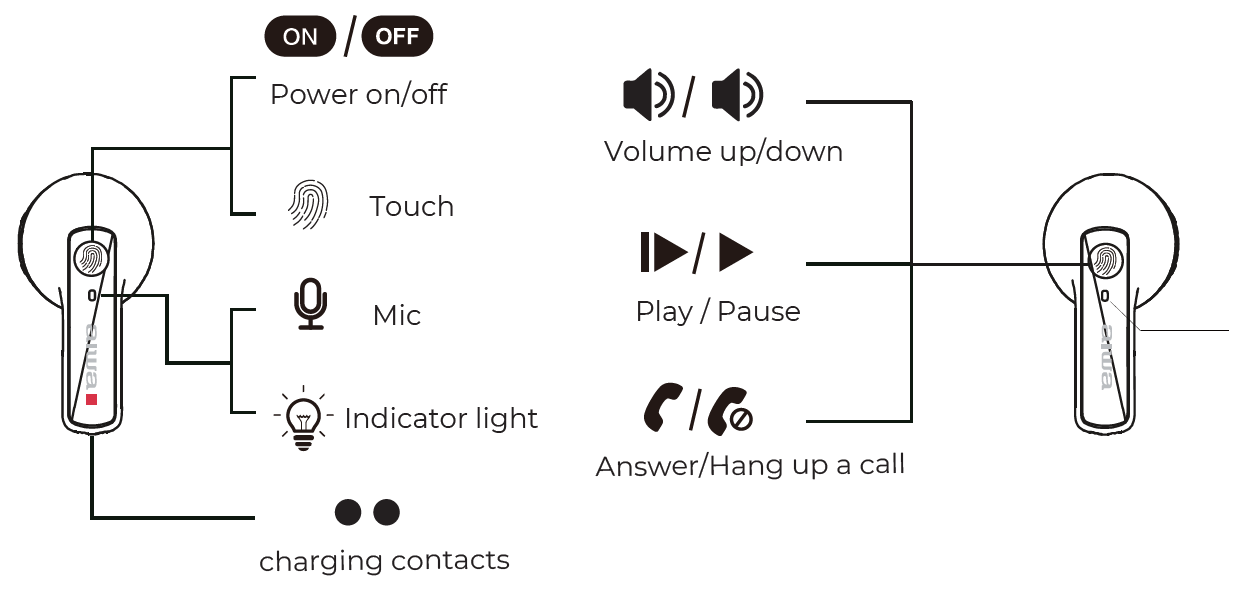
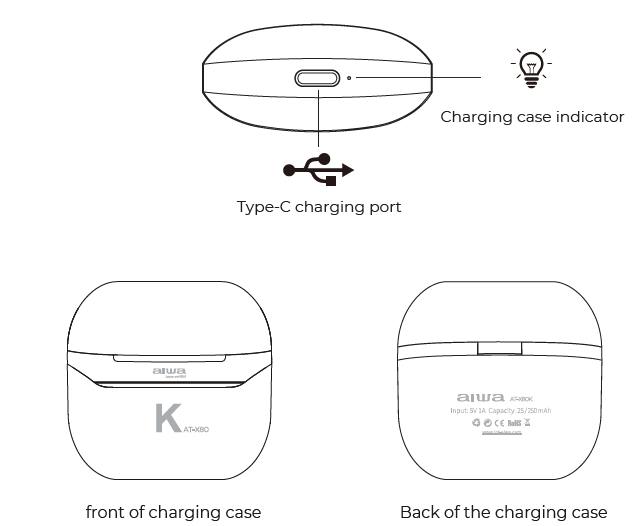
Usage
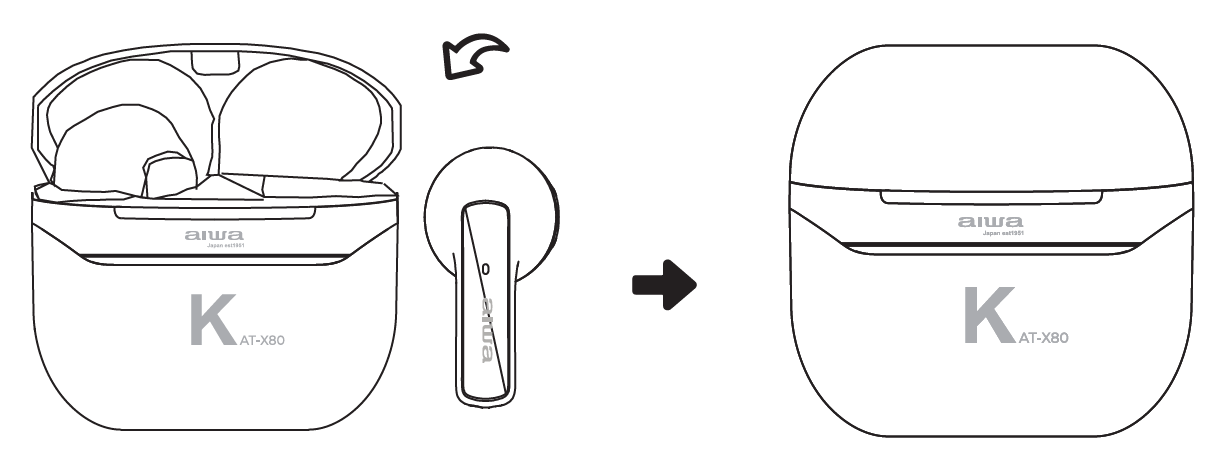
Power ON:
- Automatic power ON:
- 1. Remove earphones from the charging case.
- The earphones will turn on automatically & enter into pairing status.
- Manual power ON:
- Long-press the button (L or R side of the earbuds for 3 seconds. The earbuds' indicator light remains lit in white for 4 seconds after power ON
- Either one of the earbuds will flash red & white upon successful connection between the earbuds. Before using it for the first time, make sure the headset is fully charged.
Power OFF:
- Automatic power OFF:
Place earbuds back into the charging case. - Manual power OFF:
- Long-press the touch sensor(L or R side) on the earbud for 5 seconds.
- The earbuds' indicator lights will flash 3 times in red.
- AT-X80K will power OFF automatically after 3 minutes of disconnection.
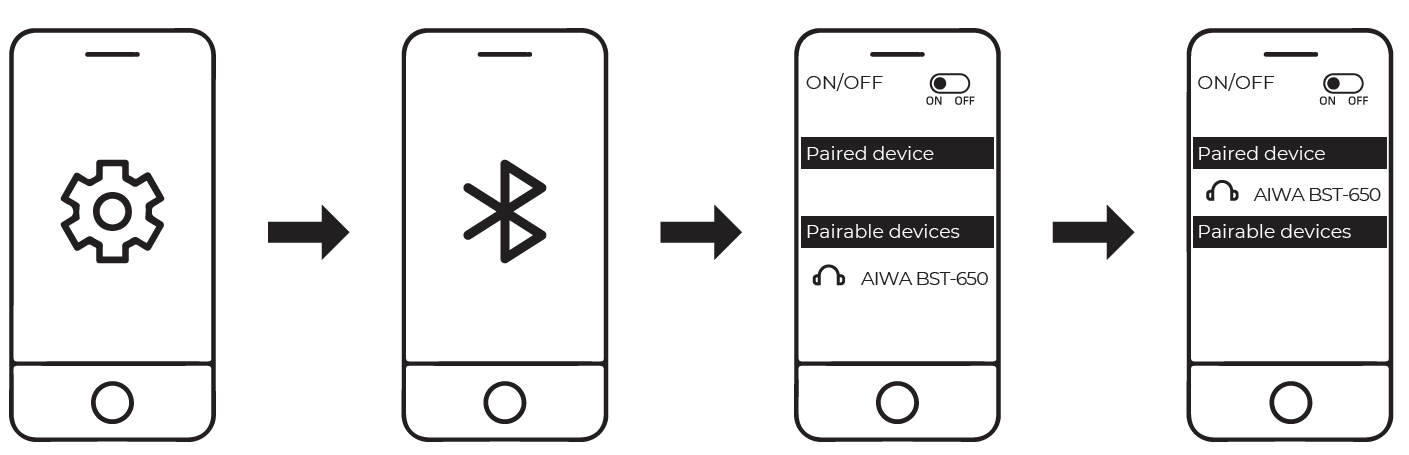
Connecting the Product
- Turn on Bluetooth (BT) on your mobile device
- Remove earphones from the charging case & connect to "AIWA AT-X80K" from your bluetooth device.
- The earbuds indicator light will turn off upon successful connection.
Battery & Charging
Earbuds low battery
"Battery low" voice prompts will commence every minute. The earbuds indicator light will flash in red every 5 seconds. Place them back into the charging case to recharge.
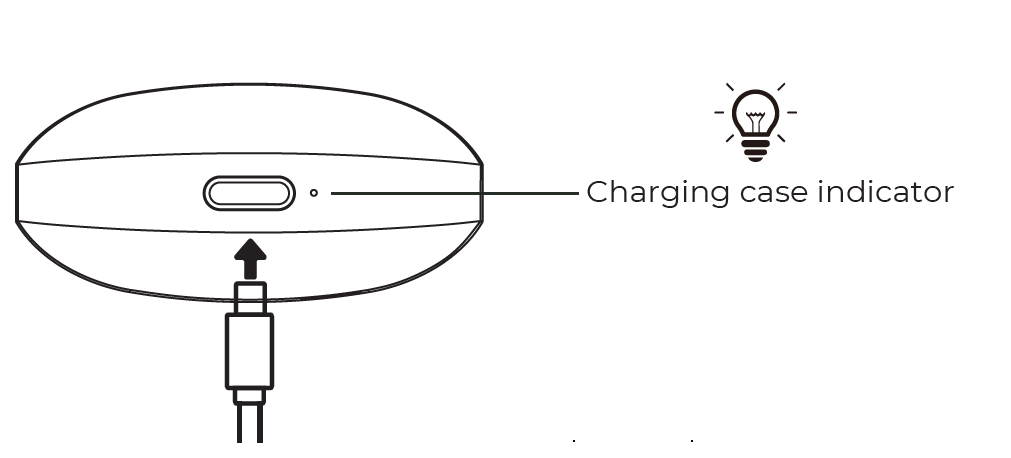
Low battery of charging case
The charging case indicator light will flash rapidly in blue. Please recharge the charging case.
Advantages of AIWA AT-X80K True Wireless Earphones
- Excellent Value for Money: The AIWA AT-X80K True Wireless Earphones deliver premium features at an affordable price point, making them accessible to budget-conscious consumers without compromising on essential functionality.
- Reliable Bluetooth 5.1 Connectivity: With Bluetooth 5.1 technology, these wireless earbuds maintain stable connections across extended ranges with low latency, ensuring minimal audio lag during video playback and gaming.
- IPX4 Water Resistance: The IPX4 rating protects against water splashes and light rain, making the AIWA AT-X80K suitable for workouts, outdoor activities, and daily commuting in various weather conditions.
- Extended Battery Life with Charging Case: With 5 hours of playback per charge and a charging case that provides approximately three additional full charges, users enjoy up to 20 hours of total listening time between full case charges.
- Lightweight & Comfortable Design: At just 3.2 grams per earbud, the AIWA AT-X80K minimizes ear fatigue, allowing comfortable wear throughout the day without discomfort or pressure.
- Wide Frequency Response: The 20Hz-20KHz frequency response ensures the AIWA AT-X80K True Wireless Earphones capture the full spectrum of human hearing, delivering balanced audio across bass, midrange, and treble frequencies.
- Fast Charging Technology: The two-hour charging time for the case with earbuds ensures quick turnaround between usage sessions, keeping your earbuds ready for action.
Disadvantages & Limitations
- Limited Battery Per Earbud: With only 5 hours of battery life per charge, users requiring extended listening without access to the charging case may find this limiting for long travel days or outdoor adventures.
- No Active Noise Cancellation: Unlike premium competitors, the AIWA AT-X80K lacks active noise cancellation technology, relying instead on passive isolation from the in-ear design.
- Basic Audio Codec Support: The earbuds support only AAC and mSBC audio codecs, lacking support for advanced codecs like aptX or LDAC found in higher-priced alternatives.
- Standard Driver Size: The AIWA AT-X80K True Wireless Earphones feature standard-sized drivers without the larger 10mm or 12mm drivers found in premium models, potentially limiting bass response and overall audio impact.
- No Touch Controls Mentioned: While featuring touch indicator lights, detailed touch control functionality documentation is limited, which may affect user convenience for call management and music control.
- Modest Transmission Range: The 10-meter transmission distance in ideal conditions may feel limiting in larger environments or when moving between rooms with obstacles.
Troubleshooting
L side earbud cannot be linked with R side earbud
Solution: Place earbuds back into the charging case and close the case. Re-open the lid after a few seconds. The earbuds will now be linked to each other & is ready to be connected to your mobile device.
If the above solution does not work, please clear the earbuds' pairing history:
- Turn off & disconnect all Bluetooth devices from the earbuds.
- Remove ONE (l) earbud from the charging case & click on the touch sensor FOUR (4) times.
- Place that earbud back into the charging case.
- Repeat this process for the other earbud.
- Remove both earbuds from the charging case & wait for both earbuds to be linked to each other before initiating pairing with your Bluetooth device.
Customer Reviews & User Feedback
- User Satisfaction Highlights: Customers consistently praise the AIWA AT-X80K True Wireless Earphones for their affordability and reliable performance. Users appreciate the lightweight design, which allows comfortable all-day wear without ear fatigue. The quick pairing process with both Android and iOS devices receives frequent positive mentions, with many noting the straightforward setup procedure.
- Audio Quality Assessment: Reviews indicate the AIWA AT-X80K delivers balanced audio suitable for casual listening, podcasts, and streaming content. While not matching premium earbuds in sound depth, users find the audio quality adequate for the price range. The 105dB sensitivity ensures adequate volume levels for most listening scenarios.
- Common Praise Points: Customers highlight the IPX4 water resistance for gym use, the portable charging case's convenience, and the overall build quality as standout features. The braided nylon cable receives appreciation for durability. Many reviewers note the AIWA AT-X80K True Wireless Earphones offer excellent value compared to higher-priced alternatives with similar features.
- Frequently Mentioned Concerns: Some users report that the 5-hour battery life, while adequate for daily use, falls short for extended listening sessions. A few reviewers note the passive noise isolation may not suffice in extremely loud environments. Some customers express desire for additional color options beyond black.
- Recommendation Summary: The AIWA AT-X80K True Wireless Earphones receive strong recommendations for budget-conscious buyers, commuters, gym enthusiasts, and casual listeners. They represent an ideal entry point into true wireless audio for those prioritizing value and reliability over cutting-edge features.
Getting Started with Your AIWA AT-X80K
- Initial Setup: Remove the AIWA AT-X80K True Wireless Earphones from the charging case and place them in pairing mode. Access your device's Bluetooth settings and select "AIWA AT-X80K" from available devices. Upon successful connection, either earbud will flash red and white, confirming the pairing process is complete.
- Charging Instructions: Use the included braided nylon Type-C charging cable to charge the case. Connect the cable to the Type-C port on the back of the charging case. The charging case requires approximately two hours for a full charge with both earbuds inside. The case indicator light will show charging status during the process.
- Daily Usage Tips: For optimal performance, keep your AIWA AT-X80K True Wireless Earphones within the 10-meter Bluetooth range of your device. Clean the charging contacts regularly to ensure efficient power transfer. Store the earbuds in the charging case when not in use to maintain battery longevity and protect against damage.
Why Choose AIWA AT-X80K Over Alternatives
The AIWA AT-X80K True Wireless Earphones stand out in the competitive budget earbuds market through their combination of heritage, reliability, and practical features. The legendary AIWA brand brings decades of audio expertise to these modern wireless earbuds, ensuring quality construction and dependable performance. Compared to no-name budget alternatives, the AIWA AT-X80K delivers superior build quality, better battery management, and more reliable Bluetooth connectivity. While lacking premium features like active noise cancellation found in higher-priced models, the AIWA AT-X80K offers the best balance of essential features, durability, and affordability in its price category.
The IPX4 water resistance combined with lightweight design makes the AIWA AT-X80K True Wireless Earphones particularly suited for active users and outdoor enthusiasts. The extended battery life with the charging case ensures these earbuds remain practical for daily commuting and travel. For anyone seeking reliable, affordable true wireless earphones without unnecessary premium features, the AIWA AT-X80K represents an intelligent purchasing decision that delivers consistent performance and lasting value.
```
Faqs
How do I set up aiwa AT-X80K True Wireless Earphones for the first time?
Why won't my aiwa AT-X80K True Wireless Earphones connect to my phone?
How do I use touch controls on aiwa AT-X80K True Wireless Earphones?
Are aiwa AT-X80K True Wireless Earphones compatible with Android and iOS devices?
How long does the battery last on aiwa AT-X80K True Wireless Earphones?
How can I optimize sound quality on aiwa AT-X80K True Wireless Earphones?
What should I do if one earbud of aiwa AT-X80K True Wireless Earphones isn't working?
How do I maintain and clean aiwa AT-X80K True Wireless Earphones?
Tags
More aiwa manuals
- Setup: Aiwa AT-X80U True Wireless Earphones User Manual
- Setup: Aiwa BST-650 Portable Bluetooth Speaker User Manual
- Aiwa SB-X100 Bluetooth Speaker User Manual
- Setup: Aiwa AT-X80E II True Wireless Earphones User Manual
- Setup: Aiwa NB-A23TANC Wireless Headset User Manual
- Setup: Aiwa AA-K21GC Gooseneck Spout Kettle User Manual
Leave a Comment