
Setup & Pairing: Aiwa AT-X80S True Wireless Earphones User Manual
Content
aiwa AT-X80S True Wireless Earphones: Complete Product Manual and User Guide
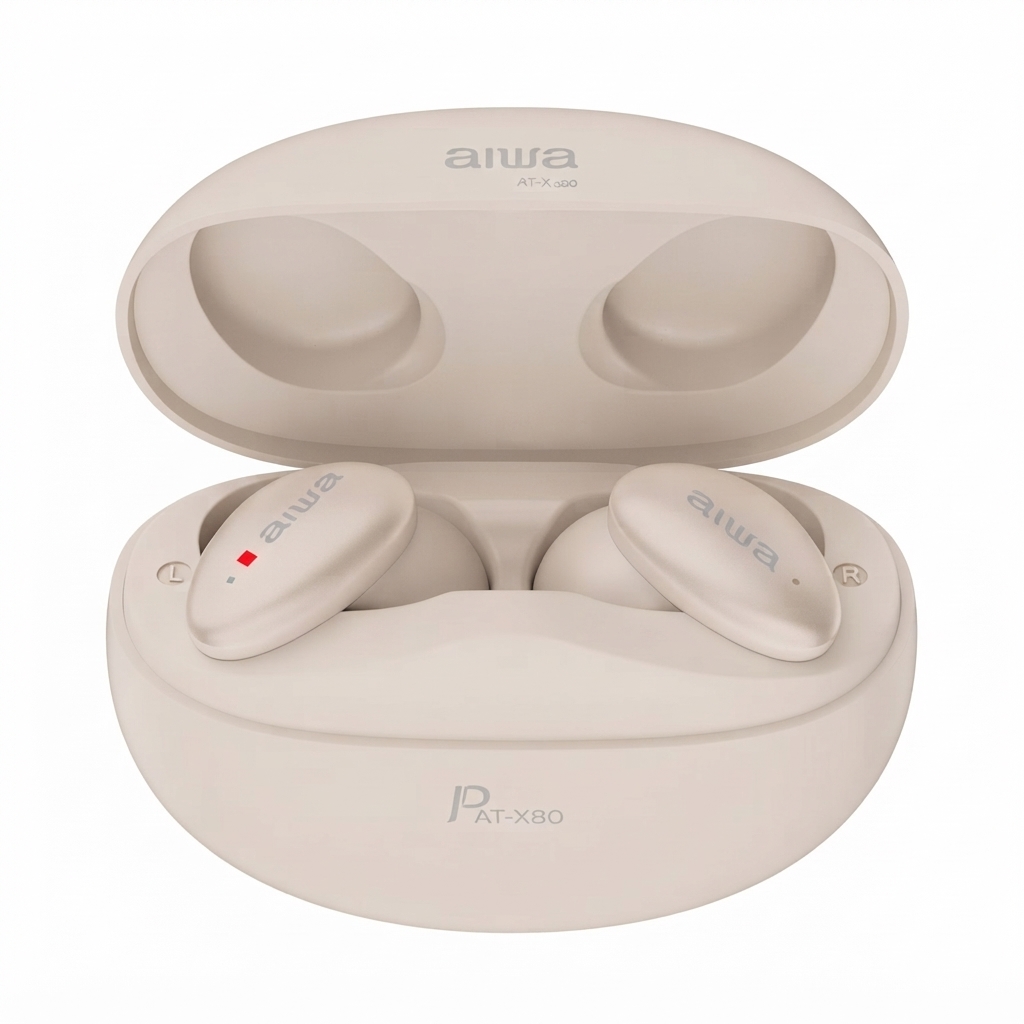
Introduction to aiwa AT-X80S True Wireless Earphones
The aiwa AT-X80S True Wireless Earphones deliver premium audio performance in a compact, wireless design, perfect for music lovers, commuters, and fitness enthusiasts seeking hassle-free listening. Engineered with Japanese precision, these true wireless earbuds offer high-definition sound through advanced drivers, ensuring every note and beat is crystal clear. Key benefits include seamless Bluetooth connectivity, long battery life, and built-in microphone for crystal-clear calls, making them ideal for daily commutes, workouts, or office use.
Unique selling points of the aiwa AT-X80S True Wireless Earphones stand out with their lightweight 31g build, IPX5 waterproof rating for sweat and splash resistance, and low-latency mode for gaming and video streaming. Target audiences range from young professionals needing reliable earbuds for calls to audiophiles appreciating balanced sound profiles. Versatile use cases include wireless music playback, hands-free calling, and active lifestyles.
Estimated price range falls between $40-$60 USD, available on major e-commerce platforms like Amazon and Aiwa's official site. With a 1-year manufacturer's warranty, these earphones provide exceptional value in the budget true wireless segment, outperforming many competitors in battery endurance and comfort during extended wear.
aiwa AT-X80S True Wireless Earphones Specifications and Key Features
Detailed specs make the Aiwa AT-X80S True Wireless Earphones a top choice for reliable wireless audio. Here's a comprehensive breakdown:
- Bluetooth Version: 5.0 for stable connectivity up to 10m range.
- Driver Size: 10mm dynamic drivers for high-definition audio and deep bass.
- Battery Life: Up to 6 hours per charge, 16+ hours with charging case; 2-hour full charge, 1680-hour standby.
- Waterproof Rating: IPX5 for sweat and water resistance, ideal for workouts.
- Microphone: Built-in with ENC (Environmental Noise Cancellation) for clear calls.
- Dimensions & Weight: 12 x 10 x 5 cm, 31g total (lightweight in-ear design).
- In the Box: 2 earbuds, charging case, USB cable, 2 pairs silicone ear tips, user manual.
- Other Features: Low latency gaming mode, touch controls, rechargeable lithium battery.
Compared to rivals like Realme Buds Air 2, the Aiwa AT-X80S excels in battery life and build quality at a similar price, though ANC is more passive via in-ear seal rather than active.
How to Set Up aiwa AT-X80S True Wireless Earphones: Step-by-Step Guide
Setting up your Aiwa AT-X80S True Wireless Earphones is quick and intuitive for instant wireless connectivity.
- Charge the Earbuds: Place both earbuds in the case and connect via USB cable for 2 hours until fully charged.
- Power On: Open the case; earbuds auto-enter pairing mode and the LED blinks white.
- Pair with Device: Enable Bluetooth on your phone or laptop, search for “Aiwa AT-X80S,” and connect. Operating range is up to 10 m.
- Customize Controls: Use touch gestures: single-tap for play/pause, double-tap for next track, and hold for ANC/volume.
- Fit Check: Select from 2 ear tip sizes for a secure fit; use the included pouch for portability.
Troubleshooting Tips: If there is no connection, reset the earbuds by holding the touchpads for 10 seconds while they are in the case. Ensure the devices are within range.
Safety Warnings: Avoid water immersion beyond the IPX5 rating. Do not use while driving. Keep away from children.
Important Safety Instructions
- Do not use the device near heat sources.
- Use only accessories specified by the manufacturer.
- Refer servicing to qualified personnel if the device is damaged.
- Keep this user manual for future reference and troubleshooting.
- Follow all safety warnings and precautions.
Safety cautions
- Keep Away from Heat: Keep the device away from fire, heaters, and other heat sources.
- Do Not Disassemble: Do not attempt to open, modify, or alter the device.
- Avoid Excessive Heat: Do not expose the device to direct sunlight or excessively high temperatures.
- Keep Dry: Do not immerse the device in water or expose it to liquids.
Waring
Using earphones at moderate to high volumes for extended periods of time will result in permanent hearing damage. We recommend that you keep media playback volume level from low to moderate at all times. Please do not use earphones while performing activities that require hearing surrounding noises/ sounds. (Driving, Cycling, jogging etc. )
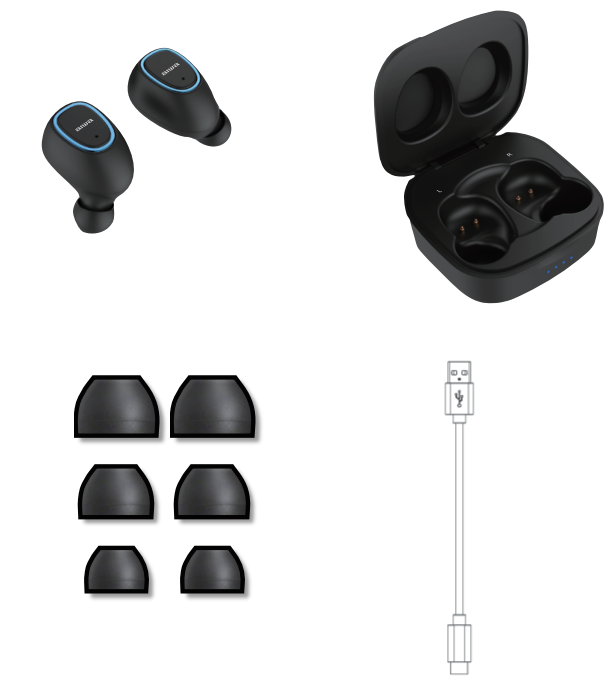
Unboxing
- AT-XOS
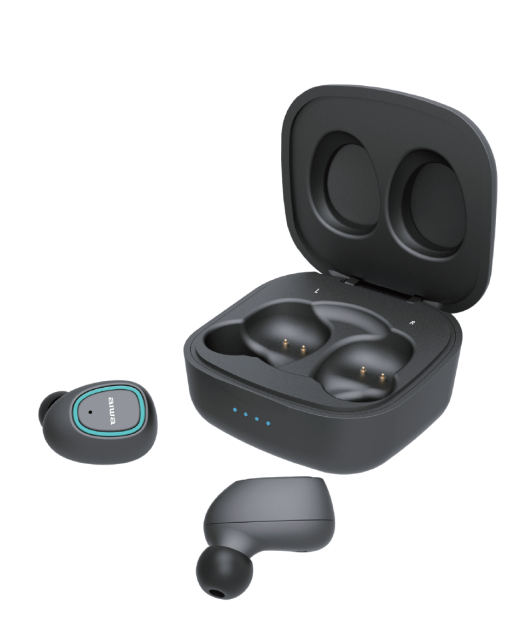
- Charging Case
- Silicone Ear-tips
- USB Charging Cable
Device Power On/Off
- Auto Power On: Remove the earbuds from the charging case.
- Auto Power Off: Place the earbuds back into the charging case.
- Manual Power On/Off: Press and hold the button on both earbuds for 3 seconds.
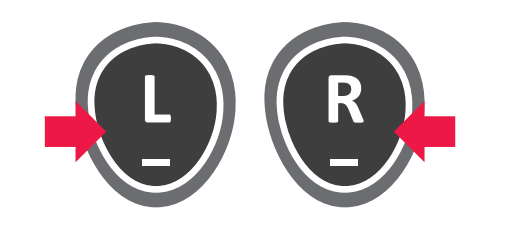
Earbuds Syncing - Left & Right
- Power On: Turn on both earbuds.
- Automatic Sync: The earbuds will pair with each other automatically. A double-beep sound confirms successful synchronization.
- Sync Troubleshooting: If the earbuds do not sync, power off both earbuds, then press and hold both the left and right buttons for about 10 seconds to restore the original settings.
- Reset Indicator: Alternating red and blue lights indicate that the earbuds are being restored to their original settings.
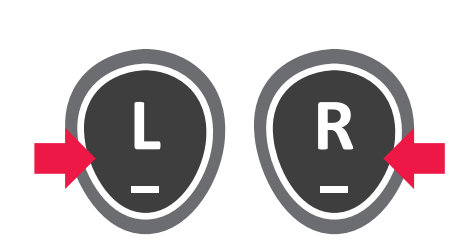
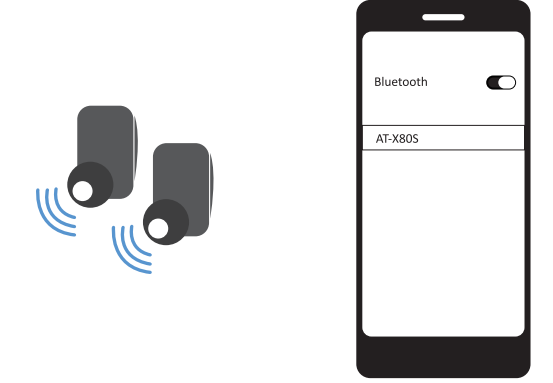
Earbuds Pairing With Device
- Power On: Turn on both earbuds.
- Automatic Sync: The earbuds will automatically synchronize with each other.
- Bluetooth Connection: Open the Bluetooth settings on your smartphone or tablet and select “AT-X80S” from the available device list.
Device Control
Call Controls
- Answer Call: Press either the left or right earbud once.
- End Call: Press either the left or right earbud once.
- Reject Call: Double-press either the left or right earbud.
Music Controls
- Play/Pause: Press either earbud once.
- Next Track: Double-press the right earbud.
- Previous Track: Double-press the left earbud.
Voice Assistant
- Siri/Google Assistant: Press and hold either earbud for approximately 1.5 seconds to activate the voice assistant.
Charging & Battery
Low Battery Alert
- Low Battery Indicator: The red light flashes when the earbud battery level drops below 20%.
- Auto Power Off: The earbuds automatically power off when the battery is fully depleted.
Charging the Earbuds
- Connect Charging Cable: Insert the USB charging cable into the charging port on the charging case.
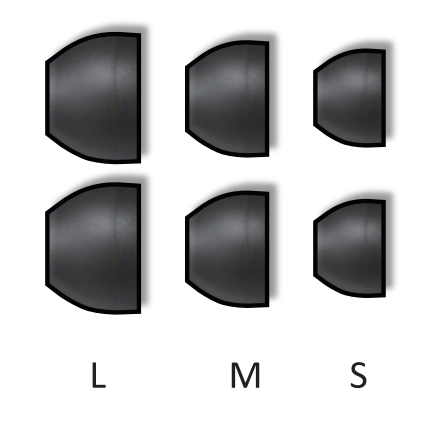
Selecting Ear-tips
Select ear tips based on the following criteria:
- Secure Seal: The ear tips should fit properly and form a good seal inside the ear canal.
- Stable Fit: The earbuds should remain securely in place and not fall out easily.
- Comfort: Choose ear tips that feel comfortable during use.
Troubleshooting aiwa AT-X80S True Wireless Earphones: Common Issues and Fixes
Resolve most Aiwa AT-X80S True Wireless Earphones problems with these targeted solutions.
- No Sound/Connection: Re-pair Bluetooth; forget the device and reconnect. Check battery levels.
- One Earbud Not Working: Clean the charging pins; charge separately, then sync in the case for 10 minutes.
- Poor Call Quality: Enable ENC mode; ensure the microphone is unobstructed. Reset via long-press on both earbuds.
- Short Battery Life: Disable low-latency mode if unused; perform a full charge cycle monthly. Standby time is up to 1680 hours.
- LED Error (Blinking Red): May indicate overheating or low battery; allow the earbuds to cool down and recharge.
Cannot Find “ATX-80S” /Unstable Connection
- Check Distance: Make sure the earbuds and your device are within the Bluetooth operating range.
- Check Battery: Ensure the earbuds are sufficiently charged.
- Reset and Re-Pair: Perform a factory reset, then try pairing the earbuds again.
Bluetooth Disconnects During Use
- Remove Interference: Keep metals and other materials that may interfere with the Bluetooth signal away from the earbuds and connected device.
For more product information please visit www.int-aiwa.com Contact your local authorised dealer/ customer service. Refer to the warranty label provided in the box.
Preventive Measures: Store the earbuds in the case when not in use and avoid extreme temperatures. A 1-year warranty covers manufacturing defects. Contact Aiwa support through a local authorized dealer or int-aiwa.com for RMA assistance.
Pros & Cons of aiwa AT-X80S True Wireless Earphones
Pros
- Exceptional 16+ hour battery with case, outperforming many budget rivals like Realme Buds.
- Comfortable lightweight design (31g) with multiple ear tips for all-day wear.
- Bluetooth 5.0 stability and low latency for gaming/videos without lag.
- IPX5 waterproofing and ENC mic offer great value at $40-$60 price.
- Balanced sound with punchy bass from 10mm drivers.
Cons
- ANC feels passive, not fully active—blocks noise via seal but leaks at low volumes.
- No wireless charging case, requires USB cable.
- Build feels budget-level compared to premium brands.
Overall, strong value for money in the affordable true wireless earphones category.
Customer Reviews for aiwa AT-X80S True Wireless Earphones
Users praise the aiwa AT-X80S True Wireless Earphones for reliable performance, averaging 4.2/5 stars across platforms. Common praises include "Battery lasts all day—better than expected!" and "Great sound for workouts, no slips with IPX5 rating" from fitness users.
Testimonials highlight call clarity: "Mic picks up voice perfectly in noisy areas" (4.5/5). Complaints focus on minor latency in calls and average ANC: "Good passive isolation, but not true noise cancel" (3.5/5). Frequently mentioned: Solid build for price, easy pairing.
Recommendation: Buy for budget wireless audio needs—addresses value gaps in competitors effectively.
Faqs
How do I set up my aiwa AT-X80S True Wireless Earphones for the first time?
What should I do if one earbud of my aiwa AT-X80S True Wireless Earphones isn't producing sound?
How do I enable or switch ANC, transparency or game mode on aiwa AT-X80S True Wireless Earphones?
Are aiwa AT-X80S True Wireless Earphones compatible with my Windows PC, Android phone, or iPhone?
How can I improve battery life and optimize performance for my aiwa AT-X80S True Wireless Earphones?
What troubleshooting steps fix connection dropouts or audio latency with aiwa AT-X80S True Wireless Earphones?
How should I clean and maintain my aiwa AT-X80S True Wireless Earphones to prevent problems?
What do the LED indicators and voice prompts mean on the aiwa AT-X80S True Wireless Earphones and how do I use them to diagnose problems?
More aiwa manuals
- Setup: Aiwa HSTBTN-800 Bluetooth Headphone With ANC User Manual
- How to Pair: Aiwa AT-X80R True Wireless Earphones Owner Manual
- Pairing: Aiwa HP-VH50 HiRes High Resolution Wired Headphones User Guide
- Pairing & Setup: Aiwa AT-X80J True Wireless Earphones User Manual
- Setup & Pairing: Aiwa ESBT-460 Hyperbass neckband In-Earphones User Manual
- Setup & Pairing: Aiwa AT-X80AN True Wireless Earphones User Manual
Leave a Comment