
Pairing: Aiwa HP-VH50 HiRes High Resolution Wired Headphones User Guide
Content
Aiwa HP-VH50 HiRes High Resolution Wired Headphones: Complete Product Manual
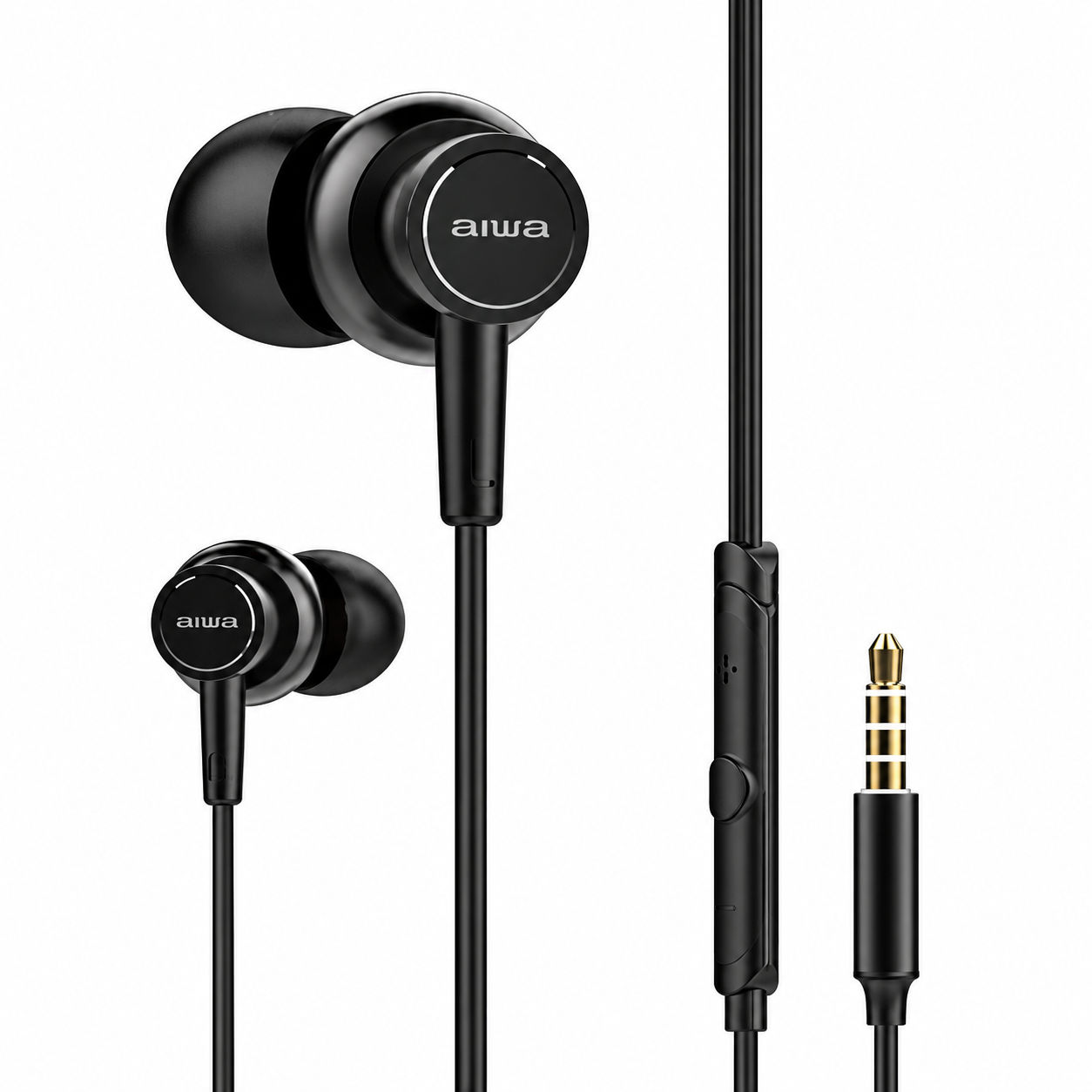
Introduction to Aiwa HP-VH50 HiRes High Resolution Wired Headphones
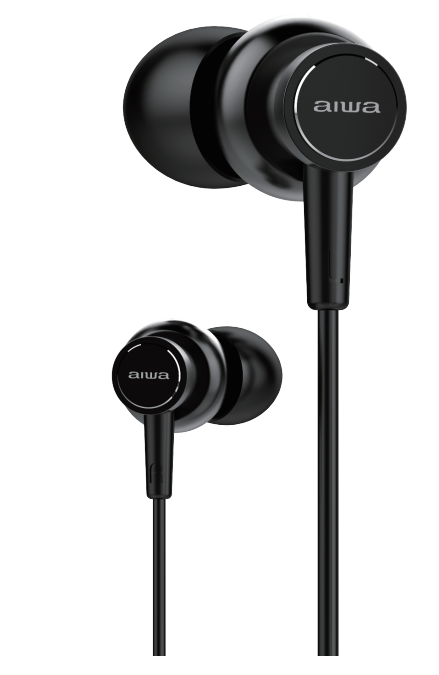
The Aiwa HP-VH50 HiRes High Resolution Wired Headphones deliver premium audio performance for audiophiles seeking crystal-clear sound and powerful bass. Certified for High Resolution Audio, these in-ear wired headphones feature advanced BASS++ technology that enhances low frequencies for an immersive listening experience, making every beat and note come alive. Crafted with premium Japanese construction, they use 6N OFC (Oxygen-Free Copper) wiring for superior conductivity and minimal signal loss, ensuring high-fidelity sound transmission.
Key benefits include exceptional clarity across the frequency range, comfortable ear canal fit for extended wear, and a durable hard-shell carrying case for portability. Unique selling points like Hi-Res audio certification and enhanced bass configuration set the Aiwa HP-VH50 HiRes High Resolution Wired Headphones apart from standard earbuds, providing near-zero distortion and profound audio depth. Ideal for music enthusiasts, commuters, and professionals, these headphones excel in use cases such as high-res music streaming, podcasts, and gaming where precise sound reproduction matters.
Targeted at users prioritizing wired reliability over wireless convenience, the Aiwa HP-VH50 suits smartphones, DAPs (Digital Audio Players), and laptops with 3.5mm jacks. Available in sleek black, they
Technical Specifications of Aiwa HP-VH50 HiRes High Resolution Wired Headphones
Discover the robust specs of the Aiwa HP-VH50 HiRes High Resolution Wired Headphones, designed for superior Hi-Res audio performance:
- Type: In-ear canal (ear canal style) wired headphones
- Audio Certification: High Resolution Audio (Hi-Res) with BASS++ for enhanced low-end excitement
- Wiring: 6N OFC (Oxygen-Free Copper) or Hi5 cable for superb conductivity and zero-loss transmission
- Driver Configuration: Optimized for deep bass and clear highs, providing profound, lifelike sound
- Connectivity: Standard 3.5mm jack, compatible with most devices
- Accessories: Hard-shell carrying case for protection and portability
- Build: Premium Japanese construction for durability
- Colors: Black (VH50 model)
Performance metrics highlight low distortion and high parsing for detailed audio. Compared to similar wired in-ears like basic earbuds, the Aiwa HP-VH50 excels in bass response and resolution, outperforming entry-level models by delivering Hi-Res fidelity without needing amplification.
Setup Guide for Aiwa HP-VH50 HiRes High Resolution Wired Headphones
Setting up your Aiwa HP-VH50 HiRes High Resolution Wired Headphones is straightforward for instant high-quality audio. Follow these steps for optimal use:
- Unpack and Inspect: Remove the headphones from the hard-shell case and make sure the 6N OFC cable is undamaged.
- Choose Ear Tips: Select the appropriate silicone ear tips for a secure seal, which helps improve bass response and overall sound quality.
- Connect: Plug the 3.5mm jack into your device’s headphone port. No Bluetooth pairing is required.
- Form the Seal: Insert the earbuds gently and adjust them for a secure, comfortable fit to improve passive noise isolation and bass performance.
- Configure Audio: Adjust your device’s audio or equalizer settings as preferred for the best listening experience.
Safety Warnings: Avoid listening at excessively high volume levels, do not use the headphones when they may distract you during driving or other hazardous activities, and keep the headphones away from water and excessive moisture.
Important Safety Instructions
- Avoid Heat Sources: Do not install or use the device near heaters, radiators, stoves, or other heat-producing equipment.
- Use Approved Accessories: Use only accessories specified or recommended by the manufacturer.
- Qualified Servicing: If the device is damaged or requires repair, refer servicing to qualified service personnel.
- Keep the Manual: Retain this user manual for future reference and troubleshooting.
- Follow Safety Warnings: Read and observe all safety cautions and warnings provided with the device.
SAFETY CAUTIONS
- Keep Away from Fire and Heat: Keep the device away from open flames, heaters, and other heat sources at all times.
- Do Not Disassemble: Do not open, modify, or alter the device.
- Avoid Excessive Heat: Do not expose the device to high temperatures or prolonged direct sunlight.
- Keep Dry: Do not immerse the device in water or expose it to liquids.
WARNING
Using earphones at moderate to high volumes for extended periods of time will result in permanent hearing damage. We recommend that you keep media playback volume level from low to moderate at all times. Please do not use earphones while performing activities that require hearing surrounding noises/ sounds. (Driving, Cycling, jogging etc.)
Unboxing
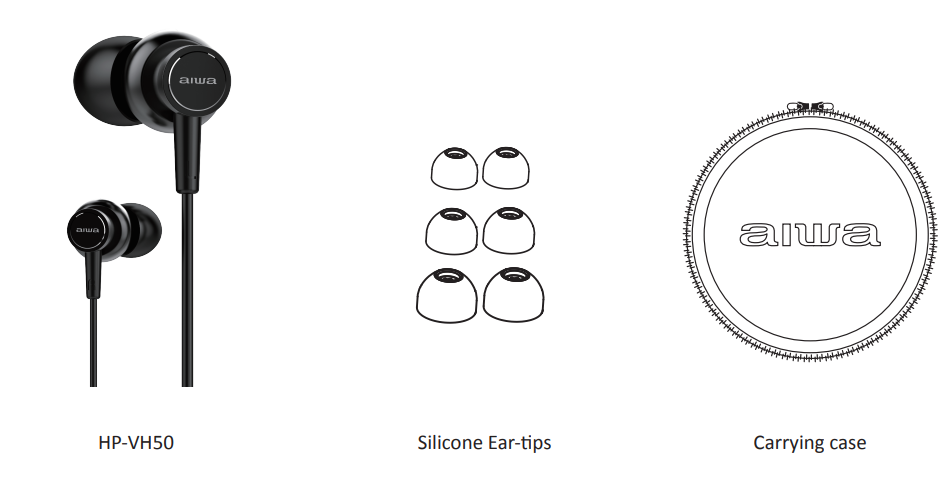
Selecting Ear-tips
Select ear-tips base on the below criteria:
- Secure Seal: The ear tips should fit properly and form a good seal inside the ear canal.
- Stable Fit: The earbuds should stay securely in place and not fall out easily.
- Comfortable Fit: Choose ear tips that remain comfortable during extended use.
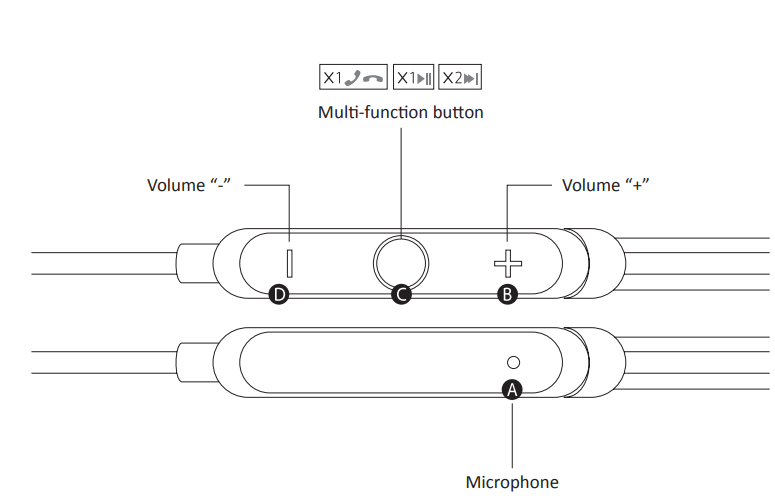
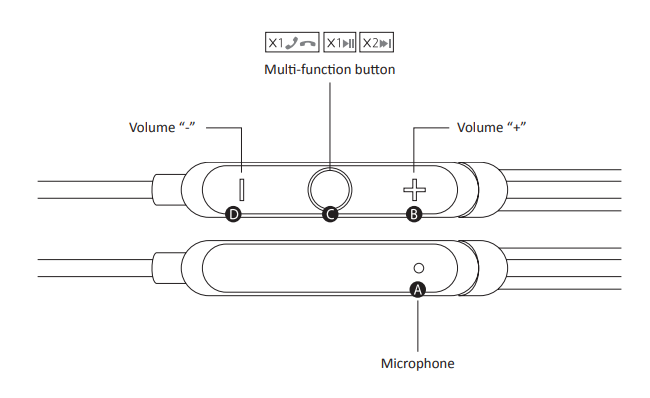
Device Control
Multi-Function Button
- Single Press: Answer an incoming call or play/pause media.
- Double Press: Reject an incoming call or skip to the next track.
- Triple Press: Return to the previous track.
- Long Press: Activate Siri or reject an incoming call.
Volume “–” Button
- Single Press: Decrease the volume, mute an incoming call, or take a photo snapshot when supported by the connected device.
Volume “+” Button
- Single Press: Increase the volume, mute an incoming call, or take a photo snapshot when supported by the connected device.
Cleaning & maintenance
Wipe the HP-VH50 with a soft dry cloth. Remove silicone ear-tips and clean with cotton buds
For more product information, please visit www.int-aiwa.com. Contact your local authorised dealer/ customer service. Refer to the warranty label provided in the box.
Troubleshooting Aiwa HP-VH50 HiRes High Resolution Wired Headphones
Resolve common issues with your Aiwa HP-VH50 HiRes High Resolution Wired Headphones quickly using these solutions:
- No Sound: Verify the 3.5mm connection, device volume, and mute settings. Test the headphones with another compatible device.
- Low Volume/Bass: Make sure the ear tips form a proper seal. Try a different ear-tip size and clean any debris from the sound openings.
- One-Side Audio: Check the cable for bends, damage, or loose connections. Avoid using the headphones if the cable is visibly damaged.
- Distorted Sound: Lower the volume and make sure the audio source is playing correctly. Avoid using excessive amplification.
- Cable Issues: Prevent twisting or kinking the cable and store the headphones in the hard-shell case when not in use.
Preventive Measures: Store the headphones in their case, avoid pulling on the cable, and handle the 3.5mm plug carefully. Warranty coverage may vary by region and seller, so check your purchase receipt and contact Aiwa or an authorized distributor for service and support.
Pros & Cons of Aiwa HP-VH50 HiRes High Resolution Wired Headphones
Pros
- Exceptional Hi-Res audio with BASS++ for immersive, detailed sound.
- Premium 6N OFC wiring ensures lossless conductivity and durability.
- Comfortable in-ear fit with a hard-shell case for travel.
- Great value at $30-$50, outperforming pricier non-Hi-Res rivals.
- Reliable wired connection with no battery or charging concerns.
Cons
- Wired design limits mobility compared with Bluetooth alternatives.
- No inline microphone or controls, depending on the specific model configuration.
- Bass-heavy sound profile may not suit listeners who prefer a neutral sound signature.
Overall, the Aiwa HP-VH50 offers strong value for wired Hi-Res audio enthusiasts, providing better pure audio quality than many budget wireless earbuds.
Customer Reviews for Aiwa HP-VH50 HiRes High Resolution Wired Headphones
Users praise the aiwa HP-VH50 HiRes High Resolution Wired Headphones for their punchy bass and clarity, averaging 4.5/5 stars on platforms like Shopee and Coupang. Testimonials highlight: "BASS++ makes music thrilling—best wired buy!" (5 stars). Common praises include durable build and Hi-Res detail for the price.
Complaints focus on fit sensitivity: "Needs right tips for seal" (4 stars), addressed via manual tips. Frequently mentioned: Superior to cheap earbuds, ideal for Android Hi-Res playback. Recommendations: Buy for bass lovers; pair with FLAC files for peak performance. Addresses value concerns effectively.
Faqs
How do I set up aiwa HP-VH50 HiRes High Resolution Wired Headphones for the first time?
What should I do if aiwa HP-VH50 HiRes High Resolution Wired Headphones have no sound?
How do the inline controls work on aiwa HP-VH50 HiRes High Resolution Wired Headphones?
Are aiwa HP-VH50 HiRes High Resolution Wired Headphones compatible with smartphones and laptops?
How can I optimize sound performance on aiwa HP-VH50 HiRes High Resolution Wired Headphones?
How do I clean and maintain aiwa HP-VH50 HiRes High Resolution Wired Headphones?
Why is bass weak on my aiwa HP-VH50 HiRes High Resolution Wired Headphones?
Can aiwa HP-VH50 HiRes High Resolution Wired Headphones handle high-resolution audio files?
More aiwa manuals
- Setup & Pairing: Aiwa ESBT-460 Hyperbass neckband In-Earphones User Manual
- Setup: Aiwa HSTBTN-800 Bluetooth Headphone With ANC User Manual
- Setup & Pairing: Aiwa Adventure Mini IP67 SB-X80 Speaker User Manual
- Setup & Pairing: Aiwa AT-X80S True Wireless Earphones User Manual
- Setup: Aiwa CRU-80BT Bluetooth Speaker and Clock Radio User Manual
- How to Pair: Aiwa AT-X80R True Wireless Earphones Owner Manual
Leave a Comment