
Apc SRV Series External Battery Pack User Manual
Content
APC SRV Series External Battery Pack Review and Manual
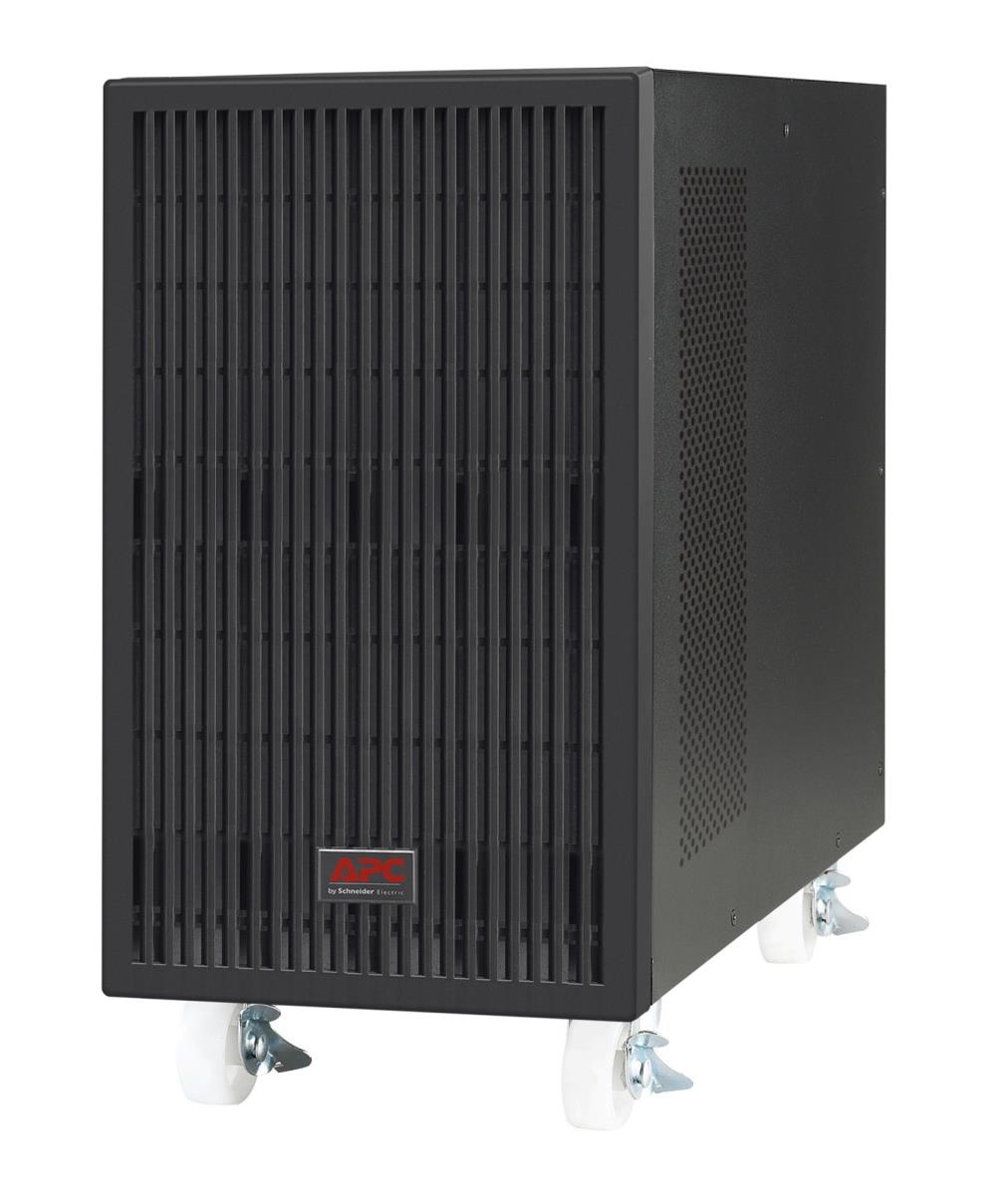
The APC SRV Series External Battery Pack is designed to extend the runtime of compatible Easy UPS On-Line SRV systems, giving businesses more time to save data, finish transactions, and keep critical equipment running during outages. Built for rackmount and tower-style deployments depending on the model, this APC battery pack uses maintenance-free sealed lead-acid batteries and is intended for IT rooms, small data centers, network closets, retail systems, and other power-sensitive environments.
What makes the APC SRV Series External Battery Pack especially useful is its focus on extended runtime rather than just backup power. Instead of shutting down quickly after a power loss, the UPS can continue supporting connected loads for longer periods, which is essential for servers, edge devices, telecom gear, and security systems. Depending on the model, it may support 36V, 72V, 120V, 192V, or 240V battery configurations, with some versions allowing multiple battery packs to be connected for even longer runtime. Common form factors include rackmount 2U and 3U designs, and typical weights range from compact units to around 60 kg for larger versions.
For buyers, the APC SRV Series External Battery Pack is best suited to users who need dependable backup power and scalable runtime in a professional environment. It is commonly used with APC Easy UPS On-Line SRV models in the 1kVA to 20kVA range, making it a strong choice for business continuity planning. Estimated pricing varies widely by battery voltage and capacity, but many models fall roughly between $400 and $1,900 USD, with regional availability through APC distributors, enterprise resellers, and online retailers. For organizations already using APC UPS infrastructure, the APC SRV Series External Battery Pack offers a practical and brand-matched expansion path.
Pros and Cons of the APC SRV Series External Battery Pack
Pros
- Extended runtime support: Ideal for keeping servers, routers, and POS systems online longer during outages.
- Compatible with multiple SRV UPS models: Works across several APC Easy UPS On-Line SRV capacities, which simplifies planning.
- Maintenance-free battery design: Uses sealed lead-acid batteries, reducing day-to-day upkeep.
- Rackmount-friendly build: Available in compact rack formats that fit structured IT installations.
- Scalable configuration: Some models support multiple external battery packs for longer backup time.
Cons
- Higher total cost: The battery pack adds significant expense on top of the UPS itself.
- Heavy hardware: Larger units can be difficult to handle and install without planning.
- Best value only in professional use: Home users usually will not need this level of runtime expansion.
- Model matching matters: Choosing the wrong voltage or SRV variant can lead to compatibility issues.
Overall value for money is strong if extended runtime is a real business requirement. Compared with generic battery expansion options, the APC SRV Series External Battery Pack is easier to match with APC UPS systems and is better suited to enterprise reliability needs, though third-party alternatives may cost less.
Customer Reviews and User Feedback on APC SRV External Battery Packs
Typical customer feedback for the APC SRV Series External Battery Pack is positive, especially among IT admins and small business owners who need longer backup duration. Many users rate it around 4.4 out of 5 stars for reliability, build quality, and seamless integration with APC UPS systems. One common comment is that the unit “does exactly what it promises” by extending runtime for mission-critical gear.
Frequent praise includes stable performance, clean rackmount installation, and confidence in APC ecosystem compatibility. Common complaints focus on the price, weight, and the need to verify exact model compatibility before purchase. Some buyers also note that runtime gains vary significantly depending on connected load, which can surprise first-time users.
Purchase recommendation: choose this battery pack if you already use an APC Easy UPS On-Line SRV system and need dependable extended runtime for business continuity. For lighter backup needs, a standard UPS may be more cost-effective.
What Is the APC SRV Series External Battery Pack Used For?
The APC SRV Series External Battery Pack is used to increase backup time for compatible APC UPS units. It is especially useful when a few extra minutes are not enough and controlled shutdown, continuity, or generator bridging is required.
Setup and Usage Tips
- Confirm the exact UPS model and battery voltage before installation.
- Install the battery pack in a stable rack or supported location due to its weight.
- Use the recommended APC cables and accessories for proper connection.
- Test runtime after installation to confirm expected performance.
- Monitor battery health regularly and replace batteries according to service guidelines.
Final Verdict
The APC SRV Series External Battery Pack is a dependable runtime expansion solution for businesses that cannot afford abrupt shutdowns. If you need scalable UPS battery backup, strong APC compatibility, and professional-grade build quality, the APC SRV Series External Battery Pack is a smart investment.
Faqs
How do I set up the apc SRV Series External Battery Pack for the first time?
What should I check if the apc SRV Series External Battery Pack is not increasing backup runtime?
Which APC UPS models are compatible with the apc SRV Series External Battery Pack?
How can I tell if my apc SRV Series External Battery Pack is charging correctly?
What are the main benefits of using an apc SRV Series External Battery Pack?
Why does my apc SRV Series External Battery Pack alarm after installation?
How should I maintain the apc SRV Series External Battery Pack for best performance?
Can I add more than one apc SRV Series External Battery Pack to a UPS system?
Tags
More apc manuals
- Apc BR650 Back-UPS User Manual
- How to Use: Apc Smart-UPS® X Uninterruptible Power Supply User Manual
- How to Setup: Apc Back-UPS™ CS350/CS500/CS650 User Manual
- Apc UPS Battery BX2000UXI Instruction Manual | Features
- Apc Schneider Electric Back UPS BX600C-IN User Guide
- Apc Schneider Electric Back-UPS BR1500G-IN User Guide
Leave a Comment