
Audio-Technica AT-LP60-USB Automatic Belt-Drive Stereo Turntable User Manual
Content
audio-technica AT-LP60-USB Automatic Belt-Drive Stereo Turntable: Complete Product Manual
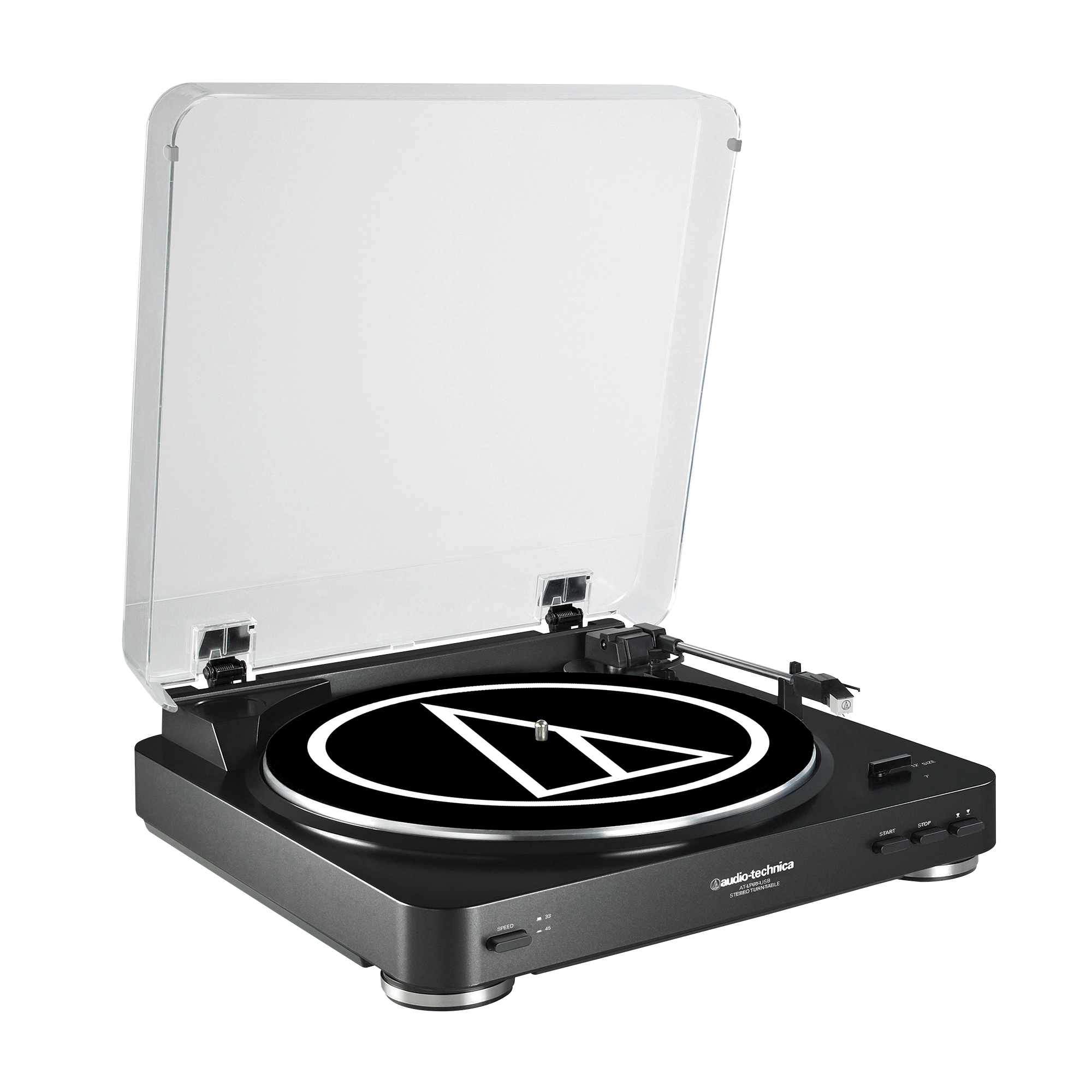
Introduction: What the audio-technica AT-LP60-USB Automatic Belt-Drive Stereo Turntable Offers
The audio-technica AT-LP60-USB Automatic Belt-Drive Stereo Turntable is a fully automatic vinyl player designed for listeners who want simple setup, reliable playback, and an easy path to digitizing records. It combines classic belt-drive operation with a built-in phono preamp and USB output, making it a practical choice for both modern desktop systems and traditional stereo setups. With support for 33-1/3 and 45 RPM records, this automatic turntable is ideal for casual collectors, beginners, and anyone looking to archive a record library to a computer.
One of the biggest advantages of the audio-technica AT-LP60-USB Automatic Belt-Drive Stereo Turntable is its convenience. The fully automatic tonearm starts and returns at the push of a button, reducing the risk of user error and record wear. It also includes switchable phono and line-level output, so it can connect directly to powered speakers, AV receivers, or an external amplifier. The USB connection is especially useful for converting vinyl into digital files using compatible recording software.
This model is commonly positioned in the budget-to-midrange category, with an estimated price range of about $100 to $180 depending on condition, retailer, and stock availability. It is typically available through audio retailers, major online marketplaces, and used audio sellers. For buyers searching for an accessible automatic USB turntable, the audio-technica AT-LP60-USB Automatic Belt-Drive Stereo Turntable remains a popular entry-level option with strong everyday value.
Troubleshooting: Common Problems and How to Fix Them
If the turntable does not power on, confirm the AC adapter is securely connected and the outlet is working. If audio is very quiet, check whether the output switch is set to PHONO or LINE correctly for your setup. Distorted or muddy sound is often caused by a dirty stylus, a damaged record, or the wrong input selection on the amplifier.
Common user issues include skipping, platter rotation problems, and USB recording detection errors. If the platter does not spin, verify that the drive belt is installed correctly and seated around the motor pulley. If the computer does not recognize the USB signal, try a different USB cable or USB port and confirm that the recording software supports a USB audio input. This model does not use numeric error codes, so troubleshooting is generally based on symptoms rather than on-screen messages.
Preventive care helps avoid most issues. Keep records and the stylus clean, place the turntable on a stable surface, and avoid moving the unit while it is playing. For warranty and technical support, check the manufacturer’s support page or the product manual. Audio-Technica support can also be reached through its customer service department by phone or email, and warranty coverage may vary by region and retailer.
Pros and Cons of the audio-technica AT-LP60-USB Automatic Belt-Drive Stereo Turntable
Pros
- Fully automatic operation makes it extremely easy to use for beginners.
- USB output lets users digitize vinyl records without extra hardware.
- Built-in phono preamp supports direct connection to powered speakers and receivers.
- Compact footprint suits desks, shelves, and small listening spaces.
- Good value for money for entry-level vinyl listening and archiving.
Cons
- Not ideal for advanced audiophiles who want upgrade flexibility.
- Plastics and lightweight construction feel less premium than higher-end decks.
- The built-in cartridge and limited adjustment options restrict performance tuning.
- USB recording is functional, but serious collectors may prefer dedicated audio interfaces.
- Compared with manual belt-drive alternatives, it offers less control and customization.
For buyers comparing the audio-technica AT-LP60-USB Automatic Belt-Drive Stereo Turntable with alternatives like manual entry-level turntables or newer USB models, the main tradeoff is simplicity versus upgrade potential. It is one of the easiest ways to start playing vinyl, but not the best platform for long-term system building.
Customer Reviews: What Buyers Say About the audio-technica AT-LP60-USB Automatic Belt-Drive Stereo Turntable
Customer feedback for the audio-technica AT-LP60-USB Automatic Belt-Drive Stereo Turntable is generally positive, with many users praising its plug-and-play setup, dependable automatic operation, and convenient USB recording feature. A common star-rating pattern is around 4 out of 5 stars from entry-level buyers who value ease of use more than audiophile-grade performance.
Typical praise includes comments such as: “Perfect for my first record player” and “The USB transfer feature made it easy to save old albums.” Common complaints focus on the lightweight build, average sound refinement, and limited upgrade path. Some users also mention that skipping or poor playback usually traces back to record condition, belt placement, or an improperly selected input.
Overall, this model is often recommended for first-time vinyl listeners, students, and casual home users who want a straightforward automatic turntable. Buyers who expect premium sound quality or extensive customization may want to consider a step-up manual turntable instead.
Final Buying Advice for the audio-technica AT-LP60-USB Automatic Belt-Drive Stereo Turntable
The audio-technica AT-LP60-USB Automatic Belt-Drive Stereo Turntable is best suited to users who want a simple, reliable, and affordable way to enjoy vinyl and capture records to digital files. It delivers excellent ease of use, practical connectivity, and solid everyday performance for the price. If convenience, automatic playback, and USB recording matter most, this turntable remains a strong choice.
Faqs
How do I set up the audio-technica AT-LP60-USB Automatic Belt-Drive Stereo Turntable for the first time?
Why is my audio-technica AT-LP60-USB Automatic Belt-Drive Stereo Turntable not spinning or starting automatically?
Can I connect the audio-technica AT-LP60-USB Automatic Belt-Drive Stereo Turntable to powered speakers or a receiver?
How do I use the USB output on the audio-technica AT-LP60-USB Automatic Belt-Drive Stereo Turntable to record vinyl?
What should I do if the audio from the audio-technica AT-LP60-USB Automatic Belt-Drive Stereo Turntable sounds too quiet or distorted?
How do I replace the stylus on the audio-technica AT-LP60-USB Automatic Belt-Drive Stereo Turntable?
Is the audio-technica AT-LP60-USB Automatic Belt-Drive Stereo Turntable compatible with Mac and Windows computers?
How should I clean and maintain the audio-technica AT-LP60-USB Automatic Belt-Drive Stereo Turntable for best performance?
More audio-technica manuals
- Audio-Technica ATH-WS99BT Wireless Headphones User Manual
- Audio-Technica AT-LP1240-USB XP Edition DJ turntable User Manual
- Audio-Technica System 9 VHF Wireless System ATW-901a/G User Manual
- Audio-Technica AT-LP2022 Belt-Drive Turntable User Manual
- Audio-Technica System 10 Wireless Stompbox System ATW-1501 User Manual
- Audio-Technica System 10 PRO Digital Wireless System ATW-1301 User Manual
Leave a Comment