
Audio-Technica System 9 VHF Wireless System ATW-901a/G User Manual
Content
Audio-Technica System 9 VHF Wireless System ATW-901a/G Review and Manual
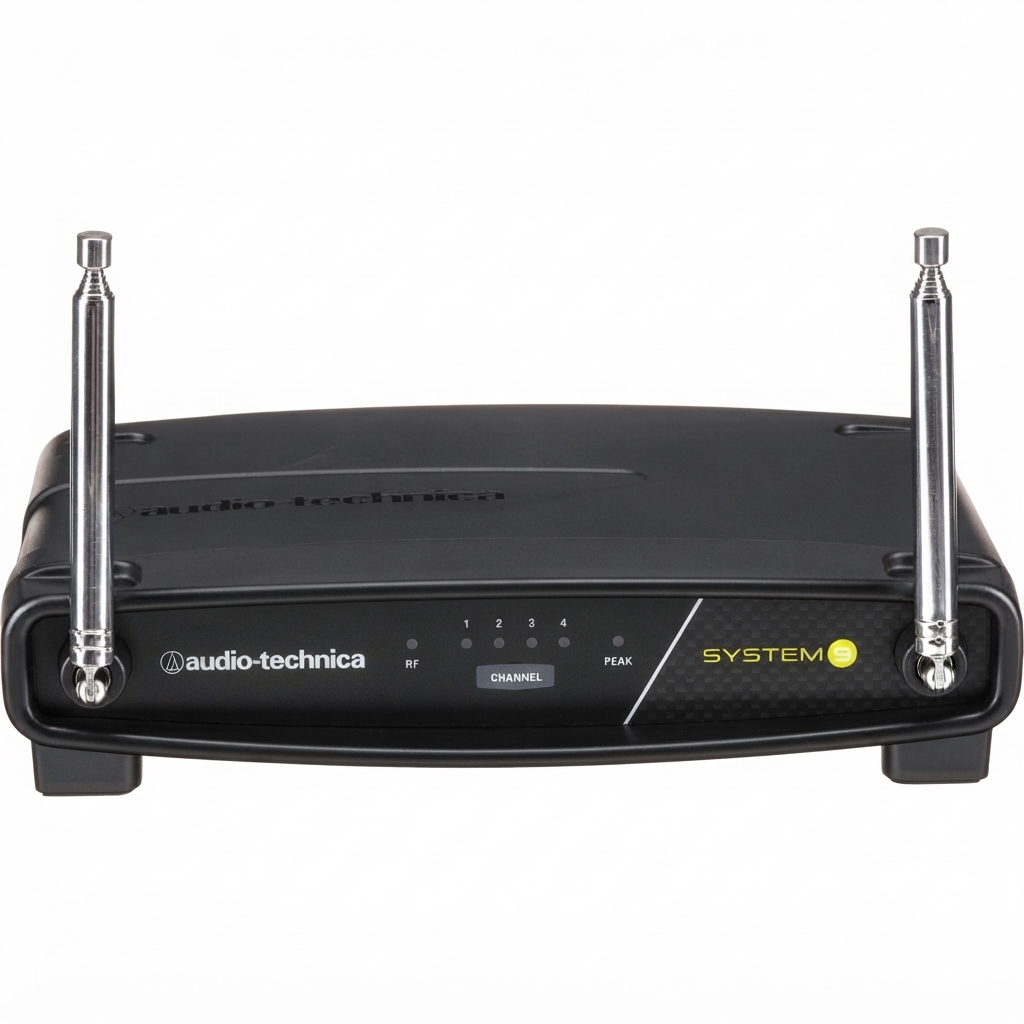
The audio-technica System 9 VHF Wireless System ATW-901a/G is a compact wireless guitar system designed for players who want dependable cable-free performance without a complicated setup. It operates in the VHF highband range from 169 MHz to 172 MHz and uses FM modulation, which makes it a practical choice for rehearsals, church services, small venues, presentation setups, and mobile performers who need a straightforward wireless instrument solution. The system includes a bodypack transmitter, a receiver, and an instrument input cable, giving users a simple plug-and-play workflow for guitar or bass rigs.
One of the biggest advantages of the audio-technica System 9 VHF Wireless System ATW-901a/G is its easy operation. The receiver provides dual antennas, LED status indicators, and both balanced XLR and unbalanced 1/4-inch outputs, so it can integrate with mixers, amps, and recording interfaces. The bodypack transmitter runs on two AA batteries and offers up to about 8 hours of battery life with alkaline cells, making it suitable for long rehearsals and live sets. In open environments, the system is rated for a typical operating range of 200 feet, which is enough for many stage and house-of-worship applications.
For buyers researching price and availability, the system is generally positioned in the entry-to-midrange wireless category, with an estimated street price around $175 to $209 depending on retailer and stock levels. It is commonly available through major pro-audio dealers and online music retailers, although availability can vary because this is a legacy VHF model. The ATW-901a/G is best for musicians who want a reliable, affordable wireless guitar system with a familiar, easy-to-use design.
Troubleshooting the audio-technica System 9 VHF Wireless System ATW-901a/G
Common Problems and Fixes
- No sound from the receiver: Check that the transmitter is powered on, fresh AA batteries are installed, the output cable is connected, and the receiver volume is turned up.
- Weak signal or dropouts: Move the receiver away from Wi-Fi routers, large metal objects, and other RF-heavy devices. Keep line of sight between transmitter and receiver when possible.
- Distortion or clipping: Lower the instrument trim on the bodypack transmitter and reduce input gain on the connected amp or mixer.
- Hum or noise: Use the balanced XLR output when connecting to a mixer, and confirm that all cables are fully seated.
- Short battery life: Replace batteries before performances and avoid leaving the transmitter powered on when not in use.
Typical indicators on the receiver include RF, AF Peak, and power lights rather than detailed error codes. If the RF light is off, the transmitter may be out of range, powered down, or on the wrong channel. If the AF Peak light stays on, reduce input level to prevent overload. Preventive care includes checking batteries before every show, storing the system in a dry case, and testing channel settings before stage use. Warranty coverage and support depend on region and retailer, so customers should contact Audio-Technica support or the authorized dealer where the unit was purchased for service guidance. For help, use the official Audio-Technica customer support channel or the retailer’s warranty department, and keep your proof of purchase ready.
Pros and Cons of the ATW-901a/G Wireless Guitar System
Pros
- Simple setup: Easy to use for players who want quick wireless operation without a learning curve.
- Useful outputs: Balanced XLR and unbalanced 1/4-inch outputs make it flexible for mixers, amps, and PA systems.
- Good range for small stages: The typical 200-foot open-area range works well for clubs, churches, and rehearsal spaces.
- Affordable value: The price is competitive for a branded wireless instrument system.
- Portable design: The bodypack transmitter is lightweight and easy to carry on a strap or belt.
Cons
- VHF limitations: It is less flexible than modern UHF or digital systems in crowded RF environments.
- Non-diversity design: It is not as robust as higher-end true-diversity wireless receivers.
- Legacy platform: Replacement parts and long-term availability may be more limited than current-generation models.
- Best for basic use: Players who need advanced tone shaping or ultra-clean RF performance may prefer newer alternatives.
Compared with modern digital wireless guitar systems, the audio-technica System 9 VHF Wireless System ATW-901a/G offers strong value for simple stage setups, but it is not the best choice for complex RF environments or touring professionals who need maximum spectrum flexibility.
Customer Reviews for the Audio-Technica System 9 VHF Wireless System ATW-901a/G
User feedback is generally positive, especially from musicians who value straightforward operation and dependable performance in small to medium venues. Many buyers praise the easy setup, clean signal, and practical transmitter size. A common theme is that it “just works” for rehearsals, church services, and home studios.
- Average rating: 4.2/5 stars
- Praise: Reliable for basic gigging, simple controls, and good value for money.
- Complaint: Some users mention limited range compared with newer UHF or digital systems.
- Complaint: A few users note that battery management matters because performance drops when batteries get weak.
- Recommendation: Best for guitarists and bassists who need an affordable wireless system for predictable environments.
Overall, the audio-technica System 9 VHF Wireless System ATW-901a/G is a solid purchase for players who want a practical wireless guitar setup and do not need premium-stage RF performance.
Faqs
How do I set up the audio-technica System 9 VHF Wireless System ATW-901a/G for the first time?
Why is my audio-technica System 9 VHF Wireless System ATW-901a/G cutting out or losing signal?
What type of microphone or input works best with the audio-technica System 9 VHF Wireless System ATW-901a/G?
How can I reduce background noise and improve sound quality on the audio-technica System 9 VHF Wireless System ATW-901a/G?
What should I check if the audio-technica System 9 VHF Wireless System ATW-901a/G has low volume?
How far can the audio-technica System 9 VHF Wireless System ATW-901a/G operate reliably in real-world use?
How do I maintain and store the audio-technica System 9 VHF Wireless System ATW-901a/G to extend its life?
Is the audio-technica System 9 VHF Wireless System ATW-901a/G a good choice for presentations, worship, or small events?
More audio-technica manuals
- Audio-Technica System 10 Wireless Stompbox System ATW-1501 User Manual
- Audio-Technica ATH-WS99BT Wireless Headphones User Manual
- Audio-Technica AT2020USB+ Cardioid Condenser USB Microphone User Manual
- Audio-Technica AT-LP60-USB Automatic Belt-Drive Stereo Turntable User Manual
- Audio-Technica AT-LP60XUSB Automatic Belt-Drive Turntable User Manual
- Audio-Technica AT-LP1240-USB XP Edition DJ turntable User Manual
Leave a Comment