
Audio-Technica AT2020USB+ Cardioid Condenser USB Microphone User Manual
Content
Audio-Technica AT2020USB+ Cardioid Condenser USB Microphone Manual
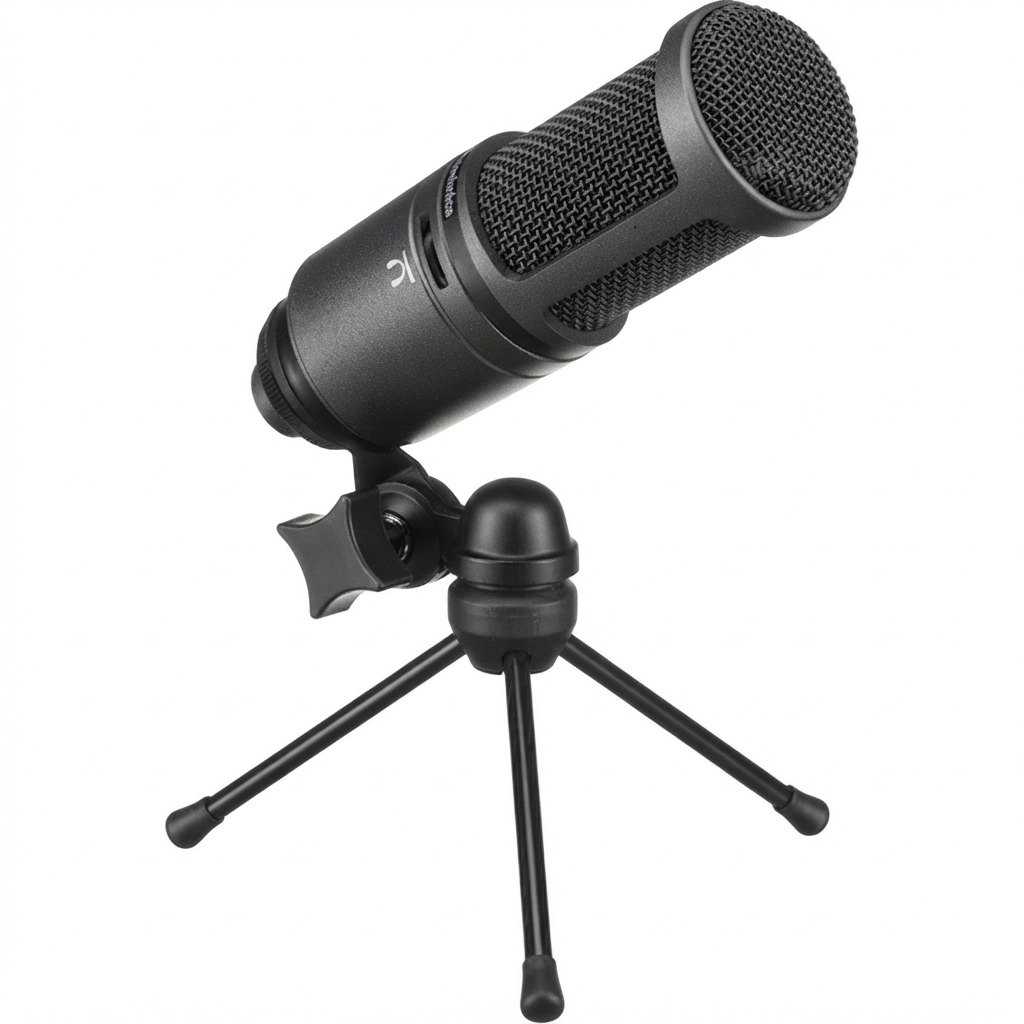
Introduction: Audio-Technica AT2020USB+ Cardioid Condenser USB Microphone Overview
The Audio-Technica AT2020USB+ Cardioid Condenser USB Microphone is a popular plug-and-play desktop microphone designed for creators who want studio-style clarity without an audio interface. It features a cardioid pickup pattern that focuses on sound from the front while reducing background noise, making it a strong choice for podcasting, voice-over work, streaming, online meetings, music demos, and home recording. The built-in headphone jack with volume control and zero-latency monitoring makes real-time tracking easier, especially for beginners and solo creators.
Key highlights include USB-powered operation, 16-bit audio resolution, 44.1/48 kHz sampling support, and a frequency response of 20 Hz to 20 kHz. The microphone comes with useful desktop accessories, including a tripod stand, mounting hardware, a protective pouch, and a USB cable. For users searching for an audio-technica AT2020USB+ Cardioid Condenser USB Microphone manual, this model is valued for simple setup, clean vocal capture, and reliable everyday performance.
As of current retail listings, the price typically falls around the mid-range USB microphone segment, often near $150 to $200 depending on region, seller, and stock availability. It is widely available through major electronics retailers and online marketplaces. The AT2020USB+ is best suited to content creators who want straightforward recording quality with professional features at a reasonable price.
Troubleshooting the Audio-Technica AT2020USB+ Cardioid Condenser USB Microphone
If the microphone is not detected, confirm the USB cable is fully seated, try another USB port, and make sure the device is selected as the input source in your operating system or recording software. If audio is distorted or too quiet, lower input gain, speak directly into the front of the capsule, and check that the microphone is set as the default recording device.
Common user issues include no headphone monitoring, uneven playback mix, or low headphone volume. Set the headphone control properly, check the mix knob position, and confirm that your monitoring software is not duplicating input monitoring. If you hear hum or interference, move the mic away from power adapters, routers, and unshielded cables.
Typical error messages such as “device not recognized,” “input unavailable,” or driver-related prompts usually point to connection, permission, or system selection problems rather than a hardware fault. Preventive measures include using a stable USB port, avoiding hub overload, keeping firmware and OS updates current, and storing the mic in its pouch when not in use. Warranty coverage and support are handled by Audio-Technica through its official support channels; users should contact regional Audio-Technica customer service or the authorized dealer where the product was purchased for warranty help, repair guidance, or replacement questions.
Pros and Cons of the Audio-Technica AT2020USB+ Cardioid Condenser USB Microphone
Pros
- Excellent vocal clarity for podcasting, streaming, and voice-over work.
- Cardioid condenser design helps isolate the speaker and reduce room noise.
- Built-in headphone jack supports real-time monitoring without extra gear.
- USB-powered setup is simple for beginners and home studios.
- Includes practical accessories such as a tripod stand and USB cable, improving overall value for money.
Cons
- More sensitive than dynamic microphones, so untreated rooms can sound reflective.
- Fixed USB workflow offers less flexibility than XLR alternatives with an audio interface.
- Some competing models provide higher-resolution recording or more advanced onboard controls.
- Best results depend on mic placement and room acoustics, which may require a pop filter or boom arm.
Compared with alternatives like the Blue Yeti or other USB condenser microphones, the audio-technica AT2020USB+ Cardioid Condenser USB Microphone is often praised for cleaner, more focused voice reproduction and a more compact, professional sound profile. It is a strong value choice for users who want dependable audio quality without a steep learning curve.
Customer Reviews: What Buyers Say About the Audio-Technica AT2020USB+ Cardioid Condenser USB Microphone
Customer feedback is generally positive, with many users rating it around 4.5 out of 5 stars for sound quality, ease of use, and build quality. Buyers frequently praise its clear vocals, strong desktop performance, and the convenience of direct USB connection. One common testimonial theme is that it sounds more “broadcast-ready” than many entry-level USB microphones.
Frequent complaints focus on background noise pickup, limited portability compared with small mobile mics, and the need for a quiet room to get the best results. Some users also mention that the included tripod stand is useful but not ideal for vibration control on busy desks. Overall, purchase recommendations are strongest for podcasters, YouTubers, remote workers, and home studio users who want a reliable, easy-to-set-up microphone with a professional tone.
Faqs
How do I set up the audio-technica AT2020USB+ Cardioid Condenser USB Microphone for the first time on Windows or Mac?
Why is my audio-technica AT2020USB+ Cardioid Condenser USB Microphone not showing up on my computer?
What do the mix control and headphone volume control do on the audio-technica AT2020USB+ Cardioid Condenser USB Microphone?
Is the audio-technica AT2020USB+ Cardioid Condenser USB Microphone compatible with podcasting and streaming software?
How can I reduce background noise when using the audio-technica AT2020USB+ Cardioid Condenser USB Microphone?
What sample rate and bit depth should I use with the audio-technica AT2020USB+ Cardioid Condenser USB Microphone?
How do I avoid distorted or too-quiet audio on the audio-technica AT2020USB+ Cardioid Condenser USB Microphone?
How should I clean and maintain the audio-technica AT2020USB+ Cardioid Condenser USB Microphone?
More audio-technica manuals
- Audio-Technica AT-LP60XUSB Automatic Belt-Drive Turntable User Manual
- Audio-Technica System 10 Wireless Stompbox System ATW-1501 User Manual
- Audio-Technica 3000 Series UHF Wireless System ATW-R3210 User Manual
- Audio-Technica System 9 VHF Wireless System ATW-901a/G User Manual
- Audio-Technica AT-LP8X Semi-Automatic Direct-Drive Turntable User Manual
- Audio-Technica ATH-WS99BT Wireless Headphones User Manual
Leave a Comment