
Setup: Bloody GR230 All-in-One Wireless Gaming Headset User Manual
Content
Bloody GR230 All-in-One Wireless Gaming Headset: Complete Product Manual
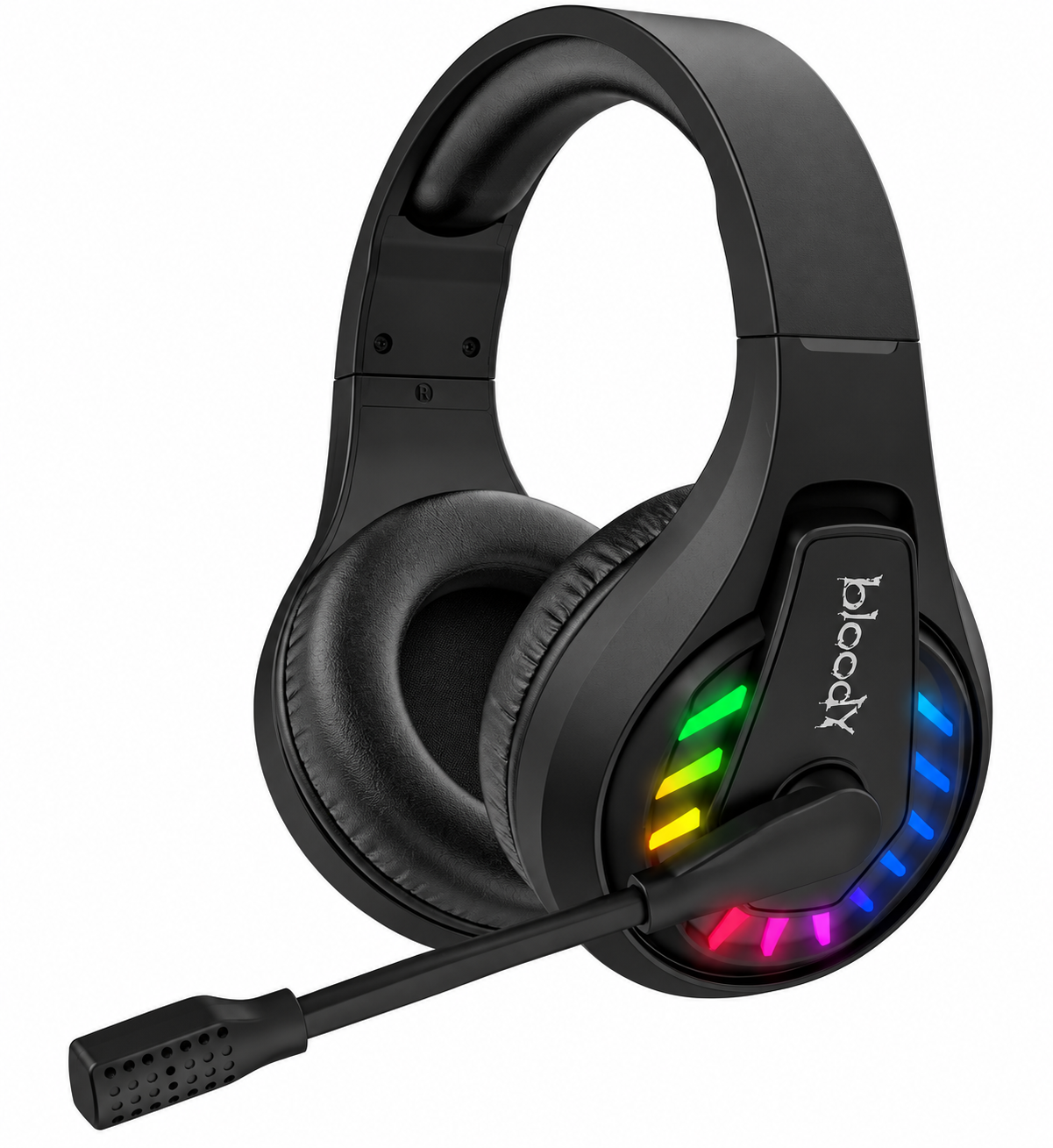
Introduction to Bloody GR230 All-in-One Wireless Gaming Headset
The Bloody GR230 All-in-One Wireless Gaming Headset stands out as a versatile audio solution for gamers seeking immersive sound without compromises. This premium gaming headset combines 2.4GHz wireless, Bluetooth v5.3, and 3.5mm wired audio connectivity for seamless performance across PC, PS5, Xbox, mobile devices, and laptops. With a 50mm speaker unit featuring a laser-trimmed diaphragm, it delivers precise 20Hz-20KHz frequency response, 16ohm impedance, and 105dB sensitivity for crystal-clear gaming audio and deep bass.
Key benefits include ultra-low latency 2.4GHz transmission—eight times faster than standard Bluetooth—ensuring zero delays in competitive play, plus up to 60 hours of playback (lights off) from its 1050mAh battery. Comfort is prioritized with soft leather ear pads and an ergonomic design, ideal for extended sessions. The rotatable noise-cancelling microphone (100Hz-10KHz, -42dB sensitivity) ensures clear team communication. Vivid neon RGB backlighting adds flair, customizable for your setup.
Targeted at serious gamers, esports enthusiasts, and casual players, the Bloody GR230 excels in FPS titles, MOBAs, and multimedia. Operating range reaches 12m (40 feet), with included USB Type-C cable (50cm), AUX cable (150cm), and extension dock (130cm). Priced around Rs.6,990 to Rs.8,075 (approximately $25-$60 USD depending on region), it's widely available on Bloody's official site and retailers like Daraz.pk. This all-in-one wireless gaming headset offers exceptional value for multi-platform compatibility and long battery life.
WHAT'S IN THE BOX
- All-in-One Wireless Headset
- 2.4G USB Receiver
- Anti-Interference Extension Dock
- USB Type-C Rechargeable Cable
- AUX 4-Pin 3.5mm Audio Cable
- User Manual
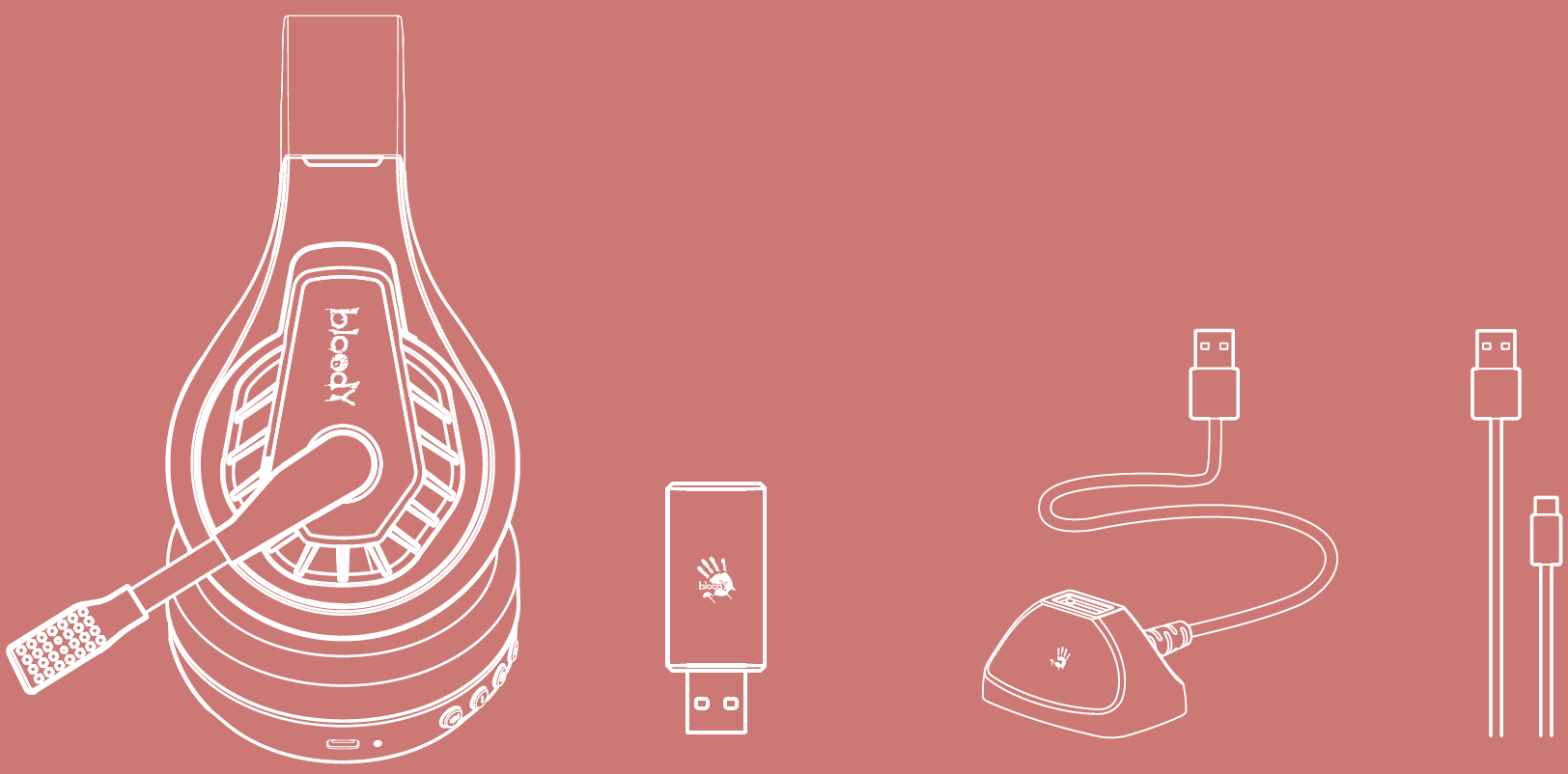

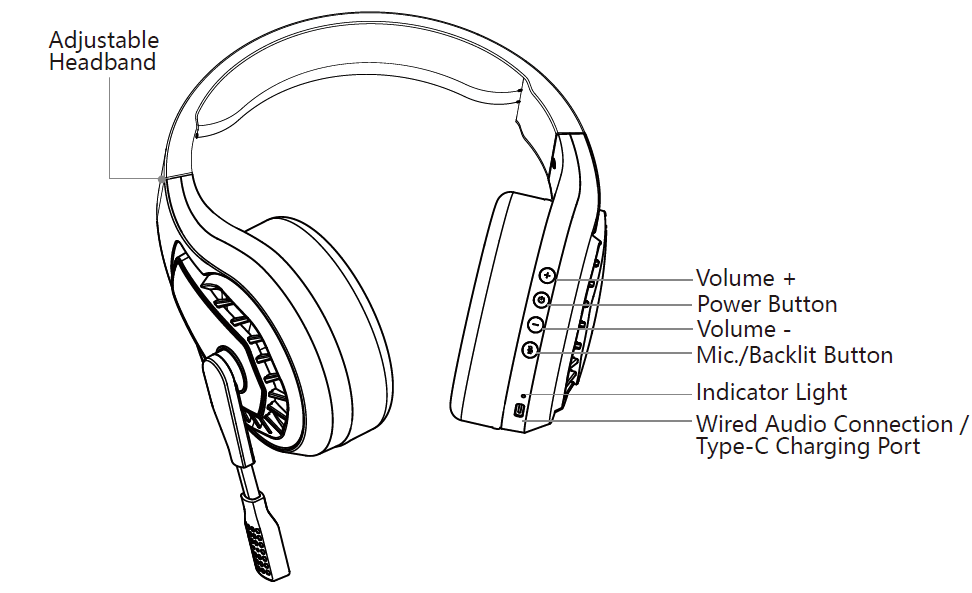
KNOW YOUR PRODUCT
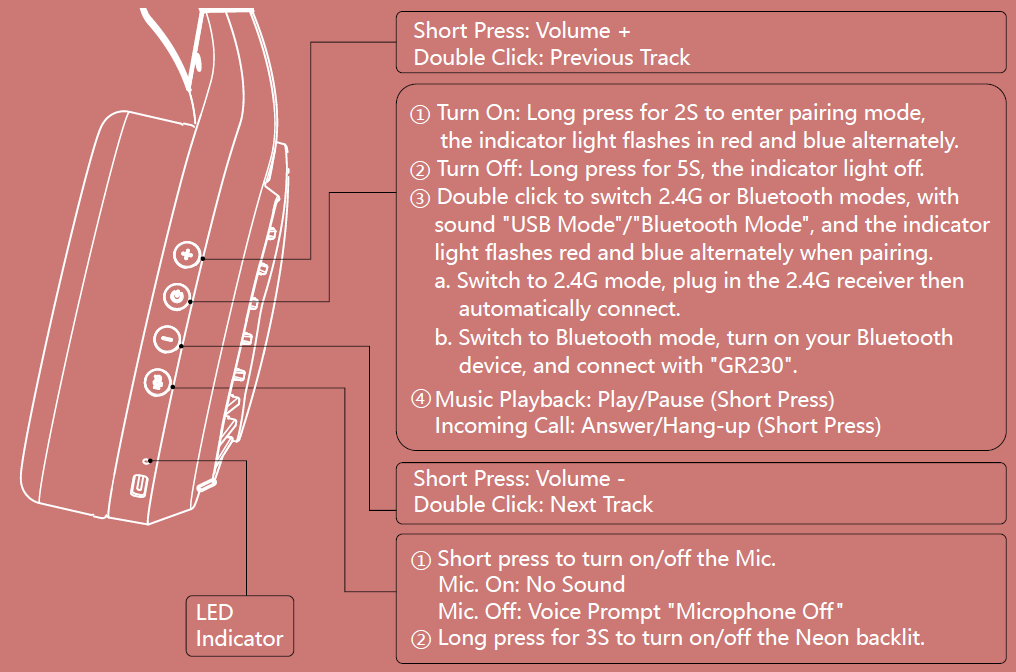
CONTROL ON YOUR FINGERS
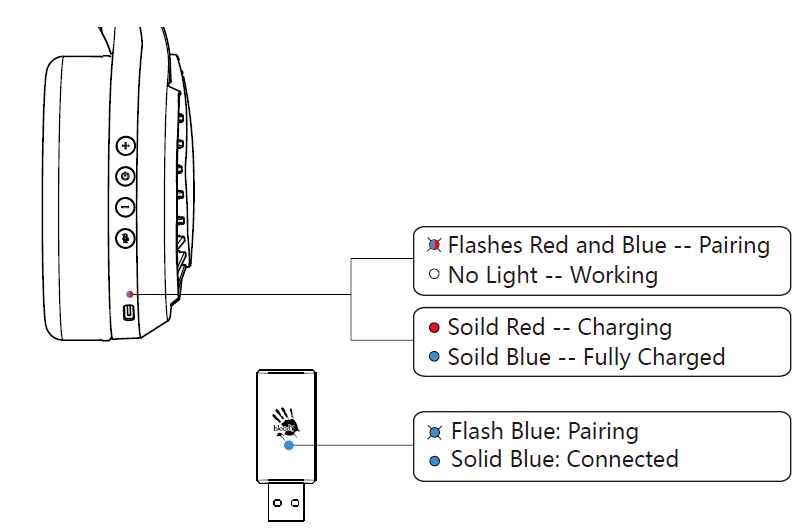
LED INSTRUCTION
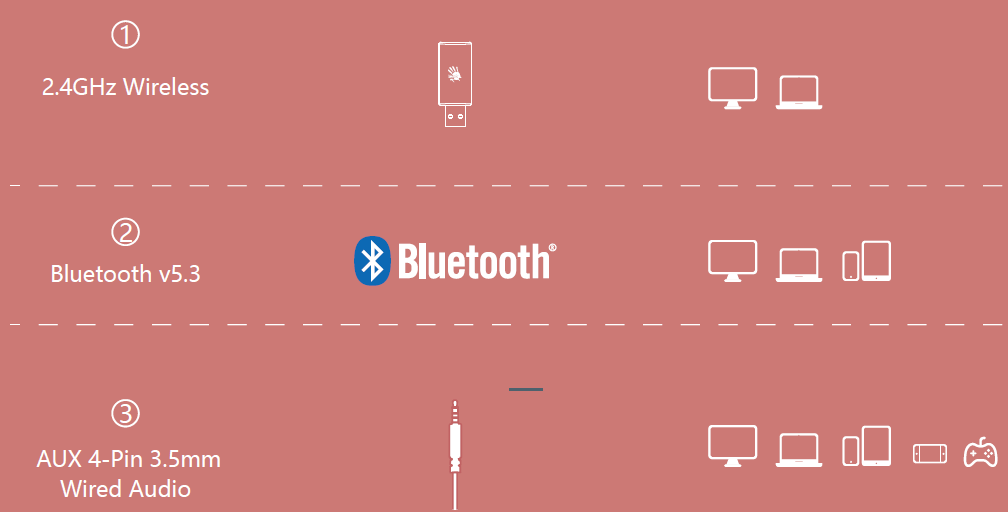
WIDE COMPATIBILITY
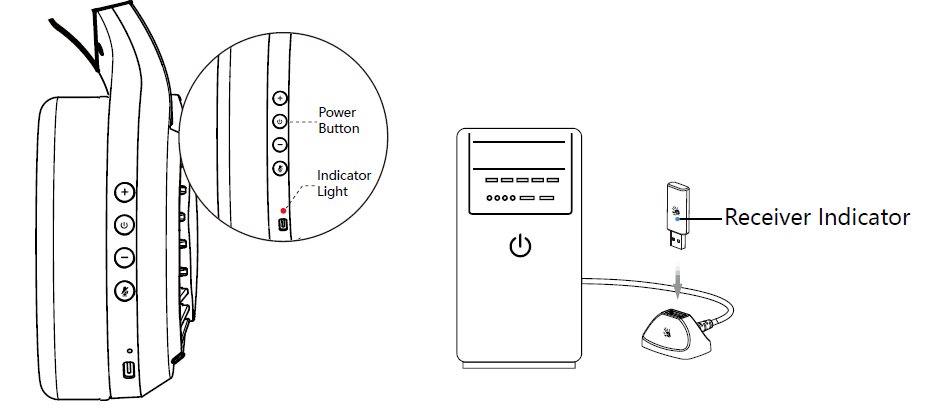
CONNECTING 2.4G DEVICE
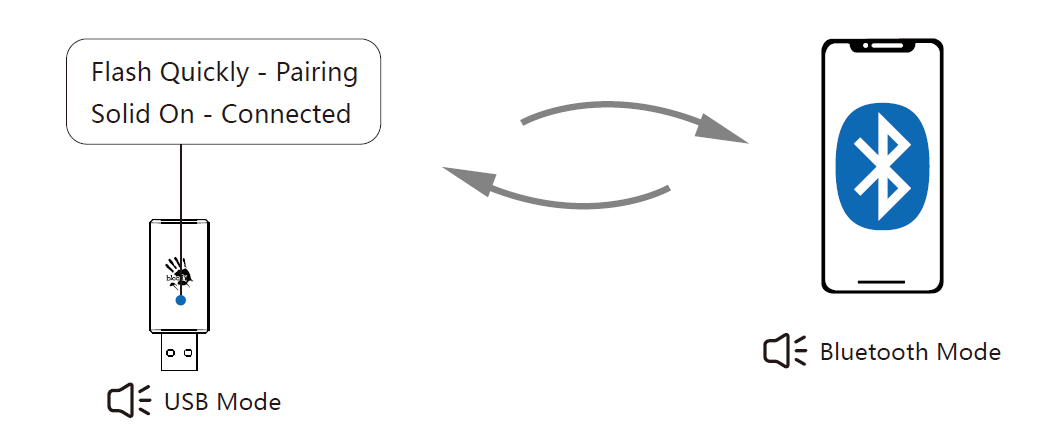
- Long-press the power button for 2S, the indicator light flashes in red and blue alternately when pairing. Double-click the power button to switch to 2.4G mode. (Sound: USB Mode)
- Plug in the 2.4G USB receiver to your computer.
- After connecting the headset, the headset indicator light off, the receiver indicator is in solid blue.
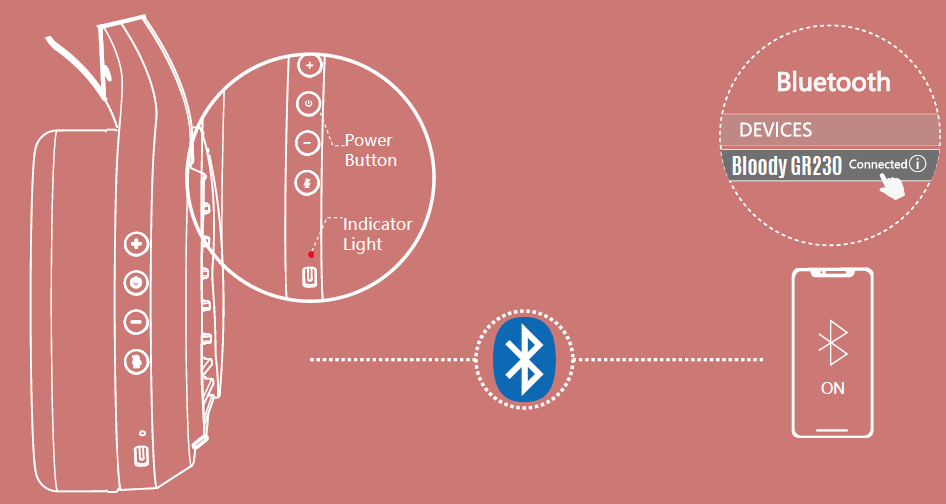
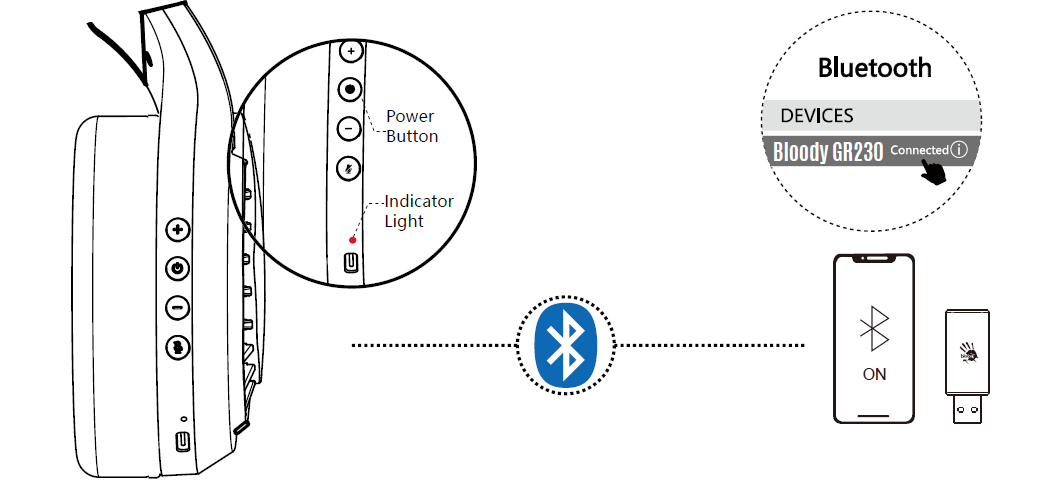
CONNECTING BLUETOOTH DEVICE
CONNECT 2.4G/BLUETOOTH DEVICE
2.4G/BLUETOOTH DEVICE SWITCH
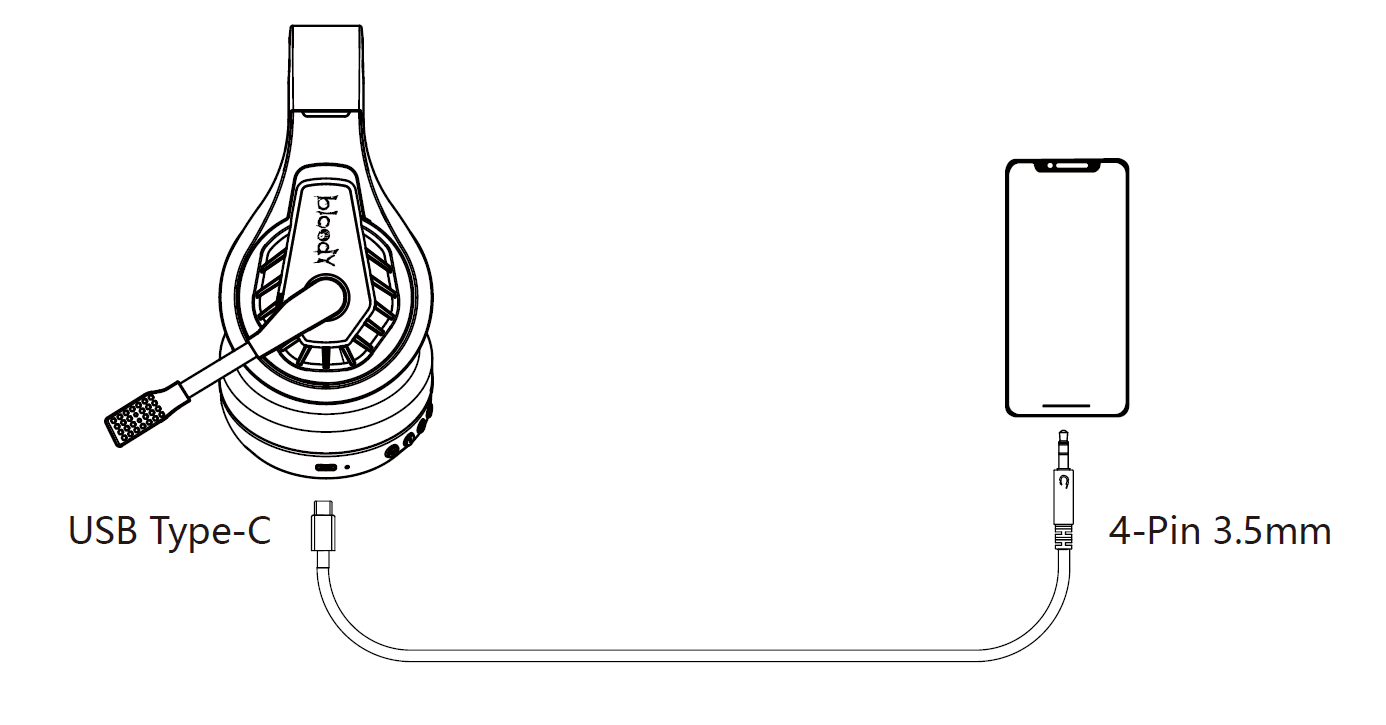
CONNECTING WIRED DEVICE.
The AUX 4-Pin 3.5mm audio cable is included. Just plug the Type-C plug into the headset and enjoy it.
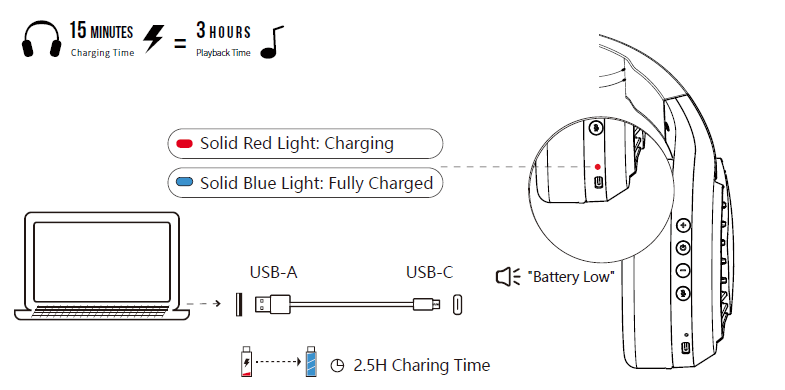
CHARGING/LOW BATTERY INDICATOR
Troubleshooting Guide for Bloody GR230 All-in-One Wireless Gaming Headset
Encounter issues with your Bloody GR230 All-in-One Wireless Gaming Headset? Start with basics: ensure the battery is charged via USB Type-C and check connections. Common problems include no sound, pairing failures, or mic issues.
- No audio in 2.4GHz/Bluetooth mode: Verify the dongle is plugged into USB 2.0+ port; re-pair by holding power button 5 seconds. Range exceeds 12m? Move closer.
- Bluetooth not connecting: Forget device in phone/PC settings, then reconnect. Update to v5.3 firmware if available via Bloody site.
- Microphone muted/unrecognized: Rotate mic down to activate; test in 3.5mm wired mode. Clean ports for dust.
- Battery drains fast: Turn off RGB lights for 60H playtime (35H on); charge fully (1050mAh takes ~3 hours).
- Error: Flashing red light: Indicates low battery or firmware issue; reset by holding power + volume down 10 seconds.
Prevent issues by updating drivers, avoiding overcharging, and storing in a cool place. Bloody offers 1-year warranty; contact support at Bloody official website (bloody.com) or email service@bloody.com. Download user manual for diagrams.
Pros and Cons of Bloody GR230 All-in-One Wireless Gaming Headset
Pros
- Versatile all-in-one connectivity (2.4GHz, Bluetooth v5.3, wired) for low-latency gaming on any device.
- Impressive 60H battery life (lights off) outlasts competitors like HyperX Cloud Alpha Wireless.
- Comfortable soft leather ear pads and 50mm drivers provide immersive sound with accurate reproduction.
- Affordable at ~$25-$60, offering great value vs pricier options like SteelSeries Arctis Nova.
- RGB backlighting and rotatable mic enhance aesthetics and usability.
Cons
- RGB shortens battery to 35H/20H, limiting marathon sessions with lights on.
- Mic quality (-42dB) is clear but not broadcast-level; some echo in noisy environments.
- No dedicated app for EQ customization, unlike Razer BlackShark V2.
- Build feels plastic-heavy for the premium price in some reviews.
Overall, the Bloody GR230 delivers strong value for budget gamers, outperforming basics like Logitech G435 in latency and range.
Customer Reviews: Bloody GR230 All-in-One Wireless Gaming Headset
Users praise the Bloody GR230 All-in-One Wireless Gaming Headset for its reliability, averaging 4.5/5 stars across sites like Daraz.pk and retailer pages. "Insane battery life and zero lag in Valorant—best bang for buck!" says a PS5 gamer (5/5). Common praises: Comfortable for 8+ hour sessions, vivid RGB, and easy multi-device switching.
Complaints include occasional Bluetooth drops ("Fixes with re-pairing") and an average mic in wind. "Great for PC/mobile, but mic needs boost for streams" (4/5). Frequently mentioned: Excellent for FPS with precise 50mm sound. 85% recommend for budget wireless gaming; ideal alternative to pricier headsets.
More bloody manuals
- Usage: Bloody MH390 Wireless Headset User Manual
- Setup: Bloody MH360 Bluetooth v5.3 Headphones User Manual
- Setup: Bloody M320 Bluetooth Wireless Gaming Headset User Manual
- Setup: Bloody R72 Pro Duo Dual Mode Wireless Gaming Mouse User Manual
- Setup: Bloody RGB ESPORTS Gaming Mouse ES5 User Manual
- Setup: Bloody AT87 Alpha Optical Switch Performance TKL Keyboard User Manual
Leave a Comment