
Bose Soundtouch-300 Soundbar User Manual
Content
Introduction to the Bose SoundTouch 300 Soundbar
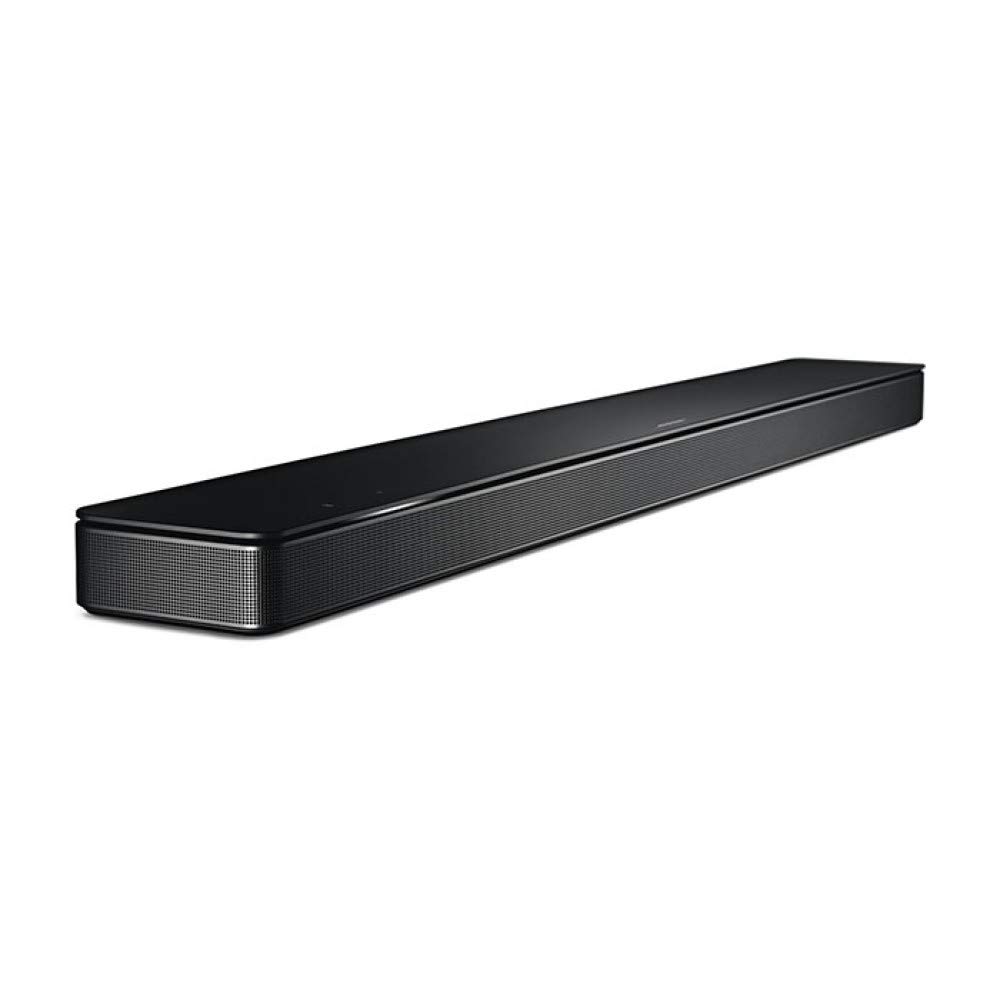
The bose Soundtouch-300 Soundbar is a premium home audio solution designed for users who want a sleek, minimalist soundbar with strong dialogue clarity, wide sound dispersion, and easy wireless expansion. Built with Bose’s signature industrial design, it blends well into modern living rooms while delivering a more immersive TV audio experience than standard built-in television speakers. It is especially well suited for movie watching, sports, gaming, and music streaming in medium to large rooms.
One of the biggest advantages of the bose Soundtouch-300 Soundbar is its combination of Wi-Fi, Bluetooth, HDMI ARC, optical input, and 4K pass-through support, which makes it flexible for both new and older entertainment setups. It also supports Bose’s ecosystem of optional Bass Module and Surround Speakers, allowing users to build a fuller 5.1-style system over time. The ADAPTiQ room calibration feature helps tailor performance to the acoustics of the room, improving balance and clarity.
At launch, the soundbar sat in the premium category, and in 2026 it is typically found through third-party retailers, refurbished listings, or remaining old stock rather than as a mainstream new-release product. Estimated pricing generally ranges from the mid-range used market to higher refurbished prices depending on condition, accessories, and seller support. For buyers who value design, wireless convenience, and Bose’s sound signature, this soundbar remains a relevant option.
Specifications and Key Features of the Bose SoundTouch 300 Soundbar
- Soundbar type: 2.0-channel standalone soundbar with expandable surround capability.
- Dimensions: 38.5 inches wide, 2.25 inches high, and 4.25 inches deep, making it ideal for low-profile TV placement.
- Weight: approximately 10.4 lbs, with a slim metal grille design.
- Connectivity: 1 HDMI input, 1 HDMI output with ARC, 1 optical digital input, Ethernet, Bluetooth, and Wi-Fi.
- Wireless support: 802.11 b/g/n Wi-Fi on 2.4 GHz and 5 GHz bands for streaming and software updates.
- Video support: HDMI 2.0a pass-through with 4K compatibility and HDR10 support.
- Audio formats: Dolby Digital and DTS decoding for TV, streaming, and disc playback.
- Expansion: compatible with Bose Bass Module and wireless surround speakers for a more cinematic setup.
- Calibration: ADAPTiQ room tuning for improved performance in different room layouts.
- Comparison note: compared with Sonos Beam or Samsung’s compact soundbars, the bose Soundtouch-300 Soundbar is larger, more premium-looking, and more focused on cinematic breadth than voice-assistant-first convenience.
For users searching for a Bose SoundTouch 300 soundbar review, the main appeal is its clean design, strong TV dialogue performance, and upgrade path into a multi-piece home theater system.
Troubleshooting the Bose SoundTouch 300 Soundbar
Common setup issues usually involve HDMI ARC, Wi-Fi pairing, Bluetooth connectivity, or audio delay. If the TV produces no sound, confirm that HDMI ARC is enabled on both the TV and soundbar, then check that the correct TV audio output is selected. If sound cuts out intermittently, reseat HDMI and optical cables, power-cycle the soundbar and TV, and update the firmware through the Bose app or network connection.
For wireless problems, restart the router, reconnect the soundbar to the 2.4 GHz or 5 GHz network, and reduce interference from nearby devices. If Bluetooth pairing fails, clear the pairing list and pair again from scratch. If the unit becomes unresponsive, unplug it for 60 seconds and reconnect it. Bose support documentation also notes that some legacy streaming services, such as Radioplayer compatibility for SoundTouch products, have changed over time.
- No sound via ARC: enable CEC/ARC on the TV and confirm the HDMI cable is high-speed.
- Audio lag: adjust lip-sync settings on the TV or source device.
- Wi-Fi dropouts: move the router closer or switch channels.
- Remote issues: replace batteries and re-pair the universal IR remote if needed.
- Error codes: specific error codes may vary by firmware; reset the product and check Bose support guidance if an on-screen or app message appears.
Preventive care includes regular firmware updates, stable power supply use, and avoiding blocked ventilation. Warranty support and product assistance are typically available through Bose customer service, authorized retailers, and Bose support channels, which remain the best contact points for repair or replacement guidance.
Pros and Cons of the Bose SoundTouch 300 Soundbar
Pros
- Sleek, premium design that fits easily under modern TVs.
- Strong dialogue clarity and wide soundstage for movies and TV.
- Wi-Fi, Bluetooth, HDMI ARC, and optical inputs provide flexible connectivity.
- 4K pass-through and HDR10 support help maintain video compatibility.
- Expandable with Bose bass and surround modules for better home theater performance.
- ADAPTiQ calibration improves sound in different room layouts.
Cons
- As a standalone bar, bass is limited without the optional subwoofer.
- It can be more expensive than many compact alternatives on the used market.
- SoundTouch ecosystem features are less future-proof than newer smart audio platforms.
- Fewer modern voice-assistant features than some newer competing soundbars.
Overall value for money depends on whether the buyer wants a refined Bose sound signature and upgrade path or prefers a newer all-in-one bar from Sonos, Samsung, or LG.
Customer Reviews and User Feedback on the Bose SoundTouch 300 Soundbar
Typical customer ratings for the bose Soundtouch-300 Soundbar fall around 4 out of 5 stars, with users praising its design, room-filling sound, and easy TV integration. Many owners describe the sound as clean, spacious, and excellent for speech-heavy content like news and dramas.
- Positive feedback: “The sound is clear and fills the room without taking up space.”
- Positive feedback: “Perfect for movies once paired with the Bose bass module.”
- Common complaint: “It sounds good on its own, but the low end is better with the subwoofer.”
- Common complaint: “Setup can take time if the TV’s ARC settings are not configured correctly.”
Buyers who want a stylish premium soundbar and plan to expand later are usually satisfied. Users who want built-in voice control, newer smart-home features, or maximum bass without add-ons may prefer a newer alternative.
Faqs
How do I set up bose Soundtouch-300 Soundbar for the first time with HDMI ARC and the SoundTouch app?
Why is my bose Soundtouch-300 Soundbar not producing sound from the TV, and what should I check first?
How do I pair the bose Soundtouch-300 Soundbar with the bass module or wireless surround speakers?
What should I do if bose Soundtouch-300 Soundbar keeps dropping Wi-Fi during SoundTouch app setup?
Can bose Soundtouch-300 Soundbar work with Bluetooth and what is the best way to use it?
How do I optimize bass and room calibration on bose Soundtouch-300 Soundbar for better movie sound?
What compatibility requirements should I check before buying a bose Soundtouch-300 Soundbar for my TV?
How should I clean and maintain bose Soundtouch-300 Soundbar to avoid damage over time?
More bose manuals
Leave a Comment