
Bose 440108 Quiet Comfort Ultra Headphones User Manual
Content
Bose 440108 Quiet Comfort Ultra Headphones: Comprehensive Product Manual
Introduction
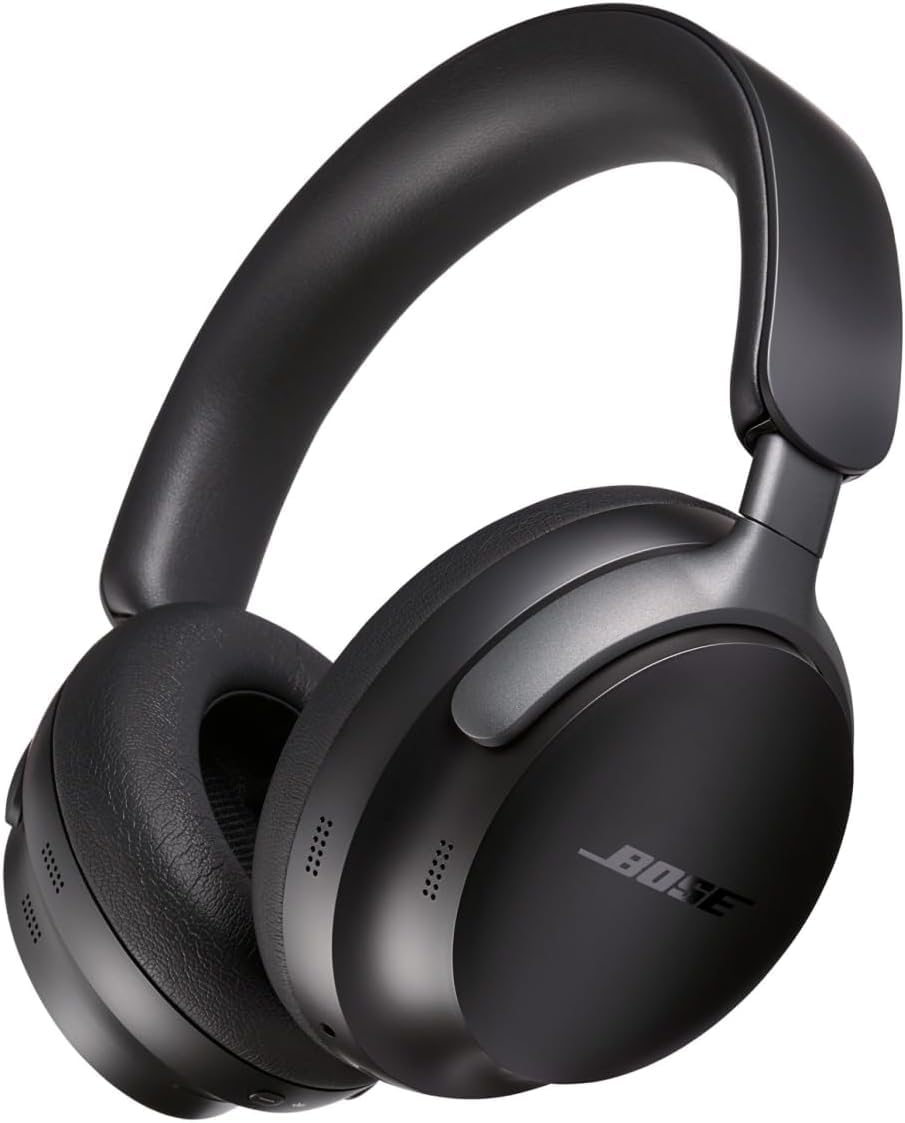
The Bose 440108 Quiet Comfort Ultra Headphones are premium over-ear wireless headphones built for listeners who want top-tier noise cancellation, immersive sound, and all-day comfort. Designed around Bose’s signature quietness-first approach, they combine advanced active noise cancelling, customizable audio modes, and a lightweight circumaural fit that works well for travel, office use, commuting, and focused home listening. The headphones are especially appealing to frequent flyers, remote professionals, students, and anyone who wants a high-end wireless listening experience with strong call quality and easy device switching.
One of the biggest strengths of the Bose 440108 Quiet Comfort Ultra Headphones is their balance of comfort and performance. Users get deep, effective noise isolation, Bluetooth connectivity, a premium build with aluminum and protein-leather materials, and support for Bose’s immersive spatial audio features. Battery performance is solid for the class, and the fast-charge function is useful when you need quick top-ups before a flight or meeting. The included carrying case and audio cable make them practical for everyday transport and wired backup use.
In 2026, the estimated price range typically sits around the premium flagship tier, with common retail pricing near the mid-$400 range and discounts often appearing during major sales periods. Availability is generally broad through Bose and major electronics retailers, though color options and bundle offers may vary. For shoppers comparing premium ANC headphones, this model sits alongside rivals such as the Sony WH-1000XM5 and Apple AirPods Max, but Bose remains especially strong for comfort, noise cancellation, and ease of use.
Specifications for Bose 440108 Quiet Comfort Ultra Headphones
- Product type: Wireless over-ear noise-cancelling headphones
- Fit: Circumaural, around-ear design for long listening sessions
- Connectivity: Bluetooth 5.3 for stable wireless pairing
- Wireless codec support: SBC, AAC, and aptX Adaptive support for better audio compatibility
- Noise control: Adjustable active noise cancellation with transparency-style listening mode
- Battery life: Up to 24 hours with standard use, with shorter runtime when immersive audio features are enabled
- Fast charging: Quick-charge support for short top-ups before travel or work sessions
- Weight: About 250 g, making them relatively light for premium ANC headphones
- Charging: USB-C charging interface
- Wired listening: Included audio cable for analog wired use; no USB-C audio passthrough on the first-generation model
- Materials: Plastic, aluminum, and protein leather construction
- Microphones: Built-in microphone system designed for calls and voice pickup
- Multi-device support: Multipoint pairing for switching between two devices
- Typical use cases: Travel, office work, remote meetings, commuting, and immersive music listening
Compared with the Sony WH-1000XM5, the Bose 440108 Quiet Comfort Ultra Headphones are often praised for comfort and ANC quality, while Sony tends to lead in battery life. Against the Apple AirPods Max, Bose is usually lighter and more travel-friendly, while the AirPods Max emphasizes ecosystem integration. For most users, Bose offers the best blend of premium noise cancellation, comfort, and straightforward operation.
Pros & Cons of Bose 440108 Quiet Comfort Ultra Headphones
Pros
- Excellent noise cancellation: Strong enough for airplanes, office environments, and busy streets.
- Very comfortable fit: The lightweight build and soft ear cushions make them suitable for long sessions.
- Premium sound with immersive audio: Spatial listening adds depth for compatible music and video content.
- Good call performance: The microphone system is designed for clearer voice pickup in daily use.
- Strong wireless convenience: Bluetooth 5.3 and multipoint pairing make them easy to use across devices.
- Travel-friendly accessories: The carrying case and wired cable improve portability and flexibility.
Cons
- Battery life is not class-leading: Competitors like Sony can last longer on a single charge.
- Premium price: The value is strong for frequent travelers, but casual listeners may find them expensive.
- Limited wired flexibility: First-generation models do not offer USB-C audio passthrough.
- Immersive audio reduces runtime: Using spatial features can noticeably shorten battery life.
For buyers prioritizing pure sound customization or maximum battery endurance, alternatives may offer better value. For users who want the best combination of comfort, ANC, and everyday reliability, the Bose 440108 Quiet Comfort Ultra Headphones remain one of the strongest premium choices.
Customer Reviews and Real-World Feedback
Customer feedback for the Bose 440108 Quiet Comfort Ultra Headphones is overwhelmingly positive, with many users rating them around 4.5 out of 5 stars for noise cancellation, comfort, and sound quality. Frequent praise focuses on the “disappears on your head” comfort, excellent airplane performance, and easy Bluetooth pairing across laptops and phones.
Common complaints include the high price, shorter battery life than some competitors, and the fact that immersive audio mode drains power faster. Some users also note that wired listening options are useful, but not as flexible as full USB-C audio support. One typical testimonial is: “Best noise cancelling headphones I’ve used for work travel, and they stay comfortable for an entire flight.” Another common sentiment is: “The sound is rich and detailed, but I wish battery life matched the competition.”
Overall, the Bose 440108 Quiet Comfort Ultra Headphones are recommended for frequent travelers, remote workers, and listeners who value comfort and silence more than bargain pricing. If strong ANC and premium wearability are top priorities, they are an excellent buy.
Faqs
How do I set up bose 440108 Quiet Comfort Ultra Headphones for the first time?
Why is my bose 440108 Quiet Comfort Ultra Headphones not pairing with my phone or laptop?
How do I get the best noise cancellation performance from bose 440108 Quiet Comfort Ultra Headphones?
What should I do if bose 440108 Quiet Comfort Ultra Headphones sound distorted or too quiet?
Are bose 440108 Quiet Comfort Ultra Headphones compatible with iPhone, Android, Windows, and Mac?
How do I improve battery life on bose 440108 Quiet Comfort Ultra Headphones?
How should I clean and maintain bose 440108 Quiet Comfort Ultra Headphones safely?
What is the best way to reset bose 440108 Quiet Comfort Ultra Headphones when they freeze or stop responding?
More bose manuals
Leave a Comment