
Brother HL-2130 Laser Printer User Manual
Content
Brother HL-2130 Laser Printer Manual
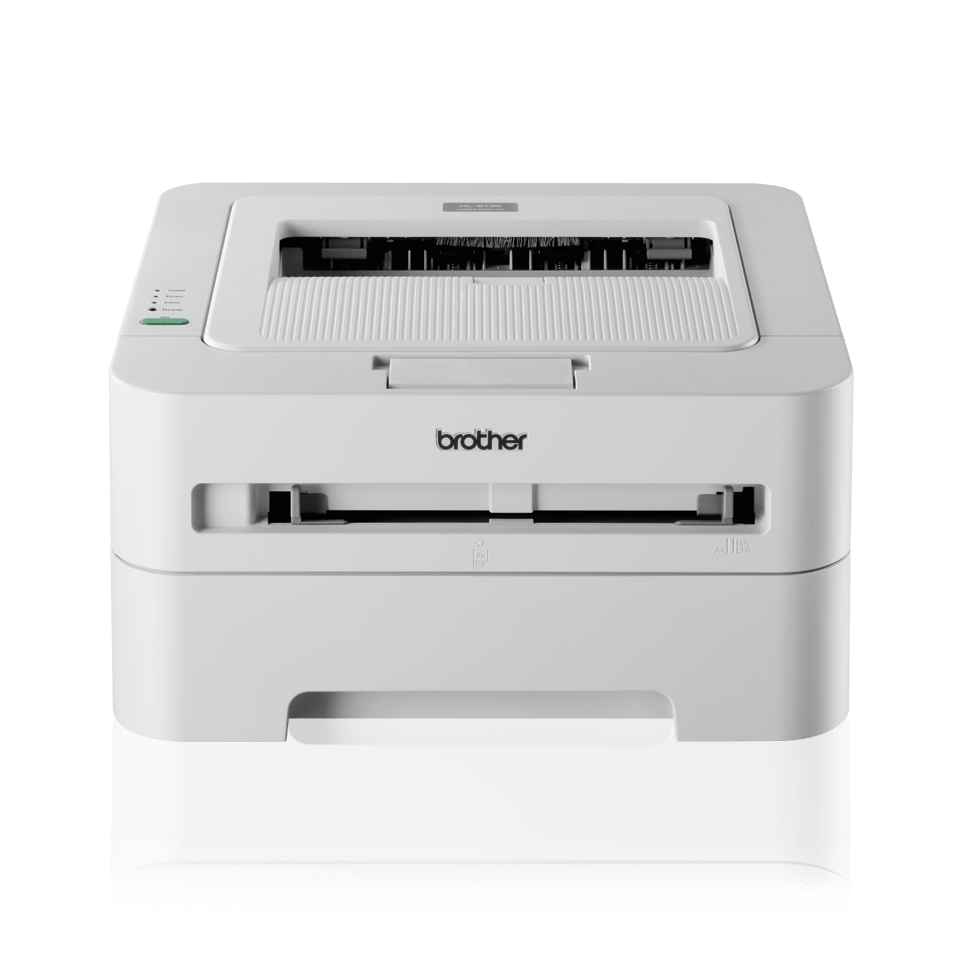
The Brother HL-2130 Laser Printer is a compact monochrome laser printer designed for dependable everyday document printing. Built for home offices, small businesses, and students who need fast black-and-white output, it combines a simple USB connection, a 250-sheet paper tray, and print speeds of up to 20 pages per minute. Its HQ1200 print mode delivers crisp text and clean graphics, making it a practical choice for invoices, reports, study materials, and routine office paperwork.
One of the biggest strengths of the Brother HL-2130 Laser Printer is its straightforward design. It uses a black-and-white laser engine, 8 MB of memory, and a compact footprint that fits easily on a desk or shelf. The printer supports a range of media types through the manual feed slot, including envelopes, labels, recycled paper, and thicker paper stocks. That flexibility makes it useful for mixed office tasks without adding unnecessary complexity.
This model is best suited for users who want reliable monochrome printing at a low operating cost rather than advanced features like Wi-Fi, duplex automation, or scanning. The Brother HL-2130 Laser Printer is typically found through third-party sellers, refurbished listings, or remaining retail stock, with prices often ranging from about $80 to $180 depending on condition, region, and toner availability. It remains a practical budget option for users who value consistent output and easy maintenance.
Troubleshooting Common Brother HL-2130 Laser Printer Problems
If the printer does not print, first check the USB connection, power cable, and computer driver installation. A blinking status light often points to a paper jam, open cover, or toner/drum issue. Common error conditions include a jammed sheet in the paper path, no paper in the tray, or a cover not fully closed. In many cases, removing the paper carefully, reseating the toner cartridge, and restarting the printer resolves the issue.
If print quality is faded or streaky, replace the toner cartridge or inspect the drum unit for wear. If the printer feeds multiple sheets or pulls paper unevenly, fan the paper stack and reload plain paper that meets the supported weight range. Preventive care includes keeping the printer dust-free, using dry paper, avoiding overfilled trays, and updating the printer driver when compatibility problems appear.
For support, Brother provides model-specific downloads, driver pages, and firmware updates through its official support channels. Warranty coverage depends on region and purchase source, so users should check their local Brother support page or retailer documentation for current service terms. If self-help steps fail, contact Brother support through the official support website or regional service center listed for your country.
Pros and Cons of the Brother HL-2130 Laser Printer
Pros
- Fast monochrome printing at up to 20 ppm, ideal for everyday text documents.
- Compact size makes it easy to place in a home office or small work area.
- 250-sheet paper tray reduces the need for frequent reloading.
- HQ1200 output produces sharp text for professional-looking documents.
- Manual feed slot supports envelopes, labels, and thicker media.
- Good value for users who only need reliable black-and-white printing.
Cons
- No wireless printing, Ethernet, or mobile printing features.
- Monochrome only, so it is not suitable for color documents or photo printing.
- Basic 8 MB memory limits advanced workflow features.
- Manual duplexing is less convenient than automatic double-sided printing.
- Compared with newer laser printers, it lacks modern app-based connectivity.
For value for money, the Brother HL-2130 Laser Printer is strongest when purchased at a low price and used mainly for text-heavy printing. Compared with modern entry-level Brother laser printers with Wi-Fi and automatic duplex, it is less feature-rich but still dependable for simple office tasks.
Customer Reviews of the Brother HL-2130 Laser Printer
Users commonly praise the printer for its sharp text output, quick startup, and compact design. Many buyers rate it around 4 out of 5 stars for basic office printing because it handles everyday documents reliably and does not take up much space. A frequent comment is that it “just works” for letters, forms, and worksheets.
Common complaints include the lack of wireless connectivity, the absence of automatic duplex printing, and the need to source toner or drum supplies carefully for older units. Some customers also note that setup is easiest on Windows systems with the correct driver installed. Overall, the Brother HL-2130 Laser Printer is recommended for budget-conscious users who need a straightforward monochrome laser printer and do not require modern network features.
Faqs
How do I set up the brother HL-2130 Laser Printer for the first time?
What should I do if my brother HL-2130 Laser Printer is not printing?
Which computers and operating systems work with the brother HL-2130 Laser Printer?
How can I improve print quality on the brother HL-2130 Laser Printer?
Why does the brother HL-2130 Laser Printer keep jamming paper?
Can the brother HL-2130 Laser Printer handle envelopes, labels, and thicker paper?
How often should I replace toner and maintain the brother HL-2130 Laser Printer?
What are the key performance features of the brother HL-2130 Laser Printer?
More brother manuals
- Brother 893-Z05 Cutting Machine User Manual
- Setup: Brother Embroidery & Sewing Machine 888-L01 Owner Manual
- Brother Home & Hobby LCD Screen PT-65 User Guide
- Brother Inkjet Printer MFC-J6945DW User Guide
- Brother IntelliFax Mono Laser 4750e Setup Guide
- Brother P-Touch PT-P300BT Electronic Labeling System User Guide
Leave a Comment