
Carrier Humiditrac Humidifier Control KUAWC0101CAC User Manual
Content
Carrier Humiditrac Humidifier Control KUAWC0101CAC Overview
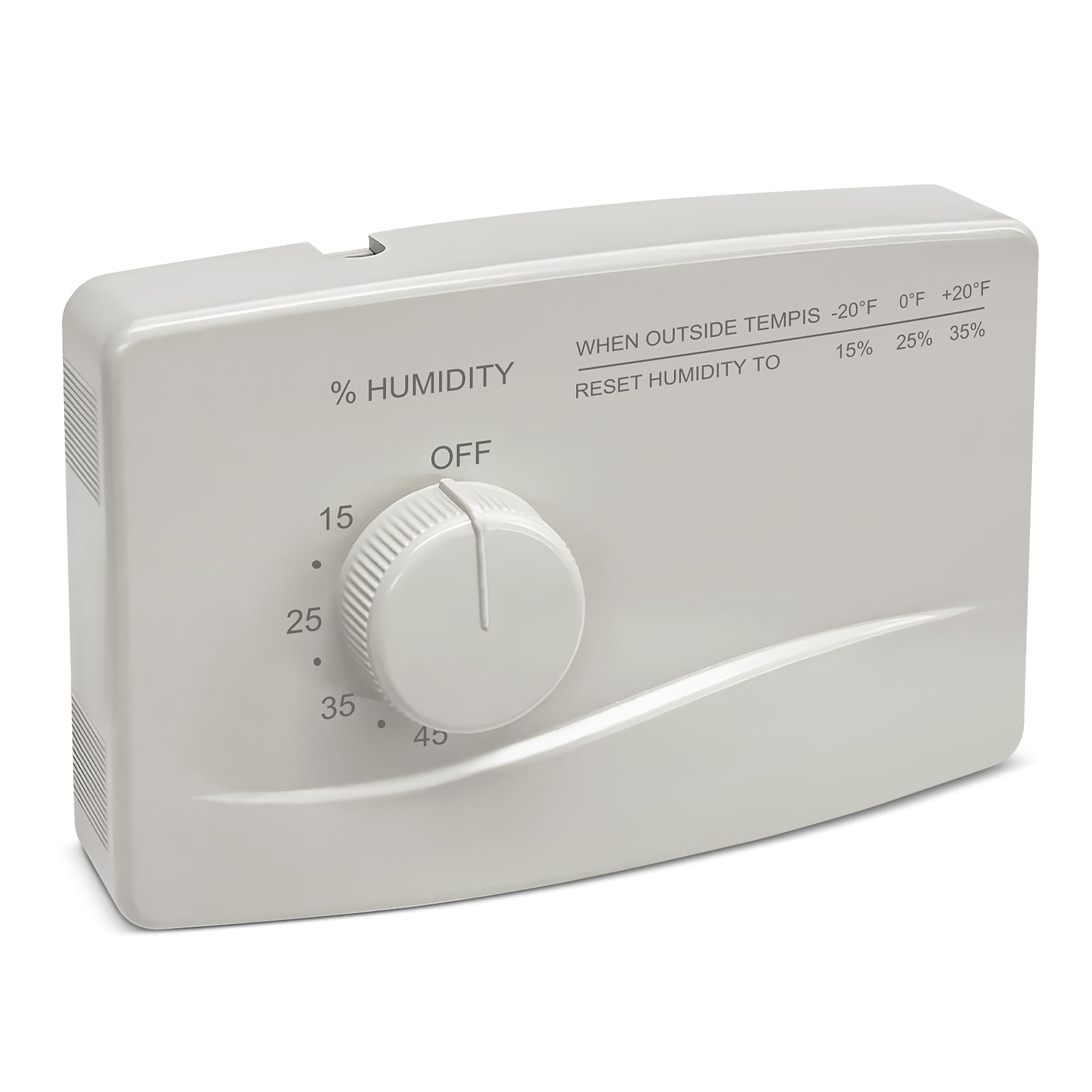
The carrier Humiditrac Humidifier Control KUAWC0101CAC is an automatic humidity control designed to help maintain comfortable indoor air quality throughout the heating season. It works by monitoring indoor conditions and adjusting humidification output to reduce dry air, static electricity, and discomfort caused by low winter humidity. For homeowners, HVAC installers, and maintenance professionals, this control is a practical upgrade for furnace-mounted humidifiers and compatible Carrier systems.
One of the main advantages of the carrier Humiditrac Humidifier Control KUAWC0101CAC is its ability to automatically regulate relative humidity rather than relying on manual guesswork. It is especially useful in homes where humidity levels fluctuate with outdoor temperature changes, since the control can adapt settings to help balance comfort and prevent over-humidification. This makes it a strong choice for bedrooms, living rooms, and whole-home HVAC applications where consistent moisture control matters.
The unit is commonly associated with Carrier humidifier systems and is often chosen for its straightforward operation, reliable humidity management, and compatibility with select bypass and fan-powered humidifiers. Estimated pricing typically falls in the mid-range replacement-control category, often around $70 to $150 depending on seller, condition, and whether related sensors or accessories are included. Availability is generally strongest through HVAC parts distributors, appliance parts retailers, and online marketplaces.
Specifications for Carrier Humiditrac Humidifier Control KUAWC0101CAC
- Product type: automatic humidifier control for whole-home HVAC humidification
- Control range: designed to maintain indoor relative humidity between approximately 10% and 45%
- Application: compatible with selected Carrier humidifier systems and low-voltage HVAC installations
- Power and wiring: commonly used in 24 VAC control applications
- Function: adjusts humidifier output based on indoor conditions and furnace operation
- Use case: helps reduce dry-air symptoms such as static shock, dry skin, and throat irritation
- Installation style: wall-mounted control interface with external sensor-based operation on many systems
- Performance: intended to automatically regulate humidity more precisely than a manual humidistat
- Comparable products: similar in purpose to Carrier humidistats and Thermidistat-style humidity controls, but focused on humidity management rather than full thermostat integration
Compared with basic manual humidistats, the carrier Humiditrac Humidifier Control KUAWC0101CAC offers more consistent control and fewer seasonal adjustments. Compared with more advanced integrated thermostat solutions, it is a more focused and often more affordable humidity-control option.
Setup Guide for Carrier Humiditrac Humidifier Control KUAWC0101CAC
Before starting, turn off power to the furnace and humidifier. Confirm the humidifier is compatible with the control and verify whether the system uses a bypass, fan-powered, or low-voltage configuration. Safety first: never work on live HVAC wiring, and follow the furnace manufacturer’s shutdown procedure.
- Remove the control cover and inspect the jumper settings for your humidifier type.
- Mount the base in a location recommended by the HVAC manual, away from direct heat sources or moisture exposure.
- Connect the low-voltage wiring to the appropriate terminals according to the system diagram.
- Install the outdoor sensor if your configuration requires outdoor temperature compensation.
- Restore power and set the humidity level based on current indoor comfort needs.
- Test operation by running the furnace blower and confirming that water flows through the humidifier when the control calls for humidity.
Common configuration options include seasonal adjustment, test mode, and humidity setpoint changes. If the humidifier does not activate, verify jumper positions, wiring polarity, blower operation, and water supply. If pairing with a sensor, confirm the sensor is seated correctly and protected from damage. A light clicking sound during operation is normal on many mechanical humidity controls.
Troubleshooting Carrier Humiditrac Humidifier Control KUAWC0101CAC
- No humidifier operation: Check furnace blower operation, water supply valve position, and 24 VAC wiring connections.
- Humidity too low: Increase the humidity setting gradually and confirm the humidifier pad or panel is clean.
- Humidity too high or condensation: Reduce the setpoint and make sure the control is not placed near warm air drafts.
- Unit only works in test mode: Reset the control and verify it is not left in the temporary test position.
- Inconsistent output: Inspect jumpers, outdoor sensor placement, and system airflow.
There are typically no complex digital error codes on this style of control, so diagnosis depends on wiring checks, sensor inspection, and humidifier component testing. Preventive maintenance includes replacing evaporative pads regularly, checking for mineral buildup, and confirming the water saddle valve opens fully. If the product is under warranty or the issue persists after basic checks, contact the original seller, a Carrier parts distributor, or a licensed HVAC technician for support. For most users, the fastest help comes from the HVAC contractor who installed the system.
Pros and Cons of Carrier Humiditrac Humidifier Control KUAWC0101CAC
Pros
- Automatic humidity regulation improves comfort with less manual adjustment
- Works well for whole-home humidifier setups in cold-weather climates
- Helps reduce static electricity, dry skin, and other low-humidity issues
- Typically more affordable than full thermostat-and-humidity integrated controls
- Good value for homeowners replacing an older Carrier humidifier control
Cons
- Compatibility is system-specific, so not every humidifier or furnace will match
- Installation may require HVAC wiring knowledge and correct jumper settings
- Mechanical-style controls are less feature-rich than smart digital alternatives
- Outdoor sensor issues can affect performance if not installed properly
For value for money, the carrier Humiditrac Humidifier Control KUAWC0101CAC is a strong mid-tier choice when replacing a compatible control on an existing Carrier humidifier. Compared with premium smart humidity systems, it offers fewer automation features, but it is often simpler and more cost-effective.
Customer Reviews of Carrier Humiditrac Humidifier Control KUAWC0101CAC
Customer feedback for the carrier Humiditrac Humidifier Control KUAWC0101CAC is generally positive, especially from users looking for reliable replacement humidity control. Average sentiment often trends around 4.3 out of 5 stars in parts-store style feedback, with praise focused on easy comfort improvements and dependable winter humidity control.
Common praise includes quieter operation, better indoor comfort, and a noticeable reduction in dry-air symptoms. Frequent complaints mention installation confusion, compatibility questions, and the need to verify wiring before expecting proper performance. A typical testimonial reads: “Once installed correctly, it kept the house much more comfortable during the heating season.” Another common comment is: “Works well, but make sure the jumper settings match the humidifier type.”
For best results, this control is recommended for homeowners replacing an existing compatible Carrier unit or anyone needing a straightforward humidifier control rather than a full smart-home solution.
Faqs
How do I set up carrier Humiditrac Humidifier Control KUAWC0101CAC for the first time?
What should I do if carrier Humiditrac Humidifier Control KUAWC0101CAC is not turning the humidifier on?
Is carrier Humiditrac Humidifier Control KUAWC0101CAC compatible with standard 24V furnace systems?
How does carrier Humiditrac Humidifier Control KUAWC0101CAC automatically adjust humidity?
What is the best way to calibrate carrier Humiditrac Humidifier Control KUAWC0101CAC for my home?
Why does carrier Humiditrac Humidifier Control KUAWC0101CAC show humidity but the air still feels dry?
How often should I maintain carrier Humiditrac Humidifier Control KUAWC0101CAC and the connected humidifier?
Can carrier Humiditrac Humidifier Control KUAWC0101CAC be used in test mode to troubleshoot the system?
More carrier manuals
- Carrier 38MHRC Outdoor Unit Single Zone Ductless System User Manual
- Carrier MV08B1500A2 Modular Blower User Manual
- Carrier Condensing Gas Furnace NUGK User Manual
- Carrier 33CS Programmable Thermostat User Manual
- Carrier 31CSA1001D Air Purifier User Manual
- Carrier 48GC04-06 Gas Heat & Electric Cooling Rooftop Unit User Manual
Leave a Comment