
Garmin Dash Camera 30 Series User Manual
Content
Garmin Dash Camera 30 Series: Product Manual and Buyer Guide
Introduction
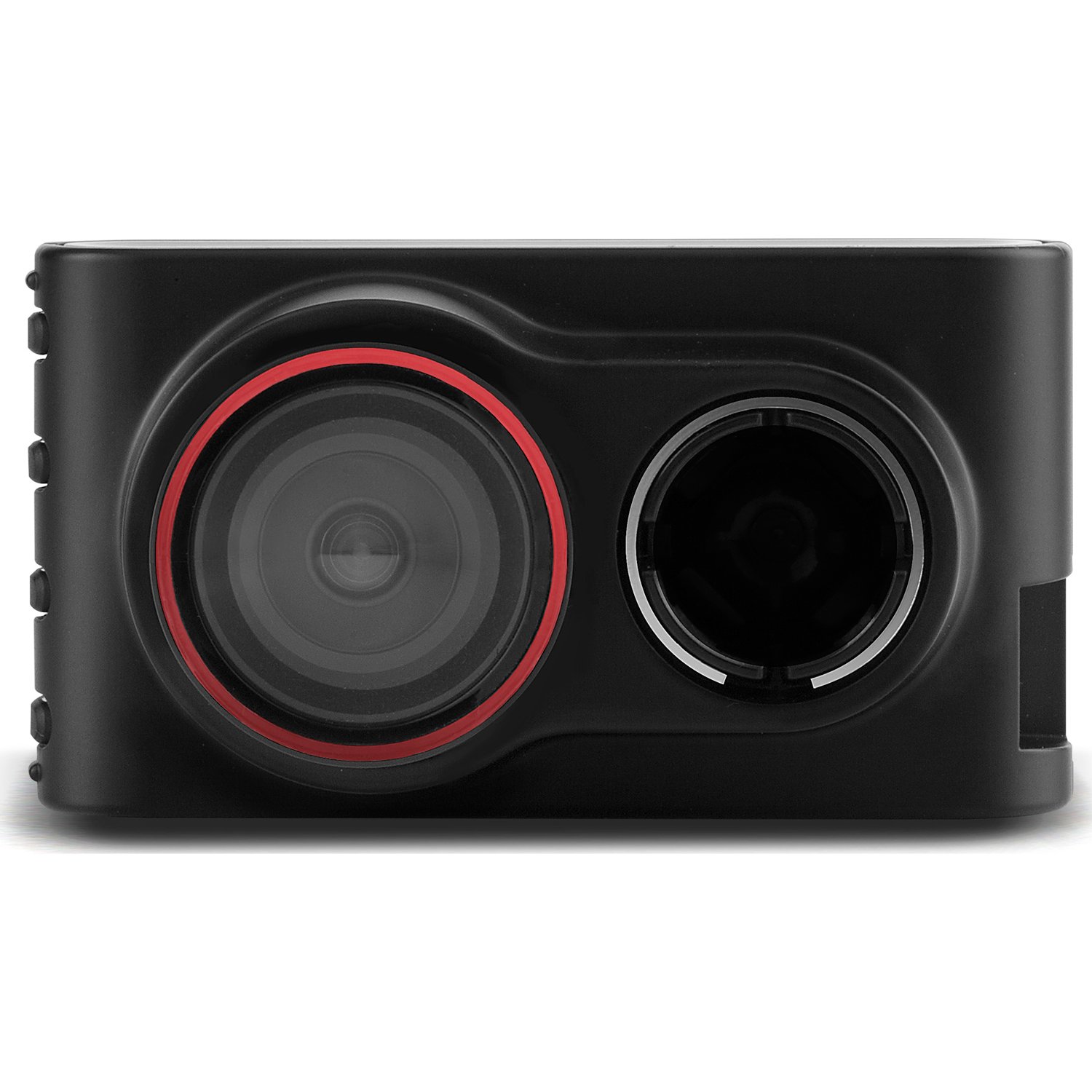
The Garmin Dash Camera 30 Series is a compact, easy-to-use dash cam built for drivers who want reliable front-road recording without a complicated setup. The garmin Dash Camera 30 Series is known for its small footprint, 1.4-inch LCD display, and straightforward operation, making it a practical choice for everyday commuters, rideshare drivers, and families who want added peace of mind on the road. It records in 1080p or 720p HD, captures a wide 100-degree field of view, and uses continuous loop recording so the camera keeps saving new footage while older files are automatically overwritten.
One of the biggest advantages of the Dash Cam 30 is simplicity. There is no GPS or driver alert suite on the standard model, so users get a focused recording device rather than a feature-heavy system. That makes it appealing for drivers who want dependable video evidence in case of accidents, parking incidents, or insurance disputes. The camera also supports a microSD card up to 64 GB, giving it enough space for extended recording sessions. With its compact design, suction or adhesive mounting options, and included memory card on many retail packages, it remains a user-friendly entry into dash camera ownership.
Pricing for the garmin Dash Camera 30 Series typically falls in the budget-to-midrange category on the resale and aftermarket market, with older listings often appearing around $74 to $170 depending on condition and seller. Availability is more limited than newer Garmin models because the Dash Cam 30 is an older product line, so buyers often find it through third-party retailers, refurbished listings, or remaining stock rather than mainstream new retail channels.
Specifications
The Garmin Dash Camera 30 Series offers a balanced mix of core recording features and compact hardware. It is designed for drivers who want dependable HD footage without advanced connected features.
- Video resolution: 1080p or 720p HD recording
- Frame rate: 30 fps for smooth playback
- Field of view: 100 degrees for wide front-road coverage
- Display: 1.4-inch TFT LCD screen
- Memory card support: microSD, microSDHC, and microSDXC up to 64 GB
- Speed class requirement: Class 10 or higher recommended for reliable recording
- Incident detection: Built-in G-sensor for event recording
- Battery life: Up to about 30 minutes when disconnected from vehicle power
- Dimensions: Approximately 7.92 cm x 4.25 cm x 4.36 cm
- Weight: About 93.5 g
- Operating temperature: -20° to 55°C
Compared with the Dash Cam 35, the Dash Cam 30 is simpler because it does not include GPS or advanced driver alerts. That makes the garmin Dash Camera 30 Series a stronger fit for users who mainly want video evidence and basic incident capture, while drivers who want route logging or warnings may prefer a newer Garmin model.
Setup Guide
Setting up the Garmin Dash Camera 30 Series is quick and suitable for first-time users. Start by inserting a compatible microSD card, then attach the camera to the windshield using the included mount. Place it in a position that gives a clear forward view without blocking your driving vision. Connect the power cable to the vehicle’s 12V outlet or power source, and the camera should start recording automatically once powered on.
For configuration, use the on-screen menu to adjust video resolution, date and time, and recording preferences. If your model or package includes computer-based file management, Garmin Express can be used for device maintenance and file transfer support. Always format a new memory card in the camera before first use to reduce recording errors. If the camera fails to record, check that the card is inserted correctly and meets the required speed class.
Safety matters during installation. Do not place the device where it obstructs airbags, mirrors, or your road view. Avoid handling the camera while driving. If the mount loses adhesion, clean the windshield and reattach it to a smooth, dry surface. If recording stops unexpectedly, restart the device and confirm that the card is not full or damaged.
Troubleshooting
The most common issue with the Garmin Dash Camera 30 Series is memory card compatibility. If the camera shows recording problems, freezes, or fails to save footage, replace the card with a Class 10 card up to 64 GB and reformat it in the device. Another frequent issue is power interruption, usually caused by a loose cable or a weak vehicle outlet. Reseat all connections and test the camera in another power source if needed.
If the screen stays blank, verify that the device is receiving power and that the vehicle ignition is on. If the camera repeatedly restarts, the memory card may be corrupted or too slow for HD recording. There are no widely used error codes specific to this model, so most fixes are hardware- or card-related rather than software-driven. Preventive care includes regular card formatting, safe removal from computer systems, and keeping firmware or support files updated when available.
Garmin support options include product documentation, online help, and regional support lines. Warranty coverage depends on the seller and purchase condition, especially for older units. For assistance, users can visit Garmin support resources or contact Garmin customer service by phone through their regional support center. If the unit was purchased from a third-party marketplace, also check the seller’s return policy and warranty terms.
Pros & Cons
Pros
- Compact design that fits neatly behind the windshield
- Simple operation with automatic loop recording
- 1080p HD recording provides clear footage for incidents and insurance claims
- Wide 100-degree field of view captures a useful portion of the road
- Affordable compared with newer premium dash cams
- Good option for drivers who want a basic dash cam without GPS extras
Cons
- No GPS on the Dash Cam 30, so it does not log location data
- No advanced driver assistance alerts found on newer models
- Older product line with limited retail availability
- Small 1.4-inch screen can be less convenient for reviewing footage
- Memory card requirements can be strict if using slow or low-quality cards
Overall, the garmin Dash Camera 30 Series offers strong value for drivers who prioritize recording quality and simplicity over smart features. Compared with newer alternatives, it is less advanced, but it remains practical for users who need a basic, dependable dash camera at a lower price point.
Customer Reviews
Customer feedback for the Garmin Dash Camera 30 Series is generally positive, especially from users who appreciate its compact size and reliable recording. Many buyers rate it around 4 out of 5 stars for ease of use and picture clarity. A common praise is that the camera starts recording automatically and does not require constant attention. One typical testimonial is: “It’s small, simple, and captures clear footage when I need it most.”
Common complaints focus on the lack of GPS, the older display size, and the difficulty of finding new stock. Some users also mention that a poor-quality memory card can cause recording issues. The camera is best recommended for drivers who want a straightforward front-facing dash cam rather than a feature-rich connected model. For buyers who value ease of use and reliable video evidence, it remains a solid choice.
Faqs
How do I set up the Garmin Dash Camera 30 Series for the first time?
Why is my Garmin Dash Camera 30 Series not powering on in my car?
How does incident detection work on the Garmin Dash Camera 30 Series?
What microSD card does the Garmin Dash Camera 30 Series support?
Can I review and transfer videos from the Garmin Dash Camera 30 Series to my computer?
How do I fix blurry or low-quality video on the Garmin Dash Camera 30 Series?
Does the Garmin Dash Camera 30 Series have GPS or speed tracking?
How should I maintain the Garmin Dash Camera 30 Series for long-term reliability?
More garmin manuals
Leave a Comment