
Garmin Speed & Cadence Sensor 2 User Manual
Content
Garmin Speed & Cadence Sensor 2 Manual and Product Guide
Introduction
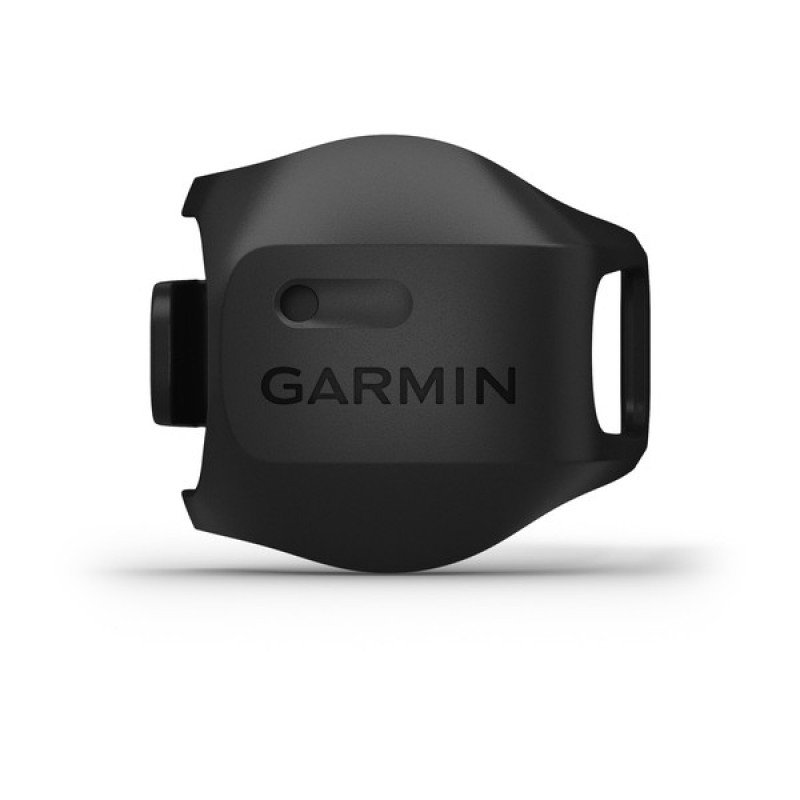
The Garmin Speed & Cadence Sensor 2 is a compact cycling sensor set designed to help riders track speed, distance, and pedaling cadence with greater accuracy than many built-in bike computer estimates. This upgrade is especially useful for road cyclists, gravel riders, indoor trainers, commuter cyclists, and anyone who wants reliable ride data without relying on GPS alone. The speed sensor mounts to the wheel hub and can record ride data even when the GPS signal is weak, while the cadence sensor attaches to the crank arm to measure pedal strokes per minute. Together, they provide a clean, magnet-free setup that is easy to install and maintain.
One of the biggest advantages of the garmin Speed & Cadence Sensor 2 is its dual connectivity. It supports both ANT+ and Bluetooth Low Energy, making it compatible with Garmin Edge cycling computers, many third-party bike computers, and popular training apps. The speed sensor also includes internal memory for up to 300 hours of activity data, which is especially helpful for riders who want stand-alone tracking. With a replaceable CR2032 battery and an estimated battery life of about 12 months at one hour of use per day, it offers strong long-term value.
Current pricing typically falls around $39 per sensor or about $75 for the pair, with availability through major cycling retailers and online stores. For riders searching for a dependable bike speed sensor and cadence sensor bundle, the Garmin Speed & Cadence Sensor 2 remains one of the most popular options in its class.
Specifications for Garmin Speed & Cadence Sensor 2
- Battery type: User-replaceable CR2032, 3 V
- Battery life: Approximately 12 months at 1 hour of use per day
- Connectivity: ANT+ and Bluetooth Low Energy
- Wireless frequency: 2.4 GHz
- Water resistance: IPX7 for incidental water exposure
- Operating temperature range: -20°C to 60°C
- Speed sensor memory: Up to 300 hours of activity data
- Mounting: Speed sensor mounts to the wheel hub; cadence sensor mounts to the crank arm
- Installation style: Magnet-free, low-maintenance design
- Typical compatibility: Garmin Edge devices, Garmin Connect, and many third-party cycling computers and apps
In everyday use, the sensor pair is known for fast pairing, stable data transmission, and dependable cadence tracking during indoor and outdoor rides. Compared with older magnet-based sensors, this version is easier to install and more versatile. Against similarly priced competitors, the Garmin model stands out for its broad ecosystem support and the speed sensor’s onboard memory, which can be useful when you ride without a head unit.
Pros & Cons of Garmin Speed & Cadence Sensor 2
Pros
- Easy installation: The magnet-free design makes setup simple on most bikes.
- Dual connectivity: ANT+ and Bluetooth Low Energy improve compatibility with many cycling devices and apps.
- Reliable speed tracking: The speed sensor is useful for indoor trainers and GPS-challenged areas.
- Long battery life: A CR2032 battery lasting around a year reduces maintenance.
- Good value for riders: The price is competitive for a premium-brand sensor pair.
Cons
- Separate sensors: Riders wanting all-in-one power, cadence, and speed data will need additional hardware.
- Battery replacement required: While easy to swap, the coin-cell battery still needs periodic maintenance.
- Best with cycling computers: The experience is strongest when paired with a Garmin Edge or compatible training platform.
- Not as feature-rich as power meters: It delivers excellent speed and cadence data, but not advanced performance metrics.
For most cyclists, the garmin Speed & Cadence Sensor 2 offers strong value for money because it solves two common tracking needs with one reliable ecosystem. Compared with budget alternatives, it is usually more polished and easier to integrate, though riders focused only on basic cadence may find cheaper single-sensor options sufficient.
Customer Reviews and Real-World Feedback
Average user sentiment: 4.6 out of 5 stars
- Praise: Users frequently highlight the accurate cadence readings, quick pairing, and dependable speed data during both indoor and outdoor rides.
- Praise: Many riders appreciate the clean, magnet-free setup and the fact that the sensors are easy to move between bikes.
- Complaint: Some customers mention that the strap or mounting fit can feel fiddly on certain crank shapes or wheel setups.
- Complaint: A few users note that battery replacement is simple but still needs to be done periodically.
- Recommendation: Best for cyclists who want accurate ride metrics without investing in a power meter.
Typical testimonials describe the system as “set it and forget it” once installed, with especially strong feedback from indoor trainers and riders who use Garmin Connect or compatible bike computers. The most common issues are not performance-related, but rather fit and device pairing preferences. Overall, the Garmin Speed & Cadence Sensor 2 is widely recommended for riders who want a dependable, low-maintenance speed and cadence sensor bundle.
Faqs
How do I set up garmin Speed & Cadence Sensor 2 for the first time?
Why is my garmin Speed & Cadence Sensor 2 not connecting to my cycling computer or app?
Does garmin Speed & Cadence Sensor 2 work with Bluetooth and ANT+ devices?
Can garmin Speed & Cadence Sensor 2 measure speed and cadence at the same time?
Where should I mount garmin Speed & Cadence Sensor 2 on my bike for accurate readings?
How do I fix garmin Speed & Cadence Sensor 2 when speed or cadence data is missing during rides?
How long does the battery last in garmin Speed & Cadence Sensor 2, and when should I replace it?
How should I maintain garmin Speed & Cadence Sensor 2 to keep it working reliably?
More garmin manuals
Leave a Comment