
Features & Specs: Hp DeskJet 720C User Manual
Content
HP DeskJet 720C Product Manual and Review
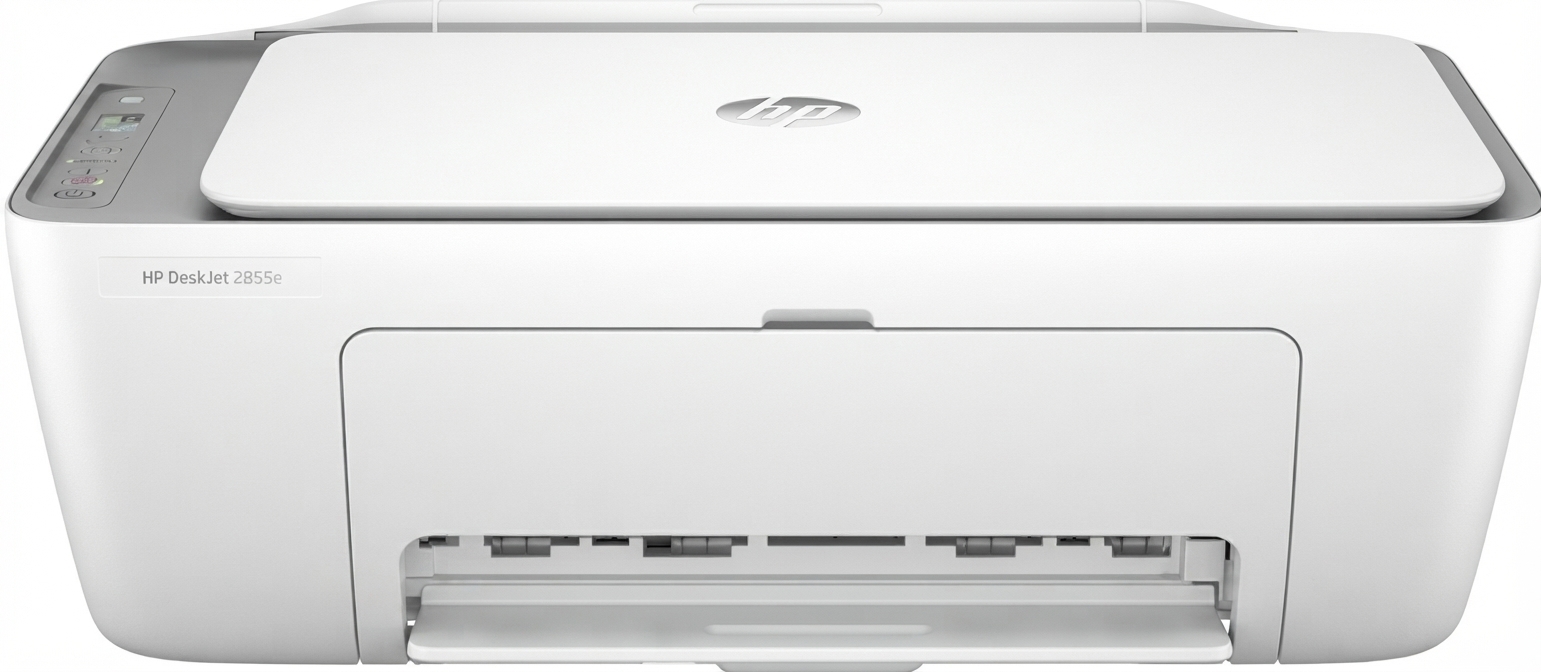
Introduction: HP DeskJet 720C Overview, Features, and Best Use Cases
The HP DeskJet 720C is a classic color inkjet printer designed for home and small office users who need reliable everyday printing for documents, schoolwork, and basic graphics. Built around drop-on-demand thermal inkjet technology, it delivers simple operation, dependable output, and straightforward parallel-port connectivity. For users maintaining legacy Windows systems, the HP DeskJet 720C remains a practical option thanks to its support for older Microsoft Windows environments and its reputation for durable, no-frills performance.
One of the main strengths of the HP DeskJet 720C is its balance of print quality and simplicity. It offers up to 600 x 600 dpi resolution in Best mode, with fast black-and-white output for drafts and economical printing. The printer was especially suited to users who wanted an affordable color printer for letters, reports, school assignments, and light photo or presentation graphics without needing advanced network features. Its compact footprint and modest power requirements also made it a convenient desktop device.
The HP DeskJet 720C was originally positioned as a budget-friendly personal printer, and on the secondary market today, it is typically available only as a used or refurbished unit. Estimated pricing can vary widely based on condition, included accessories, and whether working ink cartridges are included, but it is generally found in the low-cost vintage printer range. It appeals most to collectors, retro-computing enthusiasts, and users who still maintain legacy hardware.
Specifications: HP DeskJet 720C Technical Details and Performance
- Print technology: Drop-on-demand thermal inkjet printing.
- Black print speed: Up to 8 pages per minute in EconoFast, 5 pages per minute in Normal mode, and 4 pages per minute in Best mode.
- Color print quality: Up to 600 x 300 dpi in Normal mode and 600 x 600 dpi in Best mode.
- Compatibility: MS Windows 3.1x, Windows 95, and Windows NT 4.0, with DOS application support through Windows 3.1x and 95 only.
- Interface: Centronics parallel, IEEE 1284 compliant with 1284-B receptacle.
- Duty cycle: 1,000 pages per month.
- Dimensions: 17.5 x 7.3 x 14 inches; 446 x 185 x 355 mm.
- Weight: 12 lbs; 5.5 kg.
- Power use: Approximately 30 watts maximum during printing, with low standby consumption.
- Noise level: Designed for normal desktop use with moderate operating noise.
Compared with newer inkjet printers, the HP DeskJet 720C is slower, less connected, and limited to parallel-port use. However, for legacy PCs, it remains useful where modern USB-only printers are not practical. In the vintage personal printer category, it is known for dependable output, straightforward setup, and solid text quality.
Troubleshooting: Common HP DeskJet 720C Problems and Fixes
Like many older printers, the HP DeskJet 720C can develop age-related issues. Common problems include paper jams, faint prints, carriage movement errors, and communication failures caused by outdated drivers or loose parallel cables. If the printer does not respond, first check the power connection, reseat the parallel cable, and confirm that the printer is selected as the active device in the operating system.
- Paper jam: Remove paper gently from the input and output trays, then reload clean, dry paper.
- Poor print quality: Replace or clean ink cartridges and run a nozzle test if available.
- Printer not detected: Verify the parallel cable, port settings, and driver installation.
- Carriage error or blinking light: Turn the printer off, clear obstructions, and restart it after a few seconds.
- Blank pages: Check for empty cartridges, clogged nozzles, or incorrect cartridge installation.
Preventive maintenance includes regular cleaning, using quality paper, and storing cartridges properly to reduce clogging. For help, users should consult HP support resources, legacy driver archives, or printer service professionals familiar with older DeskJet models. Warranty coverage is typically unavailable for used units, so support is generally limited to third-party repair guidance and community forums.
Pros and Cons of the HP DeskJet 720C
Pros
- Reliable legacy printer for older Windows systems and retro PCs.
- Simple setup with a straightforward parallel-port connection.
- Good black text output for basic documents and schoolwork.
- Compact design that fits easily on a desk or shelf.
- Affordable on the used market, making it a low-cost vintage printer option.
Cons
- No modern USB, Wi-Fi, or mobile printing support.
- Limited compatibility with current operating systems.
- Slower than modern inkjet and laser printers.
- Consumables can be harder to find, depending on region.
- Older hardware may require maintenance or repair before use.
Overall value for money depends on the buyer’s goal. For everyday modern printing, newer compact inkjet printers are better choices. For collectors, legacy system users, and vintage tech enthusiasts, the HP DeskJet 720C offers solid nostalgic value and dependable basic performance.
Customer Reviews: What Users Say About the HP DeskJet 720C
User feedback for the HP DeskJet 720C is generally positive among owners who still use older systems. Many praise its simple operation, clean text printing, and dependable performance for basic tasks. Common complaints focus on aging cartridges, limited compatibility, and the difficulty of finding working drivers for modern computers.
- Average user rating: 4.0 out of 5 stars for legacy use.
- Typical praise: “Still prints clear documents after years of storage.”
- Typical complaint: “Works well, but only on older machines with the right port and driver.”
- Purchase recommendation: Best for retro computing, not for modern home offices.
- Frequently mentioned issue: Ink cartridge availability and maintenance after long periods of inactivity.
For buyers seeking a dependable vintage color inkjet printer, the HP DeskJet 720C remains a practical and memorable choice.
Faqs
How do I set up hp DeskJet 720C for the first time on a Windows PC?
Why is my hp DeskJet 720C printing blank pages or faded text?
What operating systems and drivers are compatible with hp DeskJet 720C today?
How can I fix hp DeskJet 720C paper feed problems and paper jams?
Can hp DeskJet 720C print high-quality photos or is it better for documents?
How do I clean and maintain hp DeskJet 720C to extend printer life?
What should I do if hp DeskJet 720C is not responding after installation?
How do I get the best print performance from hp DeskJet 720C without wasting ink?
More hp manuals
- Setup: Hp Thunderbolt 100W G6-Dock User Manual
- Specs & Features: Hp Webcam HD 5210 User Manual
- Setup: Hp Poly Voyager Bluetooth Headset User Manual
- How to Use: Hp 1920 × 1080 at 60 Hz for a 21.5-inch Monitor User Manual
- Setup: Hp Ink Tank Wireless 410 User Manual
- Setup & Features: Hp EliteDesk 800 G5 Desktop Mini User Manual
Leave a Comment