
Setup: Hp Ink Tank Wireless 410 User Manual
Content
HP Ink Tank Wireless 410 Product Manual and Buying Guide
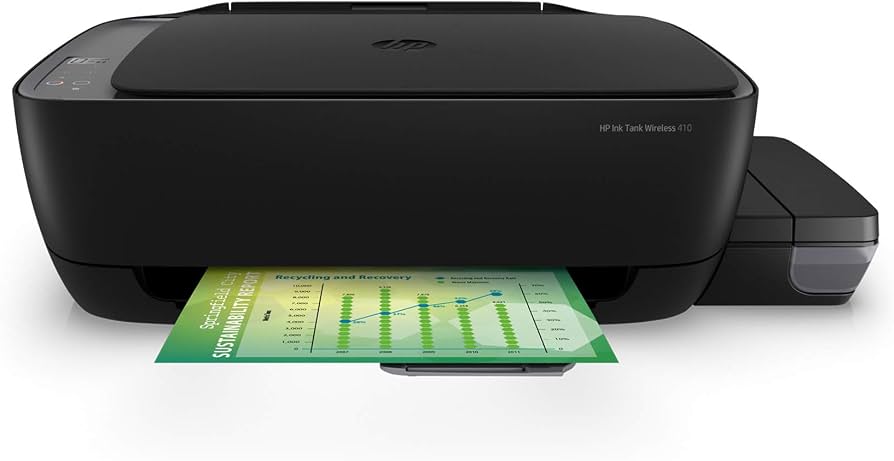
Introduction: What is the HP Ink Tank Wireless 410?
The HP Ink Tank Wireless 410 is a compact all-in-one ink tank printer designed for home users, students, and small offices that need affordable color printing, scanning, and copying with wireless convenience. This multifunction printer uses HP Thermal Inkjet technology and supports Wi-Fi connectivity, making it easy to print from laptops, desktops, and mobile devices without a cable. It is built for everyday document printing, school projects, and occasional photo output, with a strong focus on low running costs thanks to its refillable ink tank system.
One of the biggest advantages of the HP Ink Tank Wireless 410 is its balance of print quality and cost efficiency. It delivers up to 1200 x 1200 rendered dpi for black and up to 4800 x 1200 optimized dpi for color printing when using compatible HP photo papers. The printer also includes copy and scan functions, a 60-sheet input tray, and wireless 802.11b/g/n support, making it practical for modern home offices. Its compact footprint helps it fit easily on a desk, and the low-power design is useful for users who want an energy-conscious device.
For buyers comparing affordable wireless ink tank printers, the HP Ink Tank Wireless 410 is generally positioned in the budget-to-mid-range segment, with estimated pricing often varying by region, retailer, and included ink bundle. In many markets, it is commonly found through major online stores, HP resellers, and office supply outlets. It is best suited for users who print regularly and want a reliable wireless all-in-one printer with lower ink costs than traditional cartridge models.
Key Features of the HP Ink Tank Wireless 410
- Print, copy, scan, and wireless functionality in one device
- Wi-Fi connectivity for cable-free printing
- High-resolution color output for documents and images
- Refillable ink tank design for lower cost per page
- Compact all-in-one form factor for home and small office use
- Energy-efficient operation with low standby and sleep power consumption
Troubleshooting HP Ink Tank Wireless 410 Common Problems
If your HP Ink Tank Wireless 410 is not printing, first check the power status, ink levels, paper tray, and wireless connection. A common issue is a paper jam, which can usually be fixed by gently removing the stuck paper and ensuring the input tray is loaded correctly. If print quality is streaky or faded, run a cleaning cycle, align the printheads, and confirm that the ink tank caps are sealed properly. Wireless connection problems are often solved by restarting the printer and router, then reconnecting the printer to the same Wi-Fi network.
Error lights or blinking indicators often point to low ink, a printhead issue, or paper feed problems. If the printer is not detected by your computer, reinstall the HP driver and confirm that the device is connected through the correct wireless network or USB 2.0 port. Preventive care includes regular use, keeping the printer dust-free, using supported paper sizes such as A4, B5, A6, and DL envelopes, and storing ink in a cool, dry environment. Warranty coverage and support options may vary by country, but HP typically provides online support, driver downloads, troubleshooting articles, and authorized service centers. For help, use HP Support through the official HP support portal, or contact the regional HP customer care number listed for your country.
Pros and Cons of HP Ink Tank Wireless 410
Pros
- Low running cost compared with standard cartridge printers
- Wireless printing is convenient for phones, laptops, and shared home use
- Good color print quality for school work, reports, and basic photo projects
- All-in-one design adds scanning and copying without extra devices
- Compact enough for desks and small office spaces
- Strong value for money for users who print frequently
Cons
- Print speed is moderate, so it is not ideal for high-volume office workloads
- Wireless setup may require occasional troubleshooting
- Not designed for advanced photo lab printing or heavy-duty business use
- Replacement support and ink availability can vary by region
- Compared with some alternatives, the feature set is basic
For everyday home printing, the HP Ink Tank Wireless 410 offers excellent value. Compared with entry-level cartridge printers, it usually wins on long-term ink savings. Compared with higher-end ink tank alternatives, it may offer fewer premium features, but it remains a practical choice for budget-conscious users who want reliable wireless printing.
Customer Reviews and User Feedback
User feedback for the HP Ink Tank Wireless 410 is generally positive, especially among families, students, and small home offices. Many buyers rate it around 4 out of 5 stars for its affordable ink cost, compact design, and easy day-to-day printing. Common praise includes sharp text output, decent color quality, and the convenience of wireless printing. One typical user comment is: “Great printer for school projects and document printing, and the ink lasts much longer than my old cartridge printer.”
Common complaints usually mention setup time, occasional Wi-Fi drops, and moderate printing speed. Some users also note that the printer performs best when used regularly rather than left idle for long periods. Buyers looking for a dependable, low-cost wireless ink tank printer often recommend it, especially if the main need is documents, homework, and light color printing rather than professional photo production.
Technical Specifications at a Glance
- Functions: Print, copy, scan, wireless
- Print technology: HP Thermal Inkjet
- Connectivity: USB 2.0 and Wireless 802.11b/g/n
- Input tray capacity: 60 sheets
- Supported media sizes: A4, B5, A6, DL envelope
- Best color print quality: Up to 4800 x 1200 optimized dpi
- Best black print quality: Up to 1200 x 1200 rendered dpi
- Power consumption: Up to 10 watts maximum
- Dimensions: 525 x 310 x 158 mm
Who Should Buy the HP Ink Tank Wireless 410?
The HP Ink Tank Wireless 410 is a smart choice for users who need affordable printing with wireless flexibility. It is especially suitable for students, remote workers, families, and small businesses that print documents regularly and want lower ink costs over time. If your priority is simple, reliable, and economical printing rather than advanced photo finishing or heavy office volume, this model remains a strong contender.
Faqs
How do I set up hp Ink Tank Wireless 410 for the first time on Wi-Fi?
Why is my hp Ink Tank Wireless 410 not connecting to Wi-Fi?
What should I do if hp Ink Tank Wireless 410 is printing blank pages or faded output?
Is hp Ink Tank Wireless 410 compatible with Windows, Mac, and mobile printing apps?
How can I improve print speed and wireless performance on hp Ink Tank Wireless 410?
How do I clean and maintain hp Ink Tank Wireless 410 to prevent clogging?
What paper size and media types work best with hp Ink Tank Wireless 410?
How do I fix paper jams in hp Ink Tank Wireless 410 without damaging the printer?
More hp manuals
Leave a Comment