
Setup: Hp Tower Desktop PC Z1-G9 User Manual
Content
HP Z1 G9 Tower Desktop PC: A Powerful Business Workstation for Modern Workflows
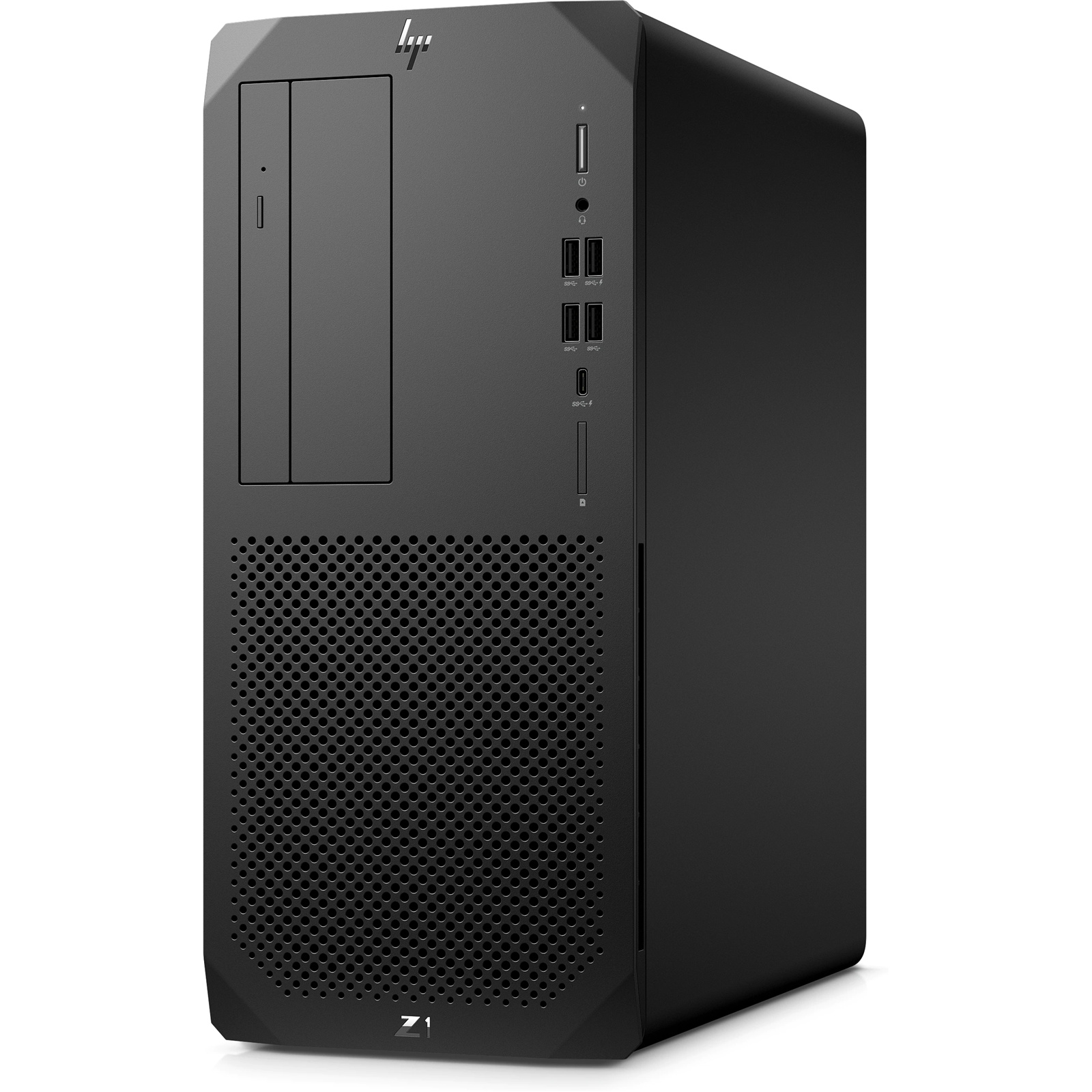
The hp Tower Desktop PC Z1-G9 is a versatile tower workstation built for professionals who need reliable performance, easy upgradeability, and long-term value. Positioned between a mainstream business desktop and a full-scale workstation, it is well suited for engineering teams, content creators, architects, small businesses, and power users who need stronger CPU and graphics options than a typical office PC can provide. With configurations ranging from Intel Core i5 and i7 models up to higher-end Core i9 options, plus support for DDR5 memory, NVMe SSD storage, and discrete graphics such as the NVIDIA GeForce RTX 4060, this machine is designed to scale with demanding workloads.
One of the biggest advantages of the hp Tower Desktop PC Z1-G9 is its balance of compact design and professional expandability. The tower chassis includes multiple memory slots, PCIe expansion support, and several storage options, making it a smart choice for users who want to start with a practical configuration and upgrade later. Common business-focused features include multiple USB ports, DisplayPort outputs, HDMI, VGA on some configurations, and enterprise-class reliability. For productivity tasks, multitasking, CAD work, light 3D design, and data analysis, it offers strong day-to-day performance with room to grow.
Estimated pricing generally starts around the mid-range business desktop category and can rise significantly depending on CPU, RAM, SSD capacity, and GPU selection. In many markets, the hp Tower Desktop PC Z1-G9 is available through HP direct sales and authorized resellers, though exact availability varies by region and configuration.
Pros and Cons of the HP Z1 G9 Tower Desktop PC
Pros
- Strong performance for business and workstation tasks, especially in Core i7 and Core i9 configurations.
- Upgradeable design with multiple DIMM and expansion slots for future needs.
- Modern DDR5 memory and fast PCIe NVMe SSD support improve responsiveness.
- Optional discrete graphics make it suitable for creative work, CAD, and GPU-accelerated applications.
- Wide port selection helps with multi-monitor office setups and professional peripherals.
- Good value for users who want a workstation-style desktop without moving to a much more expensive tower line.
Cons
- Base configurations may feel limited for heavy 3D rendering or advanced video editing.
- Pricing can climb quickly once you add more RAM, larger SSDs, or a discrete GPU.
- Not as compact as an all-in-one or mini PC, so it needs more desk or floor space.
- Alternatives like Lenovo ThinkStation or Dell Precision models may offer similar performance depending on regional pricing and support preferences.
Overall, the hp Tower Desktop PC Z1-G9 offers strong value for professionals who want dependable performance and upgrade flexibility. It is especially appealing if you want a business desktop that can grow with your workload rather than being replaced after a year or two.
Customer Reviews and Real-World Feedback
Customer feedback for the hp Tower Desktop PC Z1-G9 is generally positive, with many users praising its smooth multitasking, quiet operation, and solid build quality. Typical ratings hover around 4 to 4.5 out of 5 stars in business-oriented discussions, especially for users who buy higher-spec configurations. One common positive comment is that it feels “fast out of the box” for office apps, browser-heavy workflows, and design tools.
Common complaints usually focus on pricing and configuration choices. Some buyers note that lower-end models with 8 GB RAM or integrated graphics may not feel workstation-ready for demanding tasks, while others mention that upgrading components increases the total cost faster than expected. A frequent recommendation is to choose at least 16 GB of RAM and an SSD-based configuration for the best experience.
Many reviewers recommend the hp Tower Desktop PC Z1-G9 for small offices, engineering teams, and professionals who want a reliable desktop with upgrade potential. For users who need a future-proof business machine with room for expansion, it remains a strong purchase choice.
Frequently Asked Questions About the HP Z1 G9 Tower Desktop PC
What is the HP Z1 G9 Tower Desktop PC best for?
It is best for business productivity, multitasking, CAD, light creative work, and professional workflows that benefit from strong CPU performance and upgrade options.
Is the HP Z1 G9 Tower Desktop PC good for gaming?
It can handle light to moderate gaming if configured with a discrete GPU, but it is primarily designed as a business and workstation desktop rather than a gaming PC.
What should buyers look for in a configuration?
For most users, 16 GB or more of DDR5 memory, a 512 GB or larger NVMe SSD, and a discrete GPU if graphics work is required are the most practical starting points.
Faqs
How do I set up hp Tower Desktop PC Z1-G9 for the first time?
Why is my hp Tower Desktop PC Z1-G9 slow during startup, and how can I fix it?
What upgrade options does hp Tower Desktop PC Z1-G9 support for better performance?
How can I connect multiple monitors to hp Tower Desktop PC Z1-G9?
What should I do if hp Tower Desktop PC Z1-G9 is not turning on?
How do I improve airflow and prevent overheating in hp Tower Desktop PC Z1-G9?
Which peripherals and accessories are best compatible with hp Tower Desktop PC Z1-G9?
How often should I maintain hp Tower Desktop PC Z1-G9 for reliable performance?
Tags
More hp manuals
Leave a Comment