
Hp M304 Laser Jet Pro Printer User Manual
Content
hp M304 LaserJet Pro Printer: Complete Product Manual and Review
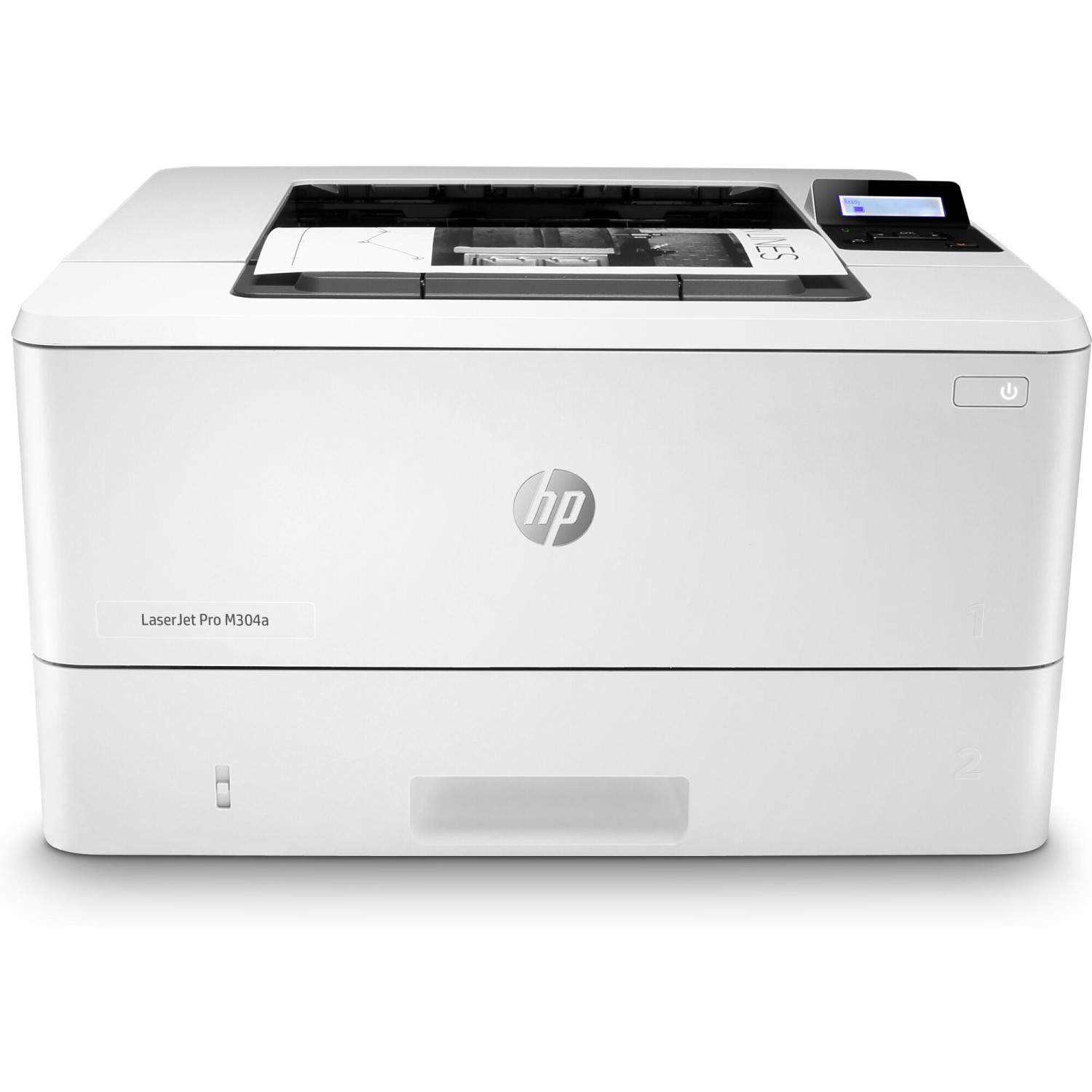
The hp M304 LaserJet Pro Printer is a fast, compact monochrome laser printer designed for small offices, home offices, and workgroups that need reliable black-and-white document printing. It is built for users who want strong print speed, sharp text quality, and low running costs in a simple USB-connected device. With print speeds up to 37 pages per minute, a first-page-out time that is quick for everyday business tasks, and support for HP’s high-yield toner options, this model is a practical choice for invoices, reports, forms, and general office paperwork.
One of the biggest advantages of the hp M304 LaserJet Pro Printer is its balance of performance and simplicity. It uses HP FastRes 1200 and HP ProRes print technologies to deliver crisp text and clean line quality, making it suitable for professional documents. The printer is also compact enough to fit on a desk or shared workstation, while still offering a two-tray paper setup on many configurations for better workflow efficiency. Typical availability includes online retailers, office supply stores, and refurbished office equipment sellers, with an estimated price range of about $200 to $350 depending on the exact M304 variant, condition, and included toner. For users who want a dependable laser printer without unnecessary complexity, this model remains a strong value option.
Specifications for hp M304 LaserJet Pro Printer
- Print technology: Monochrome laser printing for business documents and office use.
- Maximum print speed: Up to 37 pages per minute on A4 paper in standard conditions.
- Print resolution: Up to 4800 x 600 enhanced dpi with HP FastRes 1200; HP ProRes 1200 supported for sharper output.
- Memory: 256 MB for handling routine print jobs efficiently.
- Processor: 1200 MHz class processor for smooth job processing.
- Paper handling: 100-sheet multipurpose tray plus 250-sheet input tray; optional 550-sheet accessory tray on supported setups.
- Connectivity: USB 2.0 on standard models; network capability depends on the specific M304 variant.
- Duplex printing: Manual or automatic duplex depends on configuration; check the exact model before purchase.
- Dimensions: Approximately 381 x 357 x 216 mm.
- Weight: About 8.9 kg with cartridges installed.
- Power use: Around 495 W during active printing, with low standby and sleep power consumption.
- Comparison: Faster and more office-focused than many basic entry-level laser printers, but less feature-rich than multifunction printers with scanning and wireless tools.
Compared with similar compact laser printers, the hp M304 LaserJet Pro Printer stands out for its speed, toner efficiency, and strong text quality. It is best matched against other single-function business lasers rather than inkjet all-in-one devices.
Troubleshooting hp M304 LaserJet Pro Printer Common Problems
Paper jams are one of the most common issues on any laser printer. If the printer shows a 13.08 or 13.09 jam error, open the jam-access cover, remove any visible paper, and check the toner cartridge and fuser area for torn scraps. If print jobs are stuck, cancel the queue on the computer, power-cycle the printer, and reconnect the USB cable. Faded prints usually point to low toner, the wrong print density setting, or paper that does not meet the printer’s specifications.
Other frequent issues include tray misfeeds, repeated blank pages, and driver communication errors. Make sure the paper is loaded correctly, the guides are snug, and the paper size setting matches the tray. Keep the printer on a stable surface, use recommended paper weights, and clean the pickup rollers periodically to reduce feeding problems. If the printer does not respond, reinstall the printer driver and check that the correct device is selected.
Warranty coverage varies by region and seller, but many units include a limited one-year warranty. For support, use HP’s online troubleshooting pages, product manuals, and toner compatibility tools. If you need direct help, contact HP Support through the official support portal or use the support phone number listed for your country on HP’s website.
Pros and Cons of hp M304 LaserJet Pro Printer
Pros
- Fast black-and-white printing makes it ideal for office documents and high-volume text output.
- Sharp laser text quality is excellent for contracts, reports, and invoices.
- Compact footprint fits well in small offices and shared workspaces.
- Low running costs with efficient toner use and high-yield cartridge support.
- Simple operation is a good match for users who want reliable printing without extra features.
Cons
- Monochrome only, so it is not suitable for color presentations or marketing materials.
- Single-function design means no built-in scanning, copying, or faxing.
- USB-only versions may feel limited compared with wireless or Ethernet-enabled alternatives.
- Some users may find the setup less flexible than newer multifunction laser printers.
For value for money, the hp M304 LaserJet Pro Printer is strong if the goal is dependable monochrome printing. It is a better fit than many cheaper entry-level printers when speed and text quality matter more than color or multifunction features.
Customer Reviews of hp M304 LaserJet Pro Printer
Overall customer feedback is typically positive, with many buyers rating it around 4 to 4.5 out of 5 stars for speed, text clarity, and reliability. Users often praise the printer for producing crisp business documents and handling regular office printing with minimal fuss. A common positive comment is that it “prints quickly and consistently without wasting time on complicated menus.”
Frequent complaints usually involve the lack of wireless connectivity on some models, the absence of scan functions, and occasional paper-feed issues when low-quality paper is used. One reviewer summarized it as “great for text-heavy work, but not the right choice if you need color or all-in-one features.” For buyers who want a straightforward office laser printer, recommendations are generally favorable. It is especially suitable for users who print invoices, letters, and internal documents every day.
Faqs
How do I set up the hp M304 Laser Jet Pro Printer for the first time on a Wi‑Fi network?
Why is my hp M304 Laser Jet Pro Printer not printing, and how can I fix it fast?
What paper types and sizes work best with the hp M304 Laser Jet Pro Printer?
Can I print from a smartphone with the hp M304 Laser Jet Pro Printer?
How do I fix toner-related print quality problems on the hp M304 Laser Jet Pro Printer?
What drivers and operating systems are compatible with the hp M304 Laser Jet Pro Printer?
How can I improve print speed and reduce delays on the hp M304 Laser Jet Pro Printer?
How often should I clean and maintain the hp M304 Laser Jet Pro Printer?
More hp manuals
Leave a Comment