
Hp Chromebook 14 G6 User Manual
Content
HP Chromebook 14 G6 Product Manual and Buyer Guide
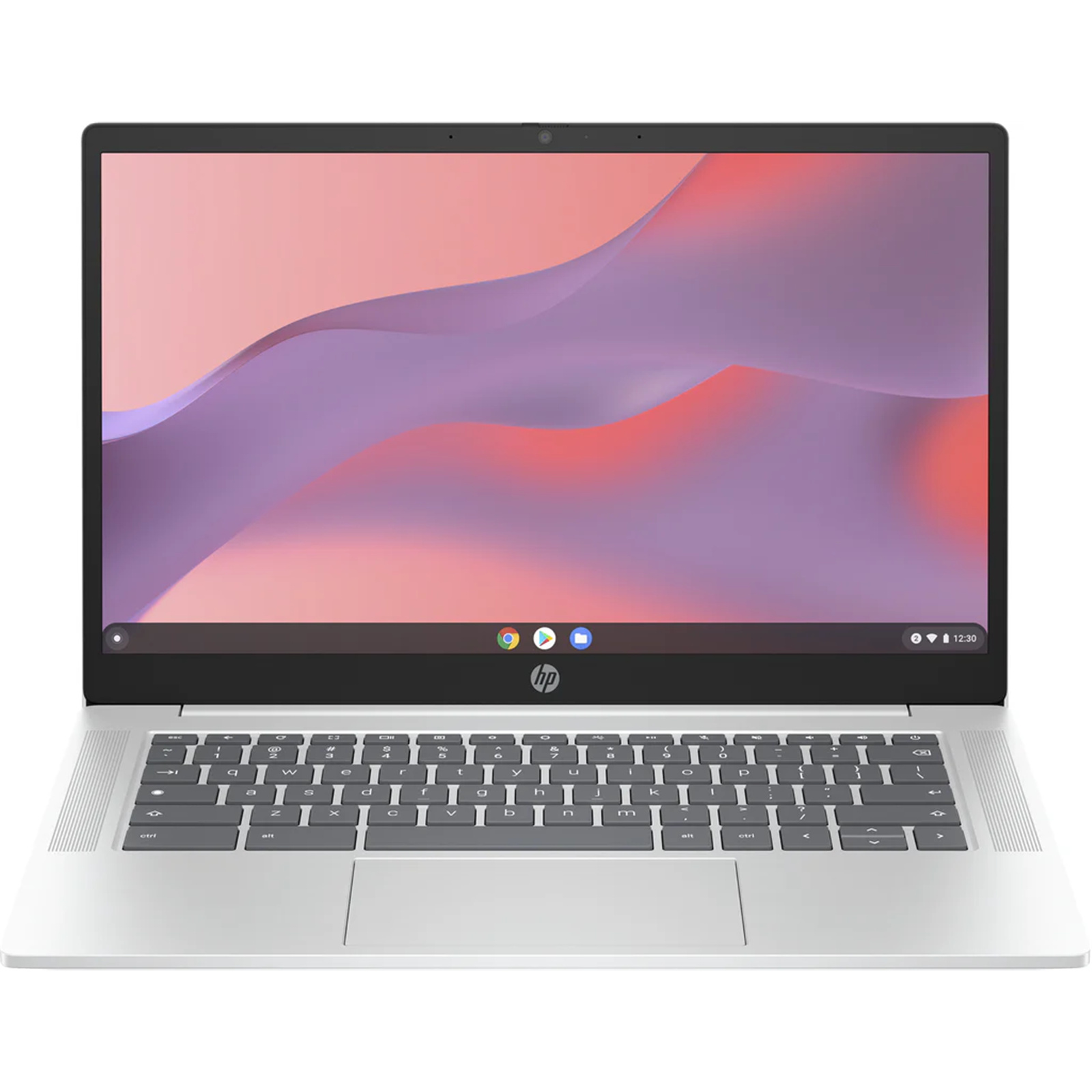
The hp Chromebook 14 G6 is a practical 14-inch Chrome OS laptop built for everyday productivity, online learning, and light business tasks. It is designed around Intel Celeron processors, with common configurations including the N4020, N4100, and N4120, paired with 4GB or 8GB of RAM and 32GB to 128GB of eMMC storage. Many versions also offer a 1366 x 768 HD display, while higher-end variants may include a Full HD option, touchscreen support, USB-C, HDMI, and microSD expansion. This makes the hp Chromebook 14 G6 a solid choice for students, remote workers, and users who need fast startup times, simple cloud-based computing, and long battery life in a lightweight design.
Its biggest strengths are ease of use, Chrome OS security, and low maintenance. The laptop boots quickly, syncs seamlessly with Google services, and handles browsing, video calls, document editing, and streaming with ease. For users who need an affordable notebook for schoolwork, web apps, or basic office tasks, it delivers strong value. Typical market pricing varies widely depending on configuration and condition, with refurbished and used units often found around the budget range, while higher-spec or new old stock models can cost more. Availability is usually strongest through third-party resellers, refurbished tech stores, and business outlets rather than mainstream retail shelves.
How to Fix Common hp Chromebook 14 G6 Problems
Most issues with the hp Chromebook 14 G6 are easy to resolve. If the Chromebook will not turn on, connect the charger for at least 30 minutes, then perform a hard reset by holding Refresh and Power together. If Chrome OS freezes, a restart often clears temporary software errors. For Wi-Fi problems, forget the network, restart the router, and reconnect using the correct password. If storage is full, remove unused downloads, clear browser data, and move files to Google Drive or an SD card.
Common Chrome OS messages such as “Chrome OS is missing or damaged” usually require a recovery USB or SD card to reinstall the system. If you see low-memory warnings, close unused tabs and apps, since models with 4GB RAM can slow down under heavy multitasking. Preventive care helps avoid future issues: keep Chrome OS updated, avoid overloading local storage, and use a protective sleeve to reduce physical wear. Warranty coverage depends on purchase source and condition, so refurbished units may have seller-backed protection instead of full manufacturer support. For help, contact HP Support through the official support site or HP customer service, and check your seller’s return policy if the device was recently purchased.
Pros and Cons of the hp Chromebook 14 G6
Pros
- Fast boot times and simple Chrome OS setup make it beginner-friendly for students and families.
- Portable 14-inch form factor is easy to carry for school, travel, and hybrid work.
- Good everyday performance for browsing, email, Docs, Meet, and streaming.
- Multiple configuration options, including USB-C, HDMI, and microSD support, improve flexibility.
- Strong value for money in the refurbished and budget Chromebook market.
Cons
- Base models with 4GB RAM and 32GB storage can feel limited for heavy multitasking.
- Many versions use a 1366 x 768 display, which is adequate but not sharp by modern standards.
- eMMC storage is slower than SSD-based laptops.
- Not suitable for demanding creative work, advanced gaming, or large desktop software.
- Alternatives such as newer 1080p Chromebooks or premium budget laptops may offer better screens and performance.
Overall, the hp Chromebook 14 G6 offers excellent value if the goal is affordable, reliable cloud computing rather than high-end performance.
Customer Reviews for the hp Chromebook 14 G6
User feedback is generally positive, especially from students and everyday home users. Many buyers praise the easy setup, quick startup, and comfortable keyboard for typing assignments and browsing. Typical ratings for this class of Chromebook are often around 4 out of 5 stars, with reviewers highlighting dependable battery life and a lightweight build.
Common complaints focus on the lower-resolution display, limited local storage, and slower performance during heavy multitasking. One frequent comment is that the device works best when used primarily with cloud apps and a small number of tabs. A typical testimonial might read: “Great for school and Zoom calls, but not the laptop for large apps or editing projects.” Another common note is that refurbished units can be excellent purchases if the battery health and keyboard condition are checked first. For buyers seeking a budget Chromebook for web-based tasks, this model remains an easy recommendation.
Faqs
How do I set up hp Chromebook 14 G6 for the first time?
Why is my hp Chromebook 14 G6 not connecting to Wi‑Fi, and how can I fix it?
Can I install Android apps on hp Chromebook 14 G6, and what should I check first?
How can I improve slow performance on hp Chromebook 14 G6?
What should I do if hp Chromebook 14 G6 battery drains too fast?
How do I reset hp Chromebook 14 G6 without losing important files?
Which accessories are compatible with hp Chromebook 14 G6?
How should I clean and maintain hp Chromebook 14 G6 safely?
Tags
More hp manuals
Leave a Comment