
Hp ZBook Firefly Workstation PC User Manual
Content
HP ZBook Firefly Workstation PC Manual: Portable Performance for Professional Workflows
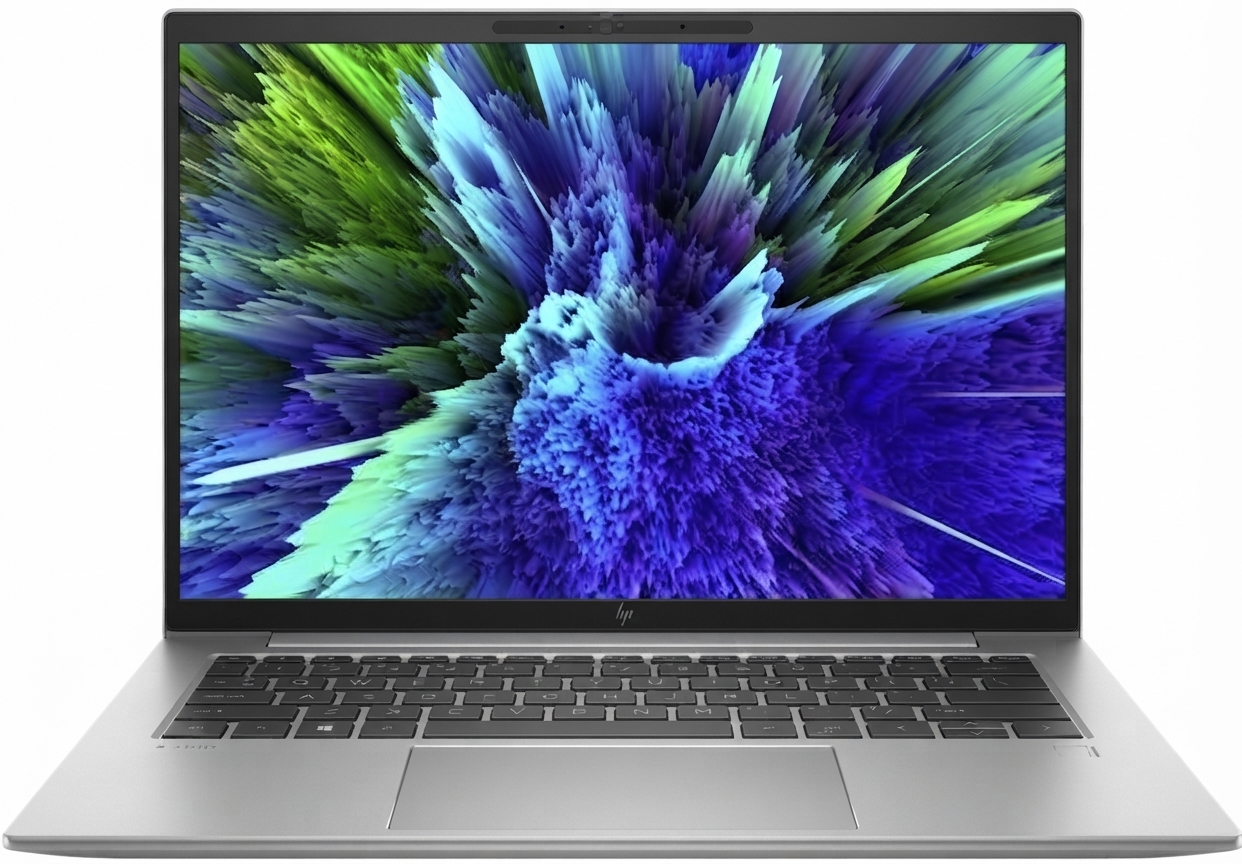
The hp ZBook Firefly Workstation PC is a lightweight mobile workstation built for professionals who need dependable performance without the bulk of a traditional high-end laptop. It is designed for business users, engineers, creative teams, analysts, and remote workers who want a balance of portability, security, and workstation-class reliability. Depending on configuration, current models such as the 14-inch and 16-inch ZBook Firefly variants offer Intel Core and Intel Core Ultra processor options, fast NVMe SSD storage, DDR5 memory in newer generations, and a sharp WUXGA display that supports long work sessions and detailed visual tasks.
One of the biggest advantages of the hp ZBook Firefly Workstation PC is its strong mix of mobility and enterprise features. Users get a slim chassis, business-grade security tools, Thunderbolt connectivity, Wi-Fi 6E or newer wireless options on select configurations, and Windows 11 Pro for productivity-focused workflows. It is especially well suited for CAD light workloads, spreadsheet-heavy finance work, project management, video meetings, and content creation on the go. For teams that need certified workstation hardware in a travel-friendly format, it delivers a compelling package.
Estimated pricing typically starts around the mid-range business-laptop segment and can rise significantly with upgraded memory, storage, and display options. In practical terms, buyers should expect a price range of roughly $1,100 to $2,000+ depending on configuration, region, and sales channel. Availability is broad through HP sales, enterprise resellers, and major retailers, with the latest Firefly generations commonly offered in 14-inch and 16-inch sizes.
Troubleshooting the hp ZBook Firefly Workstation PC
Common issues usually involve startup problems, battery charging concerns, Wi-Fi instability, display flicker, and slow performance under heavy multitasking. If the laptop will not power on, check the USB-C power adapter connection, verify the charging LED, and perform a hard reset by holding the power button for about 15 seconds. If the battery drains quickly, reduce screen brightness, close background apps, and confirm that firmware and power settings are up to date.
Error codes and boot messages often point to memory, storage, or firmware problems. A BIOS error, blinking LED code, or recovery prompt generally means the system needs a BIOS update, hardware reseat, or drive diagnostic check. If Windows reports a boot device failure, run HP hardware diagnostics and confirm the SSD is detected in BIOS. For overheating or fan noise, clean vents, avoid soft surfaces, and keep drivers current.
Preventive care is simple: update BIOS, GPU, chipset, and network drivers regularly, keep storage above 15% free space, and use a cooling-friendly work surface. Warranty coverage and HP business support options vary by region and service plan, but most users can access online support, driver downloads, diagnostic tools, and authorized repair services through HP support channels. For help, use the support app on the device, visit HP’s official support site, or contact HP business support and your authorized reseller.
Pros & Cons of the hp ZBook Firefly Workstation PC
Pros
- Portable workstation design that is easier to carry than heavier mobile workstations.
- Business-focused security and manageability features for corporate environments.
- Strong everyday performance for productivity, conferencing, analytics, and light creative work.
- Modern connectivity on many configurations, including Thunderbolt 4 and fast wireless options.
- Good value for professionals who need a premium business laptop with workstation branding and support.
Cons
- Not the best choice for intensive 3D rendering, large-scale simulation, or top-tier GPU workloads.
- Premium configurations can become expensive compared with standard ultrabooks.
- Some buyers may prefer a larger-screen alternative for content creation or multitasking.
- Integrated graphics on many builds limit performance in graphics-heavy software.
Compared with alternatives like Lenovo ThinkPad P-series or Dell Precision entry models, the hp ZBook Firefly Workstation PC often stands out for portability and clean business design, but it may trail larger workstations in raw graphics power. For users who want a travel-friendly mobile workstation with dependable performance, it offers solid value for money.
Customer Reviews: What Buyers Say About the hp ZBook Firefly Workstation PC
Customer feedback is generally positive, with many users rating the hp ZBook Firefly Workstation PC around 4 to 4.5 stars out of 5 for portability, display quality, and keyboard comfort. Buyers often praise the slim chassis, professional build quality, and smooth performance for office work and multitasking. One common testimonial style comment is, “Perfect for traveling between meetings without sacrificing business performance.”
Frequent complaints focus on pricing, limited graphics power on base configurations, and occasional battery-life concerns under heavier workloads. Some users also wish for more upgrade flexibility or a brighter display option on entry-level models. Overall, it is a strong purchase recommendation for professionals who need a reliable mobile workstation for productivity, development, analysis, and hybrid work. Users who require intensive graphics performance should consider a higher-end workstation instead.
Frequently Asked Questions About the hp ZBook Firefly Workstation PC
Who is the hp ZBook Firefly Workstation PC best for? It is best for business professionals, mobile workers, analysts, engineers with moderate workloads, and anyone who wants a lightweight workstation for daily productivity.
Is it good for gaming or heavy rendering? It is optimized for professional use, not gaming-focused or high-end GPU rendering tasks.
What makes it different from a regular laptop? It combines premium mobility with workstation-oriented features, business security, and more robust support options than many consumer laptops.
Faqs
How do I set up an hp ZBook Firefly Workstation PC for the first time without missing important drivers or updates?
What should I check if my hp ZBook Firefly Workstation PC is running slower than expected during design or office work?
How can I fix docking station or external monitor problems on an hp ZBook Firefly Workstation PC?
Which software and accessories are most compatible with the hp ZBook Firefly Workstation PC for professional workflows?
How do I optimize battery life on an hp ZBook Firefly Workstation PC during travel or long workdays?
What is the best way to clean and maintain an hp ZBook Firefly Workstation PC for long-term reliability?
Why does my hp ZBook Firefly Workstation PC get warm under load, and how can I reduce overheating?
How do I improve security on an hp ZBook Firefly Workstation PC for business and remote work?
Tags
More hp manuals
Leave a Comment