
Hp M304-M305 Series Laser Jet User Manual
Content
HP LaserJet Pro M304-M305 Series Laser Jet: Compact Monochrome Printing for Small Offices
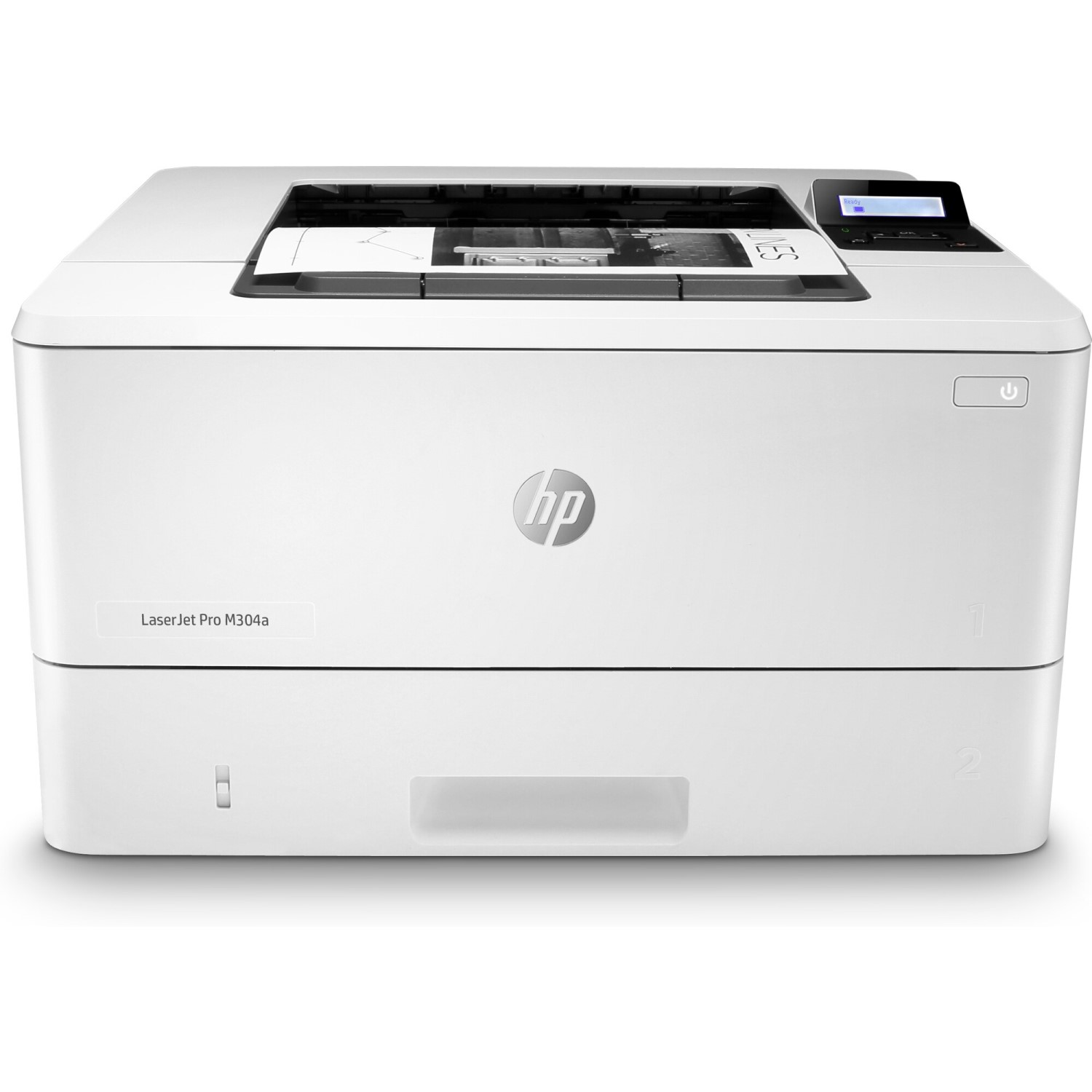
The hp M304-M305 Series Laser Jet is a fast, business-focused monochrome printer designed for small offices, home offices, and workgroups that need reliable black-and-white printing without unnecessary complexity. Built for everyday document output, the HP LaserJet Pro M304-M305 series delivers strong print speeds, crisp text quality, and a compact footprint that fits comfortably on a desk, shelf, or shared office station.
This laser printer is especially attractive for users who print invoices, reports, forms, shipping labels, and internal documents. Its main strengths are straightforward operation, low-maintenance performance, and efficient output for text-heavy tasks. The hp M304-M305 Series Laser Jet is also a practical choice for businesses that want dependable printing with a professional finish and minimal downtime.
Another advantage is its balance of speed and size. The printer measures 381 mm wide, 357 mm deep when closed, and weighs 8.9 kg with cartridges, making it easy to place in compact workspaces. The M304-M305 family also offers optional expansion with a 550-sheet tray for users who need higher paper capacity. In current market conditions, estimated pricing typically falls in the budget-to-midrange business printer category, often depending on region, retailer, and whether the model is new, refurbished, or bundled with supplies. Availability may vary, but the series is commonly found through office equipment retailers and online marketplaces.
For users searching for a reliable monochrome laser printer for office document workflows, the hp M304-M305 Series Laser Jet remains a strong practical option with a clear focus on productivity, text clarity, and everyday business use.
HP LaserJet Pro M304-M305 Series Specifications and Key Features
- Print technology: Monochrome laser printing for sharp black-and-white documents.
- Print speed: Up to 35 pages per minute for A4 and 37 pages per minute for Letter sizes.
- Footprint: 381 mm width, 357 mm depth closed, and 216 mm height closed.
- Weight: 8.9 kg with cartridges installed.
- Expandable paper handling: Optional 550-sheet tray for higher-volume workflows.
- Best use case: Business documents, invoices, reports, forms, and administrative printing.
- Form factor: Compact desktop laser printer for shared office environments.
- Output quality: Designed for crisp text and professional document output.
In practical performance terms, the hp M304-M305 Series Laser Jet is positioned for small teams that need fast single-function printing rather than scanning, copying, or faxing. Compared with entry-level inkjet printers, it generally offers faster document output, lower smudge risk, and better long-term consistency for text-heavy jobs. Compared with multifunction business printers such as the HP MFP M329 series, it is simpler, lighter, and easier to place, though it lacks all-in-one capabilities.
For buyers comparing compact monochrome printers, the M304-M305 line stands out as a more office-oriented choice than basic home laser models, especially when reliable speed and duty-cycle-friendly operation matter most.
Pros and Cons of the HP LaserJet Pro M304-M305 Series Laser Jet
Pros
- Fast print performance for routine office documents, making it ideal for busy administrative tasks.
- Compact and lightweight design for a business laser printer, which helps in small offices and shared work areas.
- Strong text output quality for reports, letters, and invoices.
- Simple single-function design reduces setup complexity and ongoing maintenance.
- Optional 550-sheet tray improves paper capacity for higher-volume users.
- Good value for money when compared with larger multifunction laser printers.
Cons
- Monochrome only, so it is not suitable for color documents or marketing materials.
- No built-in scanning or copying, which may limit flexibility for some offices.
- Better suited to text-heavy workloads than graphics-intensive printing.
- Compared with all-in-one alternatives, it offers fewer features for the same desk space.
- Users who need wireless-first workflows may prefer a newer multifunction model with broader connectivity options.
Overall, the hp M304-M305 Series Laser Jet offers solid value for users who prioritize fast, dependable monochrome printing over extra features. It is often a better fit than an inkjet if document volume is moderate to high, but an all-in-one printer may be the better choice if scanning and copying are essential.
Customer Reviews for HP LaserJet Pro M304-M305 Series: What Users Say
Customer feedback for the HP LaserJet Pro M304-M305 series is generally positive, with many users praising its speed, print clarity, and compact design. A common sentiment is that it feels like a dependable office workhorse: “Fast, clean text, and it just works.” Many buyers rate it around 4.3 out of 5 stars for everyday business printing.
Frequent praise includes easy setup, consistent performance, and strong value for money. Users often recommend it for small offices that print forms and letters in high volume. Common complaints focus on the lack of color printing, no scanning function, and occasional desire for more advanced connectivity features. A typical review summary reads: “Great for documents, but not the printer to buy if you need an all-in-one device.”
Purchase recommendation: choose the hp M304-M305 Series Laser Jet if your main need is fast black-and-white document printing. If you want scanning, copying, or color output, a multifunction laser printer or color office model may be a better alternative.
Faqs
How do I set up hp M304-M305 Series Laser Jet for the first time on a home or office network?
Why is my hp M304-M305 Series Laser Jet not connecting to Wi-Fi, and how can I fix it?
What print quality problems are common on hp M304-M305 Series Laser Jet, and how do I solve them?
Which devices and operating systems are compatible with hp M304-M305 Series Laser Jet?
How can I improve print speed on hp M304-M305 Series Laser Jet without lowering reliability?
How often should I maintain hp M304-M305 Series Laser Jet to prevent paper jams and wear?
What should I do if hp M304-M305 Series Laser Jet keeps showing paper jam errors even when no paper is stuck?
How do I choose the best print settings for hp M304-M305 Series Laser Jet for documents, labels, or invoices?
Tags
More hp manuals
Leave a Comment