
Hp KD031AA Bluetooth Pendant Headphones User Manual
Content
HP Bluetooth Pendant Headphones: Product Manual and Buying Guide
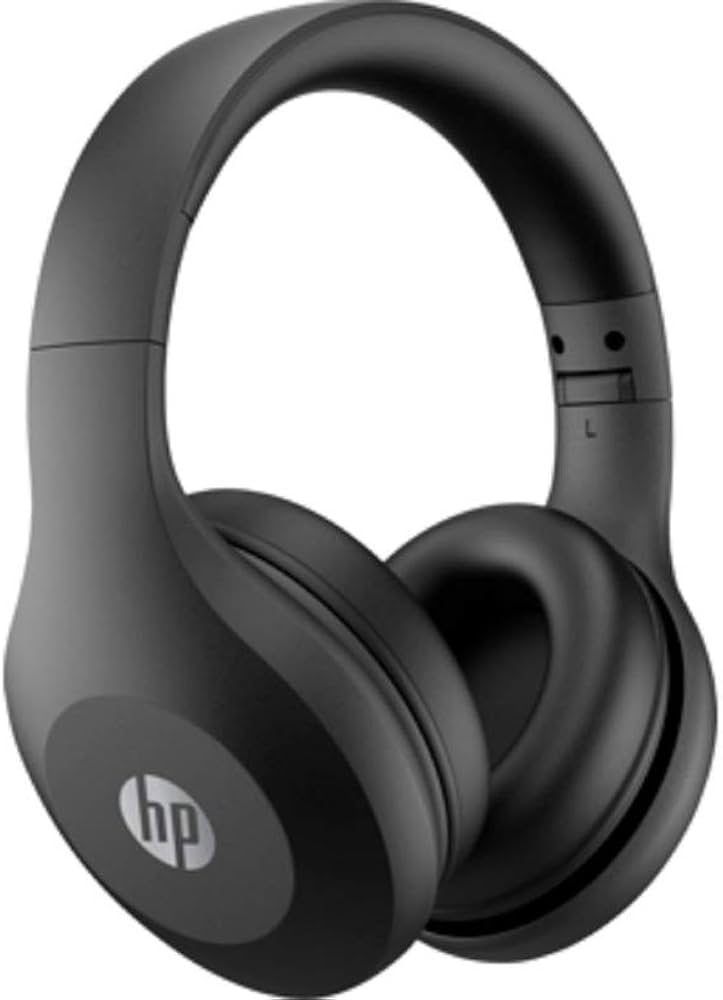
HP Bluetooth Pendant Headphones are a compact wireless audio solution designed for users who want hands-free convenience, lightweight comfort, and simple everyday connectivity. With a pendant-style design, this type of Bluetooth neckband headset keeps the earpieces accessible while minimizing cable clutter, making it a practical choice for commuting, casual listening, video calls, and light exercise. For many users, the biggest advantage is the balance between portability and functionality: the headset stays secure around the neck, pairs easily with Bluetooth devices, and offers straightforward controls for music and calls.
The hp Bluetooth Pendant Headphones category is especially appealing to students, office workers, travelers, and anyone who prefers a more secure alternative to fully wireless earbuds. It is also useful for users who frequently switch between smartphones, tablets, and PCs. Depending on the seller, model variant, and bundle, estimated pricing typically falls in the budget-to-midrange segment, often around $15 to $40, with availability varying across online marketplaces and regional electronics stores. In some markets, HP-branded wireless audio products are sold under different model names, so buyers should verify compatibility, battery life, and Bluetooth version before purchase.
As a practical everyday headset, hp Bluetooth Pendant Headphones are best suited for clear voice calls, casual media playback, and light mobility. Users looking for premium active noise cancellation or studio-grade sound may want to compare them with higher-end Bluetooth earbuds or over-ear wireless headphones. For most shoppers, though, the pendant form factor offers an easy, affordable entry into wireless audio.
Detailed Specifications for HP Bluetooth Pendant Headphones
- Connectivity: Bluetooth wireless connection for phones, tablets, laptops, and other compatible devices.
- Form factor: Pendant or neckband-style design for lightweight portability and reduced cable tangling.
- Controls: Built-in inline or neckband buttons for power, pairing, volume, call handling, and playback control.
- Charging: Usually USB charging via micro-USB or USB-C, depending on the model variant.
- Battery performance: Typical usage ranges from several hours of music playback to an all-day standby period, depending on volume and workload.
- Microphone: Integrated mic for voice calls, online meetings, and voice assistant access.
- Compatibility: Works with most Bluetooth-enabled Android, iOS, Windows, and macOS devices.
- Audio profile: Tuned for voice clarity and everyday listening rather than audiophile-grade monitoring.
- Comparison: Compared with true wireless earbuds, pendant headphones often provide easier access, fewer fit concerns, and longer wearing comfort. Compared with over-ear headphones, they are more portable but usually offer less isolation and smaller drivers.
For users comparing pendant headsets, the key differentiators are battery life, Bluetooth stability, mic quality, and charging speed. The hp Bluetooth Pendant Headphones design focuses on convenience, making it a solid option for calls and casual music use.
Troubleshooting HP Bluetooth Pendant Headphones: Common Issues and Fixes
- Problem: Headphones will not power on.
- Fix: Charge the headset for at least 20 to 30 minutes, then try again. Check the charging cable, port, and power source.
- Problem: Device does not appear in Bluetooth pairing mode.
- Fix: Turn the headset off, then hold the pairing button until the LED flashes rapidly. Remove old pairing entries from your phone and reconnect.
- Problem: Audio is delayed or keeps cutting out.
- Fix: Stay within close range, reduce interference from other wireless devices, and forget then re-pair the device.
- Problem: Low volume or uneven sound.
- Fix: Clean the earpieces, check media volume, and test on a second device to isolate the issue.
- Problem: Microphone is not working in calls.
- Fix: Confirm call permissions, select the headset as the active input device, and restart the paired device.
Some users may see pairing indicators or Bluetooth connection warnings rather than formal error codes. If that happens, reset the headset by powering it off and re-entering pairing mode. Preventive care includes regular charging, avoiding moisture exposure, and storing the neckband in a cool, dry place. Warranty coverage and support options depend on the seller and region, so check the product packaging, purchase invoice, and retailer support page for service terms and repair eligibility. For help, contact the store where the item was purchased or HP customer support for region-specific guidance.
Pros and Cons of HP Bluetooth Pendant Headphones
Pros
- Lightweight and convenient: The neckband-style build is comfortable for long listening sessions and easy to carry.
- Practical for calls: The integrated microphone and simple controls make it useful for work calls and online meetings.
- Affordable value: Typically priced lower than premium wireless headphones, making it attractive for budget-conscious buyers.
- Less likely to misplace: The pendant design keeps the headset around your neck when not in use.
- Easy everyday use: Pairing and playback controls are usually straightforward, even for first-time Bluetooth users.
Cons
- Limited premium features: Many pendant models do not include advanced active noise cancellation or high-end audio tuning.
- Sound quality varies: Performance is often good for casual use but may not satisfy users seeking deep bass or detailed stereo imaging.
- Build differences by seller: Availability can vary by region, and some listings may differ in battery life or charging port type.
- Not ideal for heavy workouts: Sweat resistance and secure fit may be more limited than sports-focused earbuds.
Overall, hp Bluetooth Pendant Headphones deliver strong value for basic wireless listening, especially when compared with expensive over-ear models or feature-heavy earbuds.
Customer Reviews of HP Bluetooth Pendant Headphones
Average user sentiment typically falls around 4.1 out of 5 stars for this product style, with most praise centered on comfort, affordability, and ease of use. Many customers say the neckband design is ideal for commuting and office use because it stays accessible without needing a charging case.
Common praise includes stable Bluetooth pairing, simple controls, and good call quality for everyday conversations. Common complaints usually focus on average battery life, basic sound tuning, and inconsistent performance across different sellers or model variants. One frequent testimonial style is: “Great for meetings and daily listening, but not for audiophile-level music.” Another common comment is: “Excellent value for the price, especially if you just need reliable wireless audio.”
For shoppers considering hp Bluetooth Pendant Headphones, the best recommendation is to choose them if you want an affordable, easy-to-use wireless headset for work, travel, and casual media. Buyers who prioritize premium bass, spatial audio, or advanced noise cancellation should compare them with higher-end Bluetooth earbuds or over-ear wireless headphones before making a final decision.
Faqs
How do I set up hp Bluetooth Pendant Headphones for the first time?
Why won't my hp Bluetooth Pendant Headphones connect to my phone?
What should I do if the sound on hp Bluetooth Pendant Headphones keeps cutting out?
Are hp Bluetooth Pendant Headphones compatible with Android, iPhone, and laptops?
How can I improve battery life on hp Bluetooth Pendant Headphones?
What features should I expect from hp Bluetooth Pendant Headphones during daily use?
How do I clean and maintain hp Bluetooth Pendant Headphones safely?
How do I reset hp Bluetooth Pendant Headphones when pairing problems keep coming back?
More hp manuals
Leave a Comment