
Jbl JBLBARSBLKEP Bar Studio User Manual
Content
JBL Bar Studio JBLBARSBLKEP Product Manual and Review
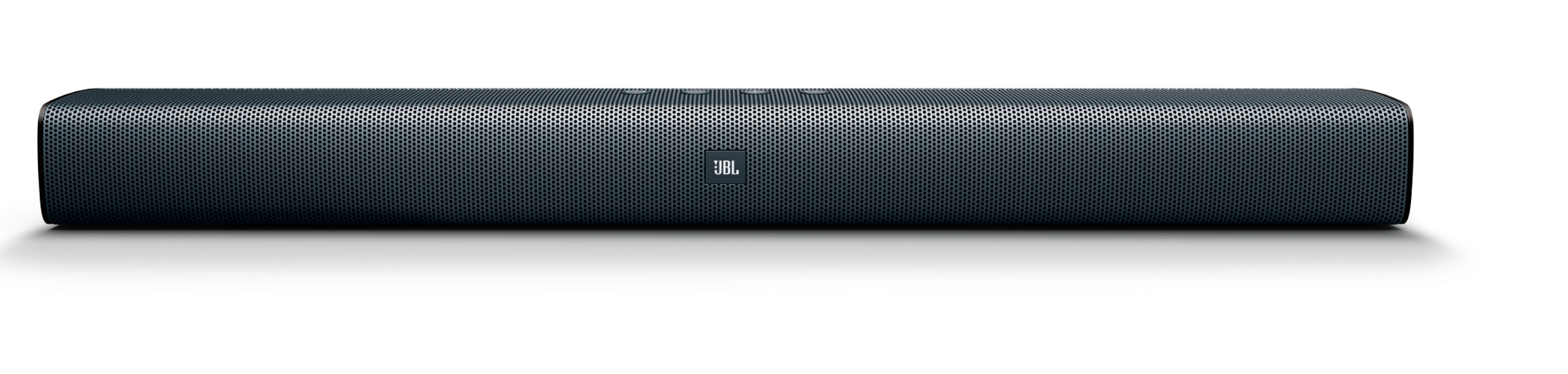
Introduction: JBL Bar Studio JBLBARSBLKEP Soundbar Overview
The JBL Bar Studio JBLBARSBLKEP is a compact 2.0-channel soundbar designed to upgrade small to medium-sized TV setups with clearer dialogue, fuller stereo sound, and simple wireless streaming. With 30W of total power, dual woofers, dual tweeters, and JBL Surround Sound, it delivers a noticeable improvement over built-in TV speakers without adding the complexity of a separate subwoofer. Its slim profile makes it easy to place under most televisions, while Bluetooth 4.2 support adds convenient music playback from phones, tablets, and laptops.
This soundbar is a strong fit for apartment living rooms, bedrooms, dorm rooms, and budget-friendly home entertainment systems. It works well for everyday TV watching, streaming shows, casual gaming, and background music. The JBL Bar Studio JBLBARSBLKEP also includes multiple connection options such as HDMI ARC, optical input, analog input, USB, and Bluetooth, making it flexible for older and newer TVs alike. Its compact dimensions of 614 x 58 x 86 mm and lightweight 1.4 kg build make installation straightforward.
In current market terms, the JBL Bar Studio JBLBARSBLKEP typically sits in the affordable entry-level soundbar category, with availability varying by region and retailer. Pricing can range widely depending on stock and seller, but it is generally positioned as a value-oriented upgrade for buyers who want cleaner sound and easy setup rather than deep bass or cinema-level immersion. For shoppers searching for a practical JBL soundbar for TV, this model remains a popular and accessible choice.
Pros and Cons of the JBL Bar Studio JBLBARSBLKEP
Pros
- Compact 2.0-channel design fits easily under most TVs and works well in small rooms.
- Simple setup with HDMI ARC, optical, analog, USB, and Bluetooth connectivity.
- Clearer dialogue than built-in TV speakers, especially for news, sitcoms, and streaming content.
- Value for money is strong for buyers seeking a basic JBL soundbar without a separate subwoofer.
- Lightweight and easy to move, making it suitable for secondary rooms or temporary setups.
Cons
- No dedicated subwoofer, so bass performance is limited for action movies and bass-heavy music.
- 30W output is modest, so it is not ideal for large living rooms or high-volume home theater use.
- Best suited to casual listening rather than cinematic surround effects.
- Compared with alternatives that include a wireless subwoofer, low-end impact is less powerful.
For buyers comparing entry-level soundbars, the JBL Bar Studio JBLBARSBLKEP is a better match for simplicity and space-saving design than for deep bass performance. If stronger low frequencies or larger-room coverage matter more, a soundbar bundle with a subwoofer may be a better alternative.
Customer Reviews: What Users Say About JBL Bar Studio JBLBARSBLKEP
Customer feedback for the JBL Bar Studio JBLBARSBLKEP is generally positive, with many users rating it around 4 out of 5 stars for ease of use and sound improvement over standard TV speakers. Buyers often praise the clear vocals, compact design, and quick Bluetooth pairing. One common comment is that it is a “simple upgrade that makes TV audio much easier to hear.”
Frequent complaints focus on limited bass and the absence of a dedicated subwoofer, especially from users expecting a more powerful movie experience. Some reviewers also note that the 30W output is enough for bedrooms and small apartments, but not for larger spaces. A typical testimonial is: “Great for dialogue and everyday TV, but don’t expect theater-level punch.”
Purchase recommendations usually favor users who want an affordable soundbar for TV, streaming, and casual music playback. If the main goal is clearer sound, the JBL Bar Studio JBLBARSBLKEP is a practical buy. If deep bass and room-filling sound are priorities, shoppers may want to consider a larger JBL soundbar with a subwoofer.
JBL Bar Studio JBLBARSBLKEP Key Features at a Glance
- 2.0-channel soundbar
- 30W total power
- Frequency response: 60 Hz to 20 kHz
- Bluetooth 4.2 wireless audio streaming
- HDMI ARC, optical, analog, and USB connectivity
- Compact dimensions: 614 x 58 x 86 mm
- Lightweight design at 1.4 kg
Who Should Buy the JBL Bar Studio JBLBARSBLKEP?
The JBL Bar Studio JBLBARSBLKEP is ideal for users who want a budget soundbar for clearer TV audio without complicated setup. It is especially suitable for small rooms, casual viewers, and anyone upgrading from weak built-in television speakers. For home users looking for an affordable JBL soundbar with Bluetooth, this model offers a reliable balance of convenience, size, and sound quality.
Faqs
How do I set up jbl JBLBARSBLKEP Bar Studio for the first time?
Why is jbl JBLBARSBLKEP Bar Studio not producing sound from my TV?
What devices are compatible with jbl JBLBARSBLKEP Bar Studio?
How can I get the best sound performance from jbl JBLBARSBLKEP Bar Studio?
What should I do if jbl JBLBARSBLKEP Bar Studio is connected but audio is out of sync?
How do I clean and maintain jbl JBLBARSBLKEP Bar Studio safely?
Why does jbl JBLBARSBLKEP Bar Studio keep disconnecting or switching inputs?
What settings should I check when installing jbl JBLBARSBLKEP Bar Studio with a smart TV?
Tags
More jbl manuals
Leave a Comment