
Setup & Usage: Jbl Tune Flex 2 Earphones Step by Step Guide
Content
Introduction to JBL Tune Flex 2 Earphones

The JBL Tune Flex 2 Earphones are true wireless earbuds designed to deliver an immersive audio experience with superior convenience and comfort. Equipped with 12mm dynamic drivers, these earbuds produce powerful JBL Pure Bass sound combined with advanced JBL Spatial Sound technology for a rich, multidimensional listening experience. They feature Adaptive Noise Cancelling (ANC) to reduce unwanted ambient noise, while Smart Ambient modes like Ambient Aware and TalkThru allow you to stay connected to your surroundings without removing the earbuds.
Ideal for music enthusiasts, commuters, remote workers, and fitness lovers, the Tune Flex 2 earbuds offer an ergonomic fit with multiple ear tip options,, including open and sealed tips to customize isolation and awareness. They support Bluetooth 5.3 for seamless wireless connectivity, single-earbud use, and multipoint connection to effortlessly switch between devices. With IP54 dust and water resistance, these earbuds are built for all-day use across various environments and weather conditions.
The battery life is impressive, providing up to 8 hours of playback with ANC on (12 hours with ANC off), and a total of up to 48 hours with the charging case. Priced competitively in the $110–$120 range, the JBL Tune Flex is widely available through major electronics retailers and online stores. This combination of sound quality, convenience, and durability makes them a standout option in the mid-range true wireless earbuds market.
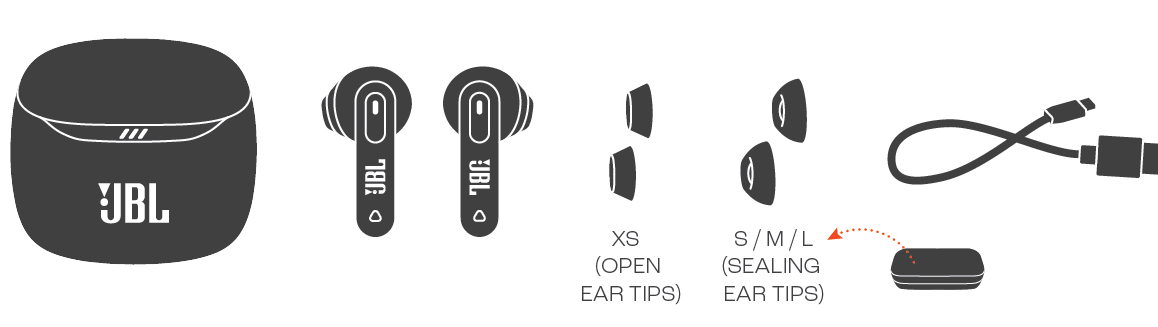
WHAT’S IN THE BOX
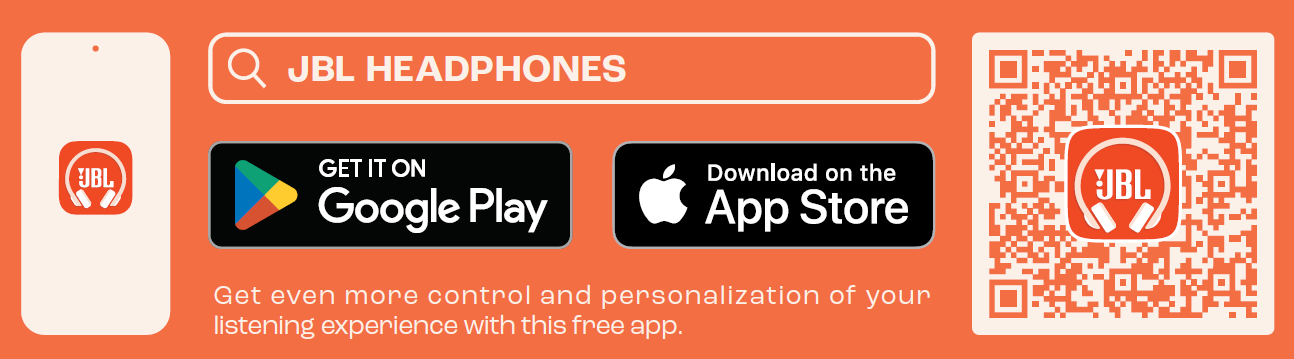
APP
HOW TO WEAR XS

FIRST TIME USE
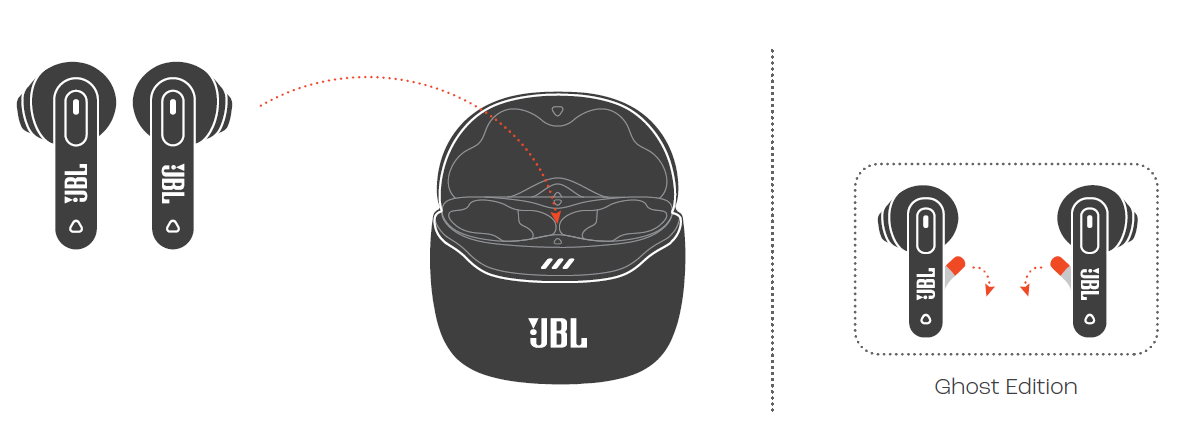
POWER ON & CONNECT

DUAL CONNECT + SYNC
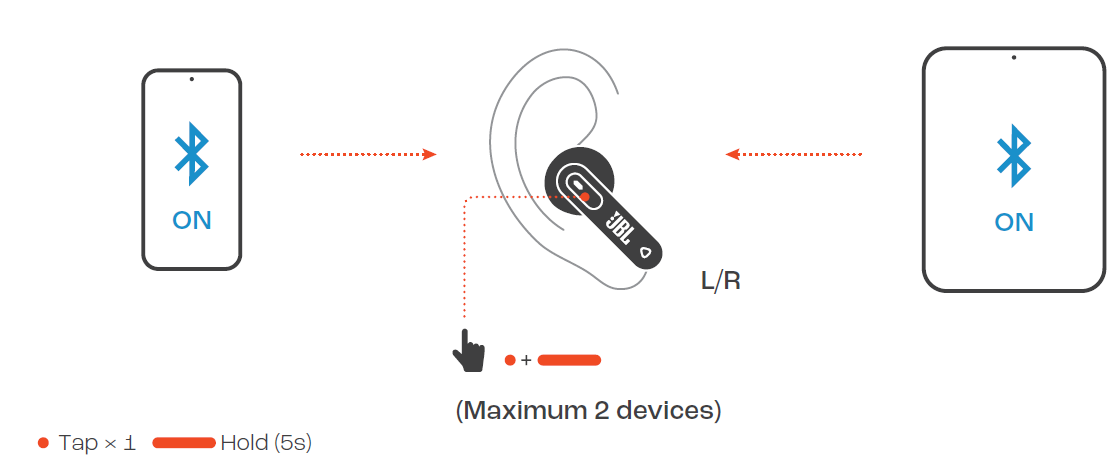
MULTI-POINT CONNECTION
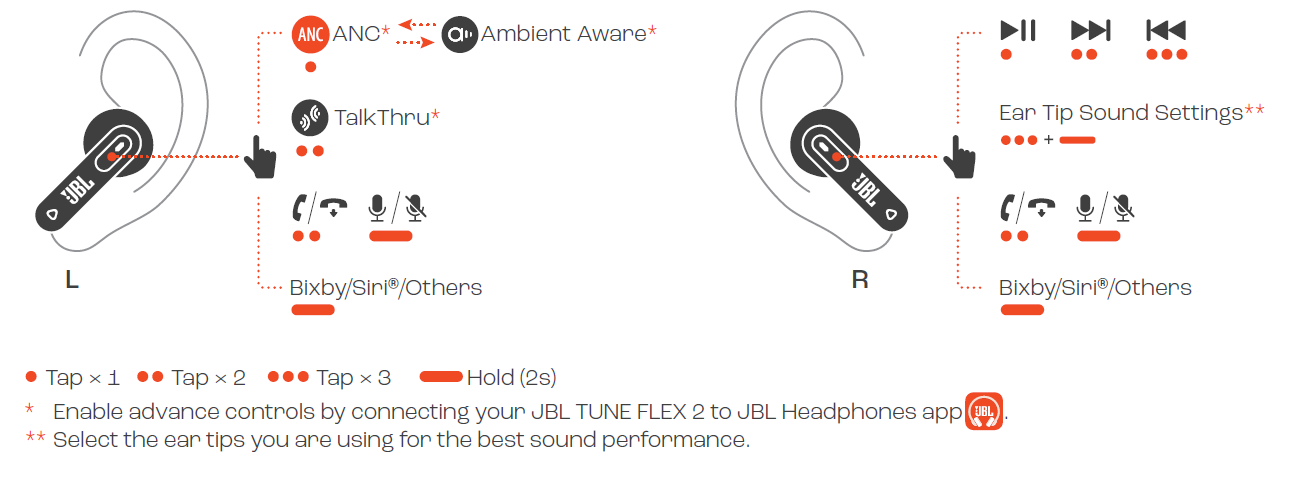
CONTROLS
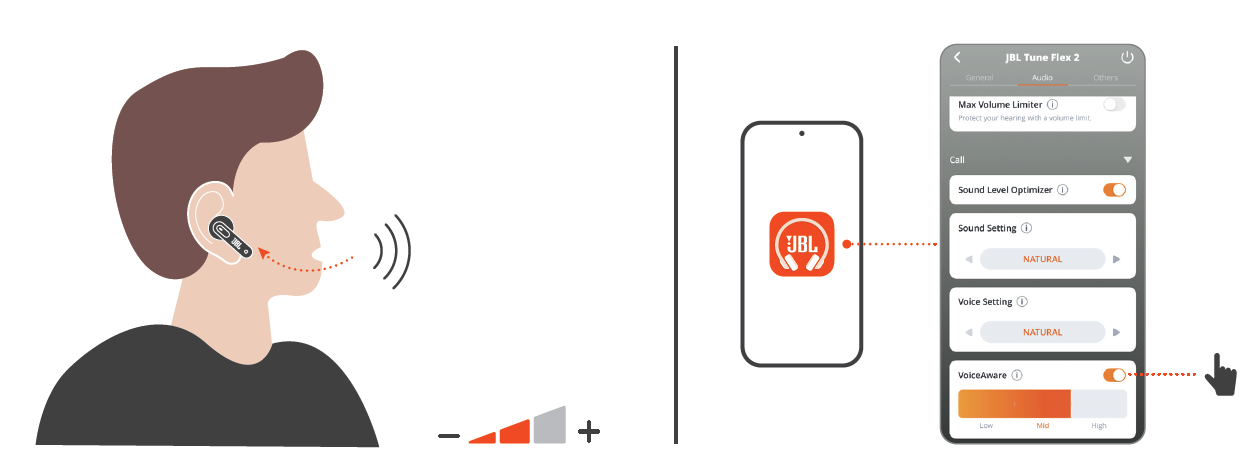
VOICEAWARE
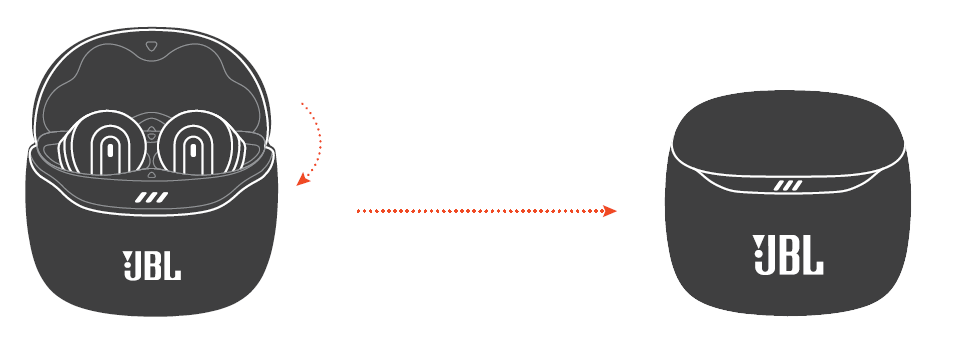
POWER OFF
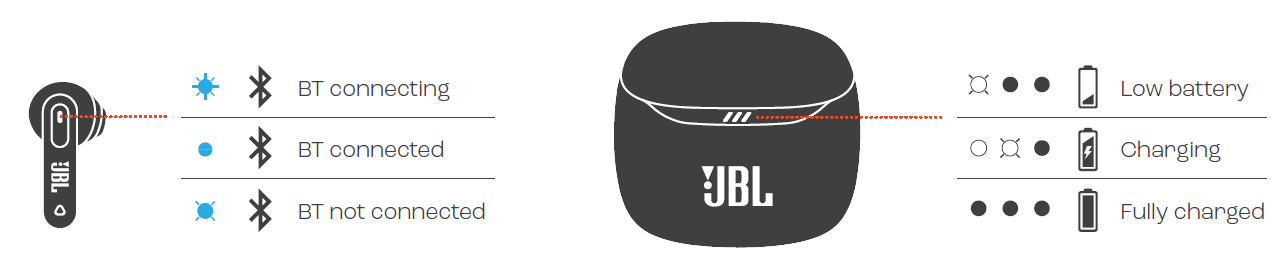
FACTORY RESET
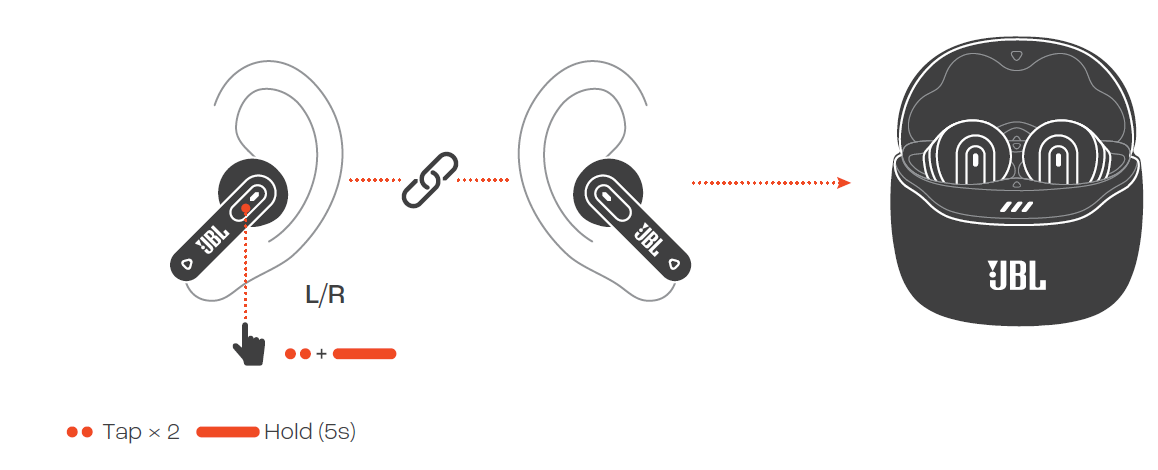
DO MORE WITH THE APP
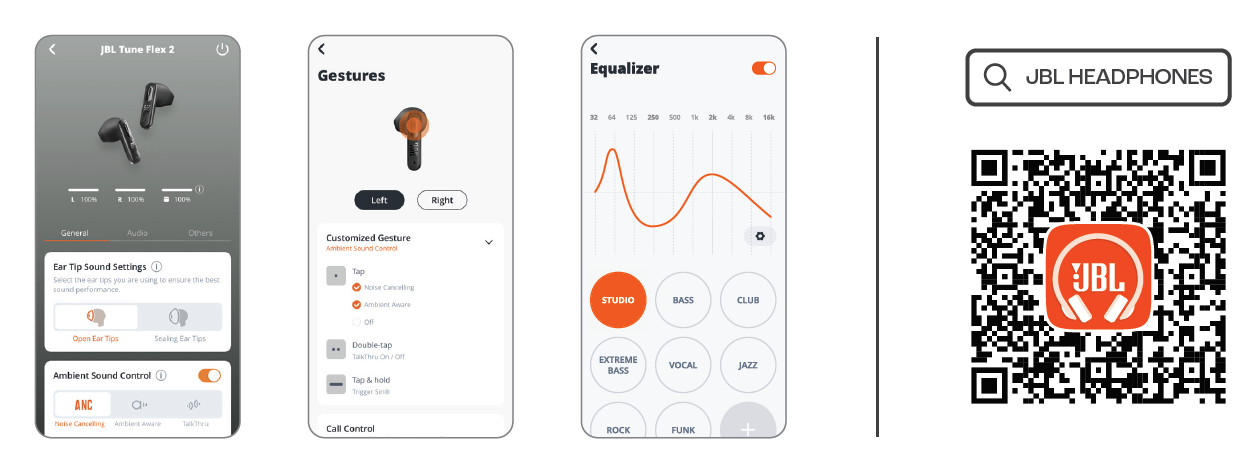
CHARGING
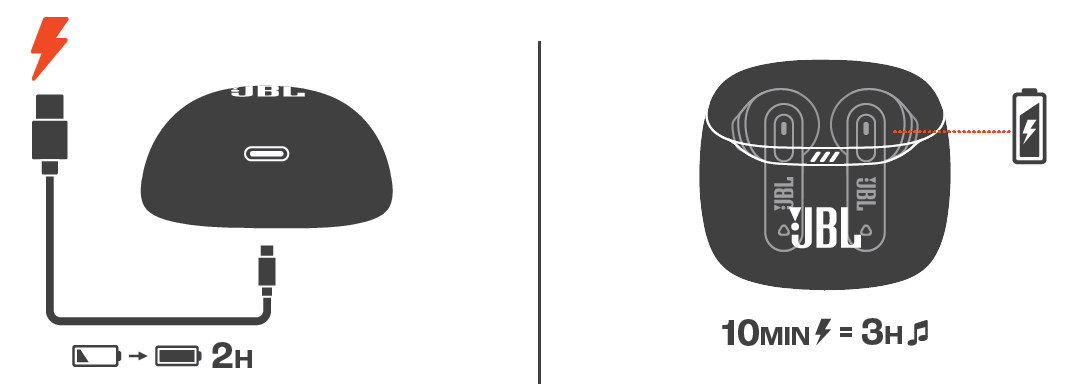
LED BEHAVIORS
TECH SPEC
- Model: TUNE FLEX 2
- Driver size: 12 mm/ 0.47" Dynamic Driver
- Power supply: 5V 1A
- Earbud: 4.4 g per pc (8.8 g combined) 0.0097 lbs per pc (0.0194 lbs combined)
- Earbud (Ghost Edition): 4.2 g per pc (8.4 g combined) 0.0093 lbs per pc (0.0186 lbs combined)
- Charging case: 32.9 g/ 0.0725 lbs
- Charging case (Ghost Edition): 35.2 g/ 0.0776 lbs
- Earbud battery type: Lithium-ion battery (55mAh/ 3.85V)
- Charging case battery type: Lithium-ion battery (545mAh/ 3.85V)
- Charging time: 2 hrs from empty
- Music playtime with BT on and ANC off: Up to 12 hrs
- Music playtime with BT on and ANC on: Up to 8 hrs
- Talk time with ANC off: Up to 5 hrs
- Talk time with ANC on: Up to 4.5 hrs
- Frequency response: 20 Hz - 20 kHz
- Impedance: 13 ohmsohms
- Sensitivity: 98 dB SPL@1 kHz
- Maximum SPL: 95 dB
- Microphone sensitivity: -38 dBV/Pa@1 kHz
- Bluetooth version: 5.3
- Bluetooth profile version: A2DP V1.4, AVRCP V1.6.2, HFP V1.8
- Bluetooth transmitter frequency range: 2.4 GHz - 2.4835 GHz
- Bluetooth transmitter power: ≤ 10 dBm (EIRP)
- Bluetooth transmitter modulation: GFSK, π/4-DQPSK, 8DPSK
- Maximum operation temperature: 45 °C
Troubleshooting JBL Tune Flex 2 Earphones
Users may occasionally face issues such as connectivity drops, one earbud not working, or audio imbalance. Common fixes include:
- Connectivity Issues: Ensure earbuds are charged, Bluetooth is enabled on your device, and the earbuds are within range (up to 10 meters). Reset the earbuds by placing them in the charging case and closing it, then reopen and re-pair via Bluetooth.
- One Earbud Not Working: Check if the earbud is charged and connected. Try reconnecting or resetting the earbuds. Clean the charging contacts if charging problems persist.
- Audio Quality Problems: Use the JBL Headphones App to customize sound profiles and update firmware. Also, verify ear tips fit properly to maintain optimal sound isolation.
No specific error codes are reported for these earbuds, but general Bluetooth troubleshooting applies. To prevent issues, keep firmware updated via the JBL app, avoid exposure to extreme moisture beyond IP54 limits, and handle earbuds carefully.
The JBL Tune Flex 2 comes with a standard 1-year warranty covering manufacturing defects. For support, users can contact JBL customer service via their official website or the support hotline available in product documentation.
Pros & Cons of JBL Tune Flex 2 Earphones
Pros
- Exceptional Sound Quality: Powerful JBL Pure Bass and immersive Spatial Sound elevate music, movies, and gaming experiences.
- Adaptive Noise Cancelling: Effectively reduces background noise with customizable ambient modes for situational awareness.
- Long Battery Life: Up to 48 hours with the charging case and a rapid 2-hour recharge time support all-day use.
- Comfort & Fit: Multiple ear tip options, including open and sealed types,,s provide personalized comfort and sound isolation.
- Water and Dust Resistance: IP54 rating ensures reliable performance in rain, sweat, and dusty conditions.
- Connectivity Features: Bluetooth 5.3 with multipoint support and Fast Pair make device switching seamless.
Cons
- No Voice Assistant Integration: Lack of Amazon Alexa or Google Assistant support may limit hands-free control options compared to competitors.
- Limited Codec Support: No mention of high-resolution codecs like aptX or LDAC may affect audiophile preferences.
- Touch Controls Sensitivity: Some users report that touch controls can be overly sensitive or occasionally unresponsive.
- Price Point: While offering excellent features, alternatives in the same price range may offer more advanced smart assistant features.
Overall, the JBL Tune Flex offers impressive value for its price segment, especially for users prioritizing sound quality, noise cancellation, and durability.
Customer Reviews of JBL Tune Flex 2 Earphones
Users widely praise the JBL Tune Flex 2 Earphones for their rich bass, clear call quality, and comfortable fit. Many highlight the effectiveness of Adaptive Noise Cancelling and appreciate the flexibility offered by multiple ear tip options. The extended battery life and quick charging are also commonly commended.
Common complaints include occasional Bluetooth connection drops and touch controls sometimes being overly sensitive. A few users note the absence of Google Assistant or Alexa integration as a downside. Despite these, the majority rate these earbuds highly, with average ratings around 4 to 4.5 stars out of 5.
Several reviewers recommend the JBL Tune Flex 2 as an excellent choice for daily commuting, workouts, and casual listening, especially for those who value sound quality and noise isolation without breaking the bank.
Faqs
How do I set up my JBL Tune Flex 2 Earphones for the first time?
What can I do if my JBL Tune Flex 2 Earphones are not connecting to Bluetooth?
What features make the JBL Tune Flex 2 Earphones stand out for noise cancelling?
Are the JBL Tune Flex 2 Earphones compatible with all smartphones and devices?
How can I optimize battery life on my JBL Tune Flex 2 Earphones?
What is the best way to maintain and care for my JBL Tune Flex 2 Earphones?
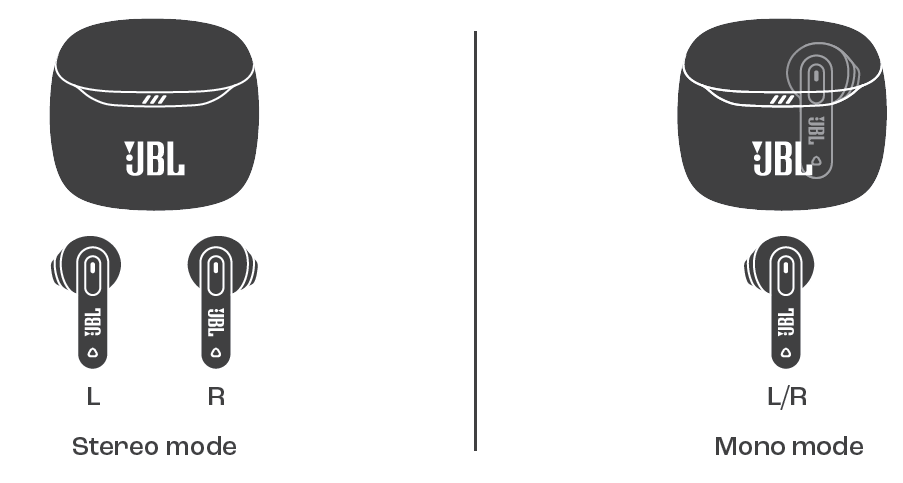
How do I switch between single-earbud and stereo mode on the JBL Tune Flex 2 Earphones?
What troubleshooting steps can I take if call quality is poor on my JBL Tune Flex 2 Earphones?
More jbl manuals
- Pairing & Setup: Jbl Wave Buds 2 Earphones User Guide
- Pairing & Setup: Jbl Tune Buds 2 Earphones Pairing Instructions
- Pairing & Setup: Jbl Wave Flex 2 Earphones User Guide
- Pairing & Setup: Jbl Tune Beam 2 Earphones User Guide
- Pairing & Setup: Jbl Live 670NC Headphones Usage Guide
- Pairing & Setup: Jbl Tour Pro 3 Earphones User Guide
Leave a Comment