
Pairing & Setup: Jbl Wave Buds 2 Earphones User Guide
Content
JBL Wave Buds 2 Earphones
Introduction
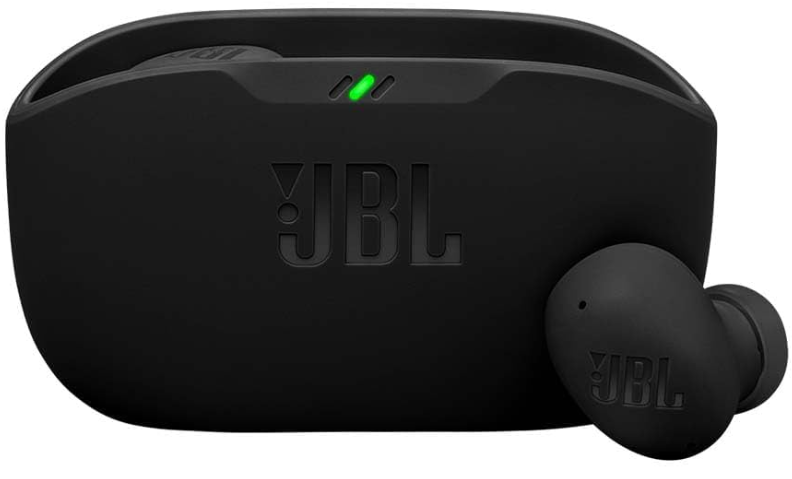
Step into a world of immersive sound with the JBL Wave Buds 2 earphones, a true wireless audio solution designed for music lovers, commuters, and professionals who demand both quality and convenience. These noise-cancelling earbuds deliver JBL’s signature Pure Bass sound, powered by 8mm dynamic drivers that bring your favorite tracks to life with rich, deep bass and crisp highs].
What sets the JBL Wave Buds 2 apart is their versatile Active Noise Cancelling (ANC) and Smart Ambient technology. Whether you need to focus in a noisy café or stay aware of your surroundings during a run, you can easily adjust how much of the outside world you hear—no need to remove your earbuds. With four advanced microphones on board, your calls remain clear even in windy or crowded environments.
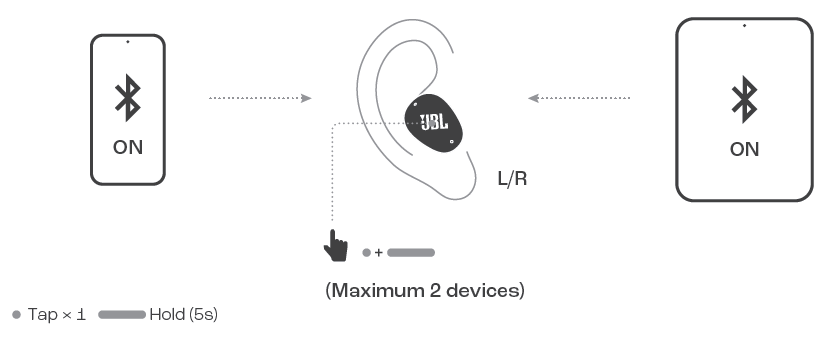
The JBL Wave Buds 2 earphones are built for everyday use, offering up to 10 hours of playtime on a single charge and an additional 30 hours from the compact charging case—ideal for long trips or busy days. Fast charging gives you three hours of playback from just 10 minutes, and seamless multipoint Bluetooth® connectivity lets you switch effortlessly between up to two devices at once. The earbuds are IP54 water and dust-resistant, making them a reliable companion for workouts and outdoor adventures.
Designed for a wide audience—from students and office workers to fitness enthusiasts—the JBL Wave Buds 2 are available in multiple colors and typically retail in the mid-range price bracket, offering excellent value for their feature set. They are widely available at electronics retailers and online stores, making them an accessible choice for anyone seeking premium wireless audio.
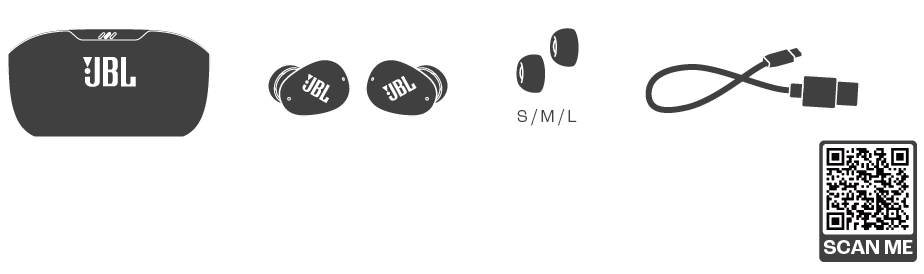
WHAT’S IN THE BOX
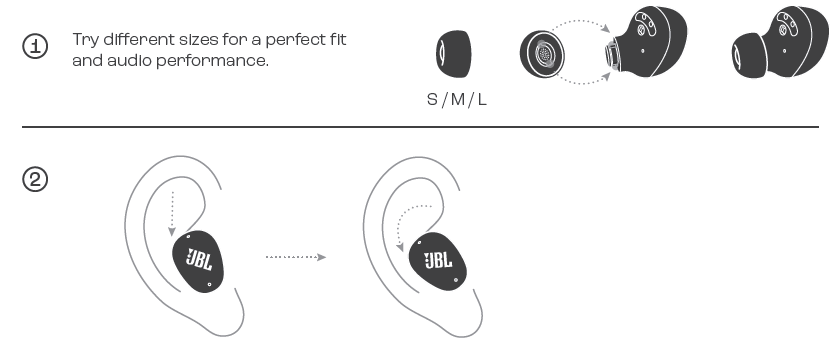
HOW TO WEAR
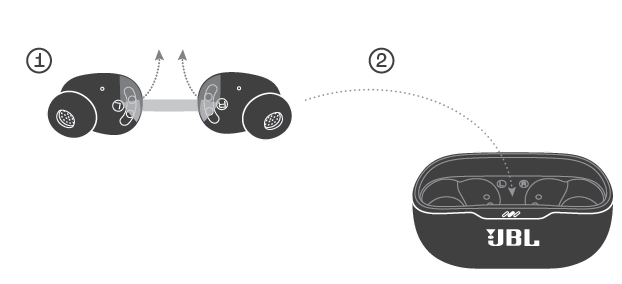
FIRST TIME USE
POWER ON & CONNECT
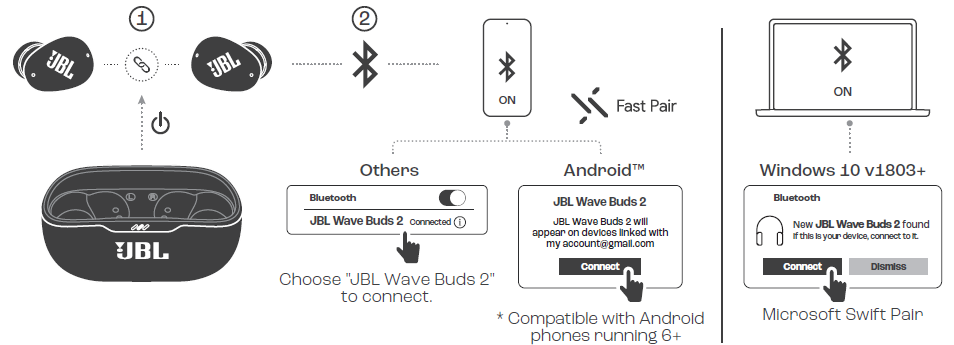
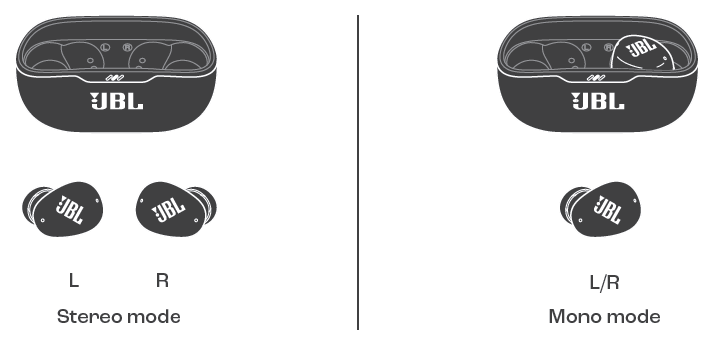
DUAL CONNECT
MULTI-POINT CONNECTION
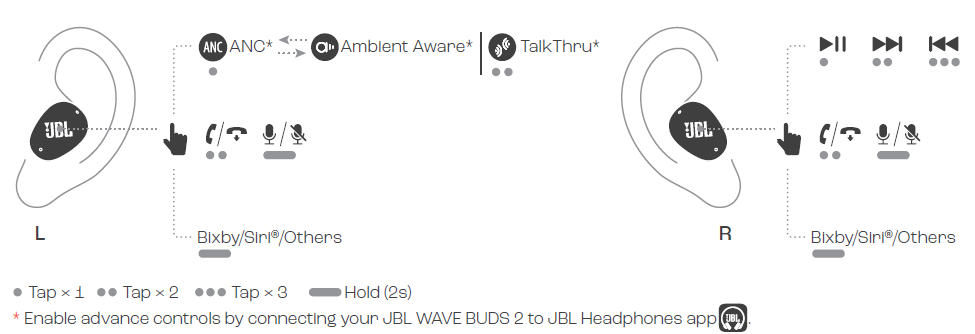
CONTROLS
VOICEAWARE
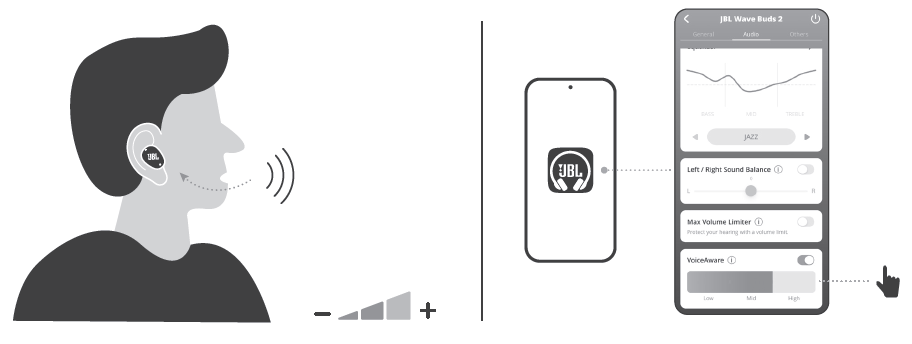
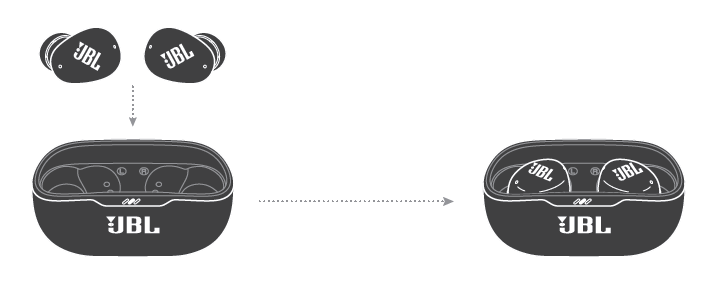
POWER OFF
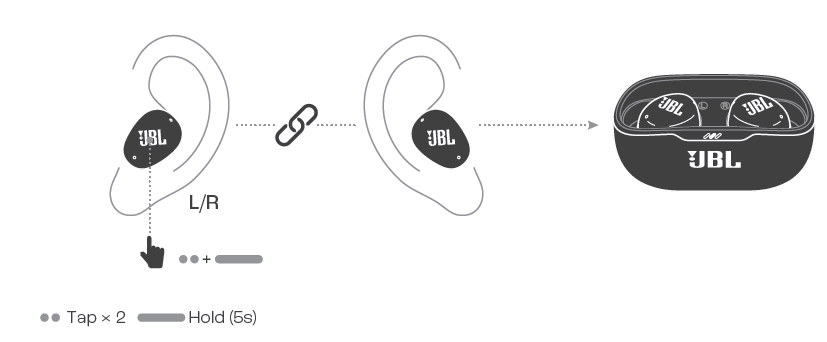
FACTORY RESET
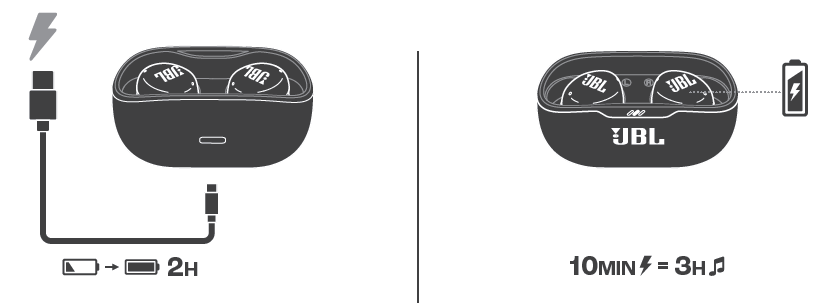
CHARGING
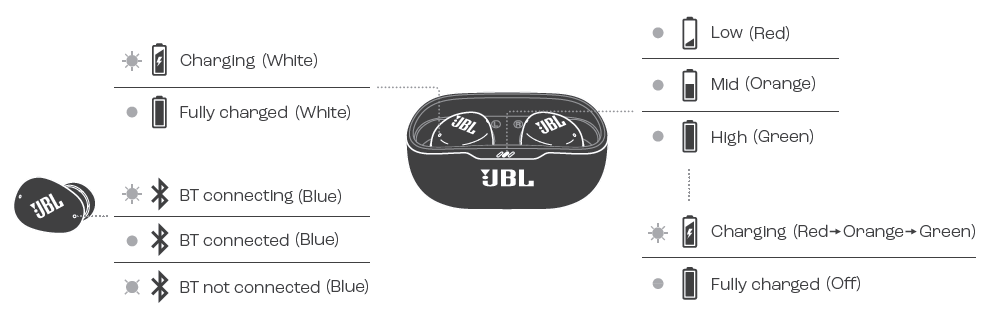
LED BEHAVIORS
TECH SPEC
- Model: WAVE BUDS 2Driver size: 8.0 mm/ 0.32'' Dynamic Driver
- Power supply: 5V 1A
- Earbud: 4.5 g per pc (9 g combined) 0.01 lbs per pc (0.02 lbs combined)
- Charging case: 35 g/ 0.077 lbs
- Earbud battery type: Lithium-ion battery (49 mAh/ 3.85 V)
- Charging case battery type: Lithium-ion battery (550 mAh/ 3.8 V)
- Charging time: 2 hrs from emptyMusic playtime with BT on and
- ANC off: Up to 10 hrs Music playtime with BT on and
- ANC on: Up to 8 hr
- Talk time with ANC off: Up to 6 hrs
- Talk time with ANC on: Up to 5.5 Frequency response : 20 Hz - 20 kHz
- Impedance: 16 ohms
- Sensitivity: 110 dB SPL@1 kHz
- Maximum SPL: 95 dB
- Microphone sensitivity: -38 dBV/Pa@1 kHz
- Bluetooth version: 5.3
- Bluetooth profile version: A2DP V1.4, AVRCP V1.6.2, HFP V1.8
- Bluetooth transmitter frequency range: 2.4 GHz – 2.4835 GHz
- Bluetooth transmitter power: <13 dBm (EIRP)
- Bluetooth transmitter modulation: GFSK, π/4-DQPSK, 8DPSK
- Maximum operation temperature: 45 °C
Troubleshooting Common Issues with JBL Wave Buds 2 Earphones
Common Problems and Solutions
- Connection Issues: If your JBL Wave Buds 2 earphones won’t pair, reset them by placing both earbuds in the case, holding the touchpads for 20 seconds, then re-pairing with your device[8]. Ensure Bluetooth is enabled and the earbuds are fully charged.
- Poor Call Quality: If callers complain about audio, check the microphone openings for debris. Use the JBL Headphones app to update firmware and optimize mic settings[1][3].
- Short Battery Life: If the battery drains quickly, disable ANC and lower the volume. Use the included USB-C cable for optimal charging speed[1][3].
- Audio Distortion: Try resetting the earbuds, updating the app, or testing with another device to rule out source issues.
Error Codes and Fixes
While specific error codes for the JBL Wave Buds 2 are not commonly documented, most issues can be resolved by resetting the earbuds, updating firmware via the app, or checking the user manual for device-specific guidance[1][3].
Preventive Measures
- Keep the earbuds and case clean and dry.
- Avoid exposing them to extreme temperatures.
- Regularly update firmware through the JBL Headphones app for performance improvements and bug fixes[1][3].
Warranty and Support
JBL Wave Buds 2 come with a standard manufacturer’s warranty—register your product online for easier support[2]. For further assistance, visit the official JBL support website or contact customer service via the details provided in your product documentation.
Pros & Cons of JBL Wave Buds 2 Earphones
Advantages
- Powerful Bass and Sound Customization: 8mm drivers deliver JBL’s renowned Pure Bass, and the app allows for detailed EQ adjustments to suit any music genre[1][3].
- Active Noise Cancellation & Ambient Mode: ANC effectively reduces background noise, while Smart Ambient lets you stay aware of your surroundings when needed[1][3].
- Long Battery Life: Up to 40 hours total playback (with ANC off) and fast charging support all-day use[1][3].
- Durability: IP54 water and dust resistance make these earbuds suitable for workouts and outdoor use[3][4].
- Seamless Connectivity: Multipoint Bluetooth, Fast Pair (Google), and Swift Pair (Microsoft) ensure easy setup and switching between devices[3][4].
- Comfort and Fit: Multiple ear tip sizes provide a secure, personalized fit for most users.
Limitations
- Microphone Performance: While call quality is generally clear, some users report that the microphone struggles in noisy environments, requiring you to speak louder for best results[6].
- Sound Out of the Box: The default sound profile may not suit all listeners—optimal audio requires EQ tweaks via the app[6].
- ANC Impact on Battery: Enabling ANC reduces total playtime, so plan accordingly for long sessions[3].
- Case Protection: The charging case has a lower IPX2 rating, so it’s less protected against water than the earbuds themselves[3].
Value for Money
The JBL Wave Buds 2 earphones offer a compelling mix of features at a mid-range price, competing well against alternatives from Sony, Samsung, and Jabra. They excel in bass performance and battery life but may fall short for users who prioritize microphone quality or out-of-the-box sound balance[6].
Customer Reviews and Real-World Feedback
JBL Wave Buds 2 earphones have earned generally positive feedback for their powerful bass, customizable sound via the app, and reliable battery life. Users consistently praise the comfort and secure fit, making them suitable
Faqs
How do I set up my JBL Wave Buds 2 Earphones for the first time?
What should I do if my JBL Wave Buds 2 Earphones are not connecting via Bluetooth?
How does Active Noise Cancellation (ANC) on JBL Wave Buds 2 Earphones work and how can I control it?
Are JBL Wave Buds 2 Earphones compatible with both Android and iOS devices?
How can I maximize the battery life of my JBL Wave Buds 2 Earphones?
What features help improve call quality on JBL Wave Buds 2 Earphones?
Can I use the JBL Wave Buds 2 Earphones in wet or dusty conditions?
How do I clean and maintain my JBL Wave Buds 2 Earphones to ensure long-lasting performance?
More jbl manuals
- Pairing & Setup: Jbl Wave Flex 2 Earphones User Guide
- Setup & Usage: Jbl Tune Flex 2 Earphones Step by Step Guide
- Pairing & Setup: Jbl Live 670NC Headphones Usage Guide
- Pairing & Setup: Jbl Tune Buds 2 Earphones Pairing Instructions
- Pairing : Jbl Live Flex 3 Earphones User Manual
- Pairing & Setup: Jbl Tune Beam 2 Earphones User Guide
Leave a Comment