
Setup: Marantz Cinema 40 AV Preamplifier User Manual
Content
Marantz Cinema 40 AV Receiver Review and Manual Overview
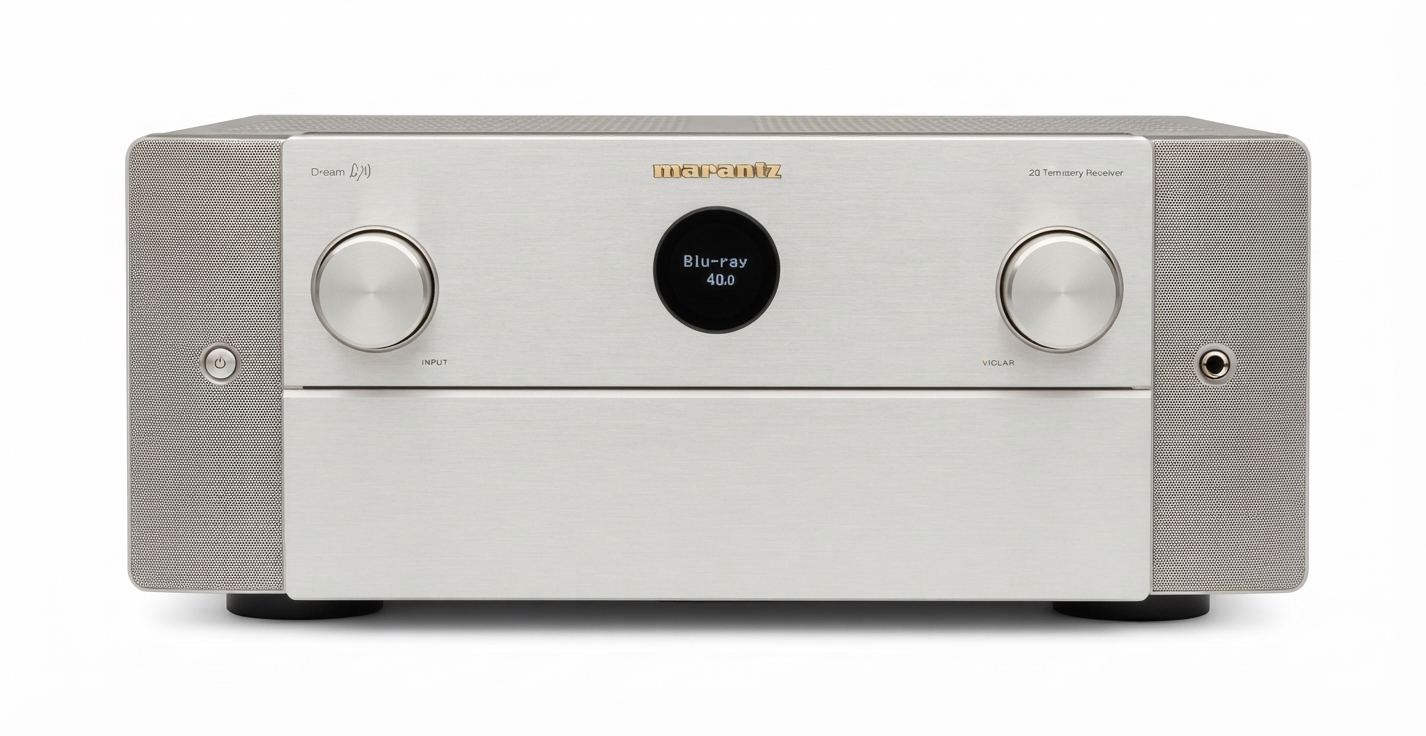
The Marantz Cinema 40 AV receiver is a premium 9.4-channel home theater centerpiece designed for users who want reference-level audio performance, flexible system expansion, and modern video support in one chassis. With 125 watts per channel into 8 ohms, support for up to 11.4 channels of processing, four independent subwoofer outputs, and 8K/4K high-bandwidth HDMI connectivity, it is built for serious movie rooms, dedicated listening spaces, and advanced multi-zone installations. The Marantz Cinema 40 AV receiver also includes HEOS built-in streaming, Dolby Atmos, DTS:X, Auro-3D, and full preamp outputs, making it a strong fit for both traditional speaker-driven systems and future amplifier upgrades.
For home theater enthusiasts, the biggest appeal is its combination of power, refinement, and system flexibility. It is especially well suited for users who want to run large surround layouts such as 7.4.4 or 5.4.6 with external amplification. The sound signature is typically associated with Marantz’s warm, detailed presentation, which pairs well with both cinematic soundtracks and two-channel music. In terms of price, the Marantz Cinema 40 AV receiver generally sits in the premium range at around $3,500 MSRP, though street prices and promotional offers may place it closer to the $2,500 to $3,000 range depending on retailer and availability. It is widely available through major home theater retailers, audio specialists, and online marketplaces.
Pros and Cons of the Marantz Cinema 40 AV Receiver
Pros
- Strong 125W x 9 amplification with up to 11.4-channel processing for large, immersive theater systems.
- Four independent subwoofer outputs for better low-frequency control and room balancing.
- Excellent format support, including Dolby Atmos, DTS:X, Auro-3D, and HEOS multi-room streaming.
- Premium build quality and a refined sound profile that many users prefer over more clinical AV receivers.
- Full preamp outputs make it easy to add external amplifiers later, increasing long-term value.
Cons
- Premium pricing puts it above many strong alternatives such as the Denon X4800H, which can deliver similar channel flexibility for less money.
- Large chassis and heavy weight require a sturdy rack or cabinet with good ventilation.
- Best results may require setup time, especially when configuring multiple subwoofers and advanced speaker layouts.
- Users focused only on basic 5.1 or 7.1 systems may not fully use its higher-end feature set, reducing value for money.
For buyers comparing flagship home theater receivers, the Marantz Cinema 40 AV receiver stands out for sound quality and expandability, while alternatives from Denon, Yamaha, and Anthem may be better for shoppers prioritizing lower cost or a different sonic character.
Customer Reviews: What Owners Say About the Marantz Cinema 40 AV Receiver
Owner feedback is generally very positive, with many users praising the clean, spacious soundstage, strong dialogue clarity, and reliable handling of complex Atmos setups. Typical ratings cluster around 4.5 out of 5 stars, with comments such as, “The upgrade in clarity and bass control was immediate,” and “It made my 4K movie room feel like a commercial cinema.”
Common complaints usually focus on price, the learning curve for setup, and the size of the unit. Some users also mention that getting the best results with room correction and multiple subwoofers takes patience. Even so, most reviewers recommend it for serious home theater owners who want premium performance and plan to keep the receiver for years. For shoppers seeking a high-end AV receiver with strong music playback, immersive surround support, and room to grow, the Marantz Cinema 40 AV receiver remains a compelling buy.
Faqs
How do I set up marantz Cinema 40 AV for the first time?
What should I do if marantz Cinema 40 AV has no sound on HDMI input?
Which speaker layouts work best with marantz Cinema 40 AV for home theater?
Is marantz Cinema 40 AV compatible with 8K TVs and gaming consoles?
How do I optimize marantz Cinema 40 AV sound quality after setup?
Why are the subwoofers on marantz Cinema 40 AV not sounding balanced?
Can I use external power amplifiers with marantz Cinema 40 AV?
How should I maintain and clean marantz Cinema 40 AV to keep it running well?
More marantz manuals
- Marantz SR7009 AV Surround Receiver User Manual
- How to Use: Marantz Turntable TT-15S1 User Manual
- Marantz Model-M1 Wireless Streaming Amplifier User Manual
- Setup & Features: Marantz Cinema 30 AV Surround Receiver User Manual
- Marantz Cinema 60 AV Surround Receiver User Manual
- Setup & Features: Marantz SR4001/SR5001 AV Surround Receiver User Manual
Leave a Comment