
Usage: Marshall Mode EQ In-Ear Headphones User Manual
Content
Marshall Mode EQ In-Ear Headphones
Introduction
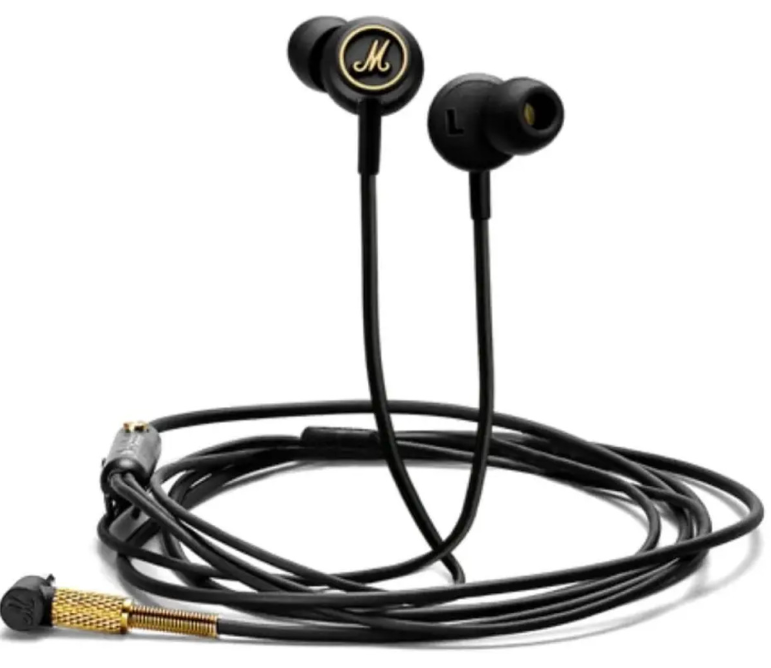
Experience the legendary Marshall sound in a compact, stylish package with the Marshall Mode EQ In-Ear Headphones. Designed for music enthusiasts who demand premium audio quality and iconic design, these wired earbuds deliver powerful, balanced sound with the flexibility to tailor your listening experience. The Mode EQ stands out with its unique EQ switch, allowing you to toggle between two distinct sound profiles—warm, bass-heavy tones for immersive listening or a brighter, mid-high focused signature for clarity and detail.
Built for everyday use, the Marshall Mode EQ In-Ear Headphones feature a tangle-resistant cable, gold-plated 3.5mm connector, and a convenient in-line microphone and remote for hands-free calls and music control. The earbuds’ comfortable fit and secure in-ear design make them ideal for commuters, students, and professionals who want reliable audio on the go. Marshall’s signature gold accents and rock-inspired aesthetics ensure you’ll stand out from the crowd.
Priced around $99 USD, the Marshall Mode EQ offers excellent value for audiophiles seeking a dynamic, customizable listening experience without breaking the bank. While primarily targeted at users who appreciate rich, detailed sound and durable build quality, these headphones are also suitable for anyone looking for a reliable wired audio solution for smartphones, tablets, and laptops. Availability may vary by region, but the Mode EQ remains a popular choice for those who value both performance and style.
Technical Specifications and Key Features
- Driver Type: 9mm dynamic drivers (some sources list 40mm, but official product pages confirm 9mm)
- Frequency Response: 20Hz–20kHz, covering the full audible spectrum
- Impedance: 18Ω–39Ω (varies by source; most reliable sources indicate 18Ω)
- Sensitivity: 99–100dB SPL
- Connection: 3.5mm gold-plated L-plug, tangle-resistant cable
- In-Line Controls: Microphone, remote for calls and music playback
- EQ Switch: Toggle between EQ I (warm, bass-heavy) and EQ II (bright, mid-high emphasis)
- Design: Black/Brass colorway, Marshall logo, gold accents, secure in-ear fit
- Weight: Ultra-lightweight for all-day comfort
Performance Benchmarks: The Marshall Mode EQ In-Ear Headphones deliver a rich, vibrant soundfield with strong bass that doesn’t overpower mids and highs. The EQ switch provides noticeable but subtle differences, allowing users to fine-tune their listening experience for different genres and preferences. Compared to similarly priced in-ear headphones, the Mode EQ stands out for its build quality, customizable sound, and stylish design.
Overview
Mode
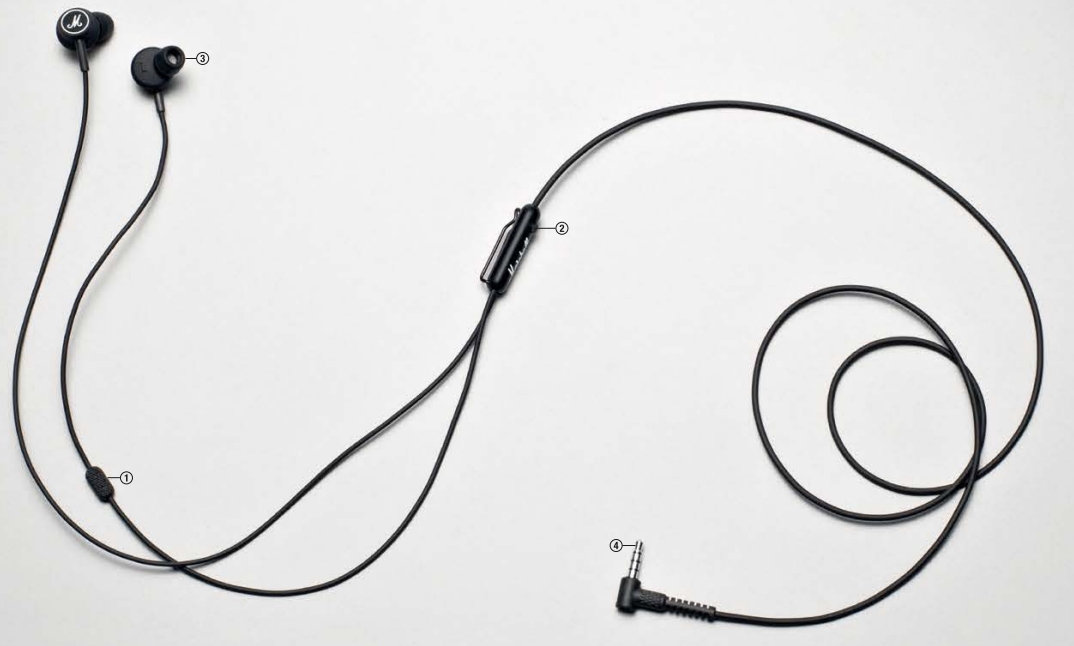
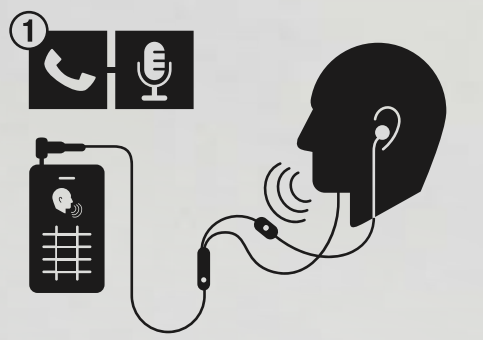
MICROPHONE
MODE FEATURES AN UPDATED MICROPHONE DESIGN THAT ELIMINATES UNDESIRABLE FEEDBACK- BACK AND MICROPHONICS.
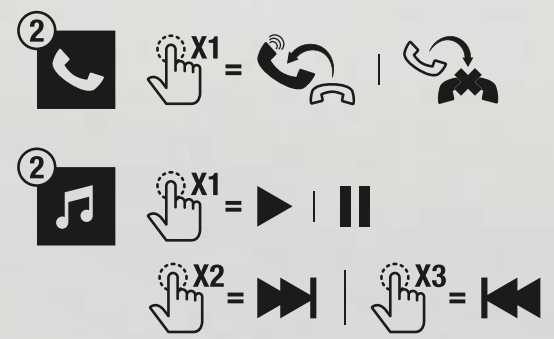
REMOTE
CLICK ONCE TO ANSWER INCOMING CALLS OR HANG UP, AS WELL AS PLAY AND PAUSE YOUR MUSIC. CLICK TWICE TO FAST FORWARD YOUR MUSIC. CLICK THREE TIMES TO REWIND.
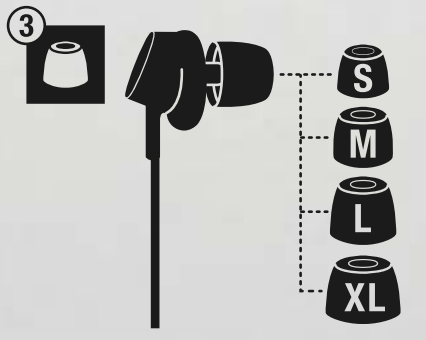
SIZE SLEEVES
MODE COMES WITH FOUR DIFFERENT SIZES OF SLEEVES, ALLOWING YOU TO FIND THE PERFECT FIT.
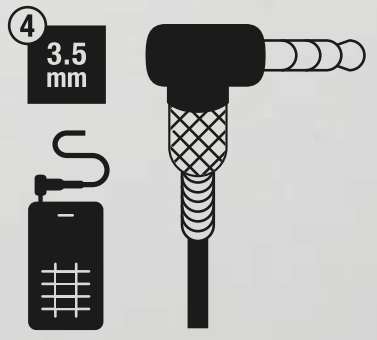
L-PLUG - 3.5 mm
THE L-PLUG DESIGN OFFERS A MORE DURABLE CONNECTION TO YOUR DEVICE. THE PLUG IS COMPATIBLE WITH ANY MUSIC PLAYER THAT RECEIVES A 3.5MM JACK.
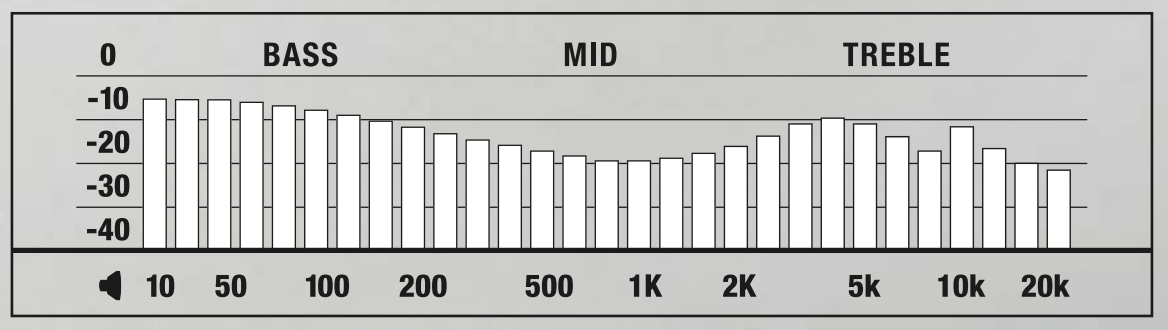
TECHNICAL
- DRIVER: 9 mm
- IMPEDANCE: 39 ohms @ 1kHz
- FREQUENCY RANGE: 20 Hz - 20 kHz
- SENSITIVITY: 100 mV @ 1 kHz = 99 dB SPL
Troubleshooting Common Issues
Frequent Problems and Solutions
- No Sound or Intermittent Audio: Check the 3.5mm connector for damage or debris. Ensure the plug is fully inserted into your device. Try another audio source to isolate the issue.
- Microphone or Remote Not Working: Confirm compatibility with your smartphone or device. Some Android and iOS devices may require adapter settings. Clean the remote/mic area gently.
- Uncomfortable Fit: Experiment with the included ear tips for a better seal. A proper fit improves sound quality and comfort.
- Cable Tangling: Use the provided cable clip and store headphones properly to prevent knots.
Preventive Measures
- Avoid wrapping the cable too tightly.
- Unplug the headphones by gripping the jack, not the cable.
- Store in a dry, cool place away from direct sunlight.
Warranty and Support
Marshall offers a standard warranty—check your local retailer or Marshall’s official website for details. For lost ear tips or technical issues, contact Marshall Customer Support directly.
Contact Information
For further assistance, visit the Marshall website or contact your place of purchase. Official support channels are best for warranty claims and replacement parts.
Pros and Cons of Marshall Mode EQ In-Ear Headphones
Pros
- Superior Sound Quality: Rich, balanced audio with customizable EQ profiles for different listening preferences
- Comfortable, Secure Fit: Lightweight design and multiple ear tip sizes ensure comfort for extended use
- Durable Build: Reinforced cable with spring-protected jack resists wear and tear
- Stylish Design: Iconic Marshall branding and gold accents make a bold statement
- In-Line Controls: Convenient mic and remote for calls and music playback
Cons
- No Volume Control: Lacks inline volume adjustment—must use your device for volume changes
- Wired Only: No Bluetooth or wireless option, which may deter some users
- Subtle EQ Differences: The two EQ modes are more nuanced than radically different, which may disappoint those seeking dramatic sound changes
- Ear Tip Durability: Some users report ear tips wearing out over time; replacements may be needed
Value for Money: At around $99, the Marshall Mode EQ In-Ear Headphones offer excellent audio quality and build for the price, though alternatives with wireless connectivity or more advanced controls exist in this range. For wired audio purists, these are a top pick.
Customer Reviews and Recommendations
With an average rating of 4.4 out of 5 stars, the Marshall Mode EQ In-Ear Headphones receive widespread praise for their sound quality, comfort, and stylish design. Users highlight the rich, vibrant sound and appreciate the EQ switch for fine-tuning their listening experience. Many note the headphones’ durability, especially the reinforced cable, and the secure, comfortable fit even during long sessions.
Common complaints include the lack of inline volume control and the subtlety of the EQ differences. Some users would prefer more dramatic sound changes between modes or wireless options. Despite these minor drawbacks, most agree that the Mode EQ delivers excellent value for wired audio enthusiasts and is a worthy investment for fans of the Marshall brand.
If you’re seeking reliable, stylish in-ear headphones with customizable sound and classic Marshall aesthetics, the Mode EQ is a strong recommendation—especially for those who prioritize audio fidelity and build quality over wireless convenience.
Faqs
How do I set up my Marshall Mode EQ In-Ear Headphones for the first time?
What should I do if the microphone on my Marshall Mode EQ In-Ear Headphones is not working during calls?
How does the EQ switch on the Marshall Mode EQ In-Ear Headphones enhance my listening experience?
Are Marshall Mode EQ In-Ear Headphones compatible with smartphones, tablets, and laptops?
Why does the sound quality vary when switching between EQ modes on the Marshall Mode EQ In-Ear Headphones?
How can I maintain and clean my Marshall Mode EQ In-Ear Headphones for long-lasting performance?
What should I do if my Marshall Mode EQ In-Ear Headphones have no sound or distorted audio?
Do the Marshall Mode EQ In-Ear Headphones have inline volume control or only play/pause functions?
More marshall manuals
- Setup: Marshall Mid Bluetooth On-Ear Headphone User Manual
- Setup: Marshall Kilburn - Portable Active Stereo Speaker User Manual
- Setup: Marshall Minor III True Wireless Earbuds User Manual
- Setup: Marshall Stockwell - Portable Stereo Loudspeaker User Manual
- Setup: Marshall Motif A.N.C True Wireless Earbuds User Manual
- Setup: Marshall Uxbridge With Amazon Alexa Speaker User Manual
Leave a Comment