
Netgear Nighthawk Mesh WiFi 6 System MK73 User Manual
Content
Netgear Nighthawk Mesh WiFi 6 System MK73 Review and User Manual
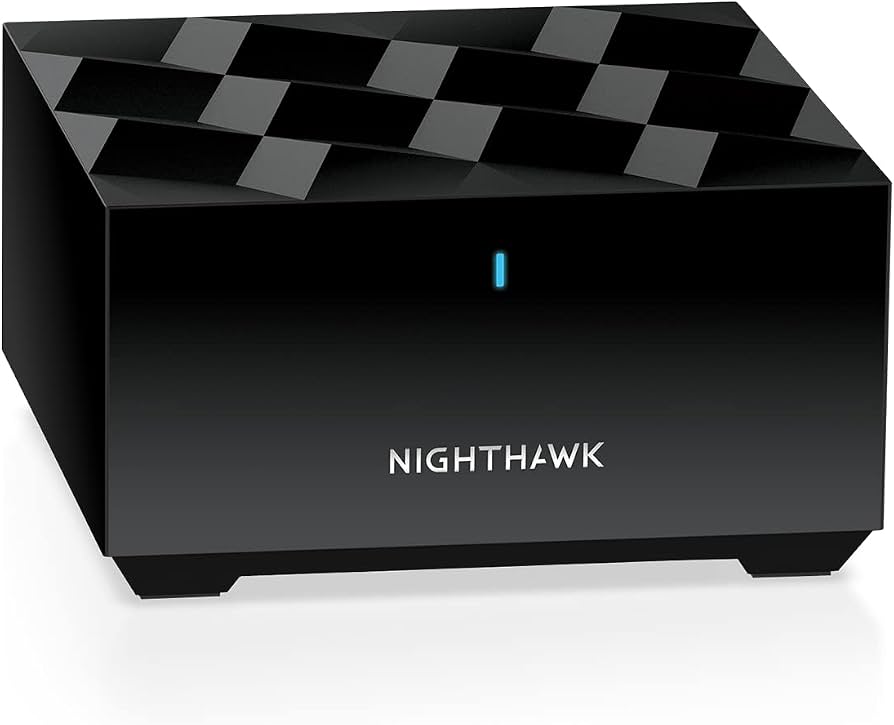
The Netgear Nighthawk Mesh WiFi 6 System MK73 is a dual-band AX3000 mesh WiFi solution designed to improve wireless coverage, speed, and stability in medium to large homes. It typically includes one router and two satellites, making it a practical choice for users who need seamless whole-home connectivity for streaming, video calls, gaming, smart home devices, and remote work. With WiFi 6 support, the MK73 is built to handle multiple connected devices more efficiently than older WiFi standards, while offering stronger performance in busy households.
This mesh WiFi system is especially appealing for families, apartment users with dead zones, and homeowners who want a simple upgrade from a standard router without the complexity of enterprise networking. The setup is generally straightforward through the Nighthawk app, and the system is compatible with most internet service providers up to 1Gbps. In real-world use, the MK73 is best suited for users who want reliable coverage and consistent speeds rather than advanced networking customization. The estimated price range is typically around $80 to $220 depending on whether the unit is new, refurbished, or sold through third-party marketplaces. Availability is generally good through major retailers and online marketplaces, though pricing can vary widely by condition and seller.
How to Troubleshoot Netgear Nighthawk Mesh WiFi 6 System MK73 Problems
Common issues with the Netgear Nighthawk Mesh WiFi 6 System MK73 often include weak satellite connections, no internet after setup, slow speeds, and the router not syncing correctly with satellites. If the LED lights show a solid amber or blinking behavior during setup, power-cycle the modem, router, and satellites in that order, then reconnect using the Nighthawk app. If the app shows a pairing or sync error, move the satellite closer to the router during initial setup and ensure firmware is updated.
For internet access issues, verify that the modem is connected to the router’s WAN port and that the ISP service is active. If WiFi performance drops, reduce interference by placing the router in an open central location away from microwaves, cordless phones, and thick walls. Resetting the system can also fix persistent errors, but it should be used as a last resort because it erases custom settings. For support, registered products are covered under NETGEAR warranty terms, and help is available through NETGEAR support by phone, chat, or email. A commonly listed support number is (888) 638-4327. Preventive maintenance includes regular firmware updates, proper ventilation, and keeping satellites within a strong signal range of the router.
Pros and Cons of the Netgear Nighthawk Mesh WiFi 6 System MK73
Pros
- Easy whole-home coverage with a router plus two satellites for reducing dead zones.
- WiFi 6 efficiency improves performance for streaming, gaming, and video conferencing in busy homes.
- Simple setup through the Nighthawk app makes it beginner-friendly.
- Good value for users who want mesh WiFi without paying premium tri-band pricing.
- Works well for households with many connected devices such as phones, TVs, laptops, and smart home gadgets.
Cons
- Dual-band design may not perform as strongly as tri-band alternatives in very demanding environments.
- Advanced networking controls are more limited than enthusiast-grade routers.
- Pricing can fluctuate significantly, especially for refurbished units.
- Best performance depends on good placement of satellites and a compatible ISP setup.
- Competing systems from TP-Link and ASUS may offer stronger feature sets at similar price points.
Overall, the MK73 delivers solid value for money if the goal is dependable mesh coverage and easy management rather than maximum customization. It competes well with budget and midrange mesh WiFi 6 systems, especially for users prioritizing convenience and stable coverage over premium extras.
Customer Reviews of Netgear Nighthawk Mesh WiFi 6 System MK73
User feedback on the Netgear Nighthawk Mesh WiFi 6 System MK73 is generally positive, with many buyers praising the strong coverage, easy setup, and better signal consistency across multiple rooms. A common sentiment is that the system is a major improvement over a single router in homes with thick walls or multiple floors.
Average user sentiment often lands around 4 out of 5 stars, with praise for streaming reliability and smooth device handoff between router and satellites. Common complaints include occasional setup frustration, variable speed performance depending on home layout, and the fact that refurbished units may arrive with different accessory bundles. Typical testimonials mention that it is a good purchase for families and remote workers who want dependable whole-home WiFi without a complicated installation process.
For most shoppers, the MK73 is recommended if affordable mesh coverage, WiFi 6 support, and simple app-based management are the main priorities.
Frequently Asked Questions About Netgear Nighthawk Mesh WiFi 6 System MK73
What is the Netgear Nighthawk Mesh WiFi 6 System MK73 best for?
It is best for improving WiFi coverage in medium to large homes, especially where dead zones, buffering, or weak signal areas are common.
How many devices can it support?
The system is designed for homes with many connected devices, making it suitable for streaming, browsing, video calls, and smart home use.
Is the MK73 good for gaming?
Yes, it can support gaming well in most homes, especially when the gaming device is connected close to the router or a nearby satellite.
Does it work with most internet providers?
Yes, it is generally compatible with most providers up to 1Gbps, making it a flexible home networking option.
Faqs
How do I set up the netgear Nighthawk Mesh WiFi 6 System MK73 for the first time?
Why is my netgear Nighthawk Mesh WiFi 6 System MK73 not syncing with the satellites?
What internet speed and coverage can I expect from the netgear Nighthawk Mesh WiFi 6 System MK73?
Is the netgear Nighthawk Mesh WiFi 6 System MK73 compatible with older WiFi devices and existing cable modems?
How can I improve WiFi performance on the netgear Nighthawk Mesh WiFi 6 System MK73 in a large home?
What should I do if the netgear Nighthawk Mesh WiFi 6 System MK73 keeps dropping connection?
Does the netgear Nighthawk Mesh WiFi 6 System MK73 include security features for home network protection?
How often should I update and maintain the netgear Nighthawk Mesh WiFi 6 System MK73?
More netgear manuals
- Netgear WAC564 Insight Instant Mesh Multi-Mode Access Point User Manual
- Netgear 4-Stream AX1800 WiFi 6 Router RAX10 User Manual
- Netgear Nighthawk Mesh WiFi 6 System MK62 User Manual
- Netgear Nighthawk X6S AC3000 Tri-Band WiFi Extender User Manual
- Netgear RBE371 Dual-Band Mesh WiFi 7 System User Manual
- Netgear Orbi RBR750 Tri-Band Mesh WiFi 6 System User Manual
Leave a Comment