
Netgear WAC564 Insight Instant Mesh Multi-Mode Access Point User Manual
Content
Netgear WAC564 Insight Instant Mesh Multi-Mode Access Point Review and Manual
Introduction
The Netgear WAC564 Insight Instant Mesh Multi-Mode Access Point is a business-class wireless solution designed for offices, retail spaces, hospitality environments, and small to mid-sized organizations that need fast, reliable Wi-Fi with flexible deployment options. Built around tri-band Wi-Fi 5 technology, it delivers a combined theoretical throughput of up to 3 Gbps, making it a strong choice for environments where multiple users connect simultaneously and wireless performance matters.
One of its biggest advantages is multi-mode operation. The device can function as an access point, mesh node, or wireless extender, which gives administrators more freedom when designing or expanding a network. It also supports cloud-based management through Netgear Insight, simplifying remote monitoring, configuration, and maintenance. This makes the WAC564 especially appealing for IT teams that want enterprise-style control without complex on-site administration.
The product is also valued for its four Gigabit Ethernet ports, WPA/WPA2 security support, MU-MIMO performance, and strong mesh backhaul capabilities. Typical availability is through networking retailers, online resellers, and business hardware distributors, with pricing commonly falling in the mid-range business AP category. A realistic estimated price range is about $180 to $300, depending on region, seller, and whether hardware bundles or support packages are included. For organizations looking for a versatile wireless access point with mesh flexibility, the Netgear WAC564 Insight Instant Mesh Multi-Mode Access Point remains a practical and feature-rich option.
Specifications for Netgear WAC564 Insight Instant Mesh Multi-Mode Access Point
- Wireless standard: Wi-Fi 5 / 802.11ac Wave 2
- Radio bands: Tri-band concurrent operation at 2.4 GHz, 5 GHz low, and 5 GHz high
- Maximum theoretical throughput: 3 Gbps total
- Per-band speeds: 400 Mbps at 2.4 GHz, 867 Mbps at 5 GHz low, 1733 Mbps at 5 GHz high
- Radio configuration: 2x2 on 2.4 GHz, 2x2 on 5 GHz low, 4x4 on 5 GHz high
- Technology: MU-MIMO and Wave 2 support
- Ethernet: 4 Gigabit LAN ports
- Security: WPA, WPA2, enterprise authentication support, MAC filtering, VLAN support
- Management: Netgear Insight cloud management and standalone configuration options
- Mounting: Wall or ceiling installation support
- Power: External power adapter; PoE support may vary by deployment setup
- Dimensions: Approximately 174 x 85 x 247 mm
- Weight: Approximately 930 g
Compared with smaller dual-band access points, the WAC564 offers more backhaul capacity and better mesh flexibility. Compared with premium Wi-Fi 6 access points, it has lower peak efficiency but remains attractive for cost-conscious deployments that still need solid multi-user performance and easy expansion.
Detailed Description
The Netgear WAC564 Insight Instant Mesh Multi-Mode Access Point is engineered to extend and improve wireless coverage without requiring a complicated controller-based architecture. Its tri-band design separates client traffic from wireless backhaul traffic, which helps improve stability in dense environments. In practical terms, this means the device can serve many users while maintaining a dedicated high-speed path for mesh communication between access points.
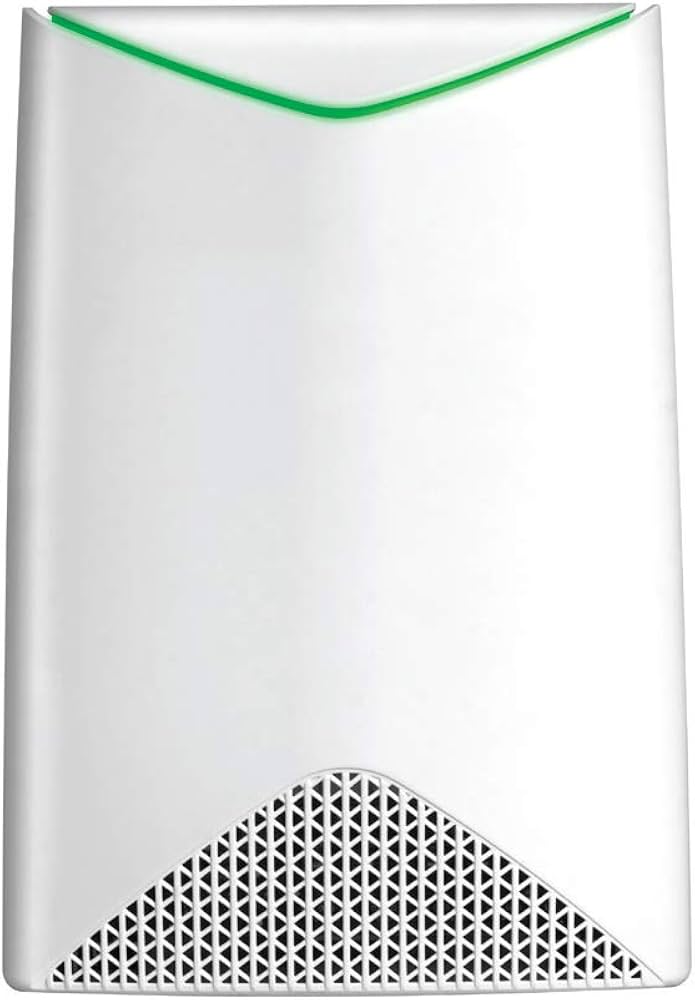
The unit is designed for business environments such as small offices, conference rooms, classrooms, waiting areas, and retail floors. Its four Ethernet ports allow wired devices such as printers, VoIP phones, desktop computers, and point-of-sale terminals to connect directly to the network. The build quality is solid and functional, with a compact white chassis intended for wall or ceiling mounting. The design is clean and unobtrusive, making it suitable for professional installations where appearance matters.
In everyday use, administrators appreciate the simplified setup and the flexibility to operate in multiple deployment modes. The Insight management platform makes it easier to monitor wireless health, create SSIDs, and adjust settings remotely. For users, that translates to fewer dead zones, smoother roaming, and more consistent access across larger spaces.
Setup Guide: How to Configure the Netgear WAC564
1. Unbox the device and confirm that the access point, power adapter, mounting hardware, and documentation are included.
2. Place the unit in a central location with good ventilation and minimal interference from thick walls, metal objects, and large appliances.
3. Connect the access point to your router or upstream network using an Ethernet cable.
4. Power on the device and wait for the status LEDs to stabilize.
5. Open the Netgear Insight app or web-based management interface and register the device.
6. Choose the operating mode: access point, mesh node, or extender depending on your network design.
7. Configure SSID names, passwords, VLANs, and security settings.
8. Pair additional mesh units if you want to expand coverage to other rooms or floors.
9. Test roaming, speed, and signal quality on client devices.
10. Save your configuration and record the admin credentials in a secure location.
For safety, avoid mounting the device near heat sources or in damp locations. If setup fails, verify cable integrity, confirm that DHCP is active on the network, and restart both the access point and the router before repeating the pairing process.
Troubleshooting the Netgear WAC564
Common connectivity problems usually come from IP conflicts, incorrect mesh pairing, weak backhaul signal, or outdated firmware. If the access point is not broadcasting, check whether the device has been assigned a valid network address and whether SSID broadcasting is enabled.
If the wireless speed is lower than expected, move the unit away from interference sources, reduce obstacles between mesh nodes, and confirm that clients are connected to the correct band. In dense environments, the 5 GHz high band should be prioritized for backhaul whenever possible.
If you see setup or discovery errors in the Insight workflow, reset the device to factory defaults and re-add it to the management account. Firmware updates also resolve many performance and stability issues, so keeping the device current is strongly recommended.
Preventive maintenance includes checking cable quality, verifying mounting stability, reviewing signal strength metrics, and updating firmware regularly. For support, Netgear typically offers warranty coverage and business support resources through its official support channels and reseller partners. If the unit is under warranty, have the serial number, proof of purchase, and a description of the issue ready before contacting support.
Pros and Cons
Pros
- Tri-band design improves mesh performance and reduces backhaul congestion.
- Flexible multi-mode operation supports access point, mesh, and extender use cases.
- Four Gigabit Ethernet ports add value for wired business devices.
- Insight cloud management simplifies remote administration.
- Good fit for small offices and commercial spaces that need scalable wireless coverage.
Cons
- Wi-Fi 5 is older than newer Wi-Fi 6 and Wi-Fi 6E alternatives.
- Best performance depends on careful placement and proper mesh design.
- Feature set is business-oriented, so casual users may find it more complex than consumer mesh systems.
- Price can be higher than basic home access points, especially for single-unit deployments.
Overall, the value for money is strongest when the WAC564 is used in multi-unit business deployments rather than as a standalone home access point. Compared with lower-cost dual-band alternatives, it offers better expansion potential and stronger wired connectivity. Compared with newer Wi-Fi 6 models, it is less future-proof but still practical for organizations prioritizing stability, mesh flexibility, and managed networking.
Customer Reviews
User feedback on the Netgear WAC564 Insight Instant Mesh Multi-Mode Access Point is generally positive, with many customers giving it around 4 out of 5 stars. Buyers often praise the easy mesh expansion, strong coverage, and the convenience of remote management. One recurring compliment is that the device works especially well in offices where wired and wireless clients need to coexist.
Common complaints focus on setup complexity for first-time users, occasional firmware learning curves, and the fact that some buyers expected more modern Wi-Fi 6 performance. A typical testimonial is: “Once configured correctly, coverage was excellent and roaming was smooth across our office.” Another common sentiment is: “Great for business use, but not the simplest plug-and-play option.”
It is a strong purchase recommendation for small businesses, branch offices, and technical users who want a managed mesh access point with reliable performance. For users who want the newest wireless standard or a simple consumer-style setup, a newer alternative may be a better fit.
Final Verdict
The Netgear WAC564 Insight Instant Mesh Multi-Mode Access Point is a capable business networking device with tri-band performance, mesh flexibility, and useful wired connectivity. It is best suited for organizations that need dependable coverage, remote management, and scalable deployment options in one product.
Faqs
How do I set up the netgear WAC564 Insight Instant Mesh Multi-Mode Access Point for the first time?
What is the best way to configure mesh mode on the netgear WAC564 Insight Instant Mesh Multi-Mode Access Point?
Why is my netgear WAC564 Insight Instant Mesh Multi-Mode Access Point not connecting to the network?
What devices and network standards are compatible with the netgear WAC564 Insight Instant Mesh Multi-Mode Access Point?
How fast is the netgear WAC564 Insight Instant Mesh Multi-Mode Access Point in real-world use?
How can I improve WiFi coverage and roaming with the netgear WAC564 Insight Instant Mesh Multi-Mode Access Point?
What should I do if the netgear WAC564 Insight Instant Mesh Multi-Mode Access Point keeps dropping clients?
How should I maintain and care for the netgear WAC564 Insight Instant Mesh Multi-Mode Access Point?
More netgear manuals
- Netgear Nighthawk Mesh WiFi 6 System MK62 User Manual
- Netgear Nighthawk Mesh WiFi 6 System MK73 User Manual
- Netgear RBE371 Dual-Band Mesh WiFi 7 System User Manual
- Netgear 4-Stream AX1800 WiFi 6 Router RAX10 User Manual
- Netgear Nighthawk Tri-band Mesh WiFi 6 System MR80 User Manual
- Netgear Nighthawk X6S AC3000 Tri-Band WiFi Extender User Manual
Leave a Comment