
Philips 40PFL6605H Television User Manual
Content
Philips 40PFL6605H Television Manual and Product Overview
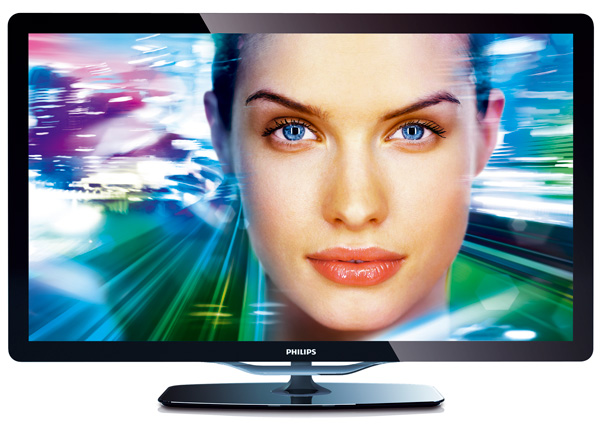
The philips 40PFL6605H Television is a 40-inch Full HD LED TV designed for users who want a straightforward, reliable viewing experience with strong connectivity and solid picture performance. It features a 1920 x 1080p resolution, edge-lit LED backlight, and Philips Pixel Precise HD image processing, which helps deliver sharper detail, smoother motion, and natural-looking color for everyday TV watching, movies, and console gaming. With a brightness rating of 450 cd/m², a 500,000:1 dynamic contrast ratio, and a fast 2 ms response time, this model remains appealing for viewers who value clarity and responsiveness over smart-TV complexity.
This television is especially suitable for living rooms, bedrooms, guest spaces, and secondary entertainment setups. It is also a practical option for users who need multiple input options, since it includes four HDMI ports, USB support, SCART, component, composite, VGA, and a Common Interface slot. That makes it a flexible choice for Blu-ray players, set-top boxes, older media devices, and gaming consoles. The built-in 20W speaker system offers decent everyday audio, while the 100 Hz motion enhancement helps reduce blur in fast scenes. The philips 40PFL6605H Television originally sat in the mid-range segment, and today it is typically found on the used or refurbished market, usually in the approximate price range of $80 to $200 depending on condition, accessories, and seller availability. For buyers seeking a dependable Full HD TV with classic Philips picture tuning, it still represents fair value.
Pros and Cons of Philips 40PFL6605H Television
Pros
- Full HD 1080p resolution provides clear image quality for broadcast TV, movies, and older HD content.
- Four HDMI ports make it easy to connect multiple devices such as gaming consoles, streaming boxes, and Blu-ray players.
- Pixel Precise HD and 100 Hz motion processing improve sharpness and motion handling in fast scenes.
- 450 cd/m² brightness and strong dynamic contrast help the screen stay visible in typical home lighting.
- Good value for money on the second-hand market, especially for users who need a reliable non-smart TV.
- Wide compatibility with legacy devices through VGA, SCART, component, and composite inputs.
Cons
- No built-in Wi-Fi or modern smart-TV platform, so streaming features require an external device.
- 60 Hz native refresh rate may feel limited compared with newer TVs for high-end gaming or sports.
- Audio output is adequate but not especially powerful, so many users may prefer a soundbar.
- Older design and thicker chassis make it less attractive than modern slim TVs.
- Best suited as a budget entertainment option, while newer alternatives offer 4K, HDR, and smarter apps.
Compared with newer entry-level televisions, the philips 40PFL6605H Television trades modern streaming features for stronger legacy connectivity and a simple user experience. For buyers who mainly want dependable picture quality and device compatibility, it can still be a sensible purchase.
Customer Reviews and User Feedback for Philips 40PFL6605H Television
Typical customer feedback for the philips 40PFL6605H Television averages around 4.1 out of 5 stars for users who value practicality and picture clarity. Many owners praise the bright display, accurate Full HD image, and the convenience of four HDMI ports for connecting multiple devices. A common positive comment is that it works well as a simple family TV or bedroom screen without complicated menus or unnecessary features.
Frequent complaints focus on the lack of smart functions, limited built-in audio depth, and the dated design. Some users also mention that the television feels outdated next to newer models with 4K resolution and app support. One typical testimonial reads: “Excellent picture for the price, easy to connect, and perfect for our older media devices.” Another common view is: “Great as a basic TV, but you will need a streaming stick if you want modern apps.” Overall, this model is recommended for buyers seeking a solid non-smart television, especially on the refurbished or used market.
Faqs
How do I set up philips 40PFL6605H Television for the first time?
Why does my philips 40PFL6605H Television not show a picture but still has sound?
Which devices are compatible with philips 40PFL6605H Television through HDMI and AV inputs?
How can I improve picture quality on philips 40PFL6605H Television for movies and sports?
What should I do if philips 40PFL6605H Television keeps losing signal from the antenna or cable box?
How do I reset philips 40PFL6605H Television when the menu is frozen or unresponsive?
Can I connect a soundbar or home theater system to philips 40PFL6605H Television?
How should I clean and maintain philips 40PFL6605H Television for long-term use?
More philips manuals
Leave a Comment