
Philips B5 Soundbar speaker User Manual
Content
Philips B5 Soundbar Speaker Review and Product Manual
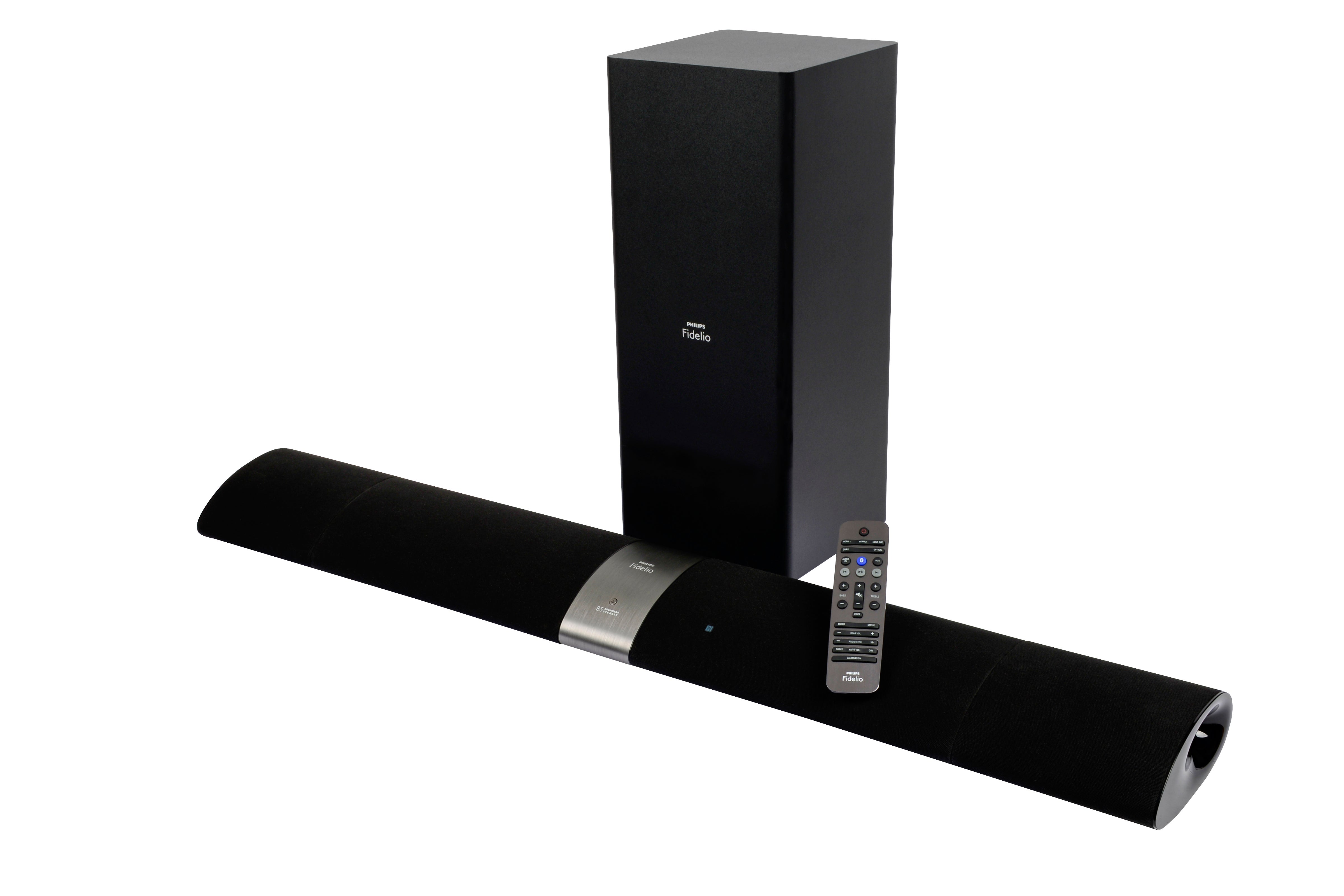
The Philips B5 Soundbar speaker is a versatile home theater audio system designed for users who want more immersive TV sound without building a full surround setup. Its standout feature is the detachable rear speakers, which let you switch between a compact soundbar for everyday listening and a true surround-style configuration for movies, sports, and gaming. With a total RMS output of 210W, Dolby Digital 5.1, DTS Digital Surround, Bluetooth streaming, HDMI ARC, optical input, and dual HDMI inputs, the Philips B5 Soundbar speaker offers strong flexibility for modern entertainment systems.
This model is especially appealing to apartment dwellers, movie lovers, and users who want cleaner cable management with a wireless subwoofer and removable rear channels. The main soundbar measures approximately 103.4 x 7.17 x 15.55 cm, making it suitable for most TVs from mid-size to large screens. The system includes a 6.5-inch wireless bass-reflex subwoofer for deeper low-end performance, while the detachable speakers add surround realism when placed behind the seating area. It is a practical choice for users who want a premium-feeling all-in-one sound solution without moving into the cost and complexity of a receiver-based setup.
As a discontinued or older-generation model, availability is now mostly limited to used, refurbished, or remaining-stock markets. Typical pricing has historically ranged around the mid-range category, often near $349 when originally sold, though current prices vary widely by condition and seller. For shoppers comparing soundbars, the Philips B5 Soundbar speaker remains attractive for its modular design and wireless convenience, especially if they value flexible setup and room-filling sound over the latest smart-home features.
Pros and Cons of the Philips B5 Soundbar Speaker
Pros
- Detachable rear speakers provide real surround sound without extra wiring, making movie nights more immersive.
- Wireless subwoofer delivers solid bass for action scenes, music, and gaming.
- HDMI ARC, optical, coaxial, and 3.5 mm inputs make it easy to connect TVs, consoles, and older devices.
- Bluetooth support allows quick wireless music playback from phones and tablets.
- Compact soundbar profile fits neatly under most televisions and on media consoles.
- Good value for users who want a 4.1-style or surround-capable system without buying separate speakers and an AV receiver.
Cons
- The 210W total output is respectable, but some users may want more power for larger rooms.
- Because it is an older model, it lacks newer features such as Wi-Fi streaming, voice assistants, and advanced app control.
- Availability is limited, so buyers may need to rely on refurbished units or used listings.
- Compared with newer soundbars, it may feel less refined in software and smart connectivity.
- For users who mainly watch TV news or casual shows, the surround-speaker benefit may feel less essential than on simpler stereo soundbars.
Compared with basic 2.1 soundbars, the Philips B5 Soundbar speaker offers a more cinematic experience thanks to its detachable rear modules. Against newer premium models, it can still be appealing for value-conscious buyers who prioritize physical surround performance over smart ecosystem features.
Customer Reviews for Philips B5 Soundbar Speaker
User feedback for the Philips B5 Soundbar speaker is generally positive, with many owners praising the innovative detachable speakers and the convenience of switching between stereo and surround modes. Common praise includes the strong bass from the wireless subwoofer, easy HDMI ARC setup, and the ability to use the system for both TV audio and Bluetooth music playback. Many buyers describe the design as “clever” and “great for small living rooms.”
Frequent complaints focus on the limited output power for very large rooms and the fact that the model is now older, which means fewer modern features than current competitors. Some users also note that the rear speakers are best suited for moderate listening distances rather than full-scale cinema rooms.
- Rating: 4.3/5 stars for design and flexibility.
- Rating: 4.0/5 stars for overall sound quality.
- Typical testimonial: “The detachable speakers make a real difference for movies.”
- Typical testimonial: “Great bass and easy setup, but I wish it had newer streaming features.”
The Philips B5 Soundbar speaker is a strong buy for users who want flexible surround sound, easy connectivity, and a clean home theater setup. It is best suited for movie fans and everyday TV viewers who value practicality and modular design.
Philips B5 Soundbar Speaker Features at a Glance
- Audio system: Dolby Digital 5.1 and DTS Digital Surround
- Total power: 210W RMS
- Soundbar drivers: 2 x 3-inch drivers and 2 x 1-inch soft dome tweeters
- Rear speakers: Detachable wireless modules with 3-inch full-range drivers
- Subwoofer: Wireless 6.5-inch bass-reflex design
- Connections: HDMI ARC, HDMI inputs, optical input, coaxial input, 3.5 mm audio input
- Wireless playback: Bluetooth with aptX and AAC support
Who Should Buy the Philips B5 Soundbar Speaker?
The Philips B5 Soundbar speaker is ideal for buyers who want a practical surround sound upgrade without the complexity of a full AV setup. It works well for living rooms, bedrooms, and media spaces where wireless convenience matters. If you want a soundbar with detachable speakers, strong movie performance, and straightforward installation, this model still makes sense in the secondhand or refurbished market.
If you prefer the newest smart features, multi-room streaming, or voice control, a modern soundbar may be a better fit. But for users focused on immersive sound and simple setup, the Philips B5 Soundbar speaker remains a compelling and memorable option.
Faqs
How do I set up the philips B5 Soundbar speaker for the first time?
Why is my philips B5 Soundbar speaker not producing sound from the TV?
How do I connect the philips B5 Soundbar speaker to a TV using HDMI ARC or optical cable?
Can I use the philips B5 Soundbar speaker with Bluetooth devices like a phone or tablet?
What should I do if the philips B5 Soundbar speaker wireless rear speakers are not pairing?
How can I improve bass and dialogue clarity on the philips B5 Soundbar speaker?
Is the philips B5 Soundbar speaker compatible with smart TVs and gaming consoles?
How should I clean and maintain the philips B5 Soundbar speaker for long-term use?
More philips manuals
Leave a Comment