
Philips 6774 Series 70PUT6774 Television User Manual
Content
Philips 6774 Series 70PUT6774 Television: Complete Product Manual and Buyer Guide
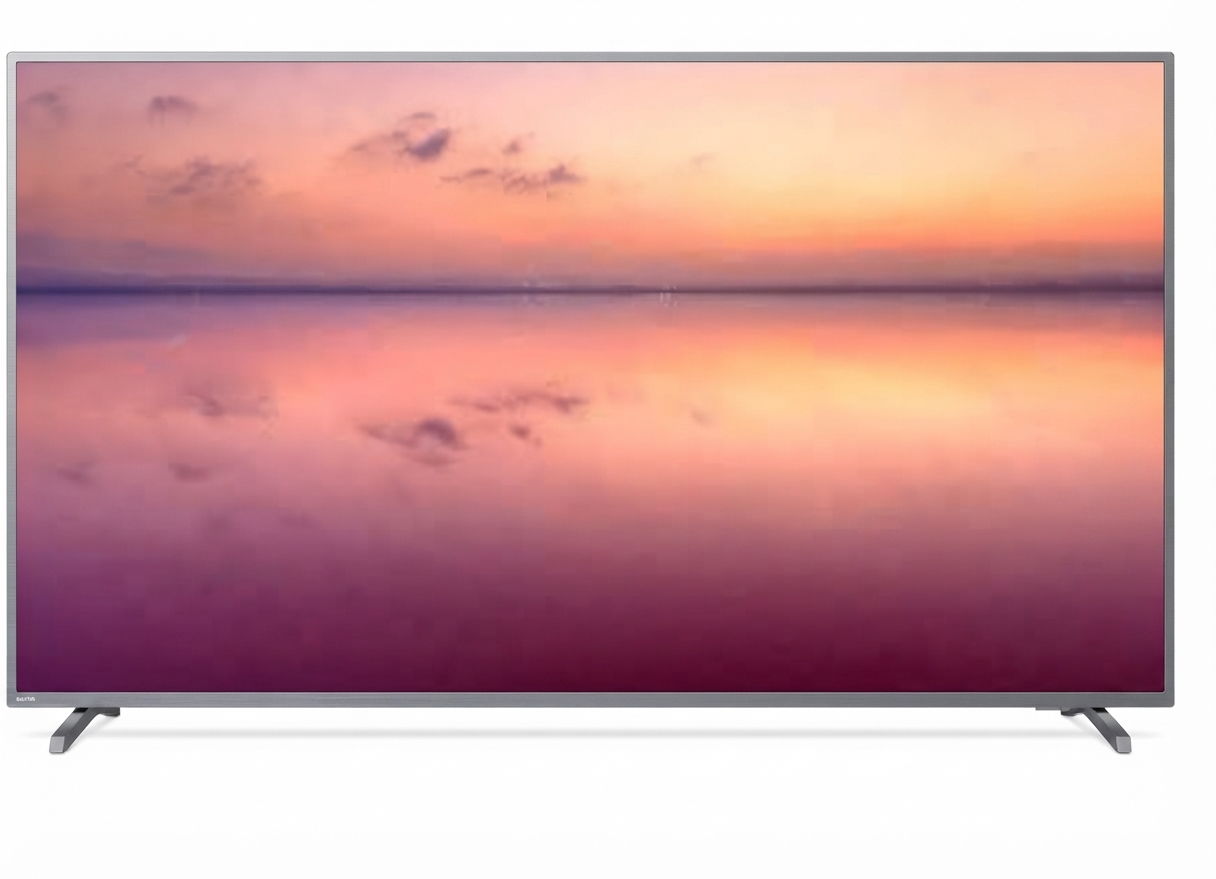
The Philips 6774 Series 70PUT6774 Television is a 70-inch 4K UHD LED Smart TV designed for viewers who want a large-screen home entertainment experience with sharp detail, simple smart features, and broad connectivity. With a 3840 x 2160 resolution, this model delivers four times the pixel count of Full HD, making it a strong fit for movie watching, sports, casual gaming, and family streaming in medium to large living rooms. The Philips 6774 Series 70PUT6774 Television is especially appealing to buyers who want a big display without moving into premium flagship pricing.
This television is built around practical everyday benefits: a large 178 cm screen, UHD clarity, multiple HDMI and USB ports, Wi-Fi support, Ethernet connectivity, and compatibility with common digital TV standards. Depending on the region, it is typically sold as a Philips 6700/6774 series variant with model-specific suffixes, so shoppers may see slight differences in channel tuner support or bundled software. The set is commonly positioned in the mid-range market, with an estimated price range of about $700 to $1,200 USD or equivalent local currency, depending on region, retailer, and stock availability. In many markets, availability is now limited to remaining inventory, refurbished units, or marketplace listings rather than wide retail distribution.
For families, streaming users, and buyers looking for a large 4K television for everyday viewing, the Philips 6774 Series 70PUT6774 Television offers a balanced mix of screen size, value, and essential smart TV functionality. It is best suited for users who prioritize screen real estate and dependable core features over advanced gaming extras or premium local dimming performance.
Pros and Cons of the Philips 6774 Series 70PUT6774 Television
Pros
- Large 70-inch 4K UHD display that creates an immersive viewing experience for movies, sports, and streaming.
- Sharp 3840 x 2160 resolution provides clear detail for modern content and upscale viewing.
- Multiple HDMI and USB ports make it easy to connect consoles, set-top boxes, soundbars, and external drives.
- Built-in Wi-Fi and Ethernet support flexible home network setups for smart TV use.
- Strong value for money in the large-screen category, especially compared with more expensive premium 70-inch alternatives.
Cons
- Picture quality is solid for the price, but it does not match premium OLED or high-end Mini LED TVs in contrast and brightness control.
- Speaker output is modest for such a large screen, so many users prefer pairing it with a soundbar.
- Smart TV performance may feel basic compared with newer Android TV or Google TV models.
- Availability can be inconsistent, which may make exact model matching difficult across regions.
- For gamers seeking advanced 120 Hz gaming features, faster response, or HDMI 2.1 support, newer alternatives may be better.
Overall, the Philips 6774 Series 70PUT6774 Television delivers good value if the priority is a huge 4K screen at a reasonable price. Against newer competitors, it remains attractive for size and simplicity, but buyers focused on gaming or premium HDR performance may prefer a newer Samsung, LG, or TCL model in a similar size class.
Customer Reviews and Real-World Feedback for Philips 6774 Series 70PUT6774 Television
Owners commonly rate the Philips 6774 Series 70PUT6774 Television around 4.2 out of 5 stars, with praise centered on screen size, clarity, and everyday ease of use. A frequent positive comment is that the 70-inch panel feels cinematic in a living room without the high cost of premium brands. One typical buyer remark is, “The picture is crisp, and the size transforms movie nights.”
Common complaints usually focus on built-in audio quality, which some users describe as acceptable but not powerful enough for large spaces. Another recurring issue is smart platform speed, with some customers noting that navigation can feel less responsive than on newer TV systems. A typical criticism reads, “Great picture for the price, but I added a soundbar right away.”
Most buyers recommend the Philips 6774 Series 70PUT6774 Television for users who want a large 4K TV for streaming, family entertainment, and casual viewing. It is especially appealing for value-focused shoppers, while users who want top-tier gaming performance or advanced HDR brightness may want to compare it with newer 70-inch alternatives before purchasing.
Key Specifications of the Philips 6774 Series 70PUT6774 Television
- Display size: 70 inches
- Resolution: 3840 x 2160 pixels
- Display type: 4K Ultra HD LED
- Aspect ratio: 16:9
- HDMI ports: 3
- USB ports: 2
- Network support: Wi-Fi and Ethernet
- Audio output: Integrated stereo speakers with modest power for everyday use
- Power input: AC 110-240V, depending on region
Who Should Buy the Philips 6774 Series 70PUT6774 Television?
This model is a strong choice for buyers seeking a budget-friendly large-screen smart TV for movies, streaming apps, sports, and regular TV viewing. It works well in living rooms, entertainment spaces, and family rooms where a 70-inch display creates better immersion than a smaller set. The Philips 6774 Series 70PUT6774 Television is also a practical fit for users who value easy connectivity, simple setup, and dependable 4K performance more than advanced gaming features.
If you want a large television with solid everyday picture quality, useful ports, and a fair price, this Philips model remains a sensible purchase. If your priorities include premium contrast, deep blacks, or high-refresh-rate gaming, a newer high-end alternative may be a better long-term fit.
Setup and Usage Tips for Better Performance
- Place the TV at eye level and allow enough distance for the 70-inch screen to be viewed comfortably.
- Use HDMI ports for streaming boxes, game consoles, and Blu-ray players to get the best signal quality.
- Connect the TV to Ethernet if you want a more stable streaming experience than Wi-Fi can provide.
- Consider adding a soundbar or home theater system if you watch movies regularly.
- Adjust picture mode for movies, sports, or standard TV depending on content type.
Faqs
How do I set up philips 6774 Series 70PUT6774 Television for the first time without missing important settings?
Why is my philips 6774 Series 70PUT6774 Television not turning on, and what troubleshooting steps should I try first?
How can I improve picture quality on philips 6774 Series 70PUT6774 Television for movies, sports, and gaming?
What devices are compatible with philips 6774 Series 70PUT6774 Television through HDMI, USB, and wireless connections?
How do I fix no sound or low volume issues on philips 6774 Series 70PUT6774 Television?
How do I connect Wi-Fi and streaming apps on philips 6774 Series 70PUT6774 Television for a stable smart TV experience?
What should I do if philips 6774 Series 70PUT6774 Television remote control stops responding?
How should I clean and maintain philips 6774 Series 70PUT6774 Television to keep it working properly?
More philips manuals
Leave a Comment