
Philips 8505 Series 43PUS8505 Television
Content
Philips 8505 Series 43PUS8505 Television Review and Product Manual
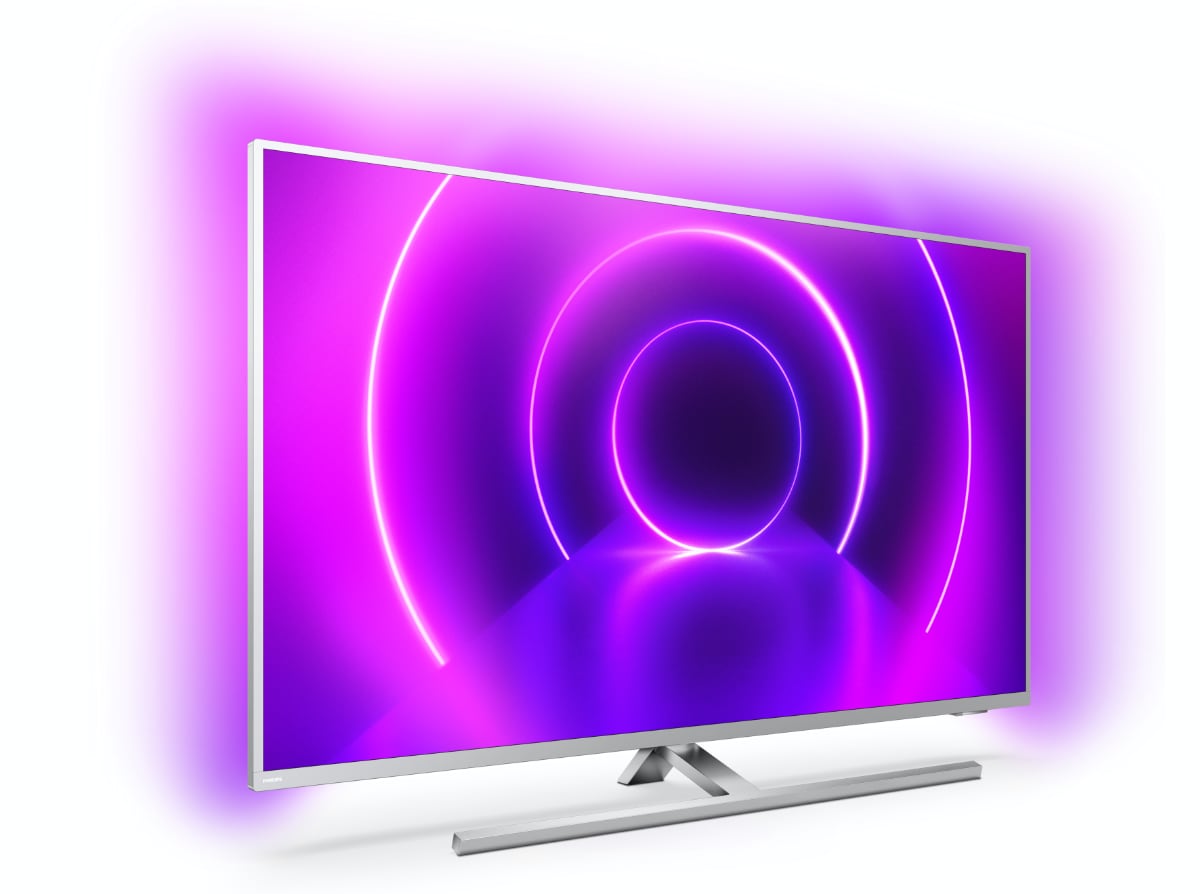
Introduction: Philips 8505 Series 43PUS8505 Television Overview
The Philips 8505 Series 43PUS8505 Television is a 43-inch 4K UHD smart TV designed for viewers who want strong picture quality, modern streaming features, and the brand’s signature Ambilight experience. With a 3840 x 2160 resolution, LED panel, and Android TV platform, it offers a practical balance of performance and convenience for everyday entertainment, gaming, and family viewing.
One of its biggest selling points is the three-sided Ambilight system, which extends the picture beyond the screen and creates a more immersive viewing environment. The TV also supports HDR formats such as Dolby Vision, HDR10, HDR10+, and HLG, helping compatible movies and shows look brighter and more detailed. Built-in wireless connectivity, multiple HDMI ports, and USB inputs make it easy to connect consoles, soundbars, and storage devices.
This model is well suited for apartment living rooms, bedrooms, and secondary TV setups, especially for users who stream through Android apps or want a compact 4K television with premium-style features. The Philips 8505 Series 43PUS8505 Television is commonly positioned in the mid-range category, and its estimated price range is typically around $350 to $650 depending on region, seller, and stock availability. It is often found through major electronics retailers, online marketplaces, and refurbished or discontinued-stock channels.
For buyers comparing compact 4K smart TVs, the Philips 8505 Series 43PUS8505 Television remains attractive because it combines Android TV, voice assistant support, HDR compatibility, and distinctive ambient lighting in one package.
Troubleshooting the Philips 8505 Series 43PUS8505 Television
If the Philips 8505 Series 43PUS8505 Television will not turn on, first check the power cable, wall outlet, and remote batteries. If the screen stays black but the standby light is on, unplug the TV for one minute and restart it. If apps freeze or the system becomes slow, perform a soft reboot and clear unused apps or cache where possible.
- No picture: confirm the HDMI source is selected correctly and test the cable with another device.
- No sound: check volume, mute status, and audio output settings, especially when using a soundbar.
- Wi-Fi connection issues: restart the router, re-enter the password, and move the TV closer to the access point.
- Error code examples: network-related errors usually improve after resetting the router and TV network settings; HDMI handshake issues often clear by unplugging both devices and reconnecting them.
To prevent recurring problems, keep the TV’s firmware updated, use certified HDMI cables, and avoid blocking ventilation around the rear panel. If the unit is still under warranty, contact the retailer or Philips support for repair, replacement, or software assistance. For help, use the official Philips support website, the product manual, or the regional customer care phone number listed for your country.
Pros and Cons of the Philips 8505 Series 43PUS8505 Television
Pros
- Three-sided Ambilight creates a more immersive viewing experience, especially for movies and gaming.
- 4K Ultra HD resolution delivers sharp detail on a 43-inch screen.
- HDR support improves compatibility with modern streaming content.
- Android TV gives access to a wide range of apps, voice search, and smart features.
- Good connectivity with multiple HDMI ports, USB ports, Bluetooth, and Wi-Fi.
Cons
- 43 inches may feel small for users wanting a cinematic home-theater setup.
- Built-in speakers are functional but not as powerful as a separate soundbar.
- Performance can feel less premium than newer high-end OLED or Mini-LED alternatives.
- Availability may be limited in some markets because it is an older model.
For value for money, the Philips 8505 Series 43PUS8505 Television is appealing if Ambilight matters more than cutting-edge panel technology. Compared with newer alternatives from Samsung, LG, or TCL, it stands out mainly for atmosphere and smart TV flexibility rather than raw brightness or contrast.
Customer Reviews: What Buyers Say About the Philips 8505 Series 43PUS8505 Television
Customer feedback for the Philips 8505 Series 43PUS8505 Television is generally positive, with many users praising the Ambilight feature, clear 4K image, and easy access to streaming apps. A typical rating pattern is around 4 out of 5 stars, especially from users who value design and immersion.
- “The Ambilight makes movie nights feel much more premium than I expected.”
- “Great picture for the size, and Android TV is simple to use.”
- “Sound is decent, but I still added a soundbar for better bass.”
Common complaints include average built-in audio, occasional smart TV lag, and limited stock in some regions. Buyers who want a stylish, compact 4K TV with strong streaming support usually recommend it, while those seeking the brightest HDR performance may prefer newer competitors. Overall, the Philips 8505 Series 43PUS8505 Television is a solid choice for shoppers who want a feature-rich TV with a distinctive visual experience.
Faqs
How do I set up philips 8505 Series 43PUS8505 Television for the first time?
Why is philips 8505 Series 43PUS8505 Television not connecting to Wi-Fi, and how can I fix it?
What picture settings give the best viewing experience on philips 8505 Series 43PUS8505 Television?
How do I connect gaming consoles and soundbars to philips 8505 Series 43PUS8505 Television?
What should I do if philips 8505 Series 43PUS8505 Television has no sound but the picture is working?
Can philips 8505 Series 43PUS8505 Television play streaming apps smoothly, and how do I improve performance?
How often should I update and maintain philips 8505 Series 43PUS8505 Television?
What are the most common problems with philips 8505 Series 43PUS8505 Television after setup?
More philips manuals
Leave a Comment