
Philips S5305 Wireless Speaker User Manual
Content
Philips S5305 Wireless Speaker Review and User Manual
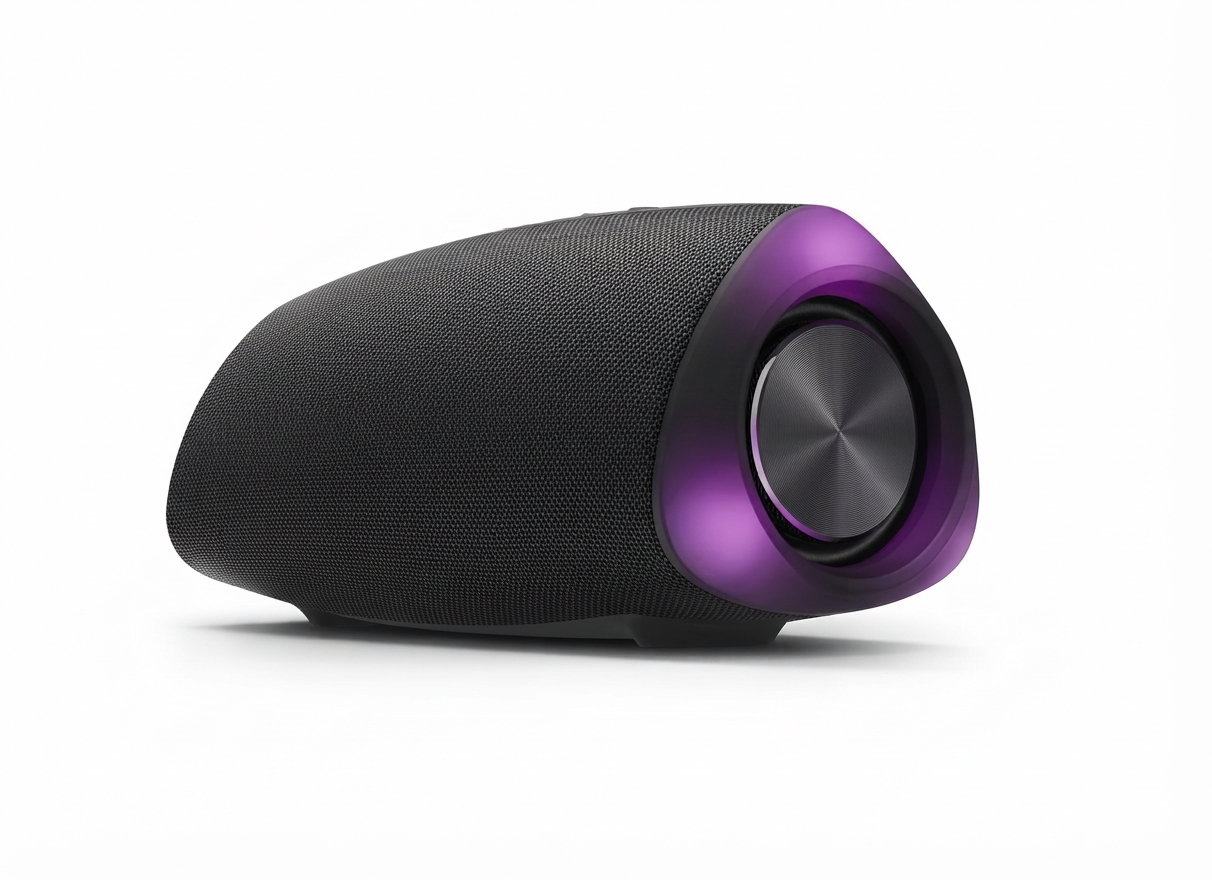
The Philips S5305 Wireless Speaker is a compact portable Bluetooth speaker designed for everyday listening, casual home use, and outdoor carry. It combines stereo sound, built-in microphone support, and a water-resistant portable design in a body that is easy to move from room to room or take on the go. With dual 8W drivers, Bluetooth 5.0, and up to 20 meters of wireless range, it offers a practical balance of convenience and solid sound output for music, podcasts, calls, and small gatherings.
One of its biggest strengths is its simple all-round versatility. The speaker is built for users who want a dependable wireless audio solution without stepping into the higher price brackets of premium party speakers. It is well suited for bedrooms, desks, kitchens, balconies, travel, and light outdoor use. The integrated battery, compact size, and relatively lightweight build make it especially appealing for students, families, and casual listeners who value portability. In many markets, the estimated price range typically falls in the budget-to-midrange segment, making it a good value option for buyers comparing it with similarly sized Bluetooth speakers from JBL, Sony, and boAt. Availability may vary by region, but the model is commonly sold through electronics retailers, online marketplaces, and Philips product channels.
For users searching for a portable Bluetooth speaker with microphone, the Philips S5305 Wireless Speaker delivers a straightforward feature set with enough power for personal and small-room listening. Its combination of stereo output, passive radiators, and Bluetooth 5.0 makes it a practical everyday speaker for users who want easy setup and reliable wireless playback.
Philips S5305 Wireless Speaker Specifications and Key Features
- Speaker type: Portable wireless stereo speaker
- Output power: 8W x 2 for a total of 16W RMS
- Maximum power: 32W peak output
- Frequency response: 100 Hz - 20 kHz
- Signal-to-noise ratio: Greater than 70 dB
- Bluetooth version: 5.0
- Wireless range: Approximately 20 meters
- Bluetooth profiles: A2DP, AVRCP, HFP, HSP support in some regional listings
- Battery: Built-in lithium battery, 7.4V, 2600mAh
- Charging input: 5V / 3A
- Driver size: 1.75-inch full-range drivers
- Speaker configuration: Dual drivers with passive radiators
- Dimensions: 190 x 80 x 80 mm
- Weight: 0.61 kg
- Audio input: 3.5 mm connection on some variants
- Special feature: Built-in microphone for hands-free calling
Compared with many similarly sized wireless speakers, the Philips S5305 Wireless Speaker stands out for its stereo layout and built-in mic support. It is positioned above ultra-compact mini speakers that usually offer lower output, while remaining smaller and more travel-friendly than larger 20W to 40W party speakers. For buyers looking for a compact Bluetooth speaker with balanced sound and simple controls, its specifications are competitive in the entry-level portable speaker category.
Pros and Cons of the Philips S5305 Wireless Speaker
Pros
- Compact and portable: The 0.61 kg design makes it easy to carry between rooms, pack for trips, or place on a desk without clutter.
- Clear stereo output: Dual 8W drivers provide a fuller sound than many single-driver compact speakers in the same size range.
- Bluetooth 5.0 connectivity: Faster pairing and stable wireless playback improve everyday usability.
- Good value for money: It offers a strong feature set for users who want practical performance without paying for premium branding.
- Useful for calls: The built-in microphone makes it convenient for hands-free voice chats and casual work calls.
Cons
- Not ideal for large parties: The 16W RMS output is suitable for small rooms, but it will not deliver room-filling bass like larger speakers.
- Bass is limited compared with bigger models: The passive radiators help, but users seeking deep low-end impact may prefer a larger speaker.
- Feature set is basic: It focuses on core audio functions rather than advanced app control, multi-speaker pairing, or smart assistant integration.
- Best for casual listening: Audiophiles or outdoor event users may want a more powerful alternative.
In value-for-money terms, the Philips S5305 Wireless Speaker is strongest for everyday users who need dependable sound, easy portability, and a clean design. Compared with alternatives in the same price range, it offers a solid balance of output and practicality, though buyers wanting heavier bass or smarter wireless features may find better matches elsewhere.
Philips S5305 Wireless Speaker Customer Reviews and User Feedback
Customer feedback for the Philips S5305 Wireless Speaker is generally positive, with many users rating it around 4 out of 5 stars for portability, sound clarity, and ease of use. A common praise is that the speaker is “small but loud enough for a bedroom or office,” while another frequent comment highlights the clean stereo separation for music and video playback. Users also like the simple Bluetooth pairing and the convenience of carrying it around the house.
Common complaints usually focus on bass depth and maximum volume. Some buyers note that it performs best in moderate listening environments rather than very noisy outdoor settings. A few users also mention that they expected more advanced features for the price, such as app support or stronger water resistance depending on the region-specific version. Overall, it is often recommended for students, families, and casual listeners who want a reliable portable Bluetooth speaker rather than a bass-heavy party model.
Typical user takeaway: if you need a compact wireless speaker for daily music, calls, and easy travel use, this model is a sensible purchase. If your priority is powerful low-end sound or large-area coverage, a bigger alternative may be a better fit.
Who Should Buy the Philips S5305 Wireless Speaker?
- Buy it if you want a compact Bluetooth speaker for home, travel, or desk use.
- Buy it if you need a simple portable speaker with built-in microphone support.
- Buy it if you value stable Bluetooth 5.0 connectivity and straightforward controls.
- Avoid it if you want deep bass for parties or outdoor gatherings.
- Avoid it if you need smart features, app-based EQ control, or multi-speaker linking.
For most casual users, the Philips S5305 Wireless Speaker delivers a well-rounded listening experience in a compact format. It is a practical choice for everyday audio, especially when portability, ease of use, and balanced sound matter more than premium extras.
Faqs
How do I set up the philips S5305 Wireless Speaker for the first time?
Why is my philips S5305 Wireless Speaker not connecting to Bluetooth?
Can I use the philips S5305 Wireless Speaker with devices that do not have Bluetooth?
What should I do if the philips S5305 Wireless Speaker has low volume or weak sound?
How long does the philips S5305 Wireless Speaker battery last on a full charge?
Is the philips S5305 Wireless Speaker waterproof enough for outdoor use?
How do I improve Bluetooth range and playback stability on the philips S5305 Wireless Speaker?
How should I clean and maintain the philips S5305 Wireless Speaker safely?
More philips manuals
Leave a Comment