
Philips DreamStation Heated Humidifier User Manual
Content
Philips DreamStation Heated Humidifier Review and User Manual
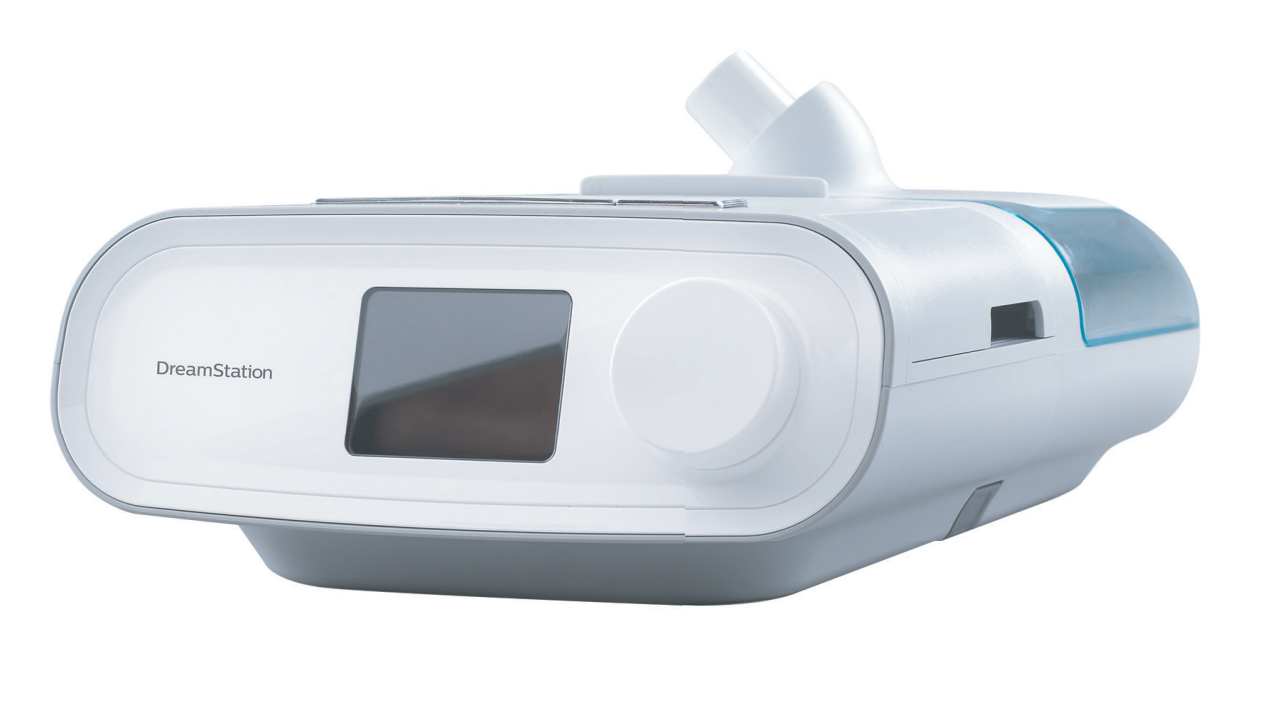
The Philips DreamStation Heated Humidifier is designed to improve comfort for CPAP and BiPAP users by adding warm, consistent moisture to therapy air. For people who experience dry mouth, nasal irritation, congestion, or throat dryness during sleep therapy, this accessory can make a noticeable difference in nightly comfort and long-term compliance. It is especially useful in dry climates, air-conditioned bedrooms, and for users who keep their therapy running for many hours each night.
One of the biggest advantages of the philips DreamStation Heated Humidifier is its integration with the DreamStation platform, which helps simplify setup and daily use. Many users value the adaptive humidification options, removable water chamber, and compact design that fits neatly with the main therapy device. The heated system is built to reduce condensation in the tubing while maintaining steady moisture output, which helps support a more comfortable breathing experience. In practical use, it is aimed at adult sleep apnea patients who want a quieter, more comfortable, and more customizable therapy setup.
Availability remains strong through CPAP retailers, online medical supply stores, and marketplace listings, though stock may vary by region and whether the unit is sold new, refurbished, or as a replacement component. Typical pricing generally falls in the mid-range accessory category, with many current listings appearing around $80 to $150 depending on condition, seller, and bundle contents. That makes the philips DreamStation Heated Humidifier a reasonable value for users who want better humidification without moving to a completely new machine.
Specifications: Philips DreamStation Heated Humidifier Features and Technical Details
- Product type: Heated humidifier for Philips DreamStation CPAP and BiPAP systems
- Humidification method: Heated water chamber with adaptive moisture control
- Water capacity: 325 ml at the recommended fill level
- Maximum recommended pressure: 25 cm H2O
- Operating temperature range: 5° to 35°C
- Storage temperature range: -20° to 60°C
- Relative humidity range: 15% to 95% non-condensing
- Atmospheric pressure range: 77 to 101 kPa
- Dimensions with therapy device: 29.7 x 19.3 x 8.4 cm
- Weight with therapy device and power supply: Approximately 1.98 kg
- Expected service life: 5 years
- Mode of operation: Continuous
- Noise profile: Designed for low-noise operation when paired with the DreamStation platform
- Compatibility: Standard DreamStation CPAP and BiPAP configurations
Compared with basic passover humidifiers, the philips DreamStation Heated Humidifier offers better temperature control and more stable moisture delivery. Compared with smaller travel humidifiers, it has a larger tank and stronger home-use performance. It is also more integrated than many universal humidifier add-ons, which can improve convenience and reduce setup complexity.
Pros and Cons of the Philips DreamStation Heated Humidifier
Pros
- Improves comfort for users who struggle with dryness, nasal irritation, or mouth breathing
- Adaptive humidification helps maintain a more consistent sleep therapy experience
- Large 325 ml chamber supports overnight use for many sleepers
- Integrated design works neatly with compatible DreamStation machines
- Good value for users who already own a DreamStation device and only need humidification support
- Better long-term comfort than unheated or basic humidifier setups
Cons
- Limited to DreamStation compatibility, so it is not a universal humidifier solution
- Some users still report condensation in cooler rooms if tubing setup is not optimized
- Replacement chambers and accessories can add to ongoing ownership costs
- Older platform design may feel less advanced than newer humidification systems from competing brands
- Price can vary widely depending on seller and whether the item is new or refurbished
For value for money, the philips DreamStation Heated Humidifier is strongest for existing DreamStation owners who want to improve comfort without replacing their entire therapy device. Alternatives from other brands may offer newer controls or slimmer designs, but this unit remains appealing for its compatibility and straightforward operation.
Customer Reviews: What Users Say About the Philips DreamStation Heated Humidifier
Average user sentiment is generally positive, with many buyers rating it around 4 out of 5 stars for comfort and ease of use. Common praise centers on reduced dry mouth, better nasal comfort, and the convenience of a fully integrated CPAP humidifier. One typical comment is: “It made my therapy much easier to tolerate through the night.”
Frequent complaints include occasional rainout in cool bedrooms, the need for careful water chamber maintenance, and concerns about replacement part pricing. Another common note is: “It works well, but I wish the tank were easier to clean and cheaper to replace.”
Purchase recommendations are strongest for users already committed to the DreamStation ecosystem, especially those who live in dry climates or use CPAP therapy for long nightly sessions. If humidification comfort is a priority, the philips DreamStation Heated Humidifier is a practical upgrade; if portability or cross-brand compatibility matters more, a newer universal option may be a better fit.
Faqs
How do I set up the philips DreamStation Heated Humidifier for the first time?
Why is my philips DreamStation Heated Humidifier not producing enough moisture?
What should I do if the philips DreamStation Heated Humidifier is leaking water?
Is the philips DreamStation Heated Humidifier compatible with every DreamStation CPAP model?
How do I stop condensation or rainout in the philips DreamStation Heated Humidifier hose?
What is the best water to use in the philips DreamStation Heated Humidifier?
How often should I clean and maintain the philips DreamStation Heated Humidifier?
Why does the philips DreamStation Heated Humidifier smell odd when I turn it on?
More philips manuals
Leave a Comment