
Roku 43R6E3 Television User Manual
Content
Roku 43R6E3 Television Manual and Product Guide
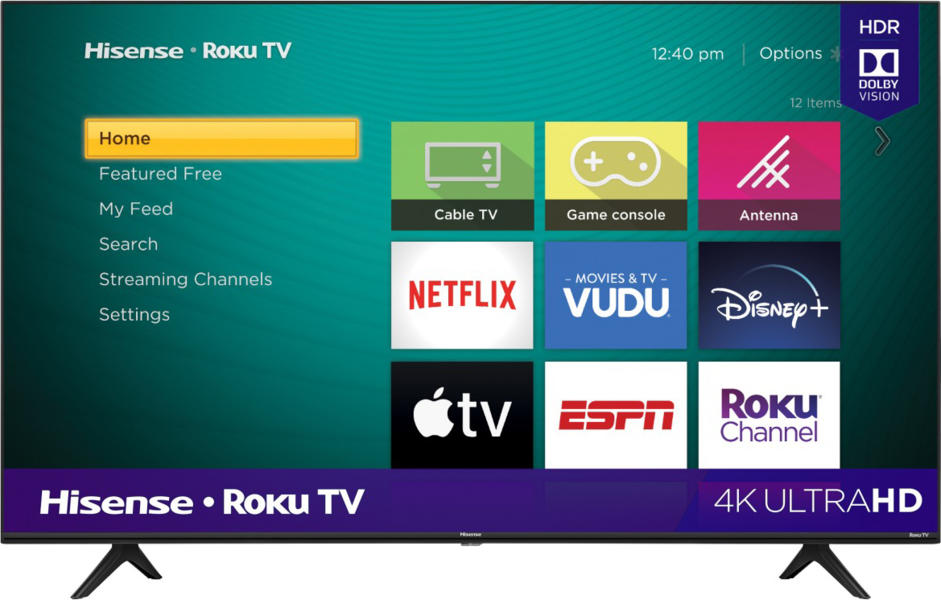
Introduction: Roku 43R6E3 Television Overview, Features, and Best Uses
The Roku 43R6E3 Television is a 43-inch 4K UHD smart TV designed for viewers who want an easy-to-use streaming experience with sharp picture quality and built-in Roku TV access. With 3840 x 2160 resolution, HDR support, and full-array backlighting, it delivers a strong balance of clarity, color, and contrast for everyday entertainment. This model is especially appealing for bedrooms, apartments, dorm rooms, guest spaces, and secondary living areas where a compact but capable 4K TV is the right fit. The Roku interface makes it simple to find live TV, streaming apps, and free content without a complicated setup process.
One of the key benefits of the Roku 43R6E3 Television is its straightforward smart TV platform. Users can browse popular streaming services, connect over dual-band Wi-Fi, and use HDMI ARC for external audio systems such as soundbars. It also includes three HDMI inputs, USB connectivity, Ethernet, and support for HDR formats including Dolby Vision, HDR10, and HLG. This makes the TV practical for streaming, casual gaming, and connecting cable boxes, consoles, or media players.
As of the current market, the estimated price range is about $208 and may vary by retailer, promotions, and region. Availability is generally strong through major electronics sellers and online marketplaces, though stock can fluctuate. For buyers searching for a budget-friendly 4K Roku smart TV, the Roku 43R6E3 Television offers excellent value and a familiar streaming experience.
Troubleshooting: Common Roku 43R6E3 Television Problems and Fixes
Most issues with the Roku 43R6E3 Television are easy to resolve with a few basic checks. If the screen is blank, confirm the power cable is firmly connected, the outlet works, and the correct input source is selected. If apps freeze or the TV feels slow, restart the TV through the settings menu or unplug it for 30 seconds before powering it back on. For Wi-Fi problems, move the router closer, reconnect to the network, or switch between 2.4 GHz and 5 GHz bands for a stronger signal.
Common Roku error codes often relate to network setup, software updates, or account login. If a code appears during activation or app loading, restart the router, check internet access on another device, and try again after a few minutes. HDMI issues can usually be fixed by reseating the cable, changing ports, or enabling HDMI CEC if connected devices are not responding correctly. To prevent future problems, keep the TV software updated, avoid overheating by leaving space around the vents, and use surge protection.
The product is typically covered by a manufacturer warranty, and support is available through the TV brand’s customer service channels, retailer support, and the Roku help center. If the TV will not power on, makes unusual sounds, or shows persistent display defects, contact customer support for warranty service or repair guidance.
Pros and Cons of the Roku 43R6E3 Television
Pros
- Affordable 4K UHD picture quality for the price, making it a strong value-for-money option.
- Simple Roku TV interface that is easy to use for beginners and older users.
- HDR support with Dolby Vision, HDR10, and HLG improves streaming video on compatible content.
- Three HDMI ports make it easy to connect a game console, streaming device, and soundbar at the same time.
- Compact 43-inch size works well in smaller rooms where larger TVs may feel overwhelming.
Cons
- 60 Hz performance is fine for everyday viewing but less ideal for competitive gaming than higher-refresh-rate alternatives.
- Built-in speakers are serviceable, but many users will want a soundbar for fuller audio.
- Local dimming is not included, so contrast performance is more basic than premium TVs.
- It competes best with other budget Roku and Fire TV models rather than midrange QLED or OLED sets.
Compared with alternatives, the Roku 43R6E3 Television stands out for its easy interface and low entry price. If picture refinement, brighter HDR, or premium audio matter more, a higher-end 4K model may be better, but for general streaming and casual use, this TV remains a smart purchase.
Customer Reviews: What Buyers Say About the Roku 43R6E3 Television
Customer feedback for the Roku 43R6E3 Television is generally positive, with many buyers giving it around 4 out of 5 stars. Users commonly praise the easy setup, clean Roku home screen, and solid 4K performance for streaming movies and TV shows. Several reviewers mention that it is a great bedroom TV and a practical choice for families who want a straightforward smart TV without extra complexity.
Common complaints usually focus on built-in audio quality, which some users describe as adequate but not powerful. Others note that the panel is best suited for casual viewing rather than cinematic home theater use. Typical testimonials highlight convenience: “Easy to set up, works great with streaming apps,” and “Excellent value for a 43-inch 4K Roku TV.” For shoppers who want an affordable, user-friendly smart TV, the Roku 43R6E3 Television is often recommended. Buyers who want stronger sound or advanced gaming features may want to pair it with external speakers or consider a more premium alternative.
Quick Buying Summary for Roku 43R6E3 Television
The Roku 43R6E3 Television is best for shoppers who want a budget-friendly 43-inch 4K Roku TV with simple controls, reliable streaming, and useful connectivity. It delivers strong everyday value, especially for streaming, casual TV watching, and secondary room setups.
Faqs
How do I set up the roku 43R6E3 Television for the first time?
Why is my roku 43R6E3 Television not connecting to Wi-Fi during setup?
What should I do if the roku 43R6E3 Television screen is black but the power light is on?
What picture settings improve the roku 43R6E3 Television for movies and streaming?
Is the roku 43R6E3 Television compatible with game consoles and sound bars?
How do I add apps and organize channels on the roku 43R6E3 Television?
How do I clean and maintain the roku 43R6E3 Television safely?
What size room and viewing distance work best for the roku 43R6E3 Television?
More roku manuals
Leave a Comment