
Setup: Shokz Openfit 2+ T921 Earbuds User Manual
Content
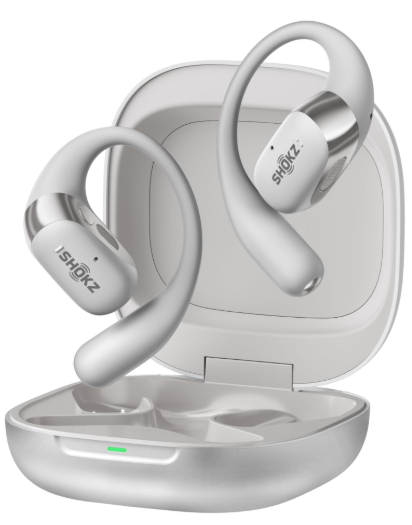
Shokz OpenFit 2+ T921 Earbuds
Introduction
The Shokz OpenFit 2+ T921 Earbuds are designed to revolutionize your audio experience with their unique open-ear design, offering situational awareness and exceptional comfort. These earbuds are perfect for fitness enthusiasts, commuters, and anyone seeking a balance between sound quality and ambient awareness. Key benefits include Shokz DualBoost Technology, Dolby Audio, and a remarkably long battery life of up to 48 hours with the charging case. The OpenFit 2+ is priced competitively in the premium earbuds market, generally available between $150 and $200, and is widely available at major retailers.
The Shokz OpenFit 2+ T921 Earbuds are ideal for those who need to stay aware of their surroundings while enjoying music or podcasts, making them a great choice for runners, cyclists, and individuals who work out regularly. Additionally, their lightweight design and support for glasses make them suitable for daily use.
Specifications of Shokz OpenFit 2+ T921 Earbuds
- Brand and Model: SHOKZ T921
- Type: OpenFit 2+ True Wireless Earbuds
- Charging Case: Included with Qi wireless charging support
- Connection: Bluetooth 5.4 with Multipoint Pairing
- Sound Technology: Shokz DualBoost Technology with Dolby Audio
- Frequency Response: 50Hz-16kHz
- Microphone Sensitivity: -38 dB ± 1 dB
- Battery Life: Up to 11 hours on a single charge, up to 48 hours with the case
- Water Resistance: IP55
Compared to similar products, the OpenFit 2+ stands out with its advanced DualBoost Technology, providing superior sound quality and enhanced bass performance. The inclusion of physical buttons for intuitive control and the Shokz App for customization further enhances the user experience.
In the Box
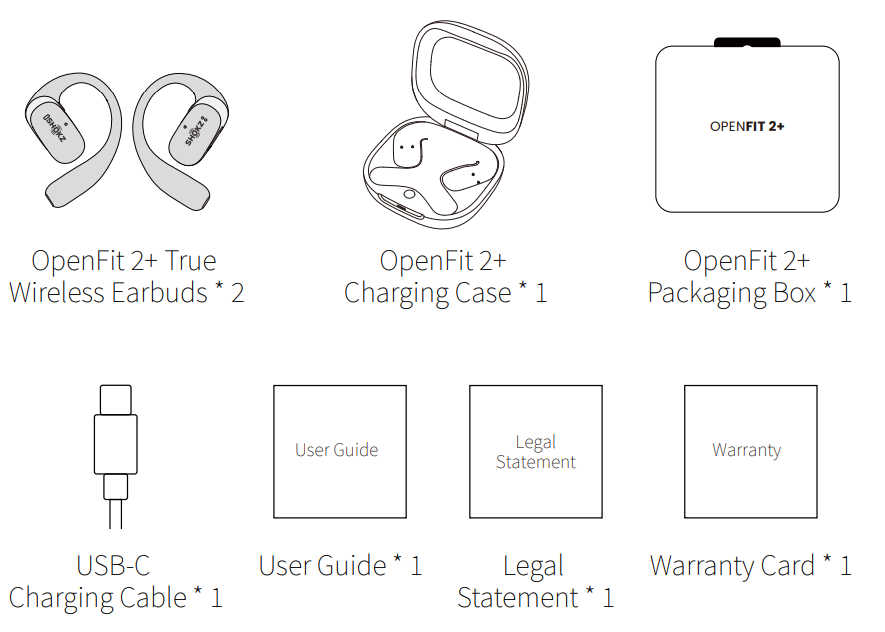
Do not use the product if any of the above items are missing or the product is damaged. Please contact your retailer, or reach out to us immediately.
Wear and Use
Earbud diagram
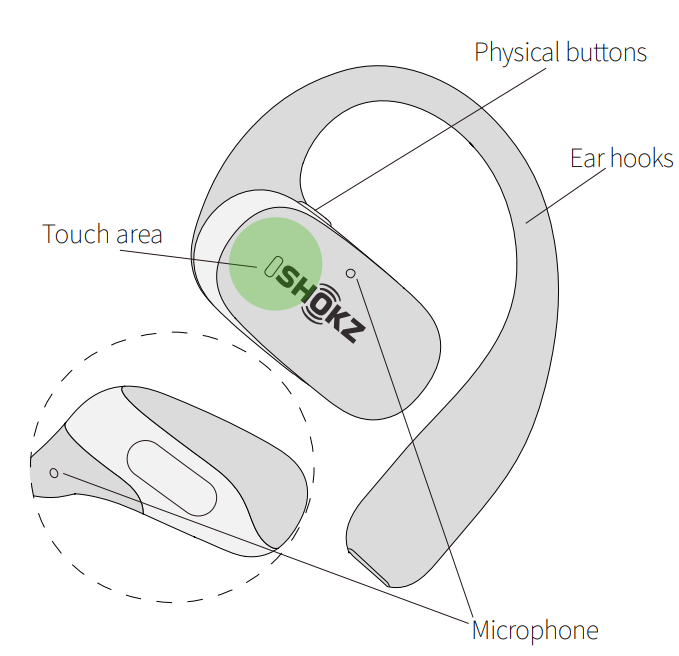
- The touch area for both earbuds is located on the raised areas of the Shokz logo.
- The microphones are exclusively for voice calls.
Pairing
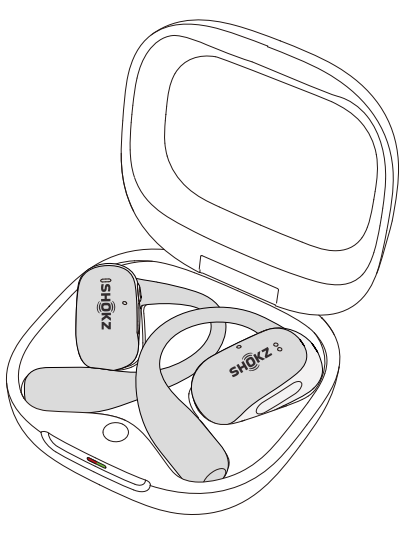
When using for the first time:
Open the charging case to immediately enter Bluetooth pairing mode, with the indicator light flashing orange and green.
For subsequent pairings:
- Place both earbuds into the charging case;
- Press and hold the button inside the charging case for 3 seconds until the indicator lights flash orange and green, indicating that the earbuds have entered pairing mode.
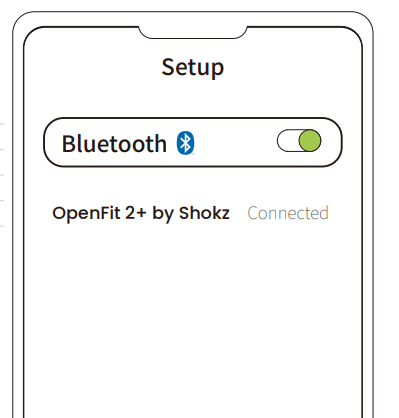
- Turn on Bluetooth and select "OpenFit 2+ by Shokz." Once paired, the device will confirm the connection.
Wearing
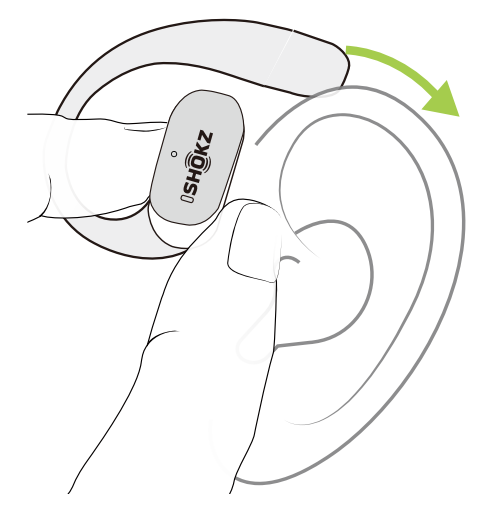
- Take the earbuds out of the case.
- Position them above your ears.
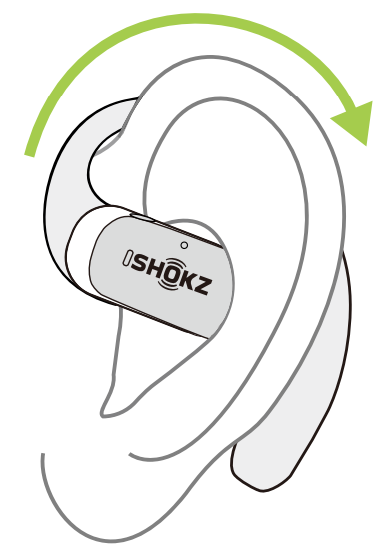
- Gently rotate the earbuds backward, allowing the hook to curl around your ears.
- You're ready to go.
Wired Charging of the Charging Case
Connect the USB-C to USB-C charging cable to the charging case and plug it into a power supply or certified wall charger. A solid orange light on the charging case indicates that it is currently charging, while a solid green light indicates that the case is fully charged.
Note:
- At a temperature of 25±2°C (77±3.6°F), using a compatible charging cable, it takes about 100 minutes to fully charge a depleted case or a case with fully drained earbuds. This charging time is based on Shokz lab tests. Actual results may vary due to environmental conditions, product features, and usage habits. Please refer to real-world usage for accuracy.
- The charging case requires approximately 100minutes to reach full charge. It operates using the standard 5V+/-5% USB voltage. We advise against using high-voltage power sources to charge the earbuds, as this may cause damage. Additionally, using third-party charging cables may result in longer charging times.
- Before charging, ensure that the charging port is dry and free of liquid residue like sweat. Use a soft, dry cloth to wipe away any moisture or residue from the charging port.
Wireless Charging of the Charging Case
The charging case supports Qi-certified wireless charging. Please follow these steps for proper charging:
- Set Up the Charger ‒ Connect your Qi-certified wireless charger to a power source and ensure it is working properly.
- Position the Charging Case ‒ Place the case centered on the wireless charger with the logo facing up, ensuring proper alignment with the charging contacts.
- Check the Indicator Light ‒ The orange indicator will stay on while charging. When it turns solid green, the case is fully charged.
- Remove and Use ‒ Once fully charged, remove the case and use your earbuds as usual.
Charging Time
- At a temperature of 25±2°C (77±3.6°F), a fully depleted charging case takes approximately o to fully charge using a Qi-certified wireless charger.
- If the case contains fully depleted earbuds, the total charging time is about hours.
MultiPoint Pairing
Please update the Shokz App to the latest version in the App Store. Follow the instructions to update the earbuds firmware to the latest version. Ensure that Bluetooth is enabled on your pairing device.
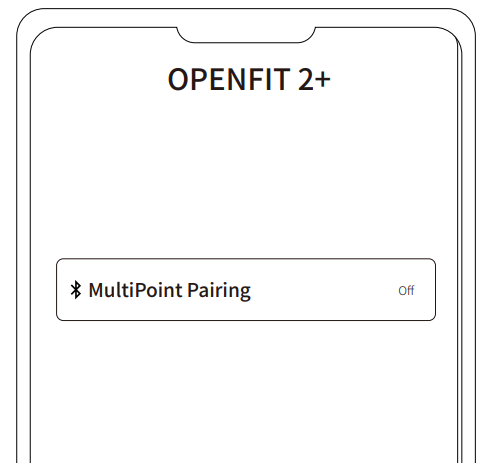
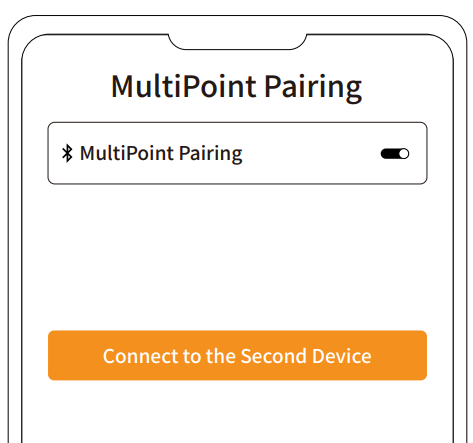
- First c,, connect the earbuds to your phone, and start by selecting “MultiPoint Pairing” in the Shokz App.
- On the pop-up page, confirm to open the MultiPoint Pairing function.
- Select "Connect to the Second Device" and follow the instructions to establish a connection with the second device.
- Your earbuds are now connected to two devices. You can manage their Bluetooth connections conveniently through the Shokz App.
Auto Connect
- Once the earbuds are powered on, they'll automatically attempt to connect to the last paired device and emit a beep to indicate a successful connection.
- While in use, the earbuds may disconnect from the paired device due to connection range limitations. If they come back within range within 3 minutes, they'll re-establish connection with the last paired device automaticallyemitting a beep indicating successful reconnection.
- Should the earbuds re-enter the connectable range after nutes, press either physical button to trigger
automatic reconnection. - With MultiPoint Pairing enabled, simply press either physical button to reconnect to both devices.
- Please ensure that the paired devices are within the connection range (10m) and powered on. Also, make sure that your desired device has Bluetooth enabled.
Maintenance
Cleaning
Earbuds
- Use a soft, clean, dry cloth to wipe the earbuds.
- When cleaning the earbud mesh, gently brush away dirt and earwax with a dry cotton swab, then wipe with a soft cloth.
Note:
- Ensure the earbuds are powered off and disconnected from all devices before cleaning.
- Do not wash the earbuds with water or use ultrasonic cleaning.
- Prevent liquid from entering any openings of the earbuds.
- Do not use abrasive cleaners, high-concentration chemicals, alcohol, or acetone solvents, as they may cause damage, deformation, or discoloration.
- Avoid using sharp or abrasive objects.
Charging Case
- Use a soft, clean, and dry cloth to wipe the exterior of the charging case.
- Use a clean, dry, soft brush to remove debris from the charging interface.
- Gently wipe the charging contact surface inside the charging case using a clean and dry cotton swab.
Note:
- Ensure the charging case is powered off and disconnected from all devices before cleaning.
- Avoid using abrasive materials to clean the charging case.
Warranty
- Your earbuds are covered by a warranty. Visit our website at https://shokz.com/pages/warranty-return for details of the limited warranty.
Troubleshooting Common Issues
Here are some common problems and solutions for the Shokz OpenFit 2+ T921 Earbuds:
- Connection Issues: Restart both earbuds and your device, then try pairing again.
- Sound Quality Problems: Ensure the earbuds are properly seated and clean the transducers if necessary.
- Charging Issues: Check the charging case and USB-C port for debris; use a soft cloth to clean if needed.
For further assistance, contact Shokz Support at help.shokz.com. The Shokz OpenFit 2+ T921 Earbuds come with a comprehensive warranty that covers manufacturing defects.
Pros and Cons of Shokz OpenFit 2+ T921 Earbuds
Pros
- Unique Open-Ear Design: Provides situational awareness while listening to music.
- Advanced Sound Technology: DualBoost Technology and Dolby Audio for rich sound.
- Long Battery Life: Up to 48 hours with the charging case.
- Comfortable Fit: Lightweight and ergonomic design suitable for glasses.
Cons
- Sound Leaks: Open-ear design may allow sound to leak out.
- Volume Limitations: May not be as loud as in-ear models.
- Price: Priced higher than some competitors.
Overall, the Shokz OpenFit 2+ T921 Earbuds offer excellent value for money, especially for those prioritizing situational awareness and comfort.
Customer Reviews and Feedback
Users praise the Shokz OpenFit 2+ T921 Earbuds for their comfort, sound quality, and innovative design. Common praises include the secure fit, long battery life, and the ability to use them with glasses. However, some users note that the sound may leak due to the open-ear design. With an average rating of 4.5 stars, these earbuds are highly recommended for fitness enthusiasts and those needing ambient awareness.
For potential buyers, the Shokz OpenFit 2+ T921 Earbuds are a great choice if you prioritize comfort, sound quality, and the ability to stay aware of your surroundings.
Faqs
How do I set up shokz Openfit 2+ T921 Earbuds for the first time?
What should I do if my shokz Openfit 2+ T921 Earbuds are not working properly?
Can I use shokz Openfit 2+ T921 Earbuds with glasses or other headgear?
How do I optimize the sound quality of my shokz Openfit 2+ T921 Earbuds?
What are the key features that make shokz Openfit 2+ T921 Earbuds different?
How often should I maintain my shokz Openfit 2+ T921 Earbuds?
Can I use shokz Openfit 2+ T921 Earbuds with an Android device?
What is the battery life of shokz Openfit 2+ T921 Earbuds, and how do I charge them?
Tags
More shokz manuals
- Setup & Pairing: Shokz Openmove S661 Earbuds User Manual
- Setup & Pairing: Shokz Opencomm UC C102-AA Headset User Manual
- Setup & Pairing: Shokz Opendots One E310 Earbuds User Manual
- Setup & Pairing: Shokz Opencomm 2 UC Headset User Manual
- Setup & Pairing: Shokz Openfit 2 T920 Earbuds User Manual
- Setup: Shokz Openswim S700 Headphone User Manual
Leave a Comment