
Setup & Pairing: Shokz Openfit Air Headphones T511 User Manual
Content
Shokz OpenFit Air Headphones T511
Introduction
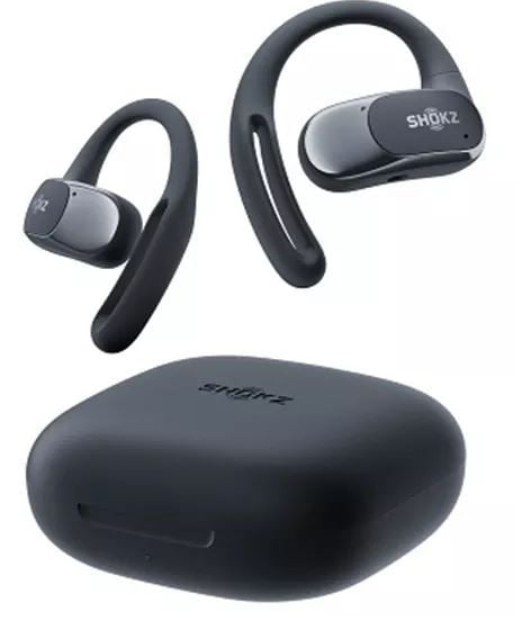
Experience the innovative Shokz OpenFit Air Headphones T511 with their unique open-ear design, perfect for those who want to stay connected to their surroundings while enjoying music and calls. Whether you're a fitness enthusiast or someone who values situational awareness, these headphones are designed to provide a comfortable and secure fit with excellent sound quality. The OpenFit Air headphones are ideal for workouts, commutes, or simply enjoying music without compromising your awareness of the environment.
Targeted at individuals who prefer open-ear listening, these headphones are great for runners, cyclists, and anyone who wants to stay connected to their surroundings. The estimated price range is around $100-$150, making them an affordable option for those looking for a blend of comfort and functionality. They are widely available at major electronics retailers.
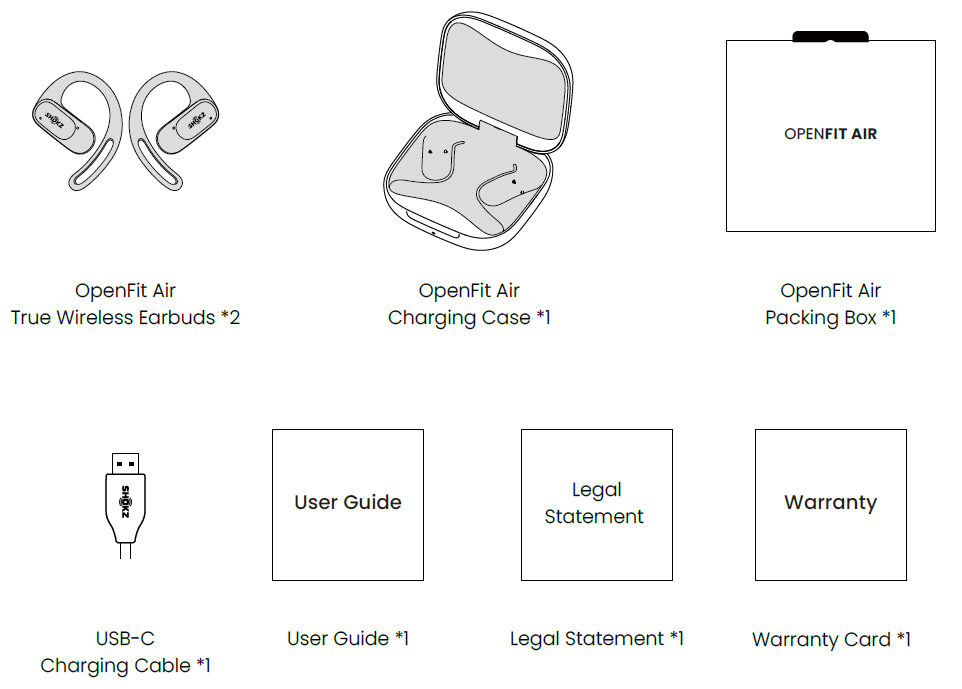
In the Box
Specifications
The Shokz OpenFit Air Headphones T511 come with a range of impressive features:
- Design and Comfort: Lightweight at 8.7g per earbud, with ergonomic dual-bevel ear hooks for a secure fit.
- Sound Technology: Utilizes Shokz's DirectPitch technology, offering balanced highs, mids, and bass with dynamic range control (DRC).
- Connectivity: Supports Bluetooth 5.4 for stable connections and multipoint pairing for up to two devices.
- Charging and Battery Life: Offers up to 6 hours of listening time per charge, with a charging case providing an additional 22 hours.
- Water Resistance: Features an IP54 rating, making them resistant to dust, sweat, and light splashes.
- Control and Customization: Includes touch-sensitive panels for music and call control, with customizable settings via the Shokz app.
Wear & Use
Earbud Diagram
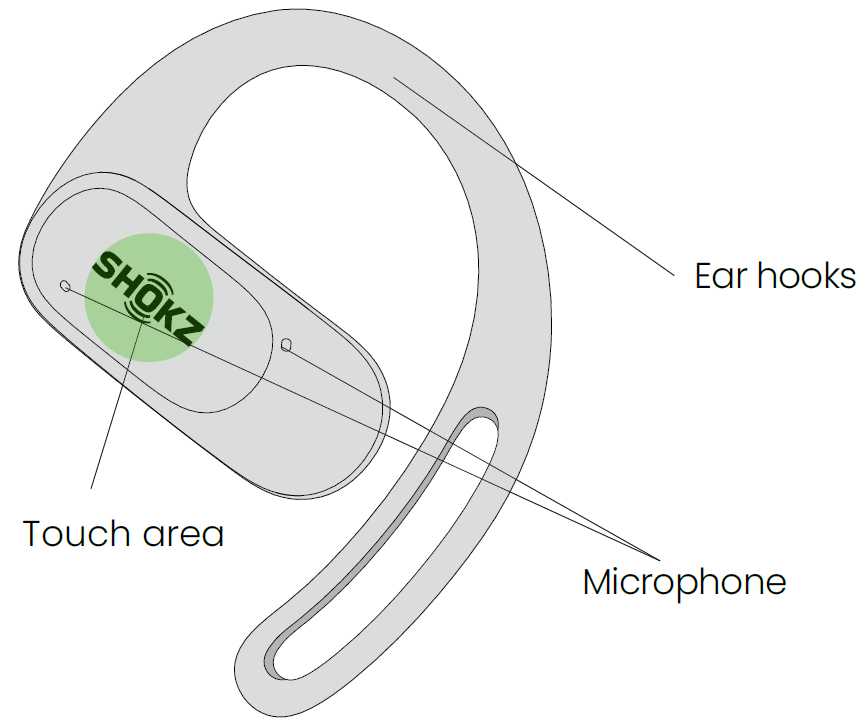
The touch button is located on the area of the earbud with the Shokz logo.
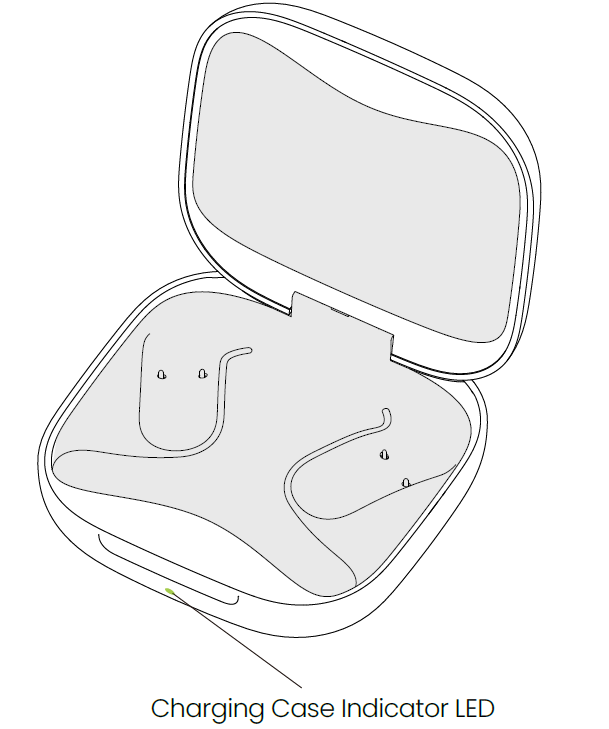
Charging Case
Pairing
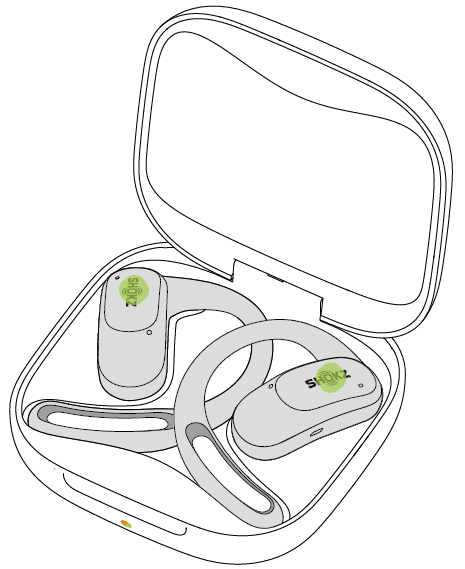
When using for the first time: Open the charging case to immediately enter Bluetooth pairing mode, with the indicator light flashing orange and green.
For subsequent pairings:
- Place both earbuds into the charging case.
Simultaneously press and hold the touch area of both earbuds with two fingers (one finger per earbud) until the indicator lights flash orange and green, indicating that the earbuds have entered pairing mode;
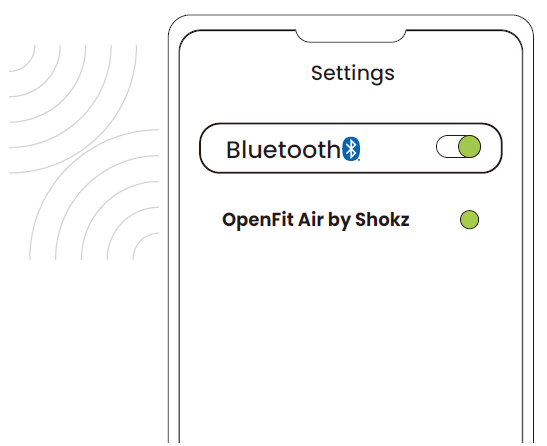
- Enable the Bluetooth function and select "OpenFit Air by Shokz." The device will display the successful pairing when complete.
Wearing
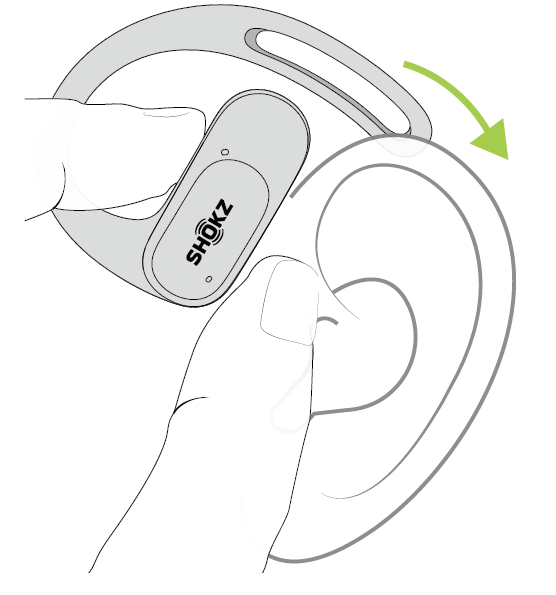
- Take the earbuds out of the case.
- Position them above your ears.
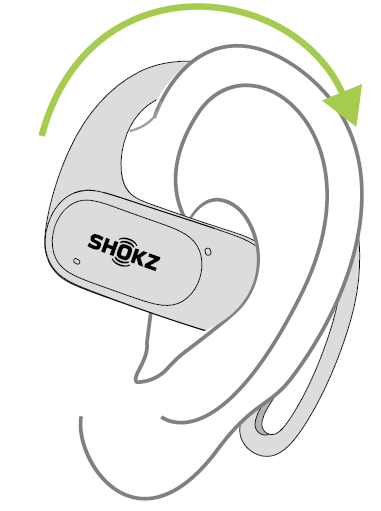
- Gently rotate the earbuds backward, allowing the hook to curl around your ears.
- You're ready to go.
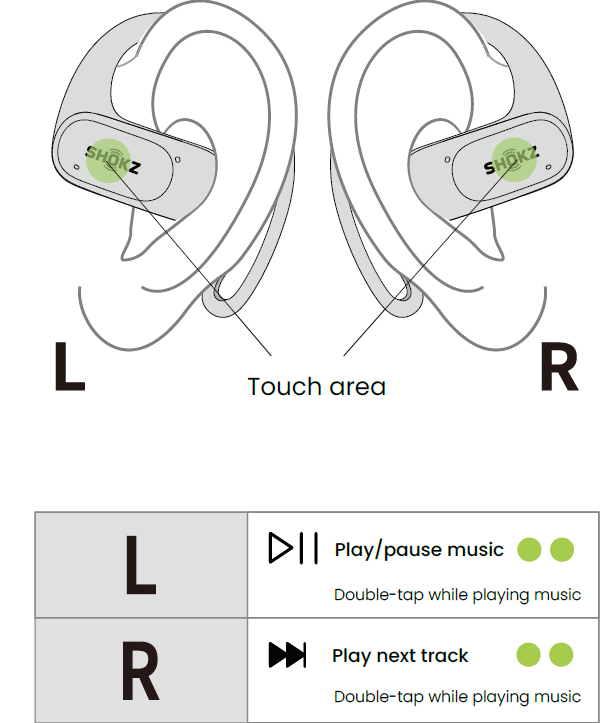
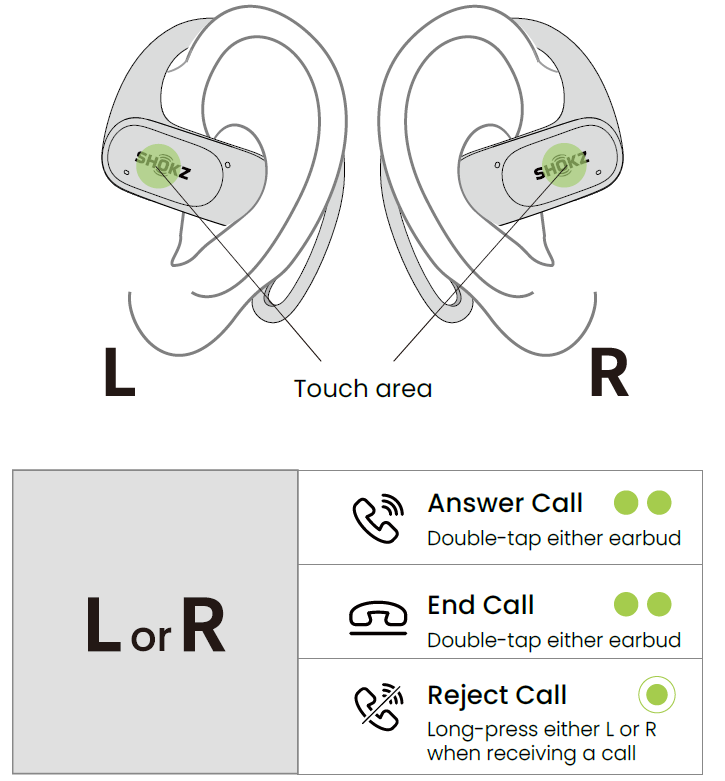
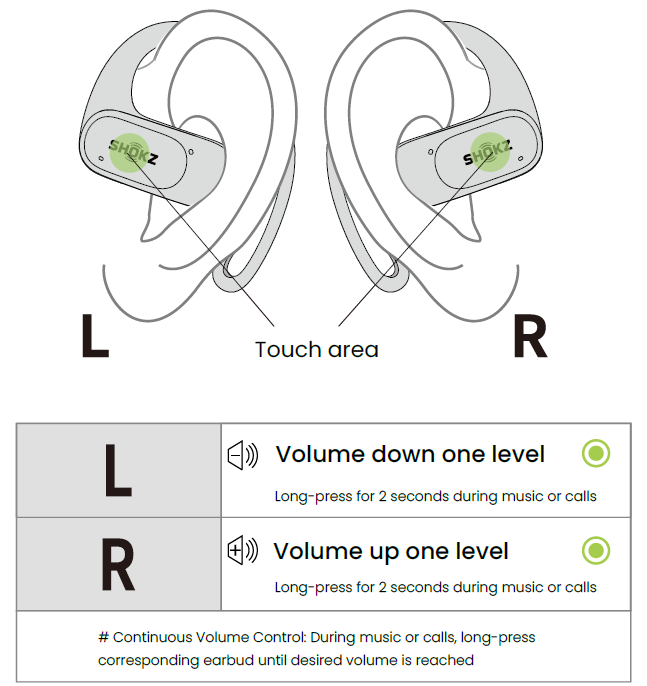
Touch Control
Music Control
Call Control
Volume Control
Please note:
- Touch controls can be easily customized or disabled in the Shokz App as needed.
- Continuous volume adjustment feature added in the Shokz App
Single Earbud Control
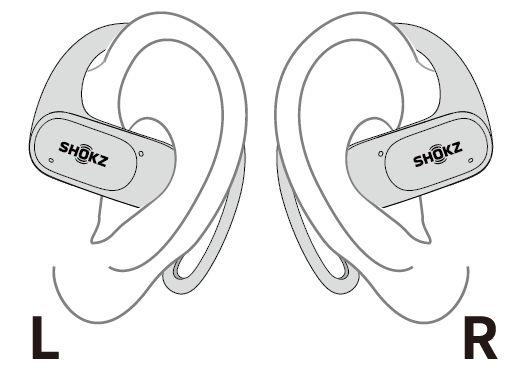
Both earbuds are designed for independent use, allowing for mono music playback or calls. When used individually, each earbud maintains its respective button functionality. For music control, please refer to Page 13, and for call control, refer to Page 14.
Additional Features
MultiPoint Pairing
Please update the Shokz App to the latest version in the App Store. Follow the instructions to update the headphone firmware to the latest version. Ensure that Bluetooth is enabled on your pairing device.
Start by selecting “MultiPoint Pairing” in the Shokz App.
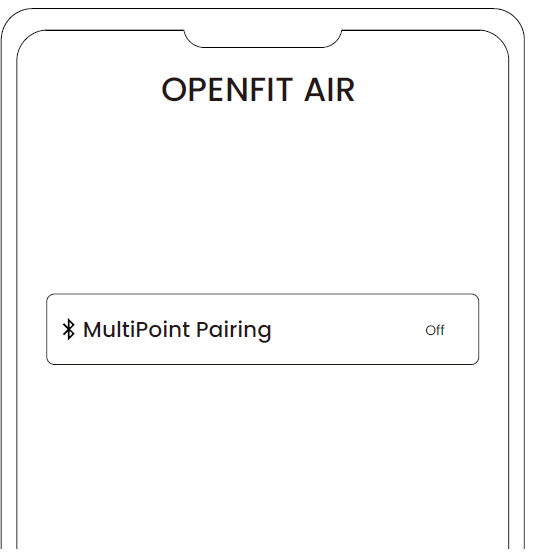
- On the pop-up page, confirm to open the MultiPoint Pairing function.
Select "Connect To The Second Device" and follow the instructions to establish a connection with the second device.
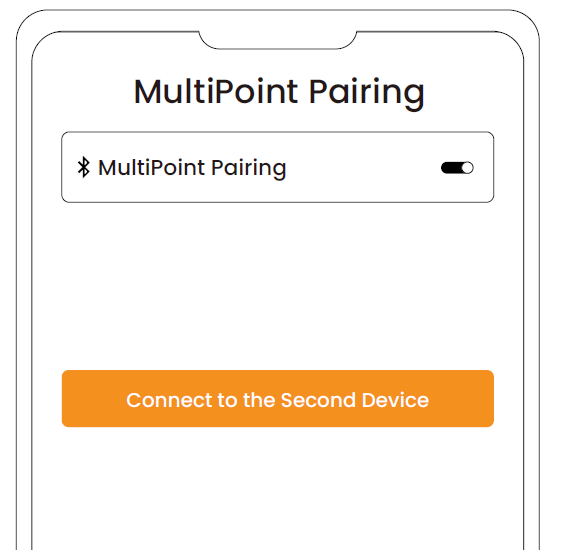
- Your headphones are now connected to two devices. You can manage their Bluetooth connections conveniently through the Shokz App.
Auto Connect
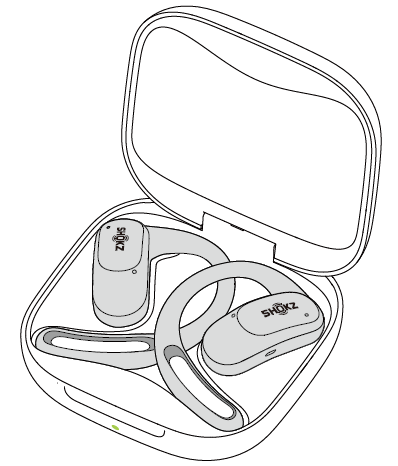
- Once the earbuds are powered on, they'll automatically attempt to connect to the last paired device and emit a beep to indicate a successful connection.
- While in use, the earbuds may disconnect from the paired device due to connection range limitations. If they come back within range within 3 minutes, they'll re-establish connection with the last paired device automatically, emitting a beep indicating successful connection.
- Should the earbuds re-enter the connectable range after 3 minutes, double-tap either earbud to trigger automatic reconnection
- With multipoint pairing enabled, simply double-tap either earbud to reconnect to both devices.
Please ensure that the paired devices are within the connection range (10m) and powered on. Also, make sure that your desired device has Bluetooth enabled.
Resetting
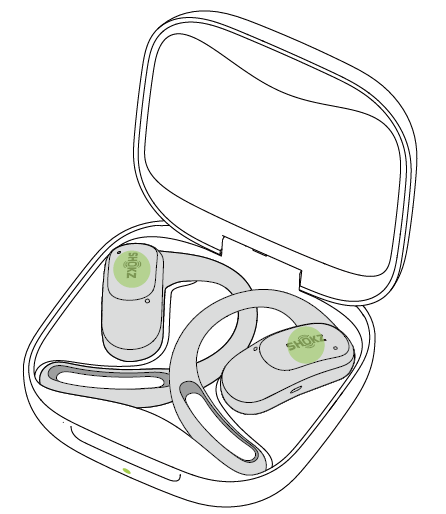
Resetting the earbuds will clear the list of paired devices and reset all settings.
- Place both earbuds in the charging case.
- Press and hold the touch area of both earbuds simultaneously with two fingers for 15 seconds. The indicator will flash orange for five seconds before turning off, indicating that the reset is complete. Next, the indicator will flash orange and green, indicating that the earbuds have entered pairing mode.
Troubleshooting
Common issues and solutions for the Shokz OpenFit Air Headphones T511:
- Connection Issues: Ensure Bluetooth is enabled on your device and earbuds are in pairing mode.
- Sound Quality Issues: Adjust EQ settings in the Shokz app or ensure proper fit.
- Resetting Earbuds: Place earbuds in the charging case, open the lid, and press and hold the touch area until the lights flash red and white.
- Warranty and Support: Contact Shokz customer support for assistance with any issues.
Pros & Cons
Pros
- Convenience: Maintains situational awareness while listening to music or taking calls.
- Comfort: Ergonomic design fits securely and comfortably.
- Sound Quality: Offers clear and balanced sound with customizable EQ settings.
Cons
- Noise Isolation: Lack of noise isolation may be a drawback in noisy environments.
- Touch Controls: Some users find the touch controls less responsive than physical buttons.
Customer Reviews
Users praise the Shokz OpenFit Air Headphones T511 for their comfort and sound quality, with many appreciating the ability to stay connected to their surroundings. Common complaints include the lack of noise isolation and less responsive touch controls compared to physical buttons.
Overall, these headphones are highly recommended for those seeking an open-ear listening experience suitable for workouts and daily activities. With a strong 4.5-star rating, they are a solid choice for those considering a change from traditional in-ear earbuds.
For those interested in purchasing the Shokz OpenFit Air Headphones T511, consider checking reviews and comparing prices at major retailers to ensure the best value.
Faqs
How do I set up my shokz Openfit Air Headphones T511 for the first time?
What should I do if my shokz Openfit Air Headphones T511 are not connecting to Bluetooth devices?
Can I use shokz Openfit Air Headphones T511 for workouts and outdoor activities?
How does the open-ear design of shokz Openfit Air Headphones T511 benefit users?
Are shokz Openfit Air Headphones T511 compatible with all Bluetooth devices?
What is the average battery life and charging time for shokz Openfit Air Headphones T511?
How can I maintain and clean my shokz Openfit Air Headphones T511 properly?
What can I do if my shokz Openfit Air Headphones T511 have poor call quality or microphone issues?
More shokz manuals
- Setup & Pairing: Shokz Openfit Earbuds T910 User Manual
- Setup: Shokz OpenMeet UC Headset User Manual
- Setup: Shokz OpenRun Pro S810 Headphones User Manual
- Usage & Pairing: Shokz Openrun S803 Headponhe User Manual
- Setup: Shokz Openrun Pro 2 Headphones User Manual
- Setup: Shokz Openswim S700 Headphone User Manual
Leave a Comment