
Setup & Pairing: Shokz Openfit Earbuds T910 User Manual
Content
Shokz OpenFit Earbuds T910
Introduction
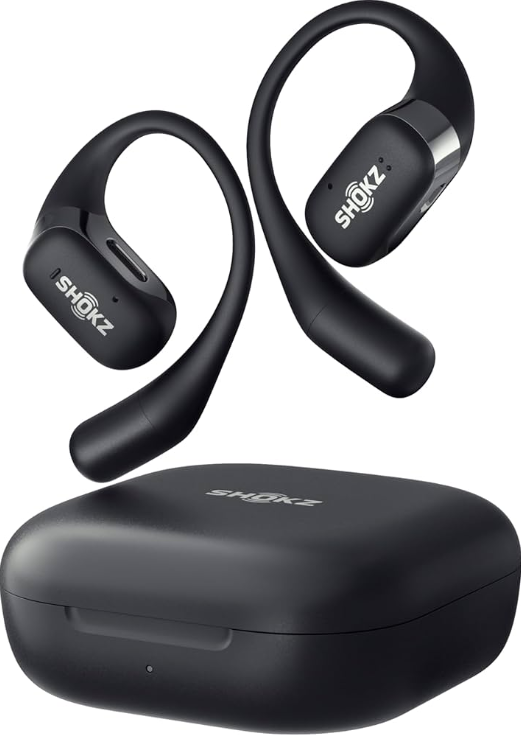
Experience the ultimate in audio freedom with the Shokz OpenFit Earbuds T910. Designed for those who demand quality sound without compromising situational awareness, these earbuds offer an open-ear construction that allows you to hear both your music and the world around you with crystal clarity. Leveraging DirectPitch™ technology, the Shokz OpenFit Earbuds T910 provide powerful bass and clear calls, making them ideal for athletes, commuters, and anyone seeking a secure, comfortable fit.
Targeted at fitness enthusiasts and individuals who value awareness while listening to music, the OpenFit earbuds are perfect for jogging, cycling, or simply walking. With a price range typically between $100 and $150, they are available for purchase on various online platforms. The estimated availability is generally good, with shipping options available for most regions.
In the Box
Specifications
Here are the key technical specifications of the Shokz OpenFit Earbuds T910:
- Bluetooth Version: V5.2
- Frequency Response: 50Hz - 16kHz
- Speaker Sensitivity: 95.5 dB ±2.5 dB
- Microphone Sensitivity: -38 dB ±1 dB
- Weight: Approximately 8.3g per earbud
- Water Resistance: IP54
- Battery Life: Up to 7 hours of listening time with a single charge, up to 28 hours with the charging case
- Charging Case Dimensions: 10.6 cm x 10.20 cm x 5 cm
- Materials: Earbuds made of PC and silicone; charging case made of PC
In comparison to similar products, the OpenFit offers superior comfort and awareness due to its open-ear design and lightweight construction.
Wear & Use
Earbud Diagram
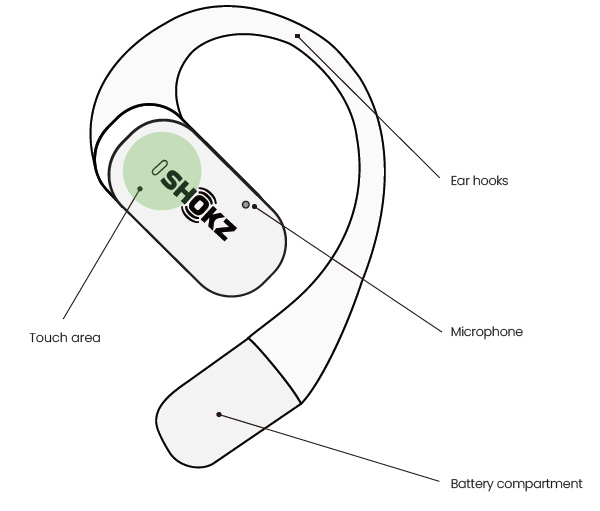
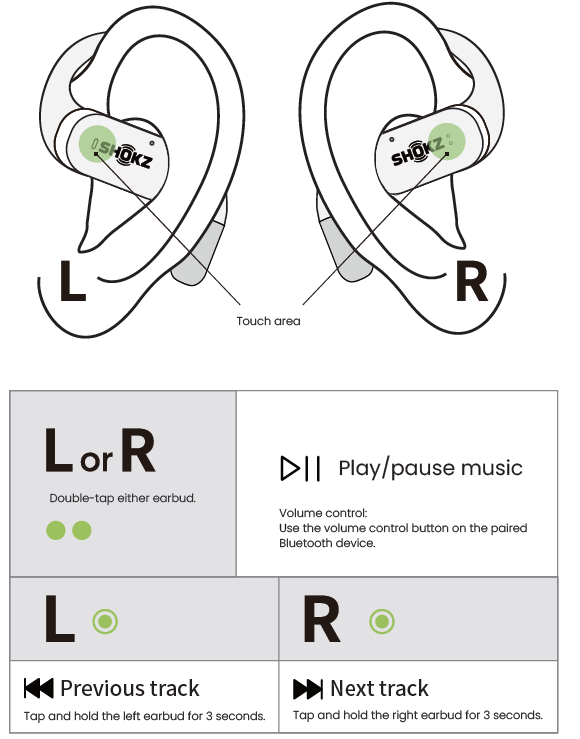
The protrusion of the touch area is the effective position of the touch button.
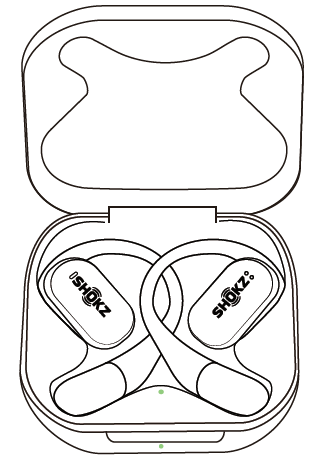
Earbud Case
Pairing
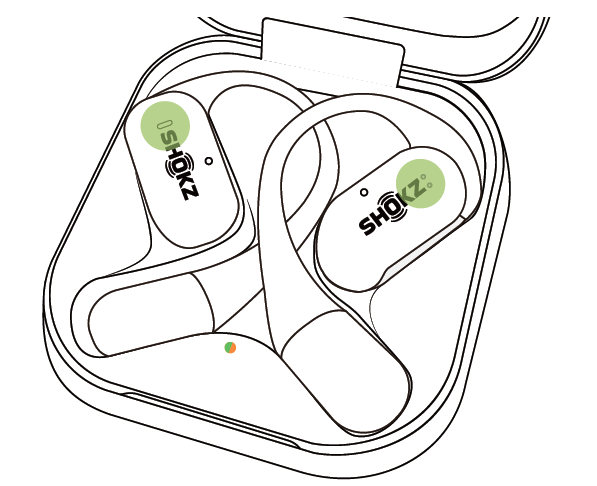
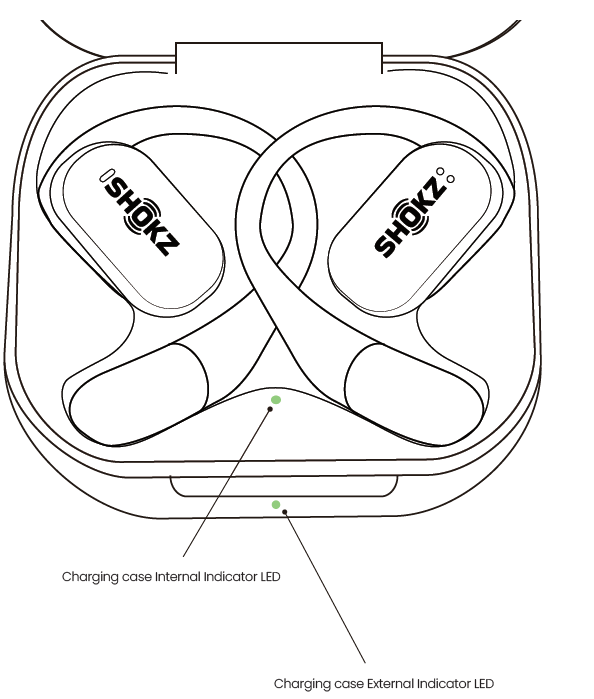
When using for the first time: Open the charging case to immediately enter Bluetooth pairing mode, with the indicator lights in the case flashing orange and green.
For subsequent pairings:
- Place both earbuds into the charging case;
Press and hold the touch area of the earbuds with two fingers simultaneously until the indicator lights flash orange and green, which indicates the earbuds have entered AirPods mode.
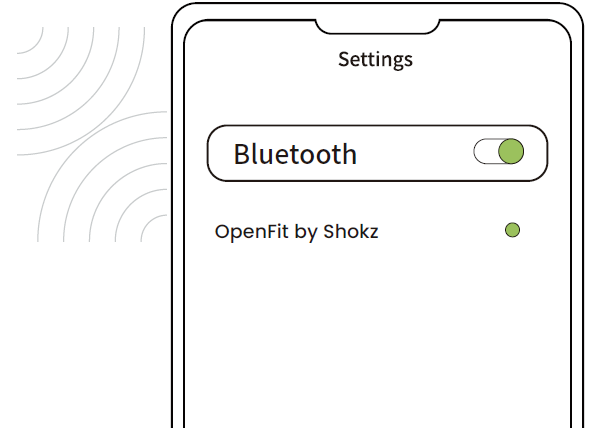
- Enable the Bluetooth function and select"OpenFit by Shokz." The device will display the successful pairing when complete.
Wearing
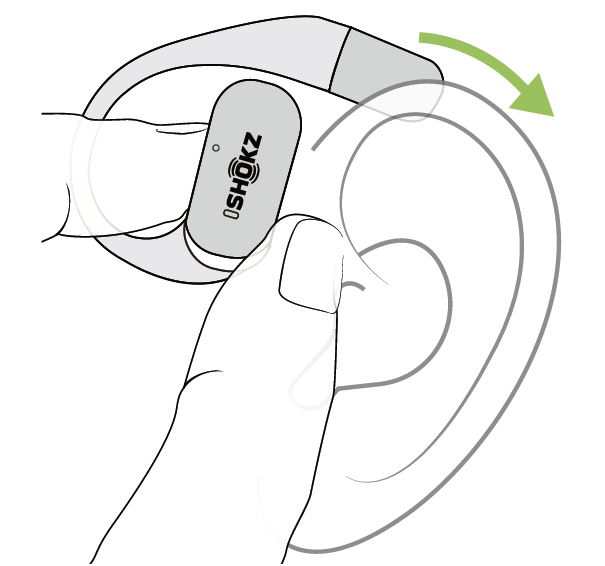
- Take the earbuds out of the charging case;
.old them just above your ears;
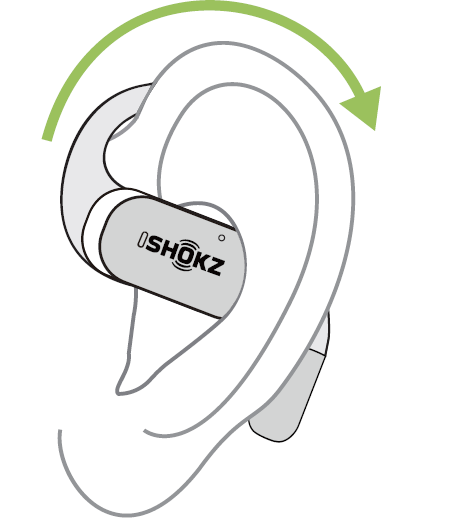
- Rotate the ear hooks downward along the auricle of the ear to achieve proper positioning.
- Complete insertion.
Touch Control
Music Control
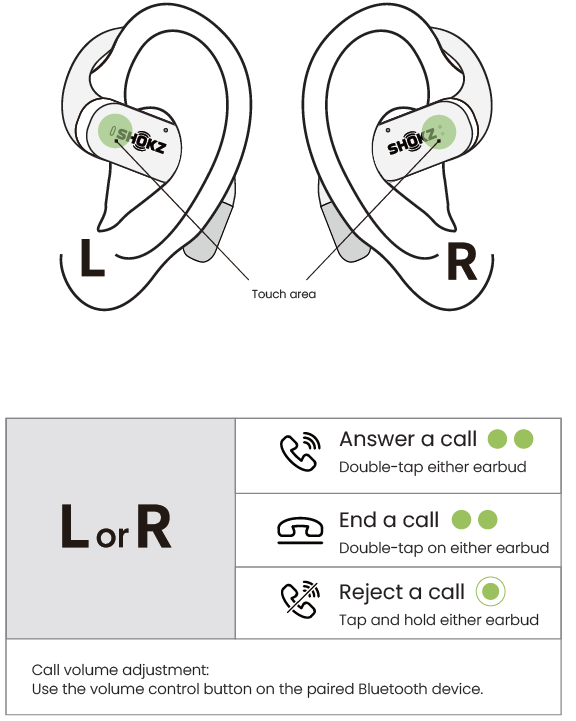
Call Control
Single Earbud Control
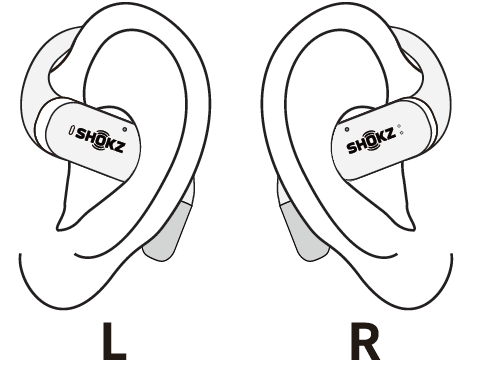
Both earbuds support independent use for mono music or calls. When used alone, the earbud retains the function of its current button. (Refer to music control on Page 11 and call control on Page 12)
Additional Features
Auto Connect
- When the earbuds are on, they will automatically try to connect to the most recently connected device and issue a prompt when the connection is successful.
- During use, the earbud may disconnect from the paired device due to limitations of the connection range. If the earbud automatically reconnects within 3 minutes, it will issue a prompt.
The paired devices must be within connection range (10m) and must be powered on. Make sure your intended device has Bluetooth enabled.
Resetting
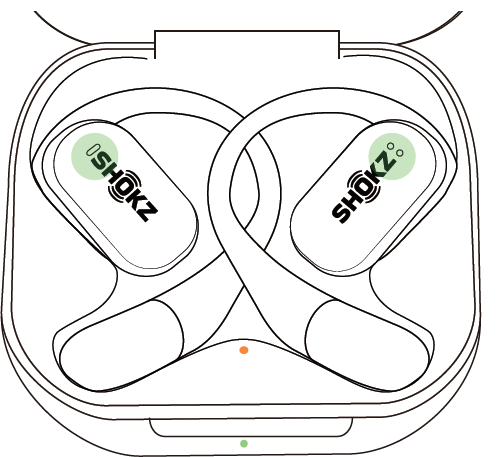
Resetting the earbuds will clear the list of paired devices and reset all settings.
- Place both earbuds in the charging case.
- Press and hold the touch area of two earphones for 15 seconds simultaneously. The orange light in the box will flash for 5 seconds and then go out, indicating that the reset is complete. At this time, the status light in the charging box will flash alternately orange and green, which can be used directly for pairing.
Maintenance
Cleaning
Earbuds:
It is recommended to use a soft and clean dry cloth to clean the earbuds. When cleaning the earphone mesh, gently brush away dirt and earwax with a clean and dry cotton swab, then wipe with a soft cloth.
Please note:
- Before cleaning and maintenance, please stop using the earbuds and disconnect all connections with other devices.
- This product does not support washing with water. Do not wash the earbuds directly with water or use ultrasonic cleaning.
- Do not allow liquid to enter any opening of the earbuds.
- To avoid damage, deformation, and discoloration of the earbuds, please do not use an abrasive cleaner or spray, high-concentration cleaner, chemical cleaner, alcohol, or acetone solvent for cleaning. Do not use any sharp or abrasive objects.
Charging Case:
It is recommended to clean the charging case with a soft and clean, dry cloth. Use a clean, dry, soft brush to remove debris from the charging interface. Use a clean and dry cotton swab to wipe the charging contact surface of the charging box gently.
Please note:
- Before cleaning and maintenance, please disconnect the charging case from the charging cable.
- Do not use abrasive items to clean the charging case.
Troubleshooting
Here are solutions to some common issues with the Shokz OpenFit Earbuds T910:
- Pairing Issues: Ensure both earbuds are properly paired through the Shokz app or via Bluetooth settings on your device.
- Sound Quality Problems: Check for software updates in the Shokz app, and ensure the earbuds are clean and free from debris.
- Charging Issues: Verify that the charging case and USB cable are properly connected.
- Preventive Measures: Regularly update software, clean the earbuds, and store them in the charging case when not in use.
The Shokz OpenFit Earbuds T910 come with a warranty and dedicated customer support. For assistance, contact Shokz through their official website or customer service hotline.
Pros & Cons
Pros
- Comfort and Awareness: Open-ear design allows for situational awareness while listening to audio.
- Powerful Bass: Enhanced bass experience with Shokz OpenBass technology.
- Long Battery Life: Offers up to 28 hours of listening time with the charging case.
- Water Resistance: IP54 rating ensures durability in various environments.
Cons
- Volume Limitations: Some users find the maximum volume insufficient.
- Touch Controls: Touchpad controls can be finicky for some users.
- Price: Pricier compared to some traditional earbuds.
Customer Reviews
Customers generally praise the Shokz OpenFit Earbuds T910 for their comfort, sound quality, and secure fit. Common praises include the open-ear design , allowing for situational awareness, and the powerful bass experience. However, some users mention that the volume could be louder and that the touch controls can be tricky to use.
Star ratings typically range from 4 to 5 out of 5, with many users recommending them for fitness activities. Despite some minor drawbacks, the OpenFit earbuds are highly valued for their unique design and performance.
Faqs
How do I set up my shokz Openfit Earbuds T910 for the first time?
What should I do if my shokz Openfit Earbuds T910 have connectivity issues or drop sound frequently?
How does the open-ear design of shokz Openfit Earbuds T910 benefit users during workouts or outdoor activities?
Are shokz Openfit Earbuds T910 compatible with all smartphones and devices?
What features of the shokz Openfit Earbuds T910 improve call quality in noisy environments?
How long does the battery last on shokz Openfit Earbuds T910, and what are the charging options?
What maintenance tips help keep my shokz Openfit Earbuds T910 clean and functioning well?
How can I optimize the sound quality and fit of my shokz Openfit Earbuds T910 for different activities?
More shokz manuals
- Setup: Shokz OpenMeet UC Headset User Manual
- Setup & Pairing: Shokz Openfit Air Headphones T511 User Manual
- Setup: Shokz OpenRun Pro S810 Headphones User Manual
- Usage & Pairing: Shokz Openrun S803 Headponhe User Manual
- Setup: Shokz Openrun Pro 2 Headphones User Manual
- Setup: Shokz Openswim S700 Headphone User Manual
Leave a Comment