
Tcl 205 Smartphone 4187D User Manual
Content
TCL 205 Smartphone 4187D: Complete Product Manual and Buying Guide
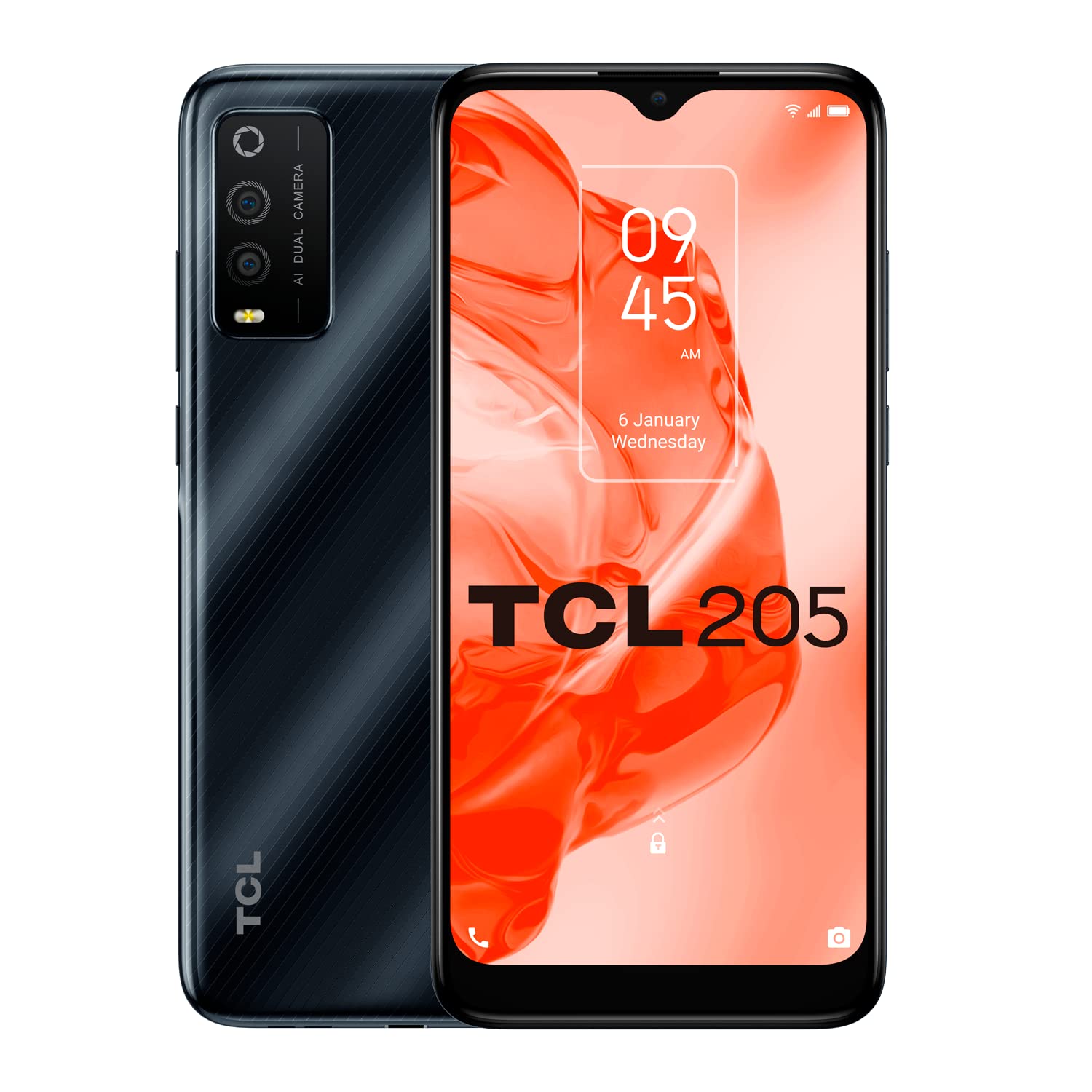
The TCL 205 Smartphone 4187D is a budget-friendly 4G Android phone designed for everyday essentials such as calling, messaging, browsing, social media, and light app use. It combines a 6.22-inch HD+ display, Android 11 Go, a 4000 mAh battery, and a simple dual-camera setup to deliver practical value for users who want a reliable smartphone without paying premium prices. With 2 GB RAM and 32 GB internal storage, the TCL 205 Smartphone 4187D is best suited for first-time smartphone users, students, seniors, backup-phone buyers, and anyone who needs a straightforward device for daily communication.
One of its strongest selling points is the balance between usability and affordability. The large screen makes text and icons easy to read, while the lightweight build and compact dimensions keep it comfortable for one-handed use. The phone also supports dual SIM functionality, expandable storage via microSD, Bluetooth, Wi-Fi, GPS, and a 3.5 mm headphone jack, making it a practical choice for basic mobile needs. In many markets, the estimated price range for the TCL 205 Smartphone 4187D typically falls around entry-level budget territory, often roughly in the low-cost bracket of about $80 to $130 depending on region, retailer, and availability. It is commonly sold through electronics stores, online marketplaces, and mobile resellers, though stock can vary by country.
Pros and Cons of the TCL 205 Smartphone 4187D
Pros
- Affordable entry-level pricing makes it a strong value-for-money option for basic smartphone users.
- 6.22-inch HD+ display offers comfortable reading, video viewing, and app navigation.
- 4000 mAh battery supports all-day use for calling, texting, and light browsing.
- Dual SIM support is useful for separating work and personal numbers.
- Expandable storage helps users add space for photos, music, and downloads.
- Android 11 Go is optimized for lightweight performance on modest hardware.
Cons
- 2 GB RAM limits multitasking and can feel slow with heavier apps or multiple tabs open.
- 32 GB storage fills quickly if you install many apps or save lots of media.
- Basic camera system is fine for casual shots but not ideal for low-light photography.
- Micro-USB charging feels dated compared with newer USB-C alternatives.
- Performance is below mid-range alternatives such as newer budget Android phones with 3 GB or 4 GB RAM.
For buyers comparing budget options, the TCL 205 Smartphone 4187D stands out for simplicity and battery life rather than speed. If your priority is smoother gaming, faster app loading, or better photography, alternatives with more RAM and USB-C will offer better long-term value.
Customer Reviews for the TCL 205 Smartphone 4187D
Customer feedback for the TCL 205 Smartphone 4187D is generally positive among users who need a dependable everyday phone. Many buyers rate it around 4 out of 5 stars for its affordable price, large display, and easy setup. Typical praise includes comments like, “Perfect for calls, WhatsApp, and basic browsing,” and “The battery lasts all day, which is exactly what I needed.”
Common complaints focus on slower performance and limited storage, especially when users try to install larger apps or switch between tasks quickly. Some reviewers also mention that the camera is serviceable but not impressive in low light. A recurring recommendation is to choose this phone if you want a budget handset for essential use only. For heavy app users, a newer model with more memory may be a better choice.
TCL 205 Smartphone 4187D Key Specifications at a Glance
- Display: 6.22-inch HD+ touchscreen
- Operating System: Android 11 Go
- Processor: Unisoc SC9863A octa-core
- RAM: 2 GB
- Storage: 32 GB internal, expandable with microSD
- Rear Camera: 13 MP + 2 MP depth
- Front Camera: 5 MP
- Battery: 4000 mAh
- Connectivity: 4G LTE, Wi-Fi, Bluetooth, GPS
- Ports: Micro-USB, 3.5 mm headphone jack
- SIM: Dual SIM support
Who Should Buy the TCL 205 Smartphone 4187D?
This phone is a smart choice for users who want a low-cost Android device for basic communication and everyday tasks. It is especially suitable for seniors, students, children’s first phones, and anyone looking for a reliable backup device. The TCL 205 Smartphone 4187D is not designed for demanding gaming or heavy productivity, but it performs well for calls, texts, web browsing, maps, and social apps.
If you want a simple smartphone with a large screen, decent battery life, and practical features at a budget price, the TCL 205 Smartphone 4187D remains a sensible and easy-to-use option.
Faqs
How do I set up the TCL 205 Smartphone 4187D for the first time?
Why is my TCL 205 Smartphone 4187D running slowly and how can I improve performance?
What should I do if the TCL 205 Smartphone 4187D will not turn on or charge properly?
Which SIM card and storage card formats work with the TCL 205 Smartphone 4187D?
What are the main features of the TCL 205 Smartphone 4187D for everyday use?
Can the TCL 205 Smartphone 4187D connect to 4G networks and Bluetooth accessories?
How can I take better photos with the TCL 205 Smartphone 4187D camera?
What is the best way to maintain and care for the TCL 205 Smartphone 4187D?
More tcl manuals
Leave a Comment