
Tcl HH130VM 4G LTE CPE Router User Manual
Content
tcl HH130VM 4G LTE CPE Router Manual and Overview
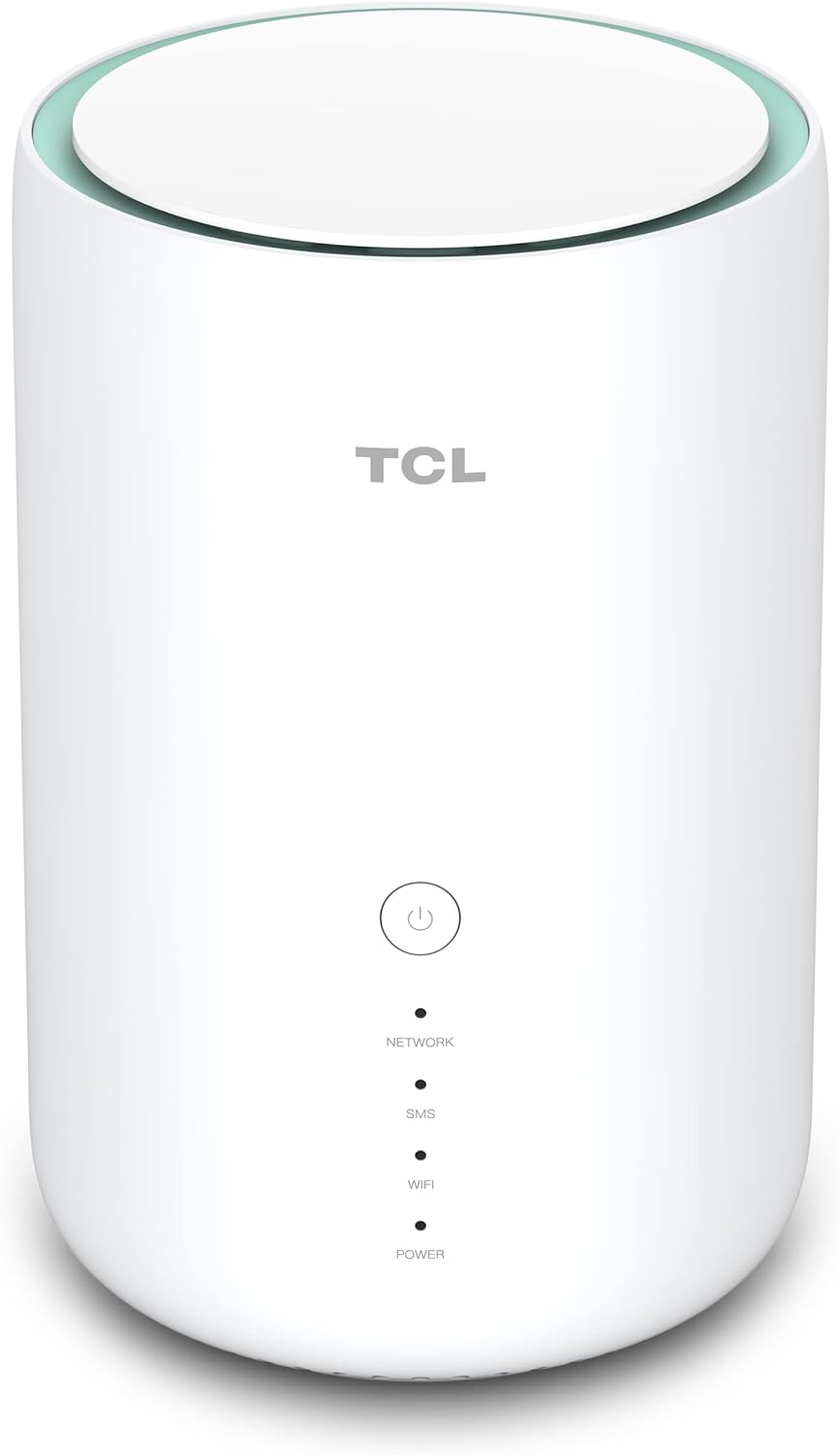
The tcl HH130VM 4G LTE CPE Router is a compact home station designed to deliver fast mobile broadband through a SIM card, making it a practical choice for homes, small offices, and backup internet setups. It combines LTE connectivity with dual-band Wi-Fi, so users can share one connection across smartphones, laptops, smart TVs, and IoT devices with less congestion and better coverage. With support for up to 64 connected devices, this router is well suited for families, remote workers, and users in areas where fixed-line broadband is unavailable or unreliable.
One of the strongest selling points of the tcl HH130VM 4G LTE CPE Router is its balance of speed, simplicity, and flexibility. It supports LTE Cat 12/13 class performance with download speeds up to 600 Mbps and upload speeds up to 150 Mbps, depending on carrier network conditions. Dual-band Wi-Fi 5 helps improve wireless stability, while gigabit Ethernet ports support wired devices and offer faster local network performance. The router also includes a Nano-SIM slot, WPS support, and external antenna ports for better signal optimization in weak coverage areas.
This model is ideal for users who need a portable-style fixed wireless solution, a temporary internet line for rentals, a stable home office connection, or a backup router during broadband outages. The estimated price range is typically around $80 to $170, depending on region, bundle, and retailer availability. It is commonly available through online electronics stores, marketplace sellers, and telecom-related resellers, though stock can vary by country and carrier compatibility.
Specifications for tcl HH130VM 4G LTE CPE Router
- Mobile network: 4G LTE, typically CAT 12/13 class
- Maximum LTE download speed: Up to 600 Mbps
- Maximum LTE upload speed: Up to 150 Mbps
- Wi-Fi standard: 802.11a/b/g/n/ac
- Wireless bands: Dual-band 2.4 GHz and 5 GHz
- Wi-Fi capacity: Up to 64 connected users
- Ethernet: Gigabit WAN/LAN and Gigabit LAN ports
- SIM support: Nano-SIM slot
- External antenna ports: 2 x TS9 connectors
- Controls: WPS, power, and reset buttons
- Typical local Wi-Fi speeds: Up to 300 Mbps on 2.4 GHz and up to 867 Mbps on 5 GHz
- Device class comparison: Faster and more flexible than basic 4G hotspots, but less advanced than premium 5G CPE routers
Compared with entry-level 4G routers, this model offers stronger network throughput, dual-band wireless, and gigabit Ethernet for better home networking performance. Compared with newer 5G routers, it is more affordable and simpler, but it does not provide 5G speeds or future-proof radio access.
Troubleshooting Common tcl HH130VM 4G LTE CPE Router Problems
- No internet connection: Confirm the Nano-SIM is active, inserted correctly, and has data service. Restart the router and check signal strength.
- Weak signal or slow speeds: Move the router near a window or higher location, and connect external antennas if available.
- Wi-Fi devices cannot connect: Verify the correct SSID and password, then reboot the router and reconnect devices.
- Flashing blue light: Indicates registration on 4G; if it keeps flashing without internet, check SIM status and carrier coverage.
- Flashing green light: Indicates 3G registration; performance may be lower than expected if the network has fallen back to 3G.
- Factory reset needed: Hold the reset button to restore default settings if configuration changes cause persistent issues.
Preventive maintenance includes keeping the firmware current, using a stable power adapter, and placing the router away from thick walls and interference sources. Warranty and support options depend on the seller or carrier package, so users should check the purchase invoice and product box for region-specific coverage. For help, contact TCL customer support through the official support channel, the retailer’s after-sales service, or the mobile carrier that supplied the SIM plan.
Pros and Cons of the tcl HH130VM 4G LTE CPE Router
Pros
- Fast LTE performance for a 4G CPE router, especially in strong coverage areas
- Dual-band Wi-Fi helps reduce congestion and improves streaming and video calls
- Supports up to 64 users, making it suitable for shared households and small teams
- Gigabit Ethernet ports are useful for PCs, smart TVs, and gaming consoles
- External antenna support can improve reception in rural or weak-signal locations
- Better value than many 5G routers for users who only need reliable 4G internet
Cons
- No 5G support, so it is less future-ready than newer cellular routers
- Actual speed depends heavily on carrier signal quality and data plan limits
- Performance can drop in congested LTE networks during peak hours
- Larger and less portable than a pocket hotspot device
- Advanced users may prefer routers with more LAN ports or deeper customization
For value for money, the tcl HH130VM 4G LTE CPE Router is a strong mid-range choice for users who want a dependable home internet solution without paying for 5G hardware. It compares favorably with basic LTE routers, while remaining more affordable than premium cellular gateways.
Customer Reviews of the tcl HH130VM 4G LTE CPE Router
Average user sentiment is generally positive, with many buyers rating it around 4.2 out of 5 stars. Customers often praise the quick setup, stable Wi-Fi signal, and reliable performance for streaming, browsing, and remote work. One typical testimonial says, “Installed it in minutes, and the connection has been solid for my home office and smart TV.”
Common complaints include slower speeds in areas with weak LTE coverage and occasional confusion about carrier compatibility. Some users also mention that performance improves significantly only when the SIM has strong 4G signal access and an appropriate data plan. Most reviewers recommend it for apartments, small homes, and backup internet use rather than for users who need cutting-edge 5G speeds.
Frequently Asked Questions About tcl HH130VM 4G LTE CPE Router
- Is the tcl HH130VM 4G LTE CPE Router good for home use? Yes, it is well suited for home internet sharing, streaming, and remote work.
- How many devices can it support? Up to 64 devices can connect, depending on usage and network quality.
- Does it support external antennas? Yes, it includes TS9 antenna ports for improved LTE reception.
- Is it better than a basic hotspot? Yes, it generally offers stronger Wi-Fi, Ethernet ports, and better multi-user handling.
Faqs
How do I set up the tcl HH130VM 4G LTE CPE Router for the first time?
What should I do if the tcl HH130VM 4G LTE CPE Router has no internet after inserting the SIM card?
Which devices and connections are compatible with the tcl HH130VM 4G LTE CPE Router?
How many devices can the tcl HH130VM 4G LTE CPE Router support at once?
What are the best settings to improve speed on the tcl HH130VM 4G LTE CPE Router?
Can I use external antennas with the tcl HH130VM 4G LTE CPE Router?
How do I reset the tcl HH130VM 4G LTE CPE Router without losing important settings?
How should I maintain and clean the tcl HH130VM 4G LTE CPE Router for long-term use?
More tcl manuals
Leave a Comment