
Tcl NXTPAPER 11 Android tablet User Manual
Content
Introduction to the TCL NXTPAPER 11 Android Tablet
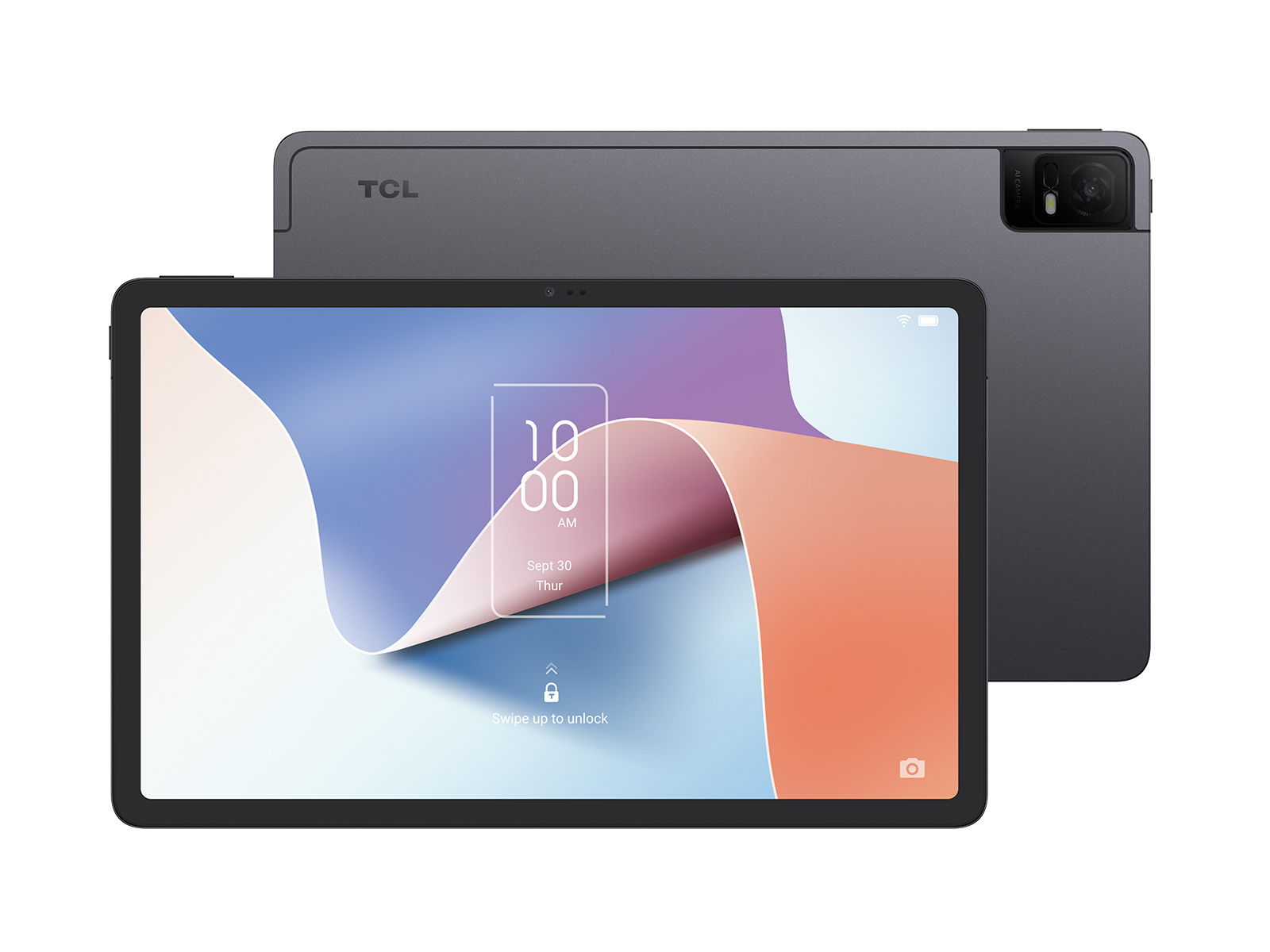
The TCL NXTPAPER 11 Android tablet is designed for users who want a comfortable, paper-like viewing experience without giving up the flexibility of a modern Android device. Its standout feature is TCL’s NXTPAPER display, a matte 11-inch panel with a 2000 x 1200 resolution that helps reduce glare and makes long reading, studying, and note-taking sessions easier on the eyes. For students, professionals, casual readers, and families, the tablet offers a strong balance of portability, media playback, and everyday productivity.
One of the biggest advantages of the TCL NXTPAPER 11 Android tablet is its versatility. It works well for e-books, web browsing, video calls, online learning, streaming, and light office tasks. The slim design, large battery, and expandable storage make it practical for daily use, while the paper-like display gives it a distinctive feel compared with standard Android tablets. It is especially appealing to users who spend a lot of time reading or writing on-screen and want a less reflective display than typical glossy tablets.
The estimated price range has historically placed it in the affordable-to-midrange category, with the original model and newer NXTPAPER variants often appearing between budget-friendly sale pricing and roughly the low-to-mid $200 range depending on configuration and retailer. Availability may vary by region, and the tablet is commonly sold through major online retailers and TCL’s official channels.
Specifications of the TCL NXTPAPER 11 Android Tablet
- Display: 10.95-inch to 11-inch NXTPAPER matte IPS-style panel, 2000 x 1200 resolution, 60Hz refresh rate.
- Processor: MediaTek Helio P60T octa-core chipset with up to 2.0 GHz performance cores.
- Memory and storage: Common configurations include 4GB RAM with 128GB storage or 6GB RAM with 256GB storage, depending on model and market.
- Expandable storage: microSD support up to 1TB on supported versions.
- Battery: 8000mAh battery for all-day reading, streaming, and browsing.
- Charging: USB-C charging with up to 18W support on some configurations.
- Camera: 8MP rear camera and 8MP front camera on many variants.
- Audio: Quad-speaker setup on select models for improved media playback.
- Connectivity: Wi-Fi 5, Bluetooth 5.0, USB Type-C, and optional LTE on some versions.
- Operating system: Android 13 on the standard model, with newer Gen 2 variants offering newer Android releases.
- Weight: About 462g, making it lighter than many full-size tablets.
Compared with similar budget Android tablets, the TCL NXTPAPER 11 Android tablet stands out for its anti-glare display and reading comfort rather than raw gaming performance. It competes more directly with media-focused tablets and e-reader-style devices than with high-end productivity tablets.
Detailed Description of the TCL NXTPAPER 11 Android Tablet
The TCL NXTPAPER 11 Android tablet is built around a paper-like screen technology that aims to make digital content feel more natural and less fatiguing to view. The display finish reduces reflections, which is useful in bright rooms, classrooms, offices, and outdoor shaded environments. This makes it a strong choice for reading PDFs, reviewing documents, sketching ideas, and watching videos for long periods.
In real-world use, the tablet handles common tasks smoothly: note-taking apps, streaming services, email, web browsing, and video conferencing. The Helio P60T chip is best suited for everyday productivity rather than heavy 3D gaming, but it delivers dependable performance for standard Android workloads. The slim body, around 6.9mm thick on many listings, gives it a modern feel, while the lightweight build makes it easy to carry in a backpack or work bag.
Build quality is generally solid for the price, with a clean design and durable-feeling construction. The TCL NXTPAPER 11 Android tablet is especially appealing to users who value comfort, readability, and a balanced tablet experience over premium glass-and-metal finishes or flagship-level processing power.
Setup Guide for the TCL NXTPAPER 11 Android Tablet
- Charge the tablet fully before first use using the included USB-C cable and a compatible charger.
- Press and hold the power button to start the device, then select your preferred language and region.
- Connect to Wi-Fi and sign in with a Google account to restore apps, settings, and cloud data.
- Set up screen lock options such as PIN, password, fingerprint, or face unlock if available on your version.
- Review display settings and choose the most comfortable NXTPAPER mode for reading, standard viewing, or low-blue-light use.
- Pair Bluetooth accessories such as headphones, keyboards, or a stylus if supported by your model.
- Insert a microSD card for additional storage if you plan to keep many offline videos, books, or files.
For best results, avoid using the tablet while charging on soft surfaces that may trap heat. If setup freezes, restart the device and reconnect to a stable Wi-Fi network. If the screen is unresponsive, perform a force restart by holding the power button longer than usual. Keep the tablet away from water, excessive heat, and strong pressure on the display to protect the matte NXTPAPER layer.
Troubleshooting the TCL NXTPAPER 11 Android Tablet
- Tablet will not turn on: Charge for at least 20 to 30 minutes, then try a forced restart.
- Slow performance: Close unused apps, clear storage space, and restart the tablet regularly.
- Wi-Fi connection drops: Forget the network, reconnect, and check router distance or interference.
- Apps crash or freeze: Update the app, clear cache, or reinstall it if needed.
- Charging is slow: Use a quality USB-C charger and cable that support the required power output.
- MicroSD card not detected: Remove and reinsert the card, then format it in the tablet if necessary.
If you see setup or system messages, note the exact wording before searching for a fix, since error labels can vary by region and Android version. Preventive care includes keeping the software updated, avoiding full storage, and using protective accessories. Warranty coverage and support options typically depend on the country of purchase, and help is usually available through TCL’s official support channels and the retailer where the device was bought.
Pros & Cons of the TCL NXTPAPER 11 Android Tablet
Pros
- Paper-like display comfort: The matte screen is excellent for reading, studying, and long browsing sessions.
- Good battery life: The 8000mAh battery supports extended use for classes, travel, and media playback.
- Expandable storage: microSD support makes it practical for documents, photos, and offline content.
- Lightweight design: Easy to carry and hold for extended periods.
- Strong value: Often priced below many premium tablets with similar screen size.
Cons
- Midrange performance: Not ideal for demanding games or heavy multitasking.
- Display trade-off: The matte finish is comfortable, but not as vivid as a glossy AMOLED panel.
- Camera quality: Suitable for video calls, but not meant for serious photography.
- Charging speed: Fast enough for everyday use, but slower than higher-end tablets.
For buyers comparing alternatives, the TCL NXTPAPER 11 Android tablet offers better reading comfort than many budget Android tablets, but premium tablets may deliver brighter displays, faster chips, and stronger app performance.
Customer Reviews of the TCL NXTPAPER 11 Android Tablet
Many users rate the tablet around 4 out of 5 stars, especially praising the display comfort, lightweight build, and battery life. A common positive comment is that reading on the NXTPAPER screen feels easier on the eyes than on standard glossy tablets, making it a favorite for students and book lovers. One typical testimonial says the tablet is “perfect for reading PDFs and watching lectures without eye strain.”
Common complaints include average performance for gaming, modest camera quality, and charging that is not especially fast. Some buyers also mention that the matte screen is a matter of preference, since it trades a little sharpness and color punch for reduced glare. Overall, it is a strong recommendation for readers, students, and everyday users who want a comfortable Android tablet with practical features and good value for money.
Faqs
How do I set up the tcl NXTPAPER 11 Android tablet for the first time?
What should I do if my tcl NXTPAPER 11 Android tablet is running slowly or freezing?
How do I switch display modes on the tcl NXTPAPER 11 Android tablet for reading and eye comfort?
Can I expand storage on the tcl NXTPAPER 11 Android tablet with a microSD card?
Why is the tcl NXTPAPER 11 Android tablet not charging properly, and how can I fix it?
Is the tcl NXTPAPER 11 Android tablet good for video calls, classes, and meetings?
What accessories and apps work best with the tcl NXTPAPER 11 Android tablet?
How should I clean and maintain the tcl NXTPAPER 11 Android tablet safely?
More tcl manuals
Leave a Comment