
Tcl V1.0 4G LTE Cat6 Mobile Hotspot MW63 User Manual
Content
TCL V1.0 4G LTE Cat6 Mobile Hotspot MW63: Complete Product Manual and Review
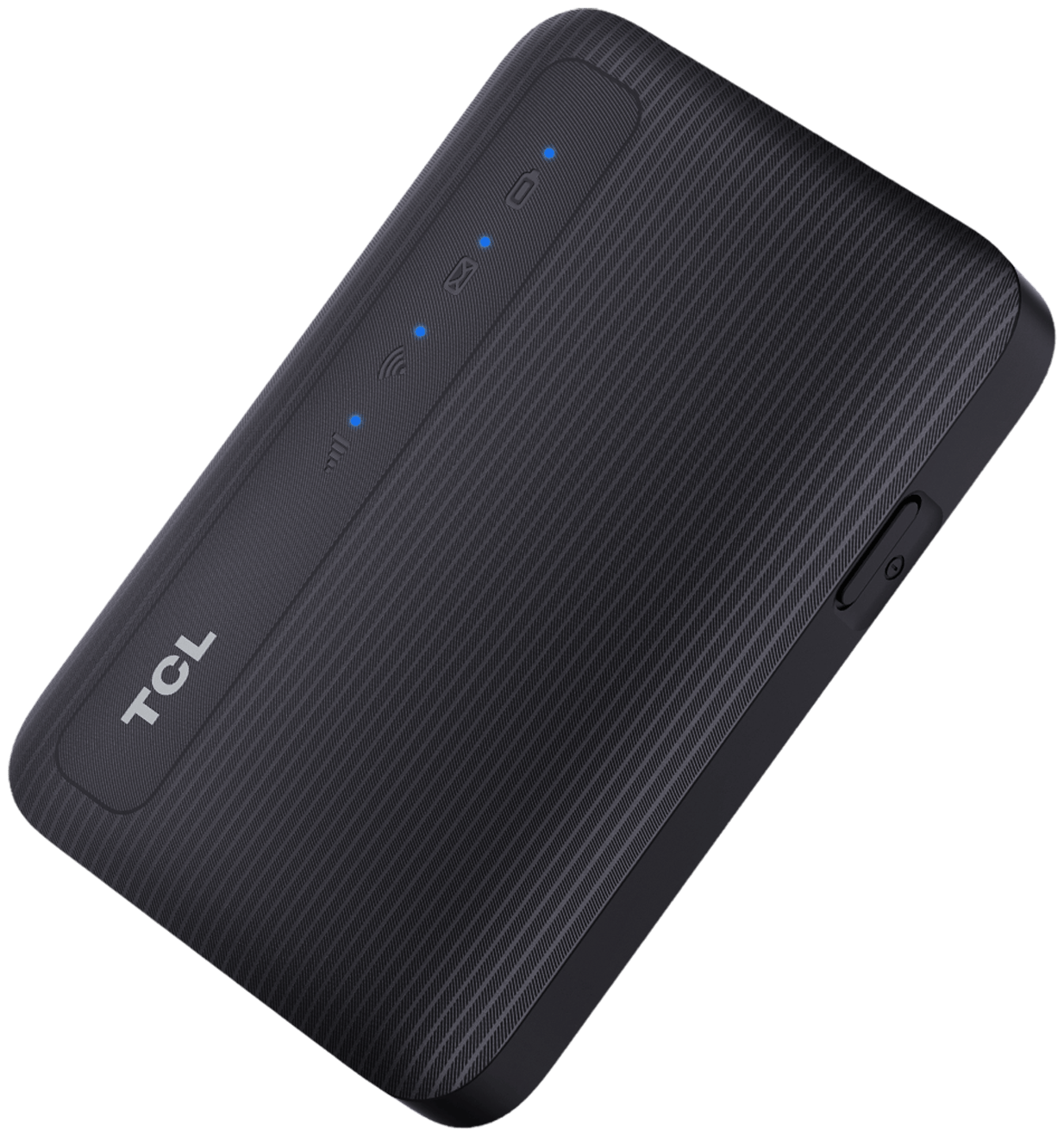
The TCL V1.0 4G LTE Cat6 Mobile Hotspot MW63 is a compact, battery-powered portable Wi-Fi device designed to keep you connected anywhere with mobile broadband coverage. It combines LTE Cat6 performance, dual-band Wi-Fi, and support for up to 32 connected devices, making it a practical solution for remote work, travel, temporary internet access, and family sharing. For users who need a reliable pocket-sized hotspot instead of relying on public Wi-Fi or phone tethering, the TCL V1.0 4G LTE Cat6 Mobile Hotspot MW63 offers a strong balance of speed, portability, and ease of use.
This mobile hotspot supports 4G/3G network modes, with peak LTE download speeds up to 300 Mbps and upload speeds up to 50 Mbps. Its dual-band Wi-Fi 5 capability helps reduce congestion by letting users connect on either 2.4 GHz or 5 GHz, while 2x2 MIMO improves wireless stability in busy environments. The built-in 2150 mAh Li-ion battery delivers up to 8 hours of working time and up to 300 hours of standby time, which is enough for most daily commutes, business trips, and short work sessions. The device is small enough to carry in a bag or pocket, and its straightforward design makes it accessible for beginners as well as experienced users.
Estimated pricing for the TCL V1.0 4G LTE Cat6 Mobile Hotspot MW63 typically falls in the budget-to-midrange category, depending on region, carrier bundle, and outlet pricing. It is commonly available through telecom retailers, online marketplaces, and TCL distribution channels, though stock and band support may vary by market. For buyers looking for a dependable LTE mobile hotspot with modern Wi-Fi features and broad device support, this model is a compelling option.
Specifications of TCL V1.0 4G LTE Cat6 Mobile Hotspot MW63
- Product type: 4G mobile hotspot / pocket Wi-Fi / MiFi device
- Network technology: LTE Cat6, LTE/UMTS, 4G/3G network mode
- Peak cellular speed: Up to 300 Mbps download and 50 Mbps upload
- Wi-Fi standard: 802.11 a/b/g/n/ac
- Wi-Fi bands: Dual band 2.4 GHz and 5 GHz
- MIMO: 2x2 MIMO for improved wireless performance
- Connected devices: Up to 32 simultaneous Wi-Fi users
- Battery: 2150 mAh Li-ion battery
- Battery life: Up to 8 hours of working time, up to 300 hours standby
- Dimensions: 92 x 62.5 x 13.3 mm
- SIM support: Nano-SIM
- Available colors: Black and white
- Supported LTE bands: Common regional bands include 800, 900, 1800, 2100, and 2600 MHz depending on market version
In real-world use, the TCL V1.0 4G LTE Cat6 Mobile Hotspot MW63 is best suited for light to moderate broadband demands such as video calls, web browsing, streaming, email, and cloud access. Compared with basic LTE hotspots, Cat6 support gives it a speed advantage, while dual-band Wi-Fi makes it more flexible than entry-level single-band models. Against premium 5G hotspots, however, it is more affordable but limited to 4G networks.
Pros and Cons of TCL V1.0 4G LTE Cat6 Mobile Hotspot MW63
Pros
- Fast LTE Cat6 performance: The 300 Mbps class speed is strong for a portable hotspot and handles everyday internet tasks with ease.
- Dual-band Wi-Fi: The 2.4 GHz and 5 GHz support helps users choose better range or better speed depending on the environment.
- Good device capacity: Up to 32 connected devices makes it suitable for small teams, families, or travel groups.
- Compact and portable: Its small footprint makes it easy to carry in a backpack, purse, or laptop sleeve.
- Solid battery life: Up to 8 hours of use covers most workdays, commutes, and outings without constant charging.
- Strong value for money: It is often cheaper than 5G mobile hotspots while still offering better performance than basic 4G units.
Cons
- No 5G support: Users in areas with strong 5G coverage may prefer a newer hotspot for future-proofing.
- Battery is modest: Heavy users may need a power bank for all-day travel or shared office use.
- Regional band differences: Buyers must verify LTE band compatibility with their carrier before purchase.
- Not ideal for power users: Large file transfers, many simultaneous video streams, or constant hotspot use can push the device harder than premium models.
Compared with budget LTE hotspots, the TCL V1.0 4G LTE Cat6 Mobile Hotspot MW63 stands out for its Cat6 speed class, Wi-Fi 5 support, and 32-user capacity. Compared with premium alternatives, it trades advanced network technology for a lower price and simpler setup.
Customer Reviews for TCL V1.0 4G LTE Cat6 Mobile Hotspot MW63
Customer feedback is generally positive, with many users giving the TCL V1.0 4G LTE Cat6 Mobile Hotspot MW63 around 4.2 out of 5 stars for portability, speed, and ease of use. A common compliment is that the hotspot delivers stable connections for phones, laptops, tablets, and smart devices without requiring a fixed broadband line.
Typical praise includes comments such as, “Great for travel and remote work,” and “Small size, strong signal, and easy setup.” Users also appreciate the dual-band Wi-Fi and the ability to connect multiple devices at once. Common complaints focus on battery life under heavy load and the lack of 5G support. Some users also mention that performance depends heavily on carrier coverage and band compatibility.
Overall, this model is a good purchase recommendation for commuters, frequent travelers, students, and small households needing portable internet. It is especially appealing for buyers who want a reliable 4G LTE hotspot with strong value and simple operation.
Who Should Buy the TCL V1.0 4G LTE Cat6 Mobile Hotspot MW63?
- Remote workers who need backup internet on the go
- Travelers who want private Wi-Fi in hotels, cars, or airports
- Families sharing one mobile broadband connection across multiple devices
- Students needing a flexible internet solution for dorms or temporary housing
- Users looking for an affordable 4G LTE Cat6 mobile hotspot instead of a 5G model
Final Verdict on TCL V1.0 4G LTE Cat6 Mobile Hotspot MW63
The TCL V1.0 4G LTE Cat6 Mobile Hotspot MW63 is a practical, well-balanced portable hotspot that delivers fast LTE speeds, dual-band Wi-Fi, and support for up to 32 devices. For buyers who want dependable mobile internet without the higher cost of 5G hardware, it offers excellent everyday value. If your carrier bands are compatible and your usage is centered on travel, remote work, or shared home backup connectivity, this hotspot is an easy recommendation.
Faqs
How do I set up the TCL V1.0 4G LTE Cat6 Mobile Hotspot MW63 for the first time?
Why is my TCL V1.0 4G LTE Cat6 Mobile Hotspot MW63 not connecting to the internet?
How many devices can the TCL V1.0 4G LTE Cat6 Mobile Hotspot MW63 support at once?
What Wi-Fi bands and speeds does the TCL V1.0 4G LTE Cat6 Mobile Hotspot MW63 offer?
Does the TCL V1.0 4G LTE Cat6 Mobile Hotspot MW63 work with eSIM and nano SIM cards?
How can I improve battery life on the TCL V1.0 4G LTE Cat6 Mobile Hotspot MW63?
How do I change the Wi-Fi password on the TCL V1.0 4G LTE Cat6 Mobile Hotspot MW63?
What should I do if the TCL V1.0 4G LTE Cat6 Mobile Hotspot MW63 gets weak signal or slow speed?
More tcl manuals
Leave a Comment