
Tcl 11FE LTE Android Tablet 9465G User Manual
Content
Introduction
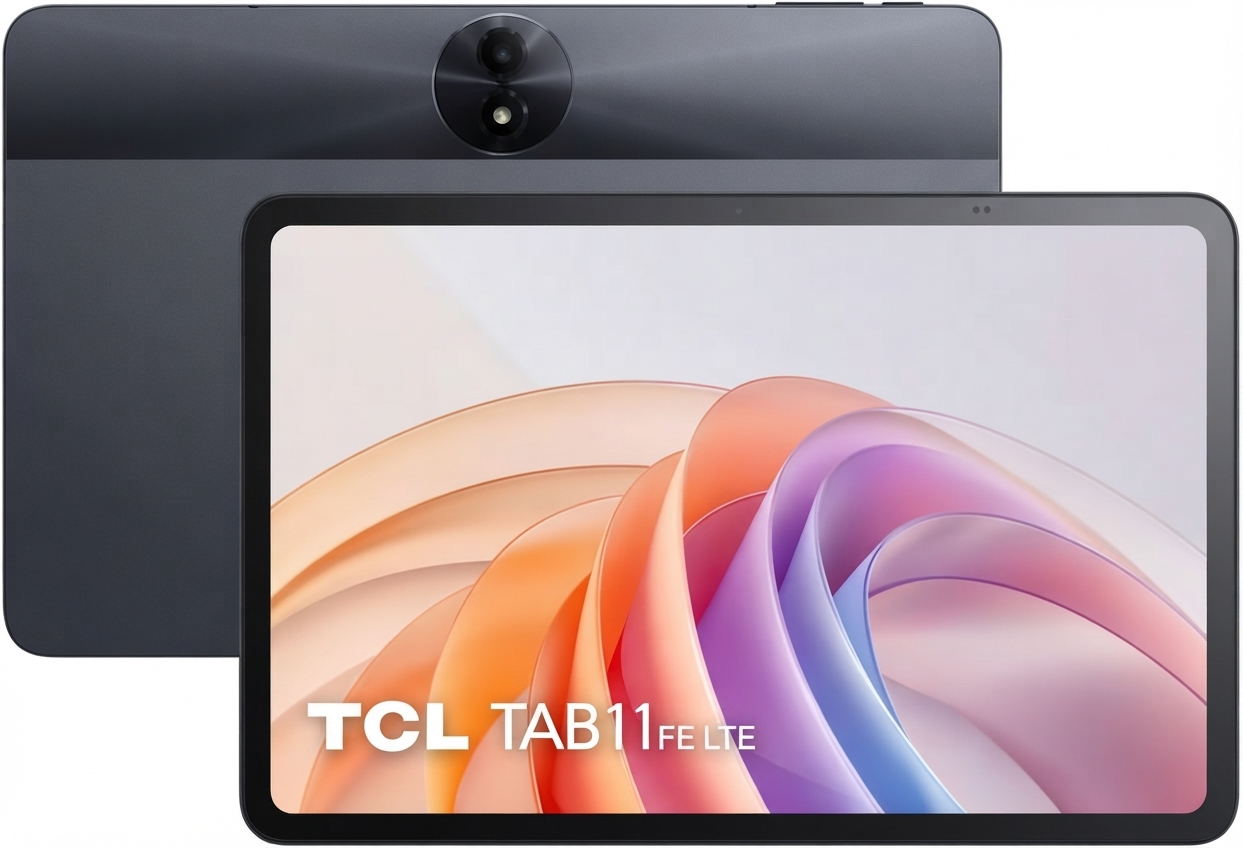
The TCL 11FE LTE Android Tablet 9465G is a practical 11-inch Android tablet designed for everyday entertainment, productivity, browsing, and mobile connectivity. Built around LTE support, it gives users the freedom to stay online without relying only on Wi‑Fi, making it a strong fit for students, commuters, families, and professionals who want a budget-friendly portable device with dependable performance.
This model combines a Full HD+ 11-inch IPS display, a MediaTek Helio G80 processor, 4GB of RAM, and 128GB of internal storage, which is enough for streaming, note-taking, light gaming, reading, and video calls. The large 6000mAh battery supports extended use, while Android 14 delivers a modern interface with improved app compatibility and security features. Its slim 7.3mm body and 480g weight make it easy to carry, and the LTE modem adds flexibility for travel, remote learning, and on-the-go work.
For buyers searching for a value-oriented LTE tablet, the tcl 11FE LTE Android Tablet 9465G stands out as a balanced option. Estimated pricing typically falls in the mid-range budget category, often around $180 to $280 depending on the market, retailer, and bundled accessories such as a case or charger. Availability is generally strongest through online electronics stores, mobile carriers, and regional TCL resellers. It is especially appealing for users who want a large-screen Android tablet with mobile data support at an accessible price point.
Specifications
- Display: 11.0-inch IPS TFT panel, 1920 x 1200 resolution, 60Hz refresh rate, around 400 nits brightness
- Processor: MediaTek Helio G80 octa-core chipset with Mali-G52 MC2 graphics
- Memory: 4GB RAM and 128GB internal storage
- Expandable storage: microSD, microSDHC, and microSDXC support up to 1TB
- Operating system: Android 14
- Connectivity: LTE, GSM, UMTS, Wi‑Fi, Bluetooth, and GPS support
- Rear camera: 8MP
- Front camera: 5MP
- Battery: 6000mAh with 10W charging support
- Dimensions: 253.6 x 165.4 x 7.3 mm
- Weight: approximately 480g
- Color: Gray
In this class, the TCL tablet is positioned against other budget 11-inch LTE Android tablets that often offer similar screen size but weaker battery life or older software versions. Compared with entry-level Wi‑Fi-only models, this device offers better mobility and a more versatile everyday experience.
Detailed Description
The tcl 11FE LTE Android Tablet 9465G is built for users who want a large display, mobile network access, and simple day-to-day performance in one device. The 11-inch IPS screen is well suited for video streaming, e-books, web browsing, and document editing, while the 1920 x 1200 resolution keeps text and images sharp enough for comfortable long sessions. The Helio G80 chipset is not aimed at heavy gaming or professional content creation, but it handles common apps smoothly, including email, social media, YouTube, online classes, and productivity tools.
Its build quality reflects a modern budget tablet approach: slim, lightweight, and functional rather than premium metal-heavy construction. The device is designed for practical use, with a simple layout that makes it easy to hold, carry, and switch between tasks. LTE connectivity is the major advantage for users who need internet access outside the home or office, especially during travel or in locations where Wi‑Fi is unreliable.
Real-world use cases include streaming on the commute, digital reading, classroom work, light office tasks, and mobile hotspot-free browsing. The 6000mAh battery helps support a full day of mixed use for many users, though actual runtime depends on brightness, LTE usage, and app load.
Setup Guide
Setting up the TCL 11FE LTE Android Tablet 9465G is straightforward. Start by charging the tablet fully before first use, especially if the battery level is low out of the box. Power it on, then follow the Android setup wizard to select language, region, Wi‑Fi, and Google account preferences. If you plan to use LTE, insert the nano-SIM card according to the SIM tray orientation and confirm the mobile network settings during setup.
Next, configure key options such as screen lock, fingerprint or PIN security if available in your region, app sync, and backup settings. For connectivity, turn on Bluetooth to pair headphones, speakers, or keyboards, and enable Wi‑Fi for faster downloads and system updates. If the tablet includes a bundled case or charger, inspect the accessories before use to ensure they are not damaged.
For safety, avoid charging the tablet near heat sources, do not use incompatible high-power chargers, and keep the SIM tray and charging port free from dust. If the tablet does not connect to LTE, restart the device, verify carrier compatibility, and check whether mobile data is enabled in settings.
Troubleshooting
Common issues with a budget Android tablet usually involve connectivity, charging, app performance, or storage limits. If the tablet is slow, close background apps, clear cached data, and restart the device. If Wi‑Fi or LTE is unstable, toggle airplane mode on and off, reinsert the SIM card, and confirm that the APN settings match your carrier requirements.
If the battery drains too quickly, lower screen brightness, disable unused radios such as Bluetooth and GPS, and review which apps are consuming power in the battery menu. If the tablet does not charge, check the cable, charger, and port for debris or damage. Error messages related to storage can usually be resolved by moving files to microSD storage or deleting unused apps and media.
For persistent problems, reset network settings or perform a factory reset after backing up data. Warranty coverage and support options depend on the seller and region, so users should contact the retailer, TCL regional support channel, or authorized service provider for repair or replacement assistance. Keep the proof of purchase and serial number ready when requesting help.
Pros & Cons
Pros
- Large 11-inch Full HD+ display is ideal for streaming, reading, and schoolwork
- LTE support adds mobility for work, travel, and online classes
- 128GB storage offers strong value in this price range
- 6000mAh battery helps with all-day mixed use
- Android 14 provides a current software experience
- Lightweight, slim design makes it easy to carry
Cons
- 4GB RAM is adequate, but multitasking can feel limited with heavier apps
- Helio G80 is good for basics, not demanding gaming or editing
- 10W charging is relatively slow for a 6000mAh battery
- Camera quality is functional, not a selling point
- Plastic-oriented budget construction may feel less premium than higher-end alternatives
Overall, the tcl 11FE LTE Android Tablet 9465G offers solid value for users who want a dependable large-screen Android tablet with cellular connectivity. It compares well with Wi‑Fi-only tablets and some competing LTE models in the same price band, especially for buyers who prioritize portability over raw power.
Customer Reviews
Typical user feedback for this tablet trends positive for screen size, battery life, and LTE convenience. Many buyers rate it around 4 out of 5 stars for everyday tasks, praising the large display for streaming and study use. Common compliments include easy setup, good value for the money, and reliable mobile connectivity.
Frequent complaints mention modest performance under heavy multitasking, slower charging, and average camera quality. Some users also note that the tablet is best suited for browsing, media, and schoolwork rather than advanced gaming or creative workloads.
Representative testimonial: “Great for video classes and reading, and the LTE feature makes it easy to use anywhere.” Another common comment is: “Excellent value if you want a big Android tablet without spending flagship money.” For most buyers, this is a sensible purchase recommendation if the goal is dependable everyday use rather than premium performance.
Faqs
How do I set up the TCL 11FE LTE Android Tablet 9465G for the first time?
What should I do if the TCL 11FE LTE Android Tablet 9465G is not connecting to LTE or mobile data?
Can the TCL 11FE LTE Android Tablet 9465G use a microSD card for extra storage?
Why is the TCL 11FE LTE Android Tablet 9465G running slowly, and how can I improve performance?
What are the main features of the TCL 11FE LTE Android Tablet 9465G that matter most for everyday use?
How do I fix battery drain on the TCL 11FE LTE Android Tablet 9465G?
Is the TCL 11FE LTE Android Tablet 9465G compatible with Bluetooth keyboards, headphones, and wireless accessories?
How should I clean and maintain the TCL 11FE LTE Android Tablet 9465G to keep it in good condition?
More tcl manuals
Leave a Comment