
Tcl TAB 10 LTE Gen2 Tablet User Manual
Content
Introduction
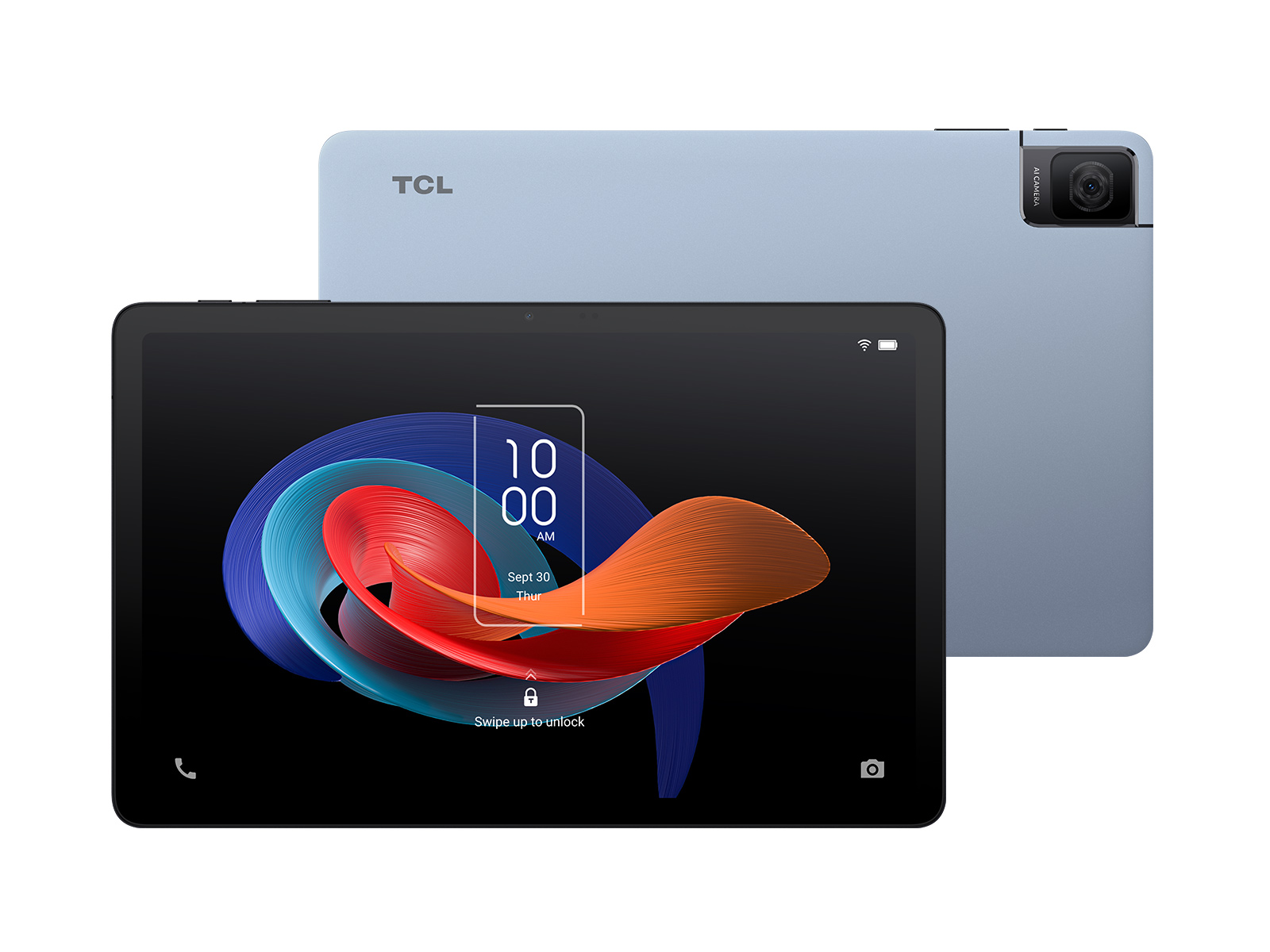
The tcl TAB 10 LTE Gen2 Tablet is a budget-friendly Android tablet built for everyday productivity, streaming, reading, video calls, and light multitasking. With its 10.36-inch 2K IPS display, LTE connectivity, and slim 7.4 mm profile, it offers a practical mix of portability and large-screen usability for students, families, and mobile workers. The TCL branding also adds appeal for users who want a dependable entertainment tablet with solid display quality and modern wireless features.
Key benefits include a sharp 2000 x 1200 resolution screen, 4G LTE support for on-the-go internet access, a lightweight body around 425 g, and a straightforward Android experience. The tablet is especially useful for online classes, email, web browsing, digital reading, and casual media consumption. For households, it can work well as a shared device for streaming, homework, or video calling. For commuters and travelers, the LTE model is more convenient than Wi-Fi-only tablets because it stays connected away from home or office networks.
The estimated price range for the tcl TAB 10 LTE Gen2 Tablet typically falls in the affordable entry-level category, often around $150 to $250 depending on region, storage option, and carrier or retailer promotions. Availability is generally through TCL’s regional stores, electronics retailers, online marketplaces, and telecom partners. Compared with similar 10-inch tablets, it stands out for offering a larger 2K display and cellular connectivity without moving into premium pricing.
Specifications
The tcl TAB 10 LTE Gen2 Tablet combines practical hardware with core connectivity features for everyday use. It is positioned as a mid-entry tablet that emphasizes display quality and mobility over raw performance.
- Display: 10.36-inch IPS LCD, 2000 x 1200 resolution, 2K class, 350 cd/m² brightness
- Processor: MediaTek MT8768, 4-core design, up to 2.0 GHz
- Memory: 4 GB RAM
- Storage: 64 GB internal storage, expandable on some variants via microSD
- Connectivity: 4G LTE, Wi-Fi 5 (802.11ac), Bluetooth 5.0, Wi-Fi Direct
- Battery: 6000 mAh class battery with 10W charging
- Ports: USB-C
- Camera: Front and rear cameras for video calls and basic photography
- Operating system: Android 13 on many retail variants
- Weight: About 425 g
- Thickness: About 7.4 mm
In comparison with similar budget tablets, the TCL model offers a sharper display than many 1280 x 800 devices, but it is not intended for heavy gaming or professional editing. Its performance is best suited to web apps, streaming, note-taking, and light productivity.
Detailed Description
The tcl TAB 10 LTE Gen2 Tablet is designed around a simple idea: give users a large, bright screen and reliable mobile connectivity at an affordable price. The tablet works by pairing a MediaTek processor with 4 GB of RAM to handle common tasks such as browsing, watching videos, joining online meetings, and using social apps. The 4G LTE connection makes it especially practical for users who move frequently between home, school, and travel environments.
The build quality is aligned with the tablet’s value-focused category. The slim body, lightweight frame, and minimalist styling make it comfortable to hold for long reading sessions or long commutes. The IPS display delivers wide viewing angles, which is useful for sharing content with another person or watching media in landscape mode. The 2K-class resolution also improves text clarity, making ebooks, documents, and web pages easier to read than on lower-resolution tablets.
Real-world applications include remote learning, online banking, casual gaming, video streaming, field work, and family entertainment. For users who want a dependable LTE tablet for everyday tasks, the TCL experience feels straightforward and easy to manage.
Setup Guide
Setting up the tcl TAB 10 LTE Gen2 Tablet is quick and beginner-friendly. Start by fully charging the tablet using the USB-C cable and included power adapter if available. Press and hold the power button until the TCL logo appears, then follow the on-screen instructions to choose a language, connect to Wi-Fi or insert a SIM card for LTE use, and sign in with a Google account.
- Insert the nano-SIM before booting if you want mobile data setup during the first launch.
- Choose whether to restore apps and settings from a previous Android device.
- Set screen lock security using PIN, pattern, password, or biometrics if supported by your variant.
- Go to Settings to configure brightness, sound, notifications, and battery preferences.
- Pair Bluetooth accessories such as headphones, keyboards, or speakers from the Bluetooth menu.
If LTE does not connect, restart the device, confirm SIM activation, and check APN settings with your carrier. Avoid exposing the tablet to moisture, heat, or physical pressure, and use only compatible charging accessories to reduce battery or port damage.
Troubleshooting
Common problems with the tcl TAB 10 LTE Gen2 Tablet are usually easy to fix. If the tablet runs slowly, close background apps, free up storage, and restart the device. If Wi-Fi is unstable, move closer to the router, forget and reconnect to the network, or reset network settings. If LTE does not work, verify that the SIM card is inserted correctly, has data service enabled, and is supported by your carrier.
- Tablet will not power on: Charge for at least 20 minutes, then hold the power button again.
- Apps keep crashing: Update the app, clear cache, or reinstall it.
- Battery drains quickly: Reduce brightness, disable unused wireless features, and check background usage.
- Charging is slow: Use a certified USB-C cable and compatible charger.
- No sound: Check volume, Do Not Disturb mode, and Bluetooth output routing.
Preventive care includes regular software updates, moderate charging habits, and keeping storage above 15% free. For warranty or service support, contact the retailer, carrier, or TCL regional support channel listed in the device documentation. If your region includes a support hotline or service portal, use the official TCL website or the seller’s customer service page for the fastest help.
Pros & Cons
Pros
- Large 2K display: The 10.36-inch panel is sharp enough for reading, movies, and schoolwork.
- LTE connectivity: Built-in mobile data support is a major advantage for travel and field use.
- Lightweight design: Easy to carry in a backpack or hold for extended periods.
- Good value: Offers a stronger display and cellular support than many similarly priced tablets.
- Everyday usability: Ideal for streaming, browsing, and casual productivity.
Cons
- Limited performance: Not designed for demanding games or heavy multitasking.
- Basic charging speed: 10W charging is modest by modern standards.
- Entry-level camera system: Fine for video calls, but not a photography-focused tablet.
- Storage may feel tight: 64 GB can fill up quickly with media and large apps.
For users comparing budget Android tablets, the tcl TAB 10 LTE Gen2 Tablet offers strong value if display quality and cellular access matter more than raw speed. Alternatives may deliver faster chips, but they often lack the same balanced mix of screen size and LTE convenience.
Customer Reviews
Customer feedback for the tcl TAB 10 LTE Gen2 Tablet is generally positive, with many users praising the large display, portability, and affordable LTE access. Typical ratings cluster around 4 out of 5 stars in budget-tablet discussions, especially from buyers looking for media and browsing use rather than professional performance.
Common praise includes the bright 2K screen, comfortable size for reading, and easy setup for family use. Frequent complaints focus on average performance during multitasking, slower charging, and the limited 64 GB storage on some versions. One common user sentiment is that it feels “great for videos and school work, but not for heavy gaming.” Another common remark is that the tablet “does exactly what a budget LTE tablet should do.”
It is a smart purchase for shoppers who want a dependable everyday tablet with mobile data support. Users who need a premium gaming device or a workhorse for advanced editing should consider higher-tier alternatives.
Faqs
How do I set up the TCL TAB 10 LTE Gen2 Tablet for the first time?
What should I do if my TCL TAB 10 LTE Gen2 Tablet is slow or lagging?
How can I fix TCL TAB 10 LTE Gen2 Tablet Wi-Fi or LTE connection problems?
Does the TCL TAB 10 LTE Gen2 Tablet support microSD expansion, and how should I use it?
Is the TCL TAB 10 LTE Gen2 Tablet compatible with Bluetooth keyboards and headphones?
How do I improve battery life on the TCL TAB 10 LTE Gen2 Tablet?
What is the best way to clean and maintain the TCL TAB 10 LTE Gen2 Tablet screen?
How do I troubleshoot app crashes on the TCL TAB 10 LTE Gen2 Tablet?
More tcl manuals
Leave a Comment