
Tcl TAB 8 LTE Gen2 Android Tablet User Manual
Content
tcl TAB 8 LTE Gen2 Android Tablet Review and User Manual
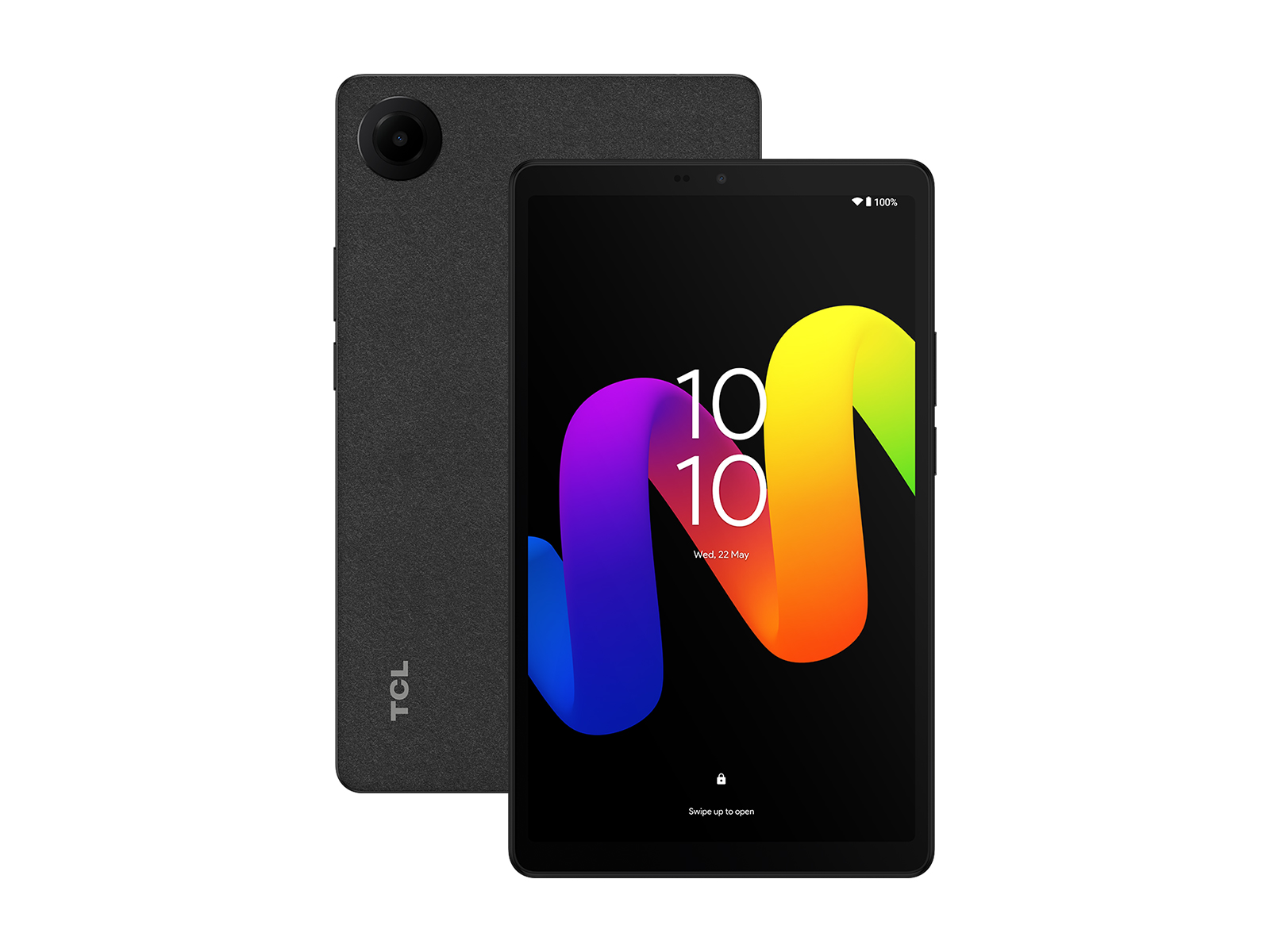
Introduction
The TCL TAB 8 LTE Gen2 Android Tablet is a compact 8.7-inch LTE-enabled tablet designed for users who want dependable everyday performance in a portable form factor. Positioned as a budget-friendly mobile device, it combines a bright HD display, 4G LTE connectivity, an octa-core processor, and a long-lasting 6000mAh battery for work, study, streaming, and travel. The TCL TAB 8 LTE Gen2 Android Tablet is especially appealing for mobile professionals, students, families, and anyone who needs a lightweight tablet that stays connected without relying on Wi‑Fi alone.
Its key selling points include the 90Hz display, Android 14 software, expandable storage up to 1TB via microSD, and support for productivity and entertainment on the go. The tablet is also practical for field work, video calls, eBooks, navigation, and casual gaming. With LTE support, it can be used as a communication and content device in places where wireless internet is limited or unavailable.
Estimated pricing typically falls in the budget tablet range, often around $130 to $180 depending on region, carrier support, and retailer availability. The TCL TAB 8 LTE Gen2 Android Tablet is commonly sold through electronics retailers, online marketplaces, and TCL’s regional product channels. For buyers looking for a compact Android tablet with cellular connectivity, it offers strong value for everyday use.
Specifications
- Display: 8.7-inch HD IPS screen with 1340 x 800 resolution and 90Hz refresh rate
- Processor: Octa-core MediaTek Helio G80-class chipset
- Memory: 4GB RAM
- Storage: 64GB internal storage, expandable up to 1TB with microSD
- Operating System: Android 14
- Battery: 6000mAh lithium battery with USB-C charging
- Connectivity: LTE, Wi‑Fi 5, Bluetooth 5.0, GPS support
- Ports: USB Type-C, nano SIM slot, microSD slot
- Rear Camera: 8MP autofocus camera
- Front Camera: Basic video calling camera for meetings and online classes
- Build: Slim black chassis with lightweight, travel-friendly design
- Benchmark expectation: Best suited for browsing, media playback, reading, and light multitasking rather than heavy gaming
Compared with similar compact tablets, the TCL TAB 8 LTE Gen2 Android Tablet stands out for LTE connectivity and a larger battery than many entry-level Wi‑Fi-only models. It is a practical alternative to small tablets from Samsung, Lenovo, and Amazon when cellular access matters more than premium display quality or high-end processing power.
Detailed Description
The TCL TAB 8 LTE Gen2 Android Tablet is built for simple, reliable daily use. It runs Android 14 and uses TCL’s compact hardware design to deliver a smooth experience for core tasks such as web browsing, email, messaging, streaming, reading, and video calls. The 90Hz display helps scrolling feel more fluid than standard 60Hz panels, which improves comfort during long sessions of browsing or document review.
This tablet works by combining mobile data connectivity with efficient hardware so users can stay productive away from home or office Wi‑Fi. The LTE feature makes it useful for field workers, delivery staff, retail teams, and travelers who need internet access on the move. The 6000mAh battery supports all-day usage for moderate workloads, while expandable storage makes it easy to keep photos, offline videos, and documents on the device.
In terms of build quality, the tablet uses a simple, durable plastic design that keeps weight low and portability high. The device feels comfortable in one hand and is easy to carry in a bag or backpack. User experience is centered on accessibility: fast startup, straightforward Android navigation, and a clean interface. The TCL TAB 8 LTE Gen2 Android Tablet is not designed as a premium performance machine, but it delivers strong utility for everyday tablet users who want balance, mobility, and affordability.
Setup Guide
Setting up the TCL TAB 8 LTE Gen2 Android Tablet is quick and beginner-friendly. Start by fully charging the tablet using the included or compatible USB-C charger. Insert the nano SIM card for mobile data and add a microSD card if you want extra storage. Power on the device, then follow the Android setup prompts to select language, connect to Wi‑Fi or LTE, sign in with a Google account, and choose privacy settings.
During setup, configure screen lock options such as PIN, password, or fingerprint if supported by your model variant. Review app permissions, enable Google services if needed, and choose backup settings to protect your data. If you plan to use the tablet for work, install productivity apps and sync your email or cloud storage accounts early.
For connectivity, pair Bluetooth accessories such as wireless earbuds, keyboards, or a mouse from the Settings menu. If LTE does not activate, check the SIM placement, restart the device, and confirm that your carrier plan is active. Avoid exposing the tablet to moisture, extreme heat, or dropping hazards. Do not use damaged charging cables, and keep the battery away from direct sunlight while charging. These precautions help protect the display, battery, and internal components.
Troubleshooting
Common issues on the TCL TAB 8 LTE Gen2 Android Tablet usually relate to charging, network setup, app performance, or storage limits. If the tablet is slow, close background apps, restart the device, and clear cached data. If Wi‑Fi or LTE is not connecting, toggle airplane mode, reinsert the SIM card, and check APN settings from your carrier.
- Tablet will not charge: Try a different USB-C cable and power adapter, clean the charging port, and confirm the outlet is working.
- SIM not detected: Remove the tray, reseat the nano SIM, and verify the SIM is active and correctly trimmed.
- Apps crash or freeze: Update the app, reboot the tablet, or clear app storage and cache.
- Low storage warning: Delete unused apps, move files to microSD, or use cloud storage.
- Weak battery life: Lower brightness, disable background sync, and reduce 90Hz usage where possible.
Preventive care includes regular software updates, safe charging habits, and keeping storage under control. Warranty coverage and support options vary by region, so check your retailer or TCL support channel for repair, replacement, and service availability. If the tablet shows persistent hardware faults, contact the seller or authorized service center for help.
Pros & Cons
Pros
- Portable size: The 8.7-inch form factor is easy to carry and comfortable for travel.
- LTE connectivity: Useful for internet access without relying on Wi‑Fi.
- Long battery life: The 6000mAh battery supports all-day mixed use.
- Smooth display: The 90Hz screen improves scrolling and general responsiveness.
- Expandable storage: microSD support makes it more flexible than many budget tablets.
- Good value: Strong feature set for the price, especially for students and mobile workers.
Cons
- Entry-level performance: Not ideal for demanding gaming or heavy creative work.
- HD resolution only: The display is fine for daily use but not as sharp as higher-end tablets.
- Basic cameras: Suitable for video calls, but not for serious photography.
- Limited premium features: Lacks the refined materials and advanced displays found in more expensive alternatives.
For buyers comparing options, the TCL TAB 8 LTE Gen2 Android Tablet offers better mobility than many Wi‑Fi-only rivals and stronger value than premium compact tablets. It is best for users who prioritize practical features over flagship performance.
Customer Reviews
Customer feedback for the TCL TAB 8 LTE Gen2 Android Tablet is generally positive, with many users praising its portability, LTE support, and battery life. Typical ratings cluster around 4 out of 5 stars for everyday use, especially among students, commuters, and field staff. Users often mention that the tablet feels fast enough for browsing, reading, and streaming, while the 90Hz display adds a noticeable improvement in smoothness.
Common complaints usually focus on the 64GB base storage, moderate processing power, and camera quality. Some users also note that the screen resolution is acceptable rather than premium. Still, the tablet is frequently recommended for people who want a dependable budget Android tablet with mobile data support.
Example testimonial: “Great for travel and work emails. The battery lasts all day and LTE keeps me connected anywhere.”
Example testimonial: “A solid everyday tablet for the price, but don’t expect high-end gaming performance.”
Overall, buyers looking for a compact, affordable, and connected device will likely find the TCL TAB 8 LTE Gen2 Android Tablet a smart purchase.
Faqs
How do I set up the TCL TAB 8 LTE Gen2 Android Tablet for the first time?
Why is my TCL TAB 8 LTE Gen2 Android Tablet running slow, and how can I improve performance?
How do I expand storage on the TCL TAB 8 LTE Gen2 Android Tablet?
What should I do if the TCL TAB 8 LTE Gen2 Android Tablet will not connect to LTE?
How long does the battery last on the TCL TAB 8 LTE Gen2 Android Tablet, and how can I extend it?
How do I fix charging problems on the TCL TAB 8 LTE Gen2 Android Tablet?
Is the TCL TAB 8 LTE Gen2 Android Tablet good for kids, schoolwork, and streaming?
How should I clean and maintain the TCL TAB 8 LTE Gen2 Android Tablet for long-term use?
More tcl manuals
Leave a Comment