
Tcl T509K Smartphone User Manual
Content
TCL T509K Smartphone Manual and Buying Guide
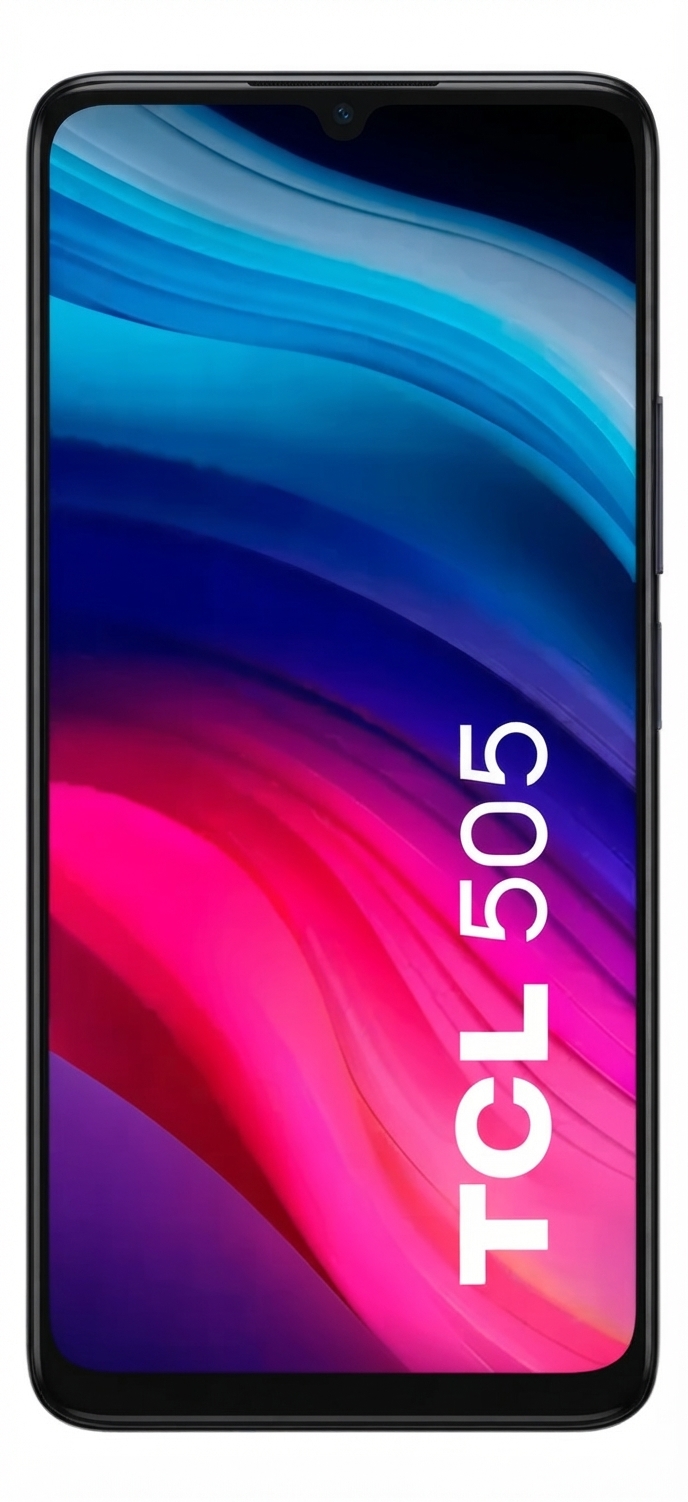
Introduction: TCL T509K Smartphone Overview, Price, and Best Uses
The TCL T509K Smartphone is a budget-friendly Android phone designed for everyday communication, social media, light photography, and basic productivity. It runs Android 14 and is built around the MediaTek Helio G36 platform, making it a practical choice for users who want a large-screen device without paying a premium. With memory options that include 64GB or 128GB storage and 8GB of advertised RAM with RAM expansion, the TCL T509K Smartphone is positioned as a solid entry-level option for students, first-time smartphone buyers, and anyone looking for a dependable secondary device.
Its main selling points are the large 6.75-inch HD+ display, 50MP rear camera system, 5010mAh battery, and modern connectivity features such as Bluetooth 5.1, Wi‑Fi ac, USB-C, and 4G LTE support. The device is also relatively slim at 8.32 mm and weighs 190 g, which helps it feel balanced in the hand despite the large screen. For watching videos, browsing the web, messaging, and capturing casual photos, it offers strong value for money.
The TCL T509K Smartphone typically sits in the low-cost to mid-budget range, with market pricing often varying by region, storage option, and retailer. In many markets, availability is through online stores, carrier bundles, and electronics retailers, especially in 128GB configurations. If the goal is to buy an affordable Android phone with a big display and long battery life, this model is a compelling option.
Specifications: TCL T509K Smartphone Technical Details and Key Features
- Processor: MediaTek Helio G36 / MT6765X octa-core chipset for everyday performance.
- Operating system: Android 14.
- Display: 6.75-inch HD+ screen with 720 x 1600 resolution and 20:9 aspect ratio.
- Memory options: 64GB or 128GB internal storage with 8GB advertised RAM including RAM expansion.
- Rear camera: 50MP main camera plus 2MP depth or secondary lens, depending on regional configuration.
- Front camera: 5MP selfie camera.
- Battery: 5010mAh battery for extended daily use.
- Connectivity: 4G LTE, dual-band Wi‑Fi, Bluetooth 5.1, GPS, GLONASS, Galileo, and BDS support.
- Port: USB-C charging and data transfer.
- Dimensions: 168.29 x 76.67 x 8.32 mm.
- Weight: 190 g.
- Performance profile: Best for messaging, video streaming, browsing, navigation, and light app multitasking; not intended for heavy gaming or advanced content creation.
- Comparison: Compared with similarly priced entry-level phones, the TCL T509K Smartphone stands out for its larger display, high-capacity battery, and 50MP camera, while some alternatives may offer sharper screens or faster chipsets.
Detailed Description: How the TCL T509K Smartphone Performs in Daily Use
The TCL T509K Smartphone is designed as a straightforward, user-friendly handset that focuses on core smartphone essentials. The large 6.75-inch display makes reading, streaming, and social browsing comfortable, while the HD+ resolution keeps power consumption manageable. The Helio G36 platform is tuned for basic app launches, calling, text messaging, maps, and everyday multitasking rather than intensive workloads.
In real-world use, the device is well suited for office communication, WhatsApp, email, banking apps, short-form video, and navigation. The 50MP camera is the headline feature for casual photography, delivering detailed daylight shots and acceptable indoor performance for its class. The build is practical rather than premium, with a slim body and a lightweight feel that makes it easy to carry through the day.
Material quality is aimed at durability and affordability, with a simple chassis and a clean layout that should feel familiar to most Android users. The interface experience benefits from Android 14, which adds modern security and usability features. Overall, the TCL T509K Smartphone offers an accessible daily-driver experience for users who value battery life, screen size, and easy operation over flagship-level speed.
Setup Guide: How to Set Up the TCL T509K Smartphone for the First Time
Start by inserting the SIM card and, if needed, a microSD card for expanded storage. Power on the phone by holding the side key until the TCL logo appears. Follow the on-screen setup wizard to select your language, connect to Wi‑Fi, and sign in to your Google account. If you are transferring data from another phone, use Google backup, cable transfer, or the built-in setup prompts to copy contacts, photos, and apps.
Next, configure security options such as screen lock, fingerprint unlock if supported in your market version, and device PIN or password. Check battery optimization and app permissions during setup to improve privacy and performance. Pair Bluetooth headphones or a smartwatch from the Bluetooth menu, and verify mobile data settings if your carrier requires APN configuration.
For safety, use only compatible chargers and avoid exposing the phone to heat, moisture, or pressure during setup. If the device fails to connect to Wi‑Fi, restart the router and the phone, then re-enter the network password. If the SIM is not detected, confirm that the card is seated correctly and that the carrier supports the network bands in your region.
Troubleshooting: Common TCL T509K Smartphone Problems and Fixes
If the phone runs slowly, close unused apps, clear cached data, and restart the device. Keeping storage space free and limiting background activity can improve responsiveness. If battery drain is unusually fast, reduce screen brightness, disable unused radios such as Bluetooth or hotspot, and check which apps are consuming the most power.
For charging issues, inspect the USB-C cable, adapter, and port for dust or damage. A slow charge can often be solved by using the original or certified charger. If the display freezes or becomes unresponsive, perform a forced restart by holding the power key and volume key combination until the device reboots.
Common network problems usually come from weak signal, incorrect APN settings, or unsupported bands. If mobile data does not work, reset network settings and confirm your plan is active. There are no widely published user-facing error codes for this model, so most issues are handled through standard Android troubleshooting steps. For warranty support, contact the seller, carrier, or TCL regional support service, and keep your proof of purchase and IMEI details ready.
Pros and Cons: Is the TCL T509K Smartphone Worth It?
Pros
- Large 6.75-inch display is excellent for video, browsing, and reading.
- 5010mAh battery supports long daily use with fewer charging breaks.
- 50MP rear camera offers strong value in the budget smartphone segment.
- Android 14 provides a modern software base and current usability features.
- USB-C, Bluetooth 5.1, and dual-band Wi‑Fi improve convenience and compatibility.
- Good value for money for users who want a practical big-screen phone.
Cons
- HD+ resolution is less sharp than Full HD competitors.
- Helio G36-class performance is limited for heavy gaming and demanding apps.
- Camera performance is solid in daylight but modest in low light.
- Build materials are functional rather than premium.
- Some rivals in the same price range may offer faster charging or higher-resolution displays.
For budget-conscious buyers, the TCL T509K Smartphone delivers a balanced package. It is especially attractive if battery life, a large screen, and simple everyday use matter more than advanced performance. Compared with other entry-level Android phones, it stands out more for practicality than raw speed.
Customer Reviews: What Users Say About the TCL T509K Smartphone
Many users rate the TCL T509K Smartphone around 4 out of 5 stars for its battery life, large display, and easy setup. Buyers often praise it as a dependable phone for calls, messaging, streaming, and casual photography. One common testimonial is that it feels like “a surprisingly good everyday phone for the price.”
Frequent complaints usually focus on the HD+ screen resolution, average low-light camera results, and modest gaming performance. Some users also mention that the software experience is best suited to practical tasks rather than power-user workloads. Even so, most reviews recommend it for first-time buyers, seniors, students, and anyone needing a reliable backup phone.
If you want an affordable big-screen Android device with strong battery life and straightforward operation, the TCL T509K Smartphone is a sensible purchase.
Faqs
How do I set up the TCL T509K smartphone for the first time?
What should I do if my TCL T509K smartphone is not turning on or keeps restarting?
Which SIM card and network bands does the TCL T509K smartphone support?
How much storage and RAM does the TCL T509K smartphone have, and can I expand it?
Why is my TCL T509K smartphone running slowly, and how can I improve performance?
How do I get the best battery life from the TCL T509K smartphone?
Does the TCL T509K smartphone support microSD cards, Bluetooth, and Wi-Fi calling?
How should I clean and maintain the TCL T509K smartphone to avoid damage?
More tcl manuals
Leave a Comment