
How To Pair: Tozo PE-1 Portable Wireless Sports Speaker Instruction Guide
Content
Tozo PE-1 Portable Wireless Sports Speaker
Introduction
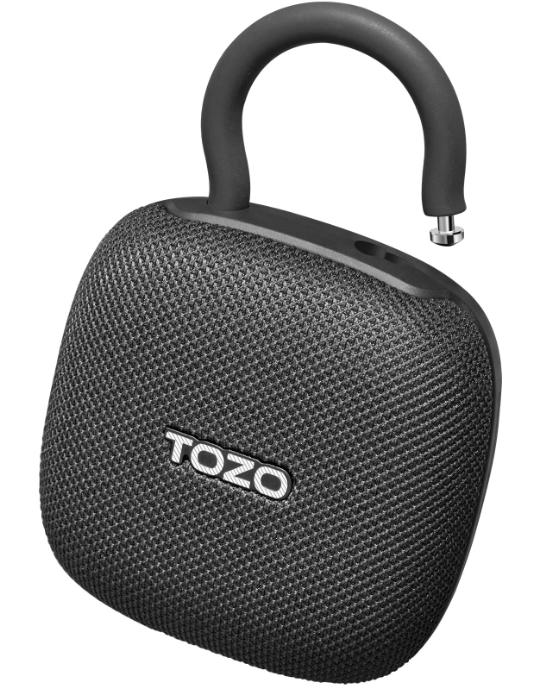
The tozo PE-1 Portable Wireless Sports Speaker is a compact, rugged Bluetooth speaker designed for active users who demand excellent sound quality on the go. With its palm-sized dimensions (129x90x44 mm) and lightweight construction, this speaker is ideal for outdoor enthusiasts, athletes, travelers, and anyone who needs a durable audio companion during workouts, hiking, beach trips, or casual listening.
Key benefits include an IPX8 waterproof rating, allowing it to withstand full immersion in water up to 1 meter for 30 minutes, making it perfect for pools, showers, and rainy conditions. The speaker features Bluetooth 5.4 for stable and fast wireless connectivity, supporting multi-point connections and stereo pairing for enhanced audio experiences. It offers an impressive up to 32 hours of playtime on a single charge with quick USB-C charging, ensuring extended usage without frequent recharging.
Additional highlights include a built-in microphone for hands-free calls and voice assistant access, plus an integrated adjustable carabiner clip for easy attachment to backpacks, belts, or bike handles. The tozo PE-1 sports speaker delivers balanced, punchy sound with a surprising volume level for its size, suitable for various music genres and environments.
Available in black, blue, and green, this speaker is competitively priced in the $20 to $25 range, making it an affordable choice for consumers seeking portability, durability, and quality audio without breaking the bank. It is widely available through online retailers such as Amazon, Walmart, and the official Tozo store.
Specifications
- Battery capacity: 3.7V/1200mAh
- Input: 5V=600mA
- Impedance: 4Ġ±15%
- Frequency Response Range: 70Hz-20kHz
- Ambient operating temperature: -10°C-45°C
Product description
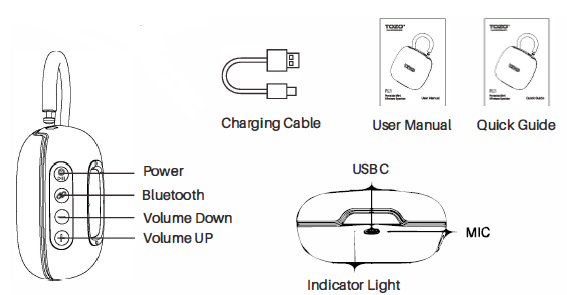
Handle buckle
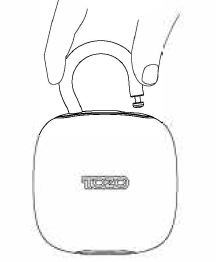
- Pinch the handle buckle and squeeze it inward to detach the buckle from the hole.
- Insert the detached handle buckle into your preferred hanging location (such as the handle of a schoolbag or an outdoor branch).
Then, place the end of the handle buckle into the hole and push it outward to secure the handle buckle, creating a stable suspension for the speaker.
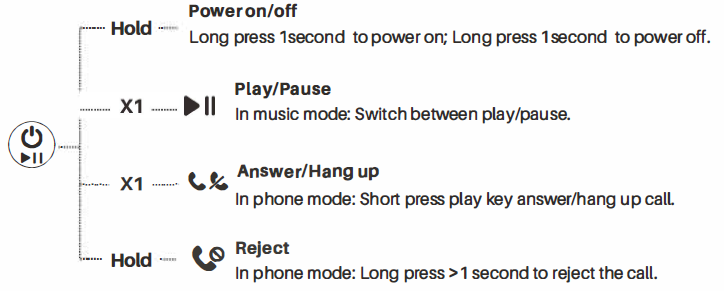
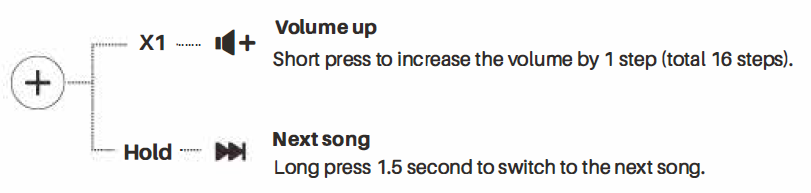
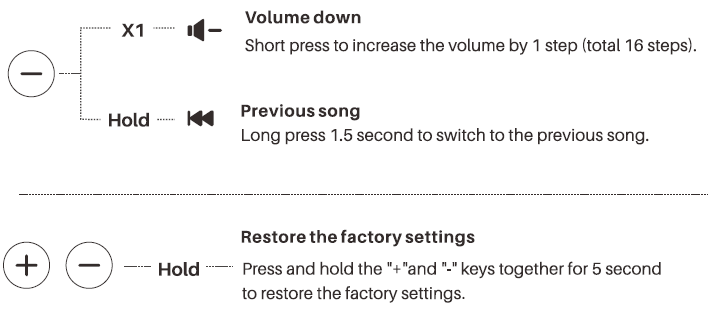
Key function guide
- X1: Press once
- X2: Press twice
- Hold: Press and hold
Bluetooth pairing
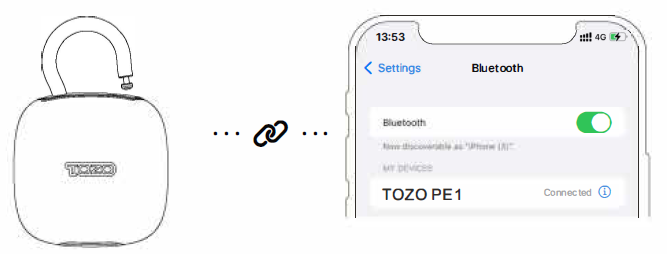
After the speaker is turned on, the white light flashes alternately. Open the Bluetooth on your phone and search for Bluetooth devices. Click on the "TOZO PE1" to connect. After a successful connection, the indicator light will be on.
In the connected state, double-click the Bluetooth button to disconnect all current connections and re-enter the pairing state. If needed, after answering the call cl,, click the Bluetooth button to switch the call to the phone.

Voice assistant
- When the device is turned on and connected, double-click the power button to activate the voice assistant.
- When the voice assistant function is enabled, press and hold the button for 2 seconds to exit the voice assistant function.
- Note that some Android phones may not support this button mode.
Three-waycalling
- To answer the first incoming call,, press the power button. Press the power button again to answer the second incoming call.
- During a three-way ca, ll use the power button to switch between calls.
- To hang up the current call, press and hold the power button for 1 second. Then, press and hold the power button for another 1 second to hang up the second call.
Twins Mode
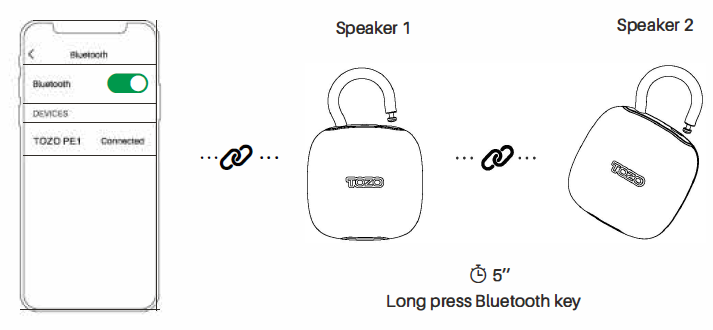
- Turn on both speakers, then press and hold the Bluetooth buttons on both speakers for 5 seconds to pair them as left and right channels.
- To set one speaker as the master (left channel), press and hold its Bluetooth button for 5 seconds. Then, press and hold the Bluetooth button on the other speaker for 5 seconds to set it as the right channel.
- Your phone can search for and connect to the speakers via Bluetooth before or after the two speakers are paired.
- After connecting, the white light on the master speaker will be on, and the white light on the slave speaker will flash slowly (on for 500ms, off for 500ms).
Bluetooth multipoint feature
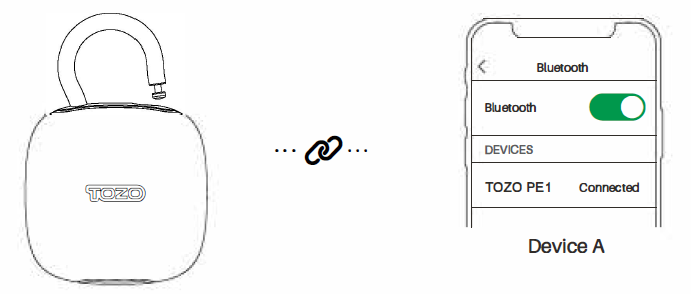
Step 1:
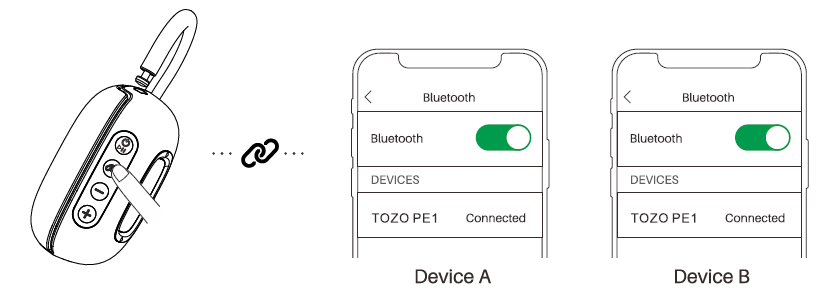
Turn on the speaker and turn on the Bluetooth of the first phone. Search for the "TOZO PE1" and connect to the speaker.
Step 2:
Click the Bluetooth button once to release the second Bluetooth signal.
Turn on the Bluetooth of the second phone, search for the "TOZO PE1 ", and then connect to the speaker to achieve two phones connected to one speaker simultaneously.
TOZOAPP
Download the TOZO App for UI customization, EQ settings,s, and more.
- UI customization: Most of the controls can be customized in the App.
- EQ settings: There are lots of EQ settings you can choose in the App to optimize your experience while enjoying different music genres.
- Earbuds firmware update: The earbuds firmware can be updated in the App. You will be informed once the new version of firmware is detected when you connect the earbuds to the App.
TOZO APP pairing
Step 1:
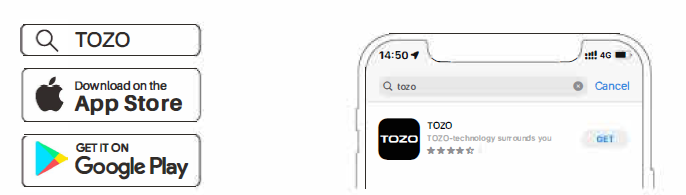
Download the TOZO App on your phone.
Step 2:
Bluetooth pairing with your speaker.
Step 3:
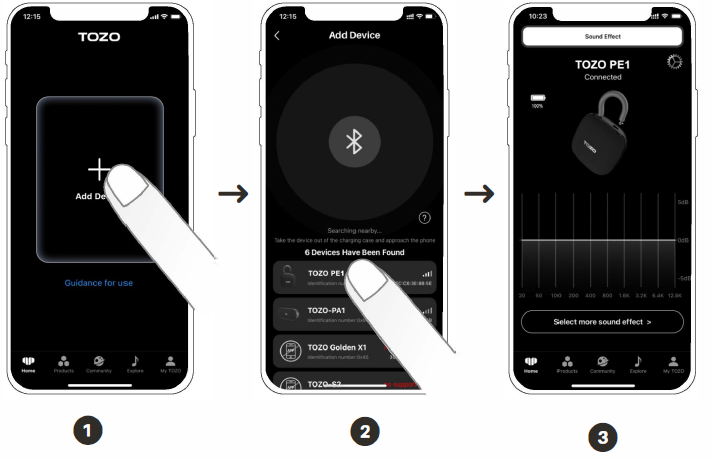
TOZO App pairing with your speaker.
Charging
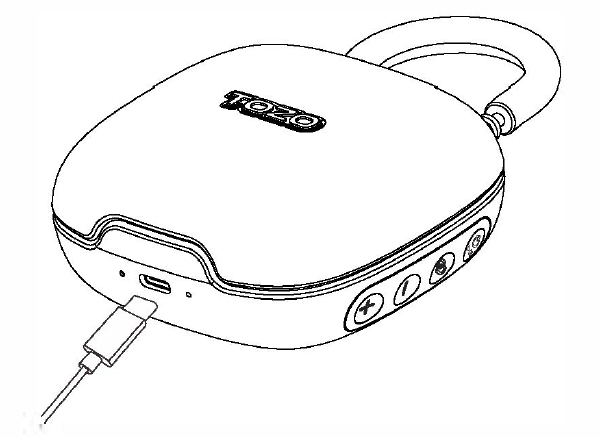
- Plug in the USB-C charging cable to charge the speaker. The power light will turn red when charging and will turn off when fully charged.
- When the speaker is playing and the charging cable is connected, both the red and white lights will be on.
- When the speaker has a low battery, the charging indicator light will flash slowly (on for 500ms, off for 500ms) along with a beeping sound.
Solutions to common problems
If there is a problem with the speaker.
- Power on the speaker.
- Check the status of the status indicator.
- Make sure the mobile device supports Bluetooth technology.
- Charge the battery.
- Turn up the volume on the speaker, device, and music app.
- If necessary, the product can be restored to the factory settings.
- Move the device closer to the speaker and away from other distractions or obstructions.
If you cannot solve the problem, see the table below for symptoms and solutions to common problems.
If you are still unable to resolve the problem, please contact TOZO Customer Service. Please visit: www.tozostore.com
Pros & Cons of the tozo PE-1 Portable Wireless Sports Speaker
Pros
- Excellent Portability: Compact, lightweight design with an integrated carabiner clip allows easy carrying during sports, travel, or outdoor adventures.
- IPX8 Waterproof Certification: Fully submersible for up to 30 minutes, ideal for use in wet or harsh environments without worry.
- Long Battery Life: Up to 32 hours of continuous playback outperforms many competitors in the same price range, providing all-day music enjoyment.
- Bluetooth 5.4 Stability: Reliable wireless connection with minimal dropouts and support for connecting two devices simultaneously.
- Hands-Free Calling: Built-in microphone enables clear calls and voice assistant control, adding convenience.
- Stereo Pairing Feature: Connect two PE-1 speakers for a wide, immersive stereo sound experience.
Cons
- Button Sensitivity: Control buttons require firm presses due to indentation, which can be slightly inconvenient during active use.
- Sound Output Limits: While loud for its size, the speaker is not as loud or bass-heavy as premium speakers like the JBL Clip 5, limiting its performance in large, noisy environments.
- No Floating Capability: Unlike some waterproof speakers, the PE-1 does not float, so careful handling near water bodies is necessary.
- Limited Low Latency Support: Not optimized for gaming or video streaming, where audio-visual sync is critical.
- App Integration: While compatible with the TOZO app offering EQ adjustments, some users may find the app features basic compared to higher-end models.
Customer Reviews and Feedback on the tozo PE-1 Portable Wireless Sports Speaker
Users consistently praise the tozo PE-1 for its remarkable sound quality,y given the small size and affordable price. Many highlight the robust waterproofing and long battery life as standout features that make it perfect for outdoor use. Typical ratings average around 4 out of 5 stars, reflecting high satisfaction.
Positive testimonials often mention the speaker's portability and the convenience of the built-in carabiner clip, enabling hands-free carrying on hikes or runs. Several reviewers recommend it as a budget-friendly alternative to more expensive sport speakers, appreciating the stable Bluetooth 5.4 connection and decent call quality via the microphone.
Common complaints relate to the somewhat stiff control buttons, which can be difficult to press, and the speaker's limited maximum volume for some users expecting louder output. A few customers wished for a floating design for poolside use, but most agree that the IPX8 waterproof rating sufficiently protects the device during wet conditions.
Overall, the tozo PE-1 Portable Wireless Sports Speaker is highly recommended for casual to moderate users seeking a durable, long-lasting, and versatile Bluetooth speaker suitable for active lifestyles and outdoor adventures.
Faqs
How do I set up the tozo PE-1 Portable Wireless Sports Speaker for the first time?
What should I do if my tozo PE-1 Portable Wireless Sports Speaker won't connect to Bluetooth?
Can I use the tozo PE-1 Portable Wireless Sports Speaker for hands-free phone calls?
Is the tozo PE-1 Portable Wireless Sports Speaker waterproof and suitable for outdoor activities?
How long does the battery last on the tozo PE-1 Portable Wireless Sports Speaker, and how do I charge it?
What are the best ways to optimize sound quality on the tozo PE-1 Portable Wireless Sports Speaker?
How do I maintain and care for my tozo PE-1 Portable Wireless Sports Speaker to ensure durability?
Is the tozo PE-1 Portable Wireless Sports Speaker compatible with multiple devices simultaneously?
More tozo manuals
- How to Pair: Tozo T6 True Wireless Stereo Earbuds Instruction Manual
- Setup: Tozo W6 Wireless Charger User Guide
- Setup & Pairing: Tozo O2 Open Ear Headphones User Manual
- How to Use: Tozo W10 Wireless Charger User Manual
- How to Pair: Tozo T10 True Wireless Stereo Earbuds Instruction Guide
- Setup: Tozo Acufit Lite Smart Watch User Manual
Leave a Comment