
How to Use: Tozo W10 Wireless Charger User Manual
Content
TOZO W10 Wireless Charger
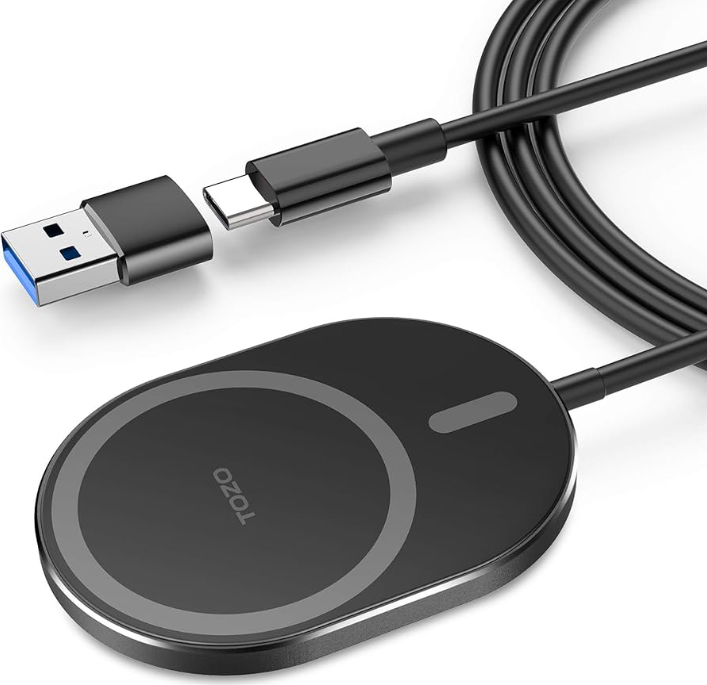
Introduction
Experience the convenience of wireless charging with the TOZO W10 Wireless Charger, designed for seamless integration with your devices. This smart magnetic wireless charger offers a compact and portable design, making it perfect for travel or home use. Key benefits include fast charging capabilities up to 15W, dual magnets for secure phone alignment, and built-in protection against overcharging, overheating, and short circuits. The W10 is compatible with a wide range of devices, including all iPhone models and the Samsung Galaxy series, ensuring versatility for various users.
Targeted at tech-savvy individuals and those seeking hassle-free charging solutions, the TOZO W10 is ideal for both personal and professional settings. With an estimated price range between $15 and $25, it offers excellent value for money. The charger is widely available on major online platforms and the official TOZO store.
Product Details
- Input voltage compatible: (with QC/AFC-PD protocol): 5V/2A-9V/1.67 A-12V/1.67 A
- Output Power: (Mobile phone automatic adaptation: 5W-7.5W-10W-15W
- Output Electric Current: 1A-1.67A
- Output Voltage 5-9V
- 7.5W Maximum Efficiency: 76%
- Charging Distance: 5mm
- Charging Method: Magnetic alignment, electromagnetic induction
- Working Frequency: 110-205KHZ
- Product Weight: 80g
Product packing list
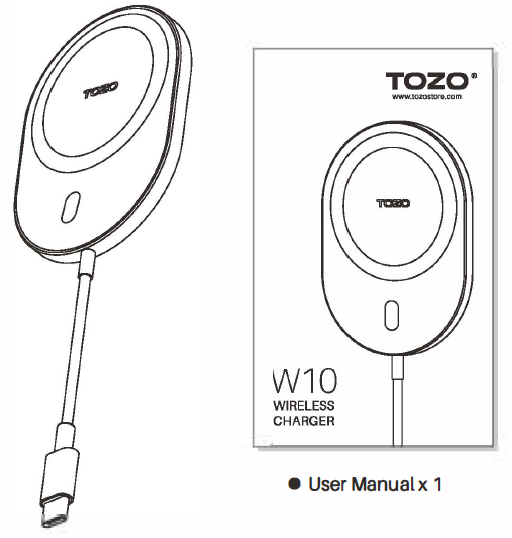
- Magnetic Wireless charger x 1
- User Manualx 1
Precautions
- Please use a qualified PD protocol or QC protocol power charger; otherwise, it may cause unstable charging or abnormal flicker.
- Supports all iPhone 12 series phones;
- Do not use a mobile phone protective case with a metal back or a mobile phone protective case with a thickness greater than 4mm;.
- The receiving coil of a mobile phone that supports wireless charging is generally located at the center of the mobile phone. Please place the center of the mobile phone at the center of the charging board for a better charging experience.
- Do not put metal debris or magnetic cards on the charging board, which may cause metal heating, magnetic card damage, charger damage, or other abnormalities;.
- During use, if the receiving coil or the transmitting board is overheated and the charging terminates, please remove the charging device, wait for it to cool down, then retry charging again.
Safety Notice
- Do not pull the power cord hard to avoid the power cord from breaking or falling off.
- Do not disassemble W10 or throw it into fire or water, as it may cause a short circuit and electric leakage. Do not use W10 in high temperatures, humidity, or corrosive environments; otherwise, it will damage the circuit and lead to leakage.
Setup Guide for TOZO W10 Wireless Charger
Setting up your TOZO W10 is straightforward:
- Connect the Charger: Plug the USB-C cable into a compatible power source, ensuring you use a qualified PD or QC protocol charger for optimal performance.
- Place Your Device: Align your phone with the magnetic alignment feature. Ensure the phone case is not thicker than 4mm and does not have metal components for efficient charging.
- Start Charging: Once properly aligned, your device will begin charging wirelessly.
Troubleshooting Tips: - If charging is slow, check the power source and ensure a compatible charger is used. - Avoid using metal-backed cases for optimal performance.
Safety Precautions: Keep the charger away from water and avoid exposing it to extreme temperatures.
Troubleshooting Common Issues
Common problems and their solutions include:
- No Charge: Ensure the device is properly aligned and the power source is stable.
- Slow Charging: Check for case thickness and ensure the charger is receiving sufficient power.
- Overheating: Avoid placing the charger near heat sources and ensure proper ventilation.
Warranty and Support: The TOZO W10 typically comes with a standard manufacturer's warranty. For technical support or warranty claims, visit the official TOZO website or contact their customer service.
Warranty Scope:
If this product fails to work normally during usual use, you can enjoy our after-sales service commitment after being confirmed by our company.
The following conditions are not covered by the warranty:
- The accessories are not guaranteed.
- Failure due to improper operation by the user;
- Failure caused by accidental disasters, man-made damage, self-demolition, removal of seals, and repairs not authorized by the company's representative.
Pros and Cons
Pros
- Compact Design: Slim and portable, making it ideal for travel.
- Magnetic Alignment: Ensures a secure and slip-free charging experience.
- Built-in Protections: Safeguards against overcharging, overheating, and short circuits.
- Fast Charging: Supports up to 15W charging for quick power-ups.
Cons
- Case Compatibility: May not work well with thicker cases or those with metal components.
- Dependence on Quality Power Source: Requires a compatible charger for optimal performance.
Customer Reviews
Customers praise the TOZO W10 for its ease of use and magnetic stability, with ratings averaging 4.5 out of 5 stars. Common praises include the charger's portability and fast charging capabilities. Some users mention issues with case compatibility and power source requirements.
Recommendation: Ideal for those seeking a convenient and reliable wireless charging solution. Ensure using a compatible power source and case for optimal performance.
Faqs
How do I properly set up the tozo W10 Wireless Charger for first-time use?
What can I do if my tozo W10 Wireless Charger is not charging my device?
Which devices are compatible with the tozo W10 Wireless Charger?
What are the key features of the tozo W10 Wireless Charger that enhance charging performance?
How should I maintain and clean my tozo W10 Wireless Charger for long-term use?
Can I use the tozo W10 Wireless Charger with a phone case on?
Does the tozo W10 Wireless Charger support fast charging and what power adapter is recommended?
What safety features are included in the tozo W10 Wireless Charger to protect my devices?
More tozo manuals
- Setup: Tozo W6 Wireless Charger User Guide
- Setup: Tozo Acufit Lite Smart Watch User Manual
- How To Pair: Tozo PE-1 Portable Wireless Sports Speaker Instruction Guide
- Pairing & Setup: Tozo E1 True Wireless Stereo Earbuds User Guide
- How to Pair: Tozo T6 True Wireless Stereo Earbuds Instruction Manual
- How to Pair: Tozo Crystal Pods Wireless Earbuds User Guide
Leave a Comment